

 TL;DR:
Recoverit and EaseUS provide the most reliable data recovery for general Windows and Mac users, while R-Studio and Stellar Data Recovery are necessary for IT professionals requiring RAID reconstruction or Linux compatibility.
● Recuva is the only option providing unlimited free recovery (for Windows only), whereas EaseUS allows up to 2GB for free, and Recoverit strictly limits its free tier to just 100MB.
● To prevent permanent data destruction during any recovery process, you must stop using the affected drive immediately and save all restored files to a completely different physical storage device.
Ask AI for a summary
 ChatGPT
 Perplexity
 Gemini
 Claude
 Grok
Grok
Hard drives can fail without warning. A crash, a virus, or an accidental deletion can make your files vanish. Photos, documents, and work projects are gone in seconds. But there’s a way to recover them.
Hard disk recovery tool kits scan your drive and help bring back lost data. They work with different types of drives and handle many kinds of data loss. Some are easy to use and even free. We’ll help you find the best one for your needs.
Try Recoverit to Recover Permanently Deleted Files
 Security Verified. Over 7,302,189 people have downloaded it.
Table of Contents
Part 1: How to Choose the Best Hard Drive Recovery Kit
Finding the right laptop hard drive recovery kit requires careful thought. Not all recovery tools work the same way. Some excel at simple deletions. Others handle complex corruption issues. Your choice depends on your specific situation and technical skills. Here are eight key factors to consider:
- Compatibility with Your System: Make sure the tool works with your operating system. Check if it supports Windows, Mac, or Linux. Verify it can handle your drive type.
- Types of Files Supported: Different tools recover different file types. Some focus on documents and photos. Others handle videos and databases. Choose a tool that supports your lost file formats. Check the complete list before buying.
- Scanning Depth and Speed: Quick scans find recently deleted files fast. Deep scans take longer but find more data. Look for tools with both options.
- Preview Feature: Good tools let you preview files before recovery. This saves time and storage space. You can see if the file is intact. Then decide if it's worth recovering.
- Recovery Success Rate: Read reviews about actual recovery results. Some tools claim high success rates. Real user experiences tell the truth. Look for independent tests and comparisons.
- Price and Licensing: Free tools have limits on data size. Paid versions offer unlimited recovery. Compare prices across different brands. Check if you need a one-time purchase or subscription.
- User Interface Design: Simple interfaces work for beginners. Advanced options suit tech experts. Choose based on your comfort level. A confusing tool wastes time during emergencies.
- Technical Support Quality: Good support helps when things go wrong. Check if they offer email, chat, or phone support. Read reviews about response times.
Part 2: Top Hard Disk Recovery Tool Kit to Try
Comparison Table
| Tool | Best For | Supported OS | Free Version | Price | Success Rate |
| Recoverit | Beginners & Professionals | Windows, Mac | Yes (100MB) | $79.99/year | 99% |
| EaseUS Data Recovery Wizard | All-round recovery | Windows, Mac | Yes (2GB) | $69.95/month | 93% |
| Stellar Data Recovery | Advanced users | Windows, Mac, Linux | Yes (1GB) | $79.99 | 92% |
| Recuva | Basic recovery needs | Windows | Yes (unlimited) | $24.95 | 85% |
| R-Studio | IT professionals | Windows, Mac, Linux | No | $79.99 | 94% |
#1 Recoverit
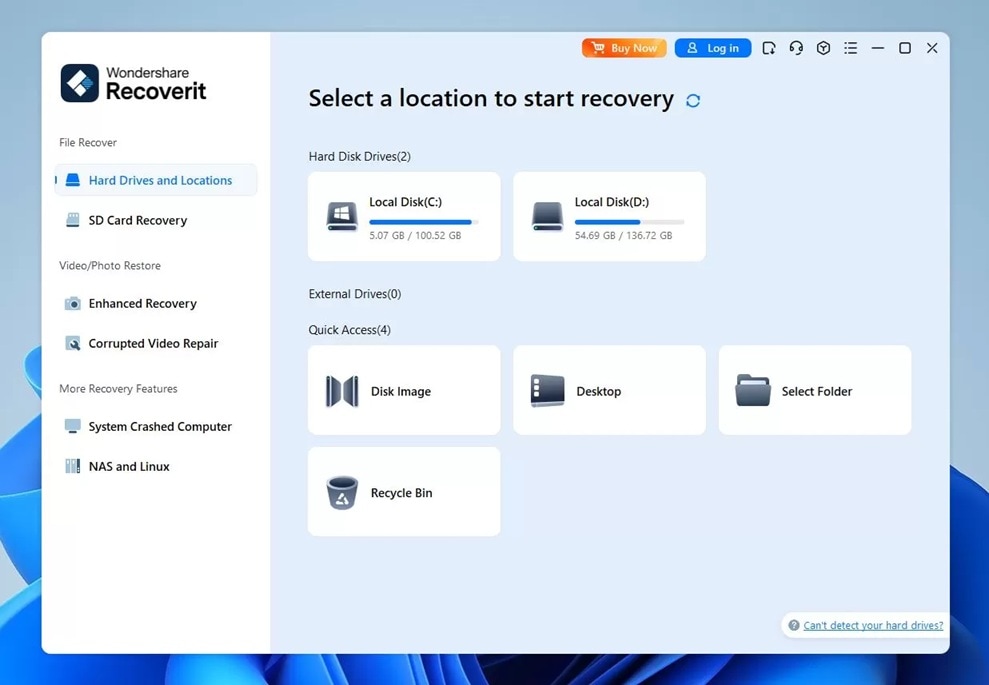
Recoverit stands out as a top AI-powered hard drive recovery kit for good reason. This tool combines power with simplicity. It works for both home users and business professionals. The interface is clean and easy to navigate. You don't need technical knowledge to recover your files. Recoverit handles over 1000 file types. It works with all storage devices, including SATA hard drive recovery kit scenarios.
The software uses advanced algorithms to find lost data. It can recover files from formatted drives. Crashed systems don't stop it. Even corrupted partitions can be scanned. The preview feature shows files before recovery. This helps you save exactly what you need. Recoverit also offers video repair tools. Damaged video files get fixed during recovery.
Key Features:
- Recovers over 1000 file formats
- Deep scan technology for thorough searches
- Preview files before recovering them
- Repairs corrupted videos automatically
- Handles system crashes and boot failures
- Resume recovery after interruption
- 24/7 customer support available
#2 EaseUS Data Recovery Wizard
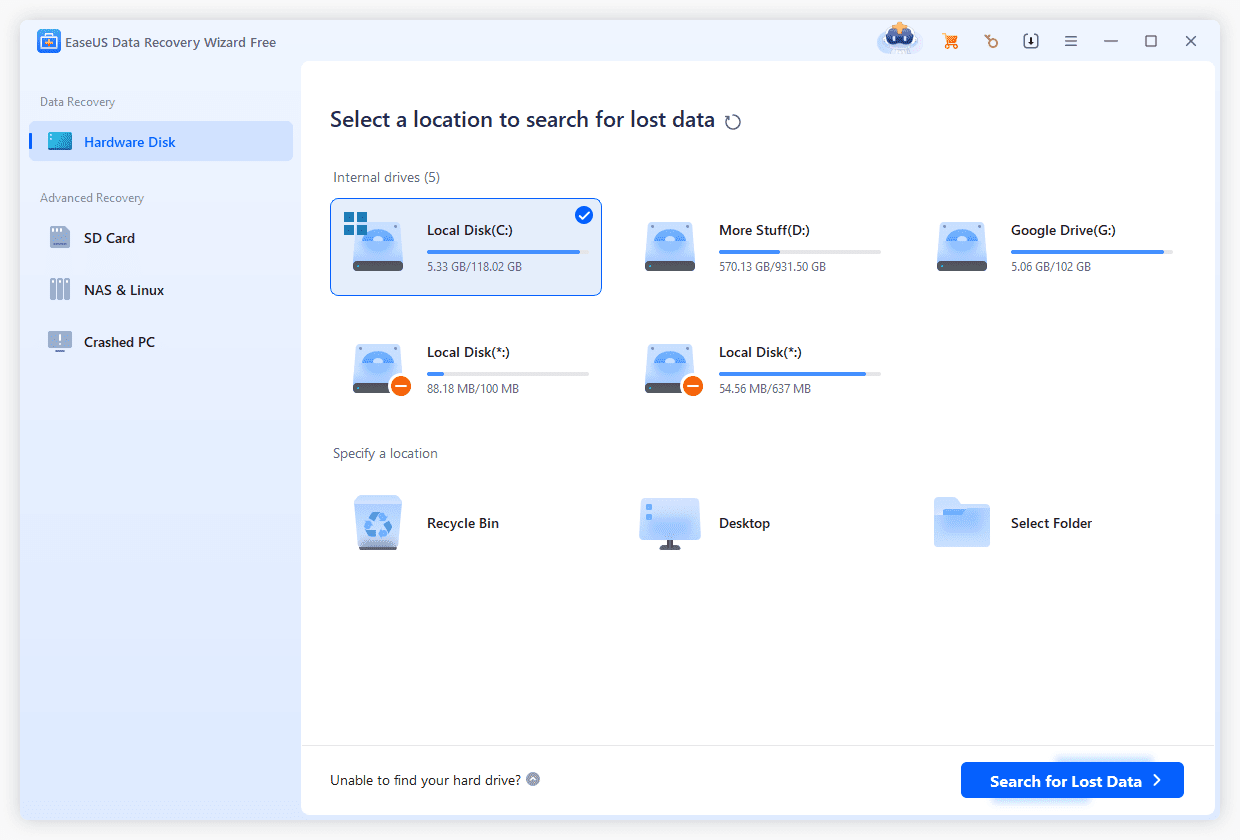
EaseUS Data Recovery Wizard is a reliable hard disk recovery tool kit. It has earned trust from millions of users worldwide. The software handles most data loss scenarios well. Accidental deletion, formatting, and partition loss are covered. The interface uses a wizard-style approach. This guides you through each recovery step clearly.
This hard drive data recovery kit works with various file systems. FAT, NTFS, exFAT, and more are supported. The tool can even recover from unbootable systems. You can create a bootable media for such situations. EaseUS also offers cloud storage recovery. Lost files from Google Drive and Dropbox can be retrieved.
Key Features:
- Wizard-style guided recovery process
- Recovers from deleted partitions
- Supports 1000+ file types
- Bootable media creation
- Cloud storage data recovery
- Filter search for specific files
- Pause and resume scanning
- Free lifetime technical support
#3 Stellar Data Recovery
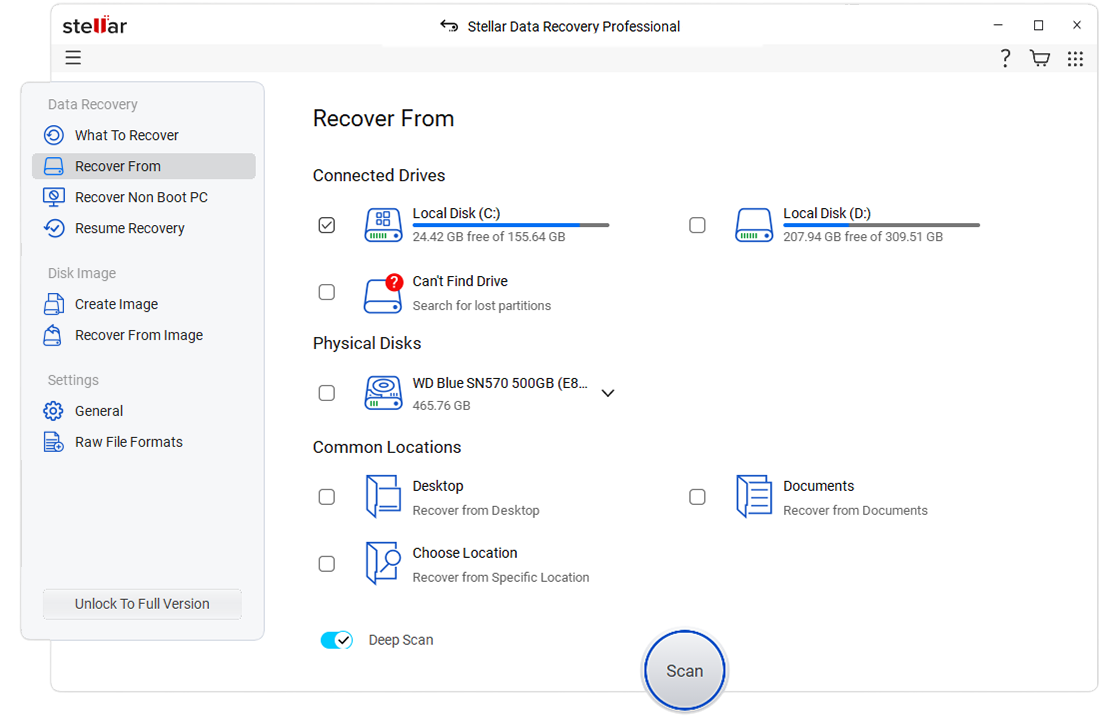
Stellar Data Recovery is a comprehensive HDD hard drive recovery tools kit. It caters to advanced users who need more control. The software offers multiple recovery modes. You can choose based on your situation. Simple mode works for quick fixes. Advanced mode gives you detailed options. Stellar also provides disk imaging capabilities.
This tool is known for its flexibility. It works across Windows, Mac, and Linux systems. The software can recover from RAID arrays. Network drives are also supported. Stellar includes a drive monitor feature. This predicts potential failures before they happen. The software also repairs corrupt photos and videos.
Key Features:
- Multiple recovery modes available
- RAID array recovery support
- Disk imaging for damaged drives
- Drive health monitoring
- Photo and video repair tools
- Optical media recovery
- Create recovery sessions
- Cross-platform compatibility
#4 Recuva by CCleaner
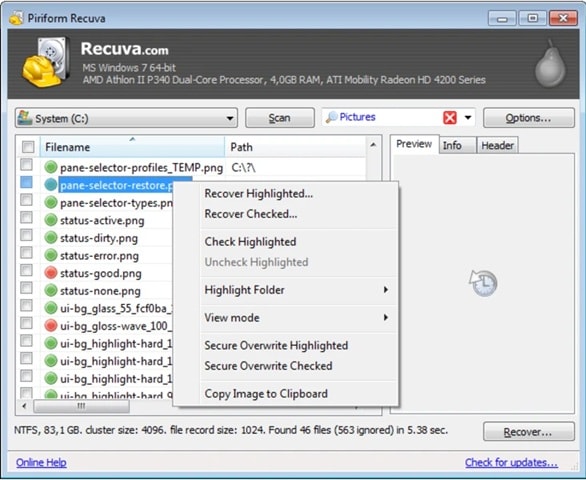
Recuva offers a simple solution as a laptop hard drive recovery kit. This free tool from CCleaner is perfect for basic recovery needs. The software is lightweight and quick to install. It doesn't overwhelm users with complex options. Recuva uses a simple wizard interface. Even complete beginners can use it successfully.
The tool works well for recently deleted files. It can scan deep for older or damaged files. Recuva also includes a secure deletion feature. This permanently removes sensitive files. The software integrates with Windows Explorer. You can recover files directly from the right-click menu. While not the most powerful option, it's perfect for simple tasks.
Key Features:
- Completely free for personal use
- Simple wizard interface
- Deep scan option available
- Secure file deletion tool
- Windows Explorer integration
- Portable version available
- Quick scan mode
- Filter by file type
#5 R-Studio
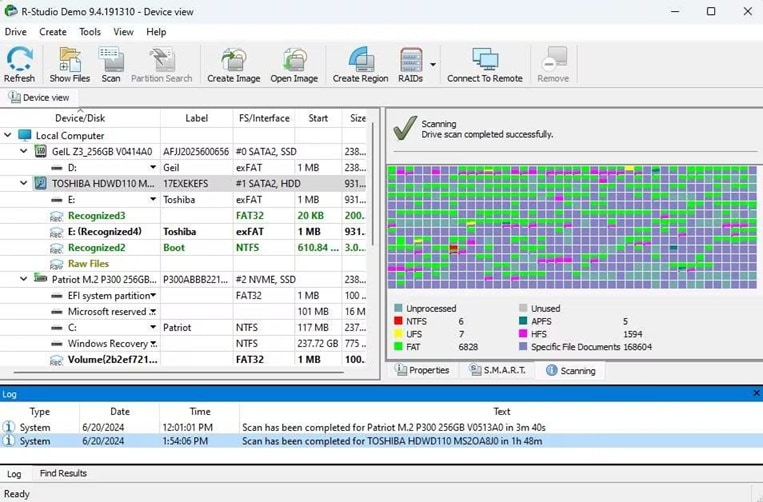
R-Studio is a professional-grade Toshiba HDD data recovery kit. It targets IT professionals and data recovery specialists. The software offers the most control over recovery processes. You can fine-tune every aspect of the scan. R-Studio handles complex RAID configurations expertly. It works with damaged or missing file systems.
This tool provides hex editor functionality. Advanced users can manually edit disk structures. The software supports network recovery. You can recover data from remote computers. R-Studio also includes disk imaging features. These create exact copies of failing drives. The recovery process is highly customizable and technical.
Key Features:
- Professional-grade recovery engine
- Advanced RAID reconstruction
- Network data recovery capability
- Works with damaged file systems
- Extensive file system support
- Raw file recovery option
Part 3: How to Recover Lost Files Using the Recoverit Tool: Step-by-Step Guide
Recoverit makes data recovery simple and effective. This SATA hard drive recovery kit has helped millions recover lost files. The software works in almost any data loss situation. Whether you accidentally deleted files or your drive crashed, Recoverit can help. The process is straightforward and doesn't require technical skills.
Recoverit also protects your remaining data during the recovery process. It never writes data back to the source drive. This prevents further damage or data loss.
Try Recoverit to Recover Permanently Deleted Files
Security Verified. Over 7,302,189 people have downloaded it.
Why Choose Recoverit
- User-Friendly Design: The interface is clean and intuitive. Anyone can navigate through the recovery process. No technical training is required to use it effectively.
- High Success Rate: Recoverit boasts a 95% recovery success rate. This is among the highest in the industry. It uses advanced algorithms to find and restore files.
- Versatile Recovery Options: The tool handles all data loss scenarios. Deleted files, formatted drives, corrupted partitions, and system crashes are all covered. It even recovers from damaged external drives.
- Safe Recovery Process: Recoverit never modifies your original data. It reads your drive in a safe mode. All recovered files are saved to a different location automatically.
- Excellent Support: The company provides 24/7 customer support. Help is available through chat, email, and phone. Tutorial videos guide you through every feature.
Recovery Steps
Step 1 Download and Launch Recoverit

First, download Recoverit. Select the drive where you lost your files. Click the "Start” button.
Step 2 Scan and Preview Your Files
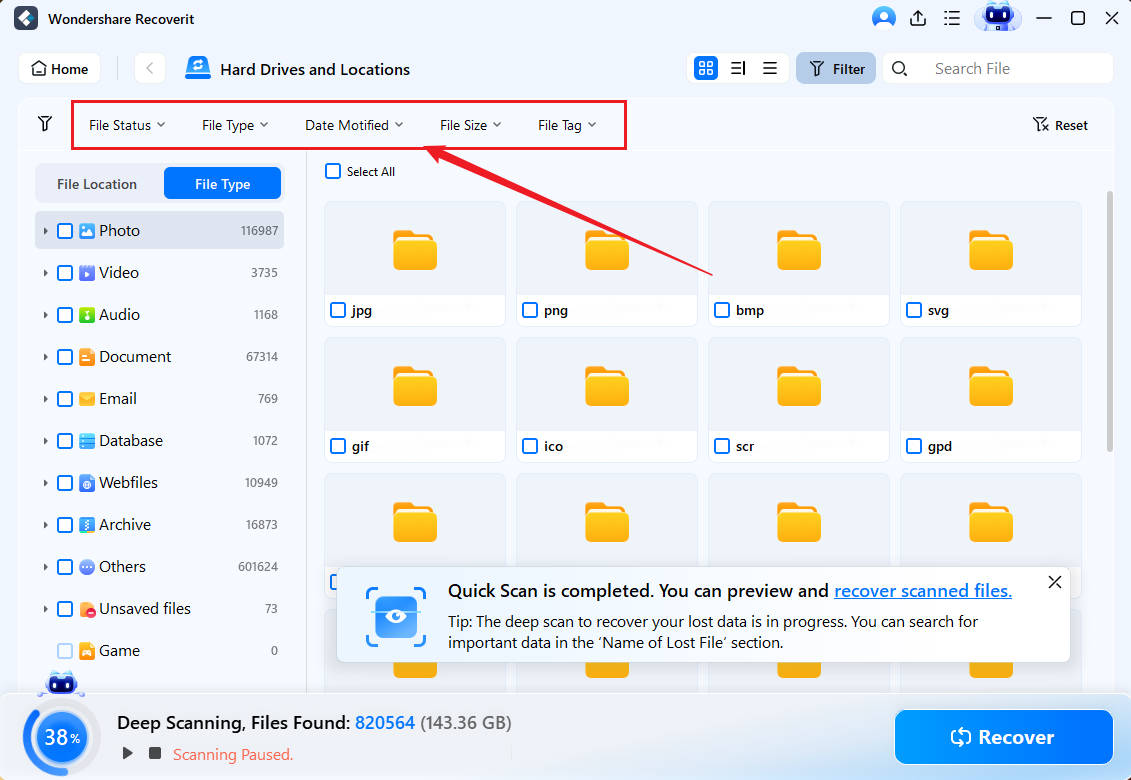
Recoverit starts with a quick scan first. This finds recently deleted files within minutes. The scan results appear in real-time.
Step 3 Recover and Save Your Files

Select all the files you want to recover. Use checkboxes to mark multiple files at once. Click the "Recover" button at the bottom. Choose a save location different from the original drive.
Part 4: Pro Tips for Successful Recovery
Following best practices increases your chances of getting files back.
- Stop Using the Drive Immediately: When you lose data, stop using that drive right away. Every action on the drive risks overwriting lost files.
- Never Save to the Same Drive: Always recover files to a different drive. This is the most important rule in data recovery.
- Try Multiple Recovery Tools: Different tools use different algorithms. One tool might miss files that another finds. Try at least two different hard drive data recovery kit options.
- Use Deep Scan for Better Results: Quick scans are fast but find fewer files. Deep scans take hours but locate more data. Always run a deep scan for important files.
- Keep Your Drive Cool: Overheating damages drives during intensive scans. Make sure your computer has good ventilation. Use a cooling pad for laptops. Take breaks during long recovery sessions. Monitor drive temperature if possible.
- Don't Format Unless Necessary: Formatting seems like a solution but makes recovery harder. It overwrites file system information.
- Maintain Regular Backups: Prevention beats recovery every time. Set up automatic backups to external drives. Use cloud storage for important files. Test your backups regularly. Recovery tools are last resorts, not backup replacements.
Conclusion
Data loss doesn't have to be permanent. The right hard disk recovery tool kit can save your files. We've covered the top five options for different needs. Recoverit leads for ease of use and success rates. EaseUS offers great value with its generous free version. Stellar provides advanced features for professionals. Recuva works well for basic, free recovery. R-Studio handles the most complex cases.
With the right tool and proper technique, you can recover almost any lost file. Your precious data deserves the best protection possible.
FAQs:
-
Q1: Can a hard drive recovery kit recover permanently deleted files?
Yes, most HDD hard drive recovery tools kit options can recover permanently deleted files. When you delete a file permanently, the operating system removes its entry from the file table. However, the actual data remains on the drive until something overwrites it. -
Q2: Do I need different tools for different hard drive brands, like Toshiba?
No, you don't need a specific Toshiba HDD data recovery kit for Toshiba drives. Most recovery software works with all hard drive brands. The recovery process depends on the file system and drive type, not the manufacturer. SATA, IDE, and SSD drives all use standard interfaces. Whether you have a Toshiba, Seagate, Western Digital, or any other brand, the same tools work. -
Q3: Are free hard drive recovery kits as effective as paid ones?
Free hard drive recovery kit options have limitations compared to paid versions. They work well for simple recovery scenarios and small amounts of data. Tools like Recuva offer unlimited free recovery but with fewer features. Paid tools provide deeper scanning algorithms and higher success rates. They also support more file types and storage devices.


