 TL;DR:
To restore missing audio on Amazon Prime Video, resolve playback glitches by aligning system and in-app volume sliders, clearing the application cache, and updating audio drivers to eliminate software conflicts.
● Resolving system-level sound blocks requires updating device audio drivers via Device Manager and disabling third-party browser extensions or background applications that interfere with media channels.
● Extended streaming sessions and outdated temporary files often cause audio scripts to fail, making a full application restart and cookie clearance necessary to load fresh audio data.
● If troubleshooting steps such as system resets result in the accidental deletion or corruption of local media, Wondershare Recoverit can scan and restore these files across Windows and macOS drives.
Ask AI for a summary
 ChatGPT
 Perplexity
 Gemini
 Claude
 Grok
Grok
Millions of people stream content on Prime Video daily. The service provides access to movies, TV shows, and sports across numerous regions, and it’s compatible with phones, tablets, laptops, and smart TVs. Generally, playback runs smoothly.
However, there are times when the audio suddenly cuts out. The picture may continue playing, but no sound is heard, even after adjusting the volume. Such glitches can make the viewing experience frustrating and less enjoyable.
Sound problems can come from small mistakes or deeper issues. This guide explains the best solutions. The steps are simple. The goal is to help you repair the sound fast. You will also learn how to repair no sound on Amazon Prome Video.
Try Recoverit to Recover & Repair Video/Photo etc.
 Security Verified. Over 7,302,189 people have downloaded it.
Table of Contents
How to Fix "No Sound on Amazon Prime Video"
This part explains how to repair no sound on Amazon Prime Video with simple steps. Each method contains two short introduction paragraphs, four helpful points, and two steps. Try each method until the sound returns. These methods help solve many cases of Prime Video no sound.

Method 1: Check device volume and mute settings
This step seems too simple, but it fixes many issues. People use many apps on the same device. One app may mute the system. A game may lower the volume. You may forget that the headphones were connected earlier. A small check saves time.
Device volume and app volume do not always match. The Prime Video player has its own slider. If the device volume is high but the player volume is low, you may still hear nothing. Checking both gives a clear result. Follow this step first.
How to Check device volume and mute settings:
Step 1: Raise device volume and disable mute.
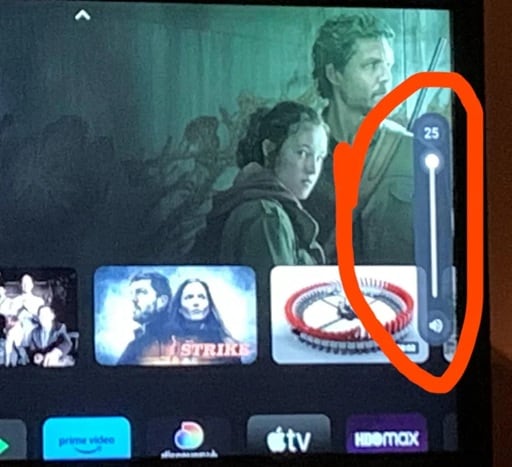
Step 2: Increase the Prime Video player volume.
This method helps repair no sound on Amazon Prime Video on many devices. It also helps when you want to learn how to fix no sound on Amazon Prime Video with simple checks.
Method 2: Restart the Amazon Prime Video app or browser
Long app sessions create minor faults. The player may freeze. Audio files may not load. Browsers store temporary files that become outdated. Restarting gives the app a fresh start. It also removes hidden problems.
Restarting helps reload scripts. This includes audio scripts that may fail after long use. The system frees memory and starts fresh. It also clears old temporary data. After a restart, many users find that the sound returns.
How this helps
- It clears hidden bugs.
- It restores audio scripts.
- It refreshes memory.
- It improves performance.
Steps
Step 1: Close the app or browser fully.
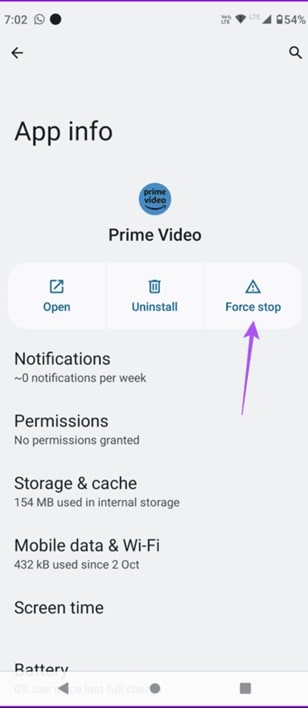
Step 2: Open it again and play the video.
This method works well when dealing with Prime Video no sound issues or Amazon Prime no audio complaints.
Method 3: Clear cache and cookies on the app or browser
Cache makes apps load faster. But too much cache slows the system. Cookies store settings. Old cookies can break the sound output. Clearing these files gives a fresh start to the app or browser.
This method helps the app load new data. It removes files that may block sound. Many users solve the problem by clearing the cache because broken sound files often hide inside old data. After clearing the cache, the device runs smoothly.
How this helps
- It removes old files.
- It creates clean memory.
- It fixes broken data issues.
- It supports smoother playback.
Steps
Step 1: Clear app or browser cache.
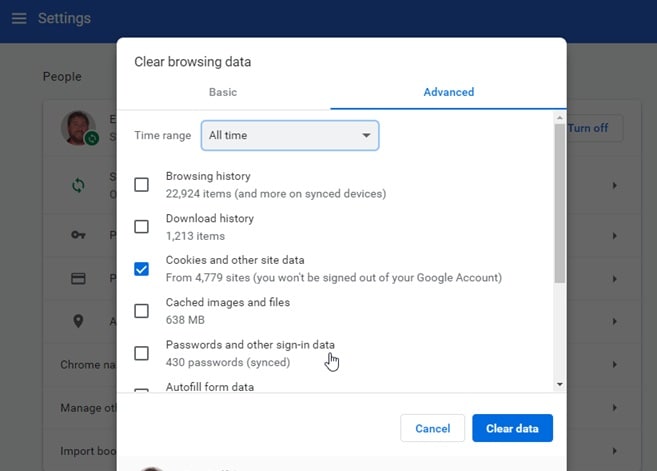
Step 2: Restart the device and test again.
This method helps repair no sound on Amazon Prime Video when the issue comes from old data. It also helps reduce Amazon Prime Video no audio errors.
Method 4: Update or reinstall audio drivers
Drivers control how the device sends sound to speakers or headphones. Old drivers may not support new audio formats. They may also lose compatibility with streaming apps. Updating drivers solves this.
Reinstalling can help if updating fails. A clean install replaces damaged files inside the driver. After updating or reinstalling, the system communicates more smoothly. The device sends audio signals with fewer breaks.
How this helps
- It replaces old files.
- It improves compatibility.
- It fixes deep-level sound errors.
- It strengthens sound output.
Steps
Step 1: Update the audio driver from Device Manager.
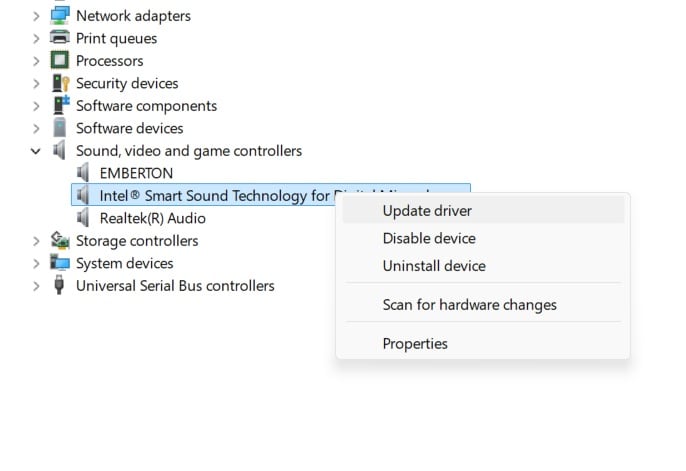
Step 2: Restart your device and try again.
This method helps many cases of Amazon Prime no sound only video. It also solves Amazon Prime Video no audio on older systems.
Method 5: Disable conflicting extensions or background apps
Some extensions control media. Others block certain scripts. A few manage audio settings. These tools may break sound on streaming platforms. The same is true for background apps that use audio channels.
Disabled extensions free the system. The audio channel opens with no blocks. This improves sound flow. Many users do not know that browser extensions affect sound playback. Checking them helps solve stubborn cases.
How this helps
- It clears audio blocks.
- It frees memory.
- It reduces background pressure.
- It improves player stability.
Steps
Step 1: Turn off extensions or background apps.
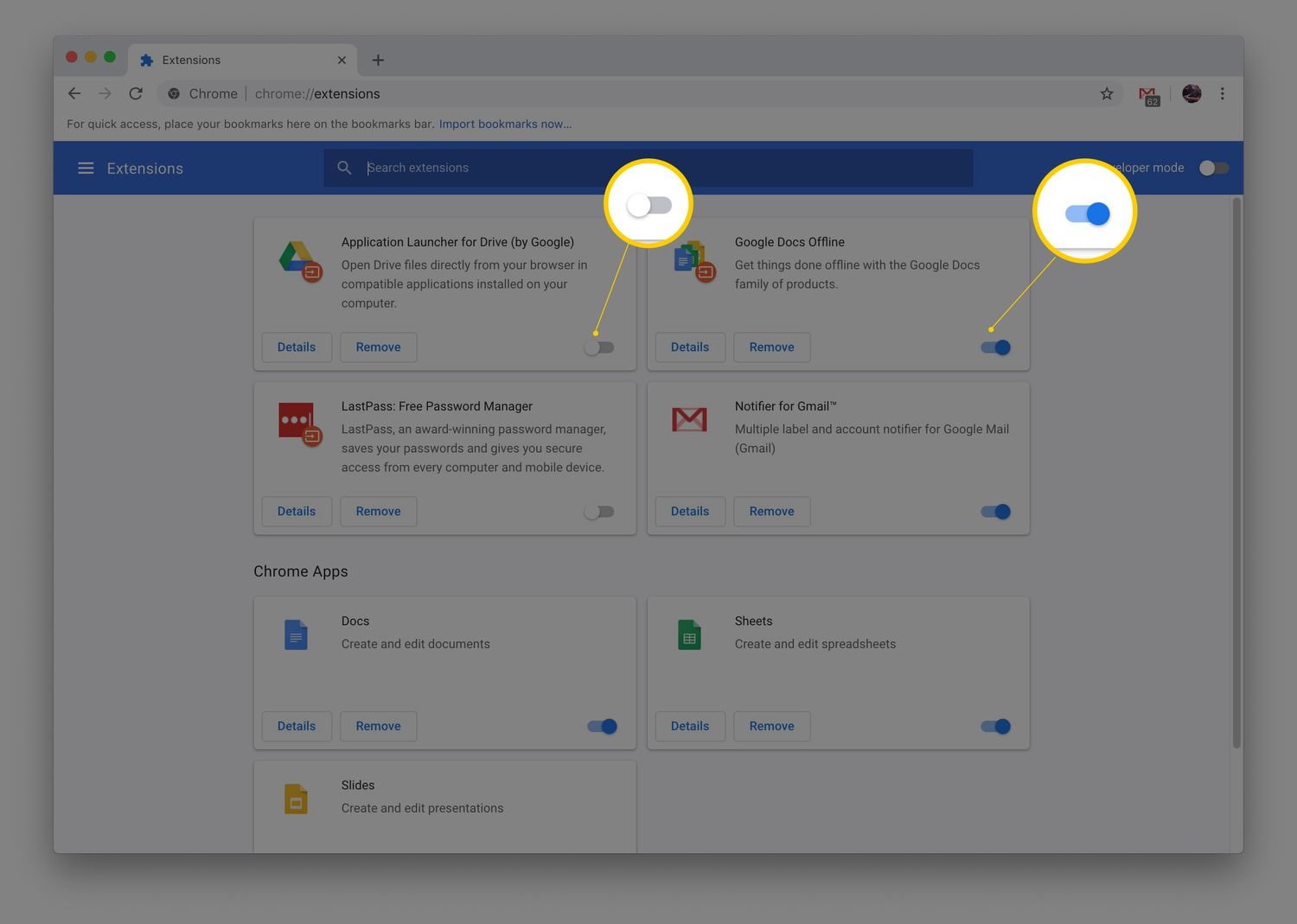
This fix helps remove Prime Video no sound errors caused by hidden tools. It also helps reduce Amazon Prime no audio issues.
Method 6: Update the Amazon Prime Video app to the latest version
Developers push updates to fix bugs. These updates include audio fixes and new features. Old versions may not support new formats. This creates sound issues on many devices. Updating the app helps repair the sound.
New versions run smoother. They support better playback. They remove bugs that older versions keep. Updating takes only a few minutes. It often solves issues that appear again and again.
How this helps
- It adds new features.
- It fixes old bugs.
- It increases stability.
- It improves performance.
Steps
Step 1: Check for updates in the app store.
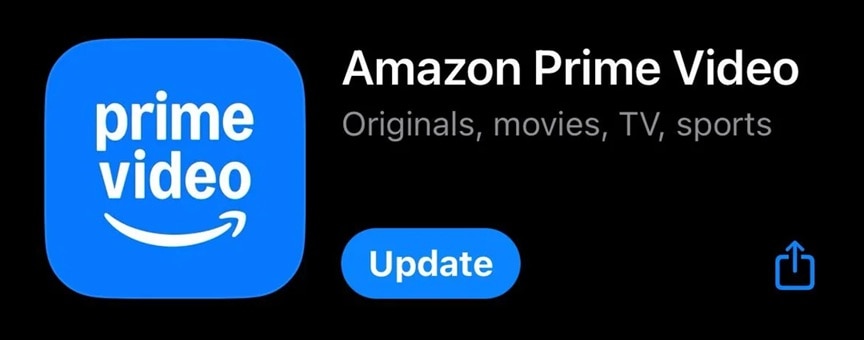
Step 2: Install the update and test again.
This solution helps those dealing with Amazon Prime no sound only video, or other sound problems.
Lost Important Video Files From PC? Use Recoverit
During sound repairs, some users clear data. Others reset their devices. Some may even reinstall software. Mistakes can happen during these steps. Important video files may get lost. Recoverit is a reliable tool designed for such cases. The tool is known for fast recovery.
Recoverit can restore deleted or lost videos from many sources. It works on drives, memory cards and USB sticks. It can also handle damaged files. The tool scans deeply and finds parts of lost files. It then rebuilds them in a safe format.
People like Recoverit because it is simple. The interface is clean. The tool guides users step by step. It does not harm your device during recovery. It also keeps the quality of recovered video files as close to the original as possible.

Why use Recoverit
- It recovers deleted videos.
- It repairs damaged video files.
- It supports many formats.
- It protects video quality.
- It works on Windows and macOS.
Recovery steps
Step 1: Open Recoverit and choose the drive.

Step 2: Scan the drive and select your video.

Step 3: Click Recover to save the file.
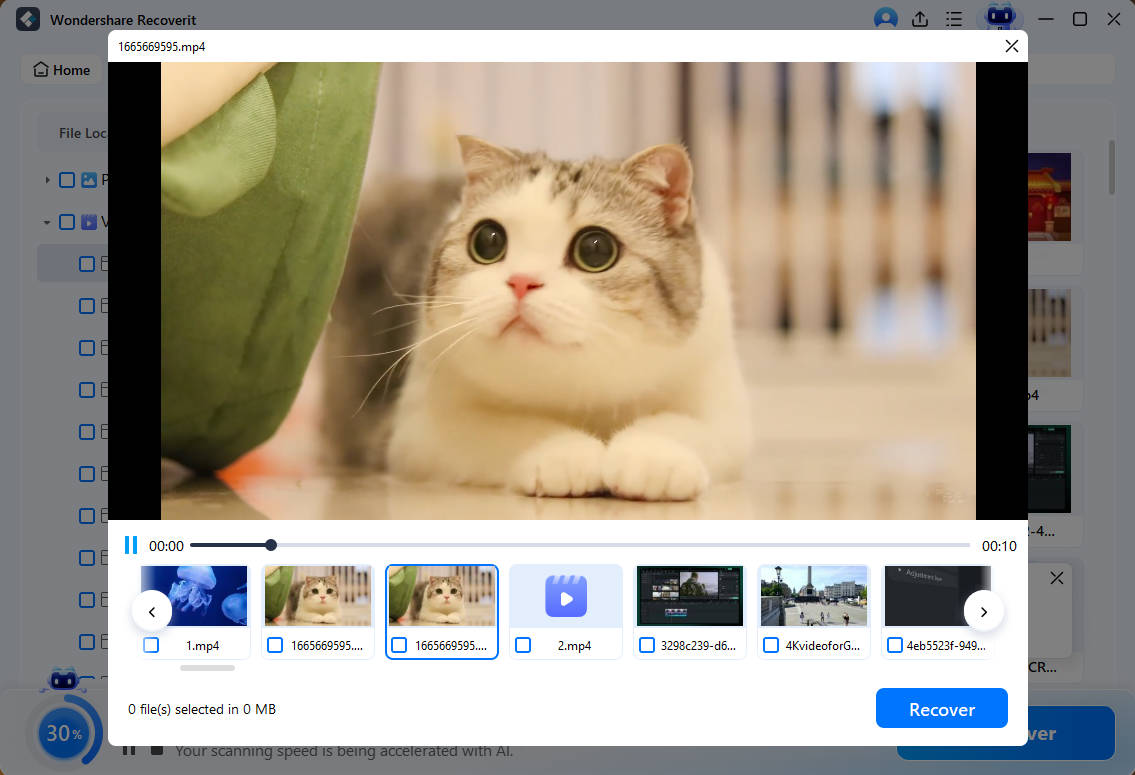
Recoverit helps users who lose files while trying to repair no sound on Amazon Prime Video. It is useful when Amazon Prime Video has no audio problems, leading to repeated resets.
Conclusion
Sound problems can break your viewing experience. The good news is that most issues are simple to fix. The methods in this guide help restore sound on many devices. Each method explains a direct way to solve no sound on amazon prime video. You can try them one by one until the sound returns.
If the problem stays, you may check your speakers or headphones. You can also reset your device or update it. When you lose video files during troubleshooting, you can restore them with tools like Recoverit. With the right step, you can solve the issue and enjoy your shows again.
Try Recoverit to Recover Lost Data
Security Verified. Over 7,302,189 people have downloaded it.
FAQs
-
Why do I sometimes hear no sound during playback
The issue may come from low volume, old cache, or small glitches. It may also come from driver errors. Simple fixes usually help. -
Does Prime Video need fast internet for sound
Stable internet helps keep sound and video together. Weak speeds break sync. A steady connection prevents many problems. -
Can old app versions cause sound loss
Yes. Old versions may not support new features. Updating the app helps restore the sound.


