 TL;DR:
For those seeking better league coverage, local channels, or different price points than ESPN Plus, alternatives like YouTube TV, Fubo, Hulu + Live TV, Sling TV, and Peacock offer viable options depending on your specific needs.
● YouTube TV provides a full cable replacement with unlimited cloud DVR and major sports networks, though at a higher cost.
● Fubo specializes in extensive soccer and international sports coverage with 4K streaming options, but add-ons can make it expensive.
● Hulu + Live TV is ideal for families, combining live sports with a vast on-demand library and the option to bundle with ESPN Plus and Disney Plus.
● Sling TV offers a budget-conscious, customizable channel lineup for viewers who only need specific sports channels, though local coverage is limited.
● Peacock is a low-cost complement for Premier League and NBC Sports fans, offering a free tier but lacking complete sports coverage.
● If you lose downloaded or recorded sports videos (MP4, MOV, AVI), Recoverit can restore deleted or corrupted HD/4K files from PCs, SD cards, and external drives.
Ask AI for a summary
 ChatGPT
 Perplexity
 Gemini
 Claude
 Grok
Grok
ESPN Plus is a popular choice for streaming live games, original shows, and on-demand sports content, but it does not carry every league or channel fans want. If you are missing certain live games, prefer a different price point, or want a richer mix of entertainment and sports, several competing services can fill those gaps without sacrificing quality or reliability.
In this article
Part 1: Comparing ESPN Plus With Other Sports Streaming Platforms
Before switching services, it helps to see how ESPN Plus stacks up against its closest competitors for live sports, on-demand content, ads, and usability. The comparison below highlights how each platform handles video quality, subtitles, and overall viewing experience so you can decide which mix best fits your needs.
| Website Name | Ad Density | Subtitles | Video Quality | Anime Catalog | UI/UX | Notes |
|---|---|---|---|---|---|---|
| ESPN Plus | Low to medium, mostly during live events | Good support on most devices | Up to 1080p, stable on strong connections | None | Sports focused, simple but content siloed | Great for niche leagues, UFC, and originals but lacks major league live rights in some cases. |
| YouTube TV | Similar to cable TV ads | Strong, with closed captions on most channels | Up to 4K on select content | Limited via partner channels | Modern, intuitive, powerful cloud DVR | Excellent all around cable replacement with major sports networks included. |
| Fubo | Standard live TV ad breaks | Available on most live and on-demand content | Up to 4K on select games | Very limited | Sports centered layout with helpful match discovery | Ideal for soccer and international sports, plus many regional sports networks. |
| Hulu + Live TV | Ads on live TV and some on-demand tiers | Robust with multiple language options | Up to 1080p, some 4K on-demand | Moderate via Hulu library | Content rich but can feel crowded | Combines ESPN Plus, Disney Plus, and Hulu on some bundles for all in one access. |
| Sling TV | Standard for live channels | Good but varies by channel | Generally up to 1080p | Small, add-on dependent | Basic but functional with customizable channel lineups | Lower cost entry to live sports if you only need specific channels. |
| Peacock | Higher on free tier, reduced on paid | Strong for NBC content and originals | Up to 4K on select titles | Minimal | Clean and easy, with clear sports hub | Good for Premier League, some NFL, and Olympic coverage at an affordable price. |
Part 2: Top 5 ESPN Plus Alternatives for Sports Streaming
The best ESPN Plus alternatives expand your channel lineup, boost local coverage, or combine sports with a deeper entertainment library. Below are five standout options, what they do best, and key pros and cons to consider before you switch.
1. YouTube TV
YouTube TV is ideal for cord cutters who want a full cable replacement with strong sports coverage. It delivers a wide mix of major sports channels, local networks, and unlimited cloud DVR, making it a powerful upgrade beyond ESPN Plus alone.
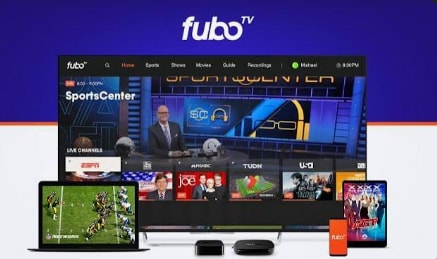
2. Fubo
Fubo is best for viewers who prioritize soccer and international sports leagues. It is tailored to sports fans with deep soccer coverage and a strong mix of domestic and international live events.
3. Hulu + Live TV
Hulu + Live TV is best for families wanting live sports plus a huge library of shows and movies. It combines live sports channels with Hulu originals and, on some bundles, access to ESPN Plus and Disney Plus for an all-in-one entertainment solution.
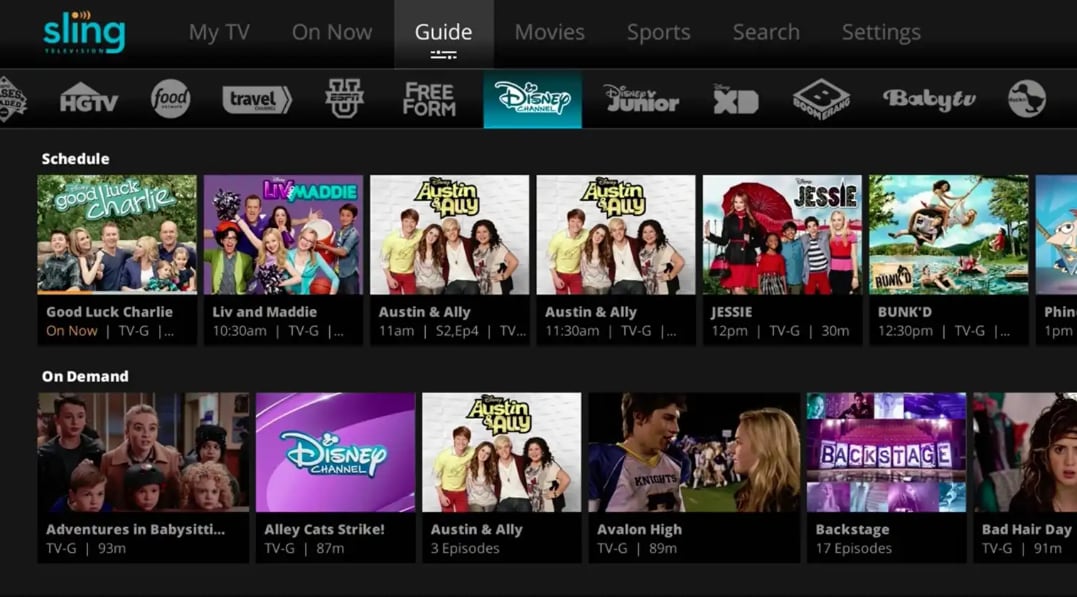
4. Sling TV
Sling TV suits budget conscious viewers who only need a few key sports channels. It offers customizable channel packs that let you build a lower cost sports lineup compared with full bundles.
5. Peacock
Peacock is best for fans of Premier League, select NFL games, and NBC Sports coverage. It mixes affordable live sports with a growing library of NBC shows, movies, and originals, making it a strong budget friendly complement to ESPN Plus.
Part 3: How Recoverit Helps When You Lose Recorded Sports Streams
If you record live sports streams for replays, highlights, or analysis, losing those files can be frustrating. Recoverit helps you quickly scan your PC, external drive, or camera card to restore deleted or lost recordings before they are overwritten, even after emptying the recycle bin or formatting a card.
Key Features Offered by Recoverit
- Supports recovery of popular sports recording formats such as MP4, MOV, AVI, and more from computers, SD cards, and external drives.
- Advanced video recovery and repair technology to bring back long HD and 4K match recordings without corruption.
- Clear preview and filtering so you can quickly locate key game clips, full matches, or highlight reels before restoring.
Step-by-Step Guide on How To Recover Lost Videos
1. Choose a Location to Recover Data
Launch Recoverit and select the storage location where your ESPN Plus or alternative service recordings were saved, such as a specific hard drive, external disk, or SD card that previously held your sports videos.

2. Deep Scan the Location
Click "Start" to begin a deep scan. Recoverit will thoroughly search the selected drive for deleted or lost video files, and you can watch the scanning progress while new recoverable clips appear in real time.

3. Preview and Recover Your Desired Data
When the scan finishes, filter by video type, preview the recovered sports clips to confirm they play correctly, then select the matches or highlights you need and click "Recover" to save them to a safe, different location.

Part 4: Final Thoughts on Choosing the Best ESPN Plus Alternative
ESPN Plus is a strong platform for niche sports, UFC events, and original analysis, but it cannot cover every league or viewing preference on its own. By pairing it with or switching to services like YouTube TV, Fubo, Hulu + Live TV, Sling TV, or Peacock, you can fill gaps in league coverage, access local channels, or reduce your monthly bill.
Evaluate which leagues, devices, and budget matter most, then pick the ESPN Plus alternative that best matches your viewing habits. No matter which platform you try, tools like Recoverit can help safeguard your most important recorded games and highlights from accidental deletion.
Next: Amc Plus
FAQ
-
Is there a completely free alternative to ESPN Plus for live sports?
Most legal live sports services require a paid plan, but platforms like Peacock and Sling TV sometimes offer limited free events or time-limited trials that can supplement or briefly replace ESPN Plus. -
Which ESPN Plus alternative is best for local sports channels?
YouTube TV and Fubo generally offer the strongest local and regional sports coverage, although exact channel availability depends on your ZIP code and existing agreements with regional sports networks. -
Can I watch ESPN content without an ESPN Plus subscription?
Yes. The main ESPN channel is carried by many cable and live TV streaming services, including YouTube TV, Hulu + Live TV, Fubo, and Sling TV. However, pricing, DVR options, and channel bundles differ between providers. -
Which service is better for soccer, ESPN Plus or Fubo?
Fubo usually wins for overall volume of live soccer and international league coverage, while ESPN Plus focuses on select rights and complements that with more original studio programming and analysis. -
How can I recover deleted sports recordings from my PC or camera card?
Stop using the affected drive or card immediately and run Recoverit to scan the device. After scanning, preview the found video files and restore your important match recordings and highlights to a different, safe storage location.



