 TL;DR:
To replace Philo with a streaming service that adds missing sports, local channels, or on-demand libraries, choose Sling TV for flexible low-cost add-ons, Fubo for live sports, YouTube TV or Hulu + Live TV for premium setups, or Pluto TV for a free alternative.
● Sling TV is the best budget replacement if you want customizable sports and news packs but accept limited local channels, whereas YouTube TV and Hulu + Live TV are better for households needing strong local broadcast networks, unlimited cloud DVR, or deep on-demand catalogs at a significantly higher monthly price.
● Fubo is optimal for sports fans requiring regional sports networks and 4K event coverage without a cable contract, while Pluto TV suits casual viewers needing a completely free, ad-supported channel grid with no DVR capabilities.
● If you save live TV recordings to a computer, external hard drive, or SD card and accidentally delete them, use Wondershare Recoverit to deep scan the original storage location and recover lost HD, 4K, or 8K video files to a new, safe drive.
Ask AI for a summary
 ChatGPT
 Perplexity
 Gemini
 Claude
 Grok
Grok
Philo is popular for its low-cost live TV bundle focused on entertainment and lifestyle channels, but it skips sports and local stations, and its channel mix does not work for everyone. If you want more news, sports, on-demand libraries, or a different interface without overspending, it makes sense to compare other budget-friendly live TV platforms. Below is a quick guide to the best alternatives, how they stack up against Philo, and what to do if you accidentally delete a recorded stream on your device.
In this article
Part 1: Philo vs Other Low-Cost Live TV Streaming Services
When comparing Philo with other live TV streaming options, it helps to look beyond price and check how each service treats ads, subtitles, video quality, content breadth, and the overall user experience. The table below summarizes how Philo stacks up against Sling TV, YouTube TV, Hulu + Live TV, Fubo, and Pluto TV so you can quickly see which service better fits your daily viewing habits.
| Website Name | Ad Density | Subtitles | Video Quality | Anime Catalog | UI/UX | Notes |
|---|---|---|---|---|---|---|
| Philo | Medium | Good | Up to 1080p | Very limited | Simple but basic | Great for entertainment channels on a budget; no sports or local channels. |
| Sling TV | Medium | Good | Up to 1080p | Limited | Customizable but slightly cluttered | Cheaper than many live TV rivals with flexible channel packs and sports options. |
| YouTube TV | Medium | Excellent | Up to 4K on some plans | Limited | Polished and intuitive | Strong local channels, unlimited DVR, and reliable performance at a higher price than Philo. |
| Hulu + Live TV | Medium to High | Good | Up to 1080p | Moderate via on-demand | Content rich but busy | Bundles live TV with a vast on-demand library, including originals and next-day network shows. |
| Fubo | Medium | Good | Up to 4K on select events | Minimal | Sports focused layout | Sports-first live TV service with many regional sports networks and international coverage. |
| Pluto TV | High | Variable | Up to 1080p | Small but growing | Simple channel guide style | Free ad-supported streaming with live channels and themed on-demand content; no login needed. |
Part 2: Top 5 Philo Alternatives for Affordable Live TV
The best Philo alternative for you depends on whether you prioritize sports, local channels, on-demand libraries, or staying as close as possible to Philo's low monthly cost. Below are five standout options, including both paid and free services, that cord cutters often choose when Philo's lineup does not quite fit.
1. Sling TV: Flexible, Low-Cost Live TV Bundles
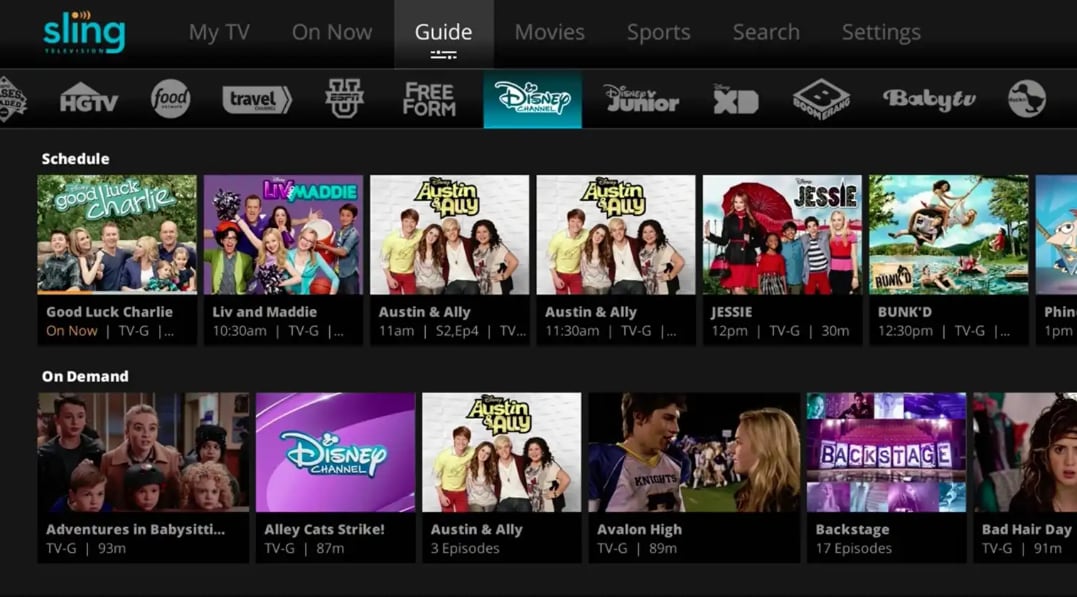
Sling TV is a budget-friendly live TV streaming service that lets you start with a smaller base package and then bolt on focused channel packs for sports, news, and niche networks. It is best for viewers wanting a low-cost, flexible replacement for Philo with optional sports and news, especially if you are comfortable customizing your own lineup instead of accepting a fixed bundle.
2. YouTube TV: Premium Cable-Like Experience
YouTube TV provides a broad channel lineup with strong local coverage and one of the strongest cloud DVR systems among live TV apps. It is best for households wanting an easy, cable-like experience that works seamlessly across phones, tablets, smart TVs, and streaming devices with minimal setup.
3. Hulu + Live TV: Live Channels Plus Deep On-Demand Library
Hulu + Live TV blends live television with a large on-demand catalog of current-season shows, movies, and exclusives. It is best for families that want both live channels and a deep on-demand catalog of shows and movies, particularly if you want to bundle with Disney Plus and ESPN Plus for kids content and extra sports.
4. Fubo: Sports-First Live TV Streaming
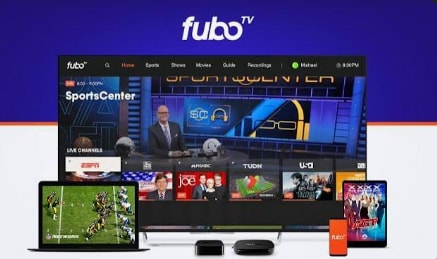
Fubo is a live TV streaming platform that started with soccer and now covers a wide range of sports including football, basketball, and more. It is best for sports fans who want live games, regional sports networks, and international coverage without a traditional cable contract, while still getting a reasonable lineup of entertainment channels.
5. Pluto TV: Free, Channel-Style Streaming
Pluto TV is a free, ad-supported streaming service that mimics a traditional channel guide and offers hundreds of themed channels plus on-demand content. It is best for viewers wanting a completely free, channel-style streaming experience for casual watching, second TVs, or supplementing a smaller paid bundle.

Part 3: How to Recover Deleted Stream Recordings with Recoverit
If you occasionally record live streams or shows from Philo or its alternatives to your computer or external drive, losing those files can feel like missing the broadcast twice. Recoverit is dedicated data recovery software that helps you restore deleted, lost, or corrupted video files from PCs, external hard drives, SD cards, and more, often even after you emptied the recycle bin.
Key Features Offered by Recoverit
- Advanced video recovery that supports full HD, 4K, and 8K recordings from streaming sessions, screen captures, and camera sources.
- Wide device and file system compatibility, including internal drives, USB sticks, SD cards, and popular camera storage formats.
- Intuitive scan and preview workflow that lets you confirm your recordings are intact before restoring them to a safe location.
Step-by-Step Guide on How To Recover Lost Videos
1. Choose a Location to Recover Data
Launch Recoverit and select the drive or storage device where your Philo or other live TV recordings were originally saved, such as your computer's main disk, an external hard drive, or an SD card. Confirm the correct partition or device so the software scans the right place for lost video files.

2. Deep Scan the Location
Click Start to begin a deep scan of the selected location. Recoverit will automatically search for deleted, lost, or corrupted video files, and you can watch discovered items appear in real time. Allow the scan to complete so the software can detect as many recoverable recordings as possible.

3. Preview and Recover Your Desired Data
When the scan finishes, filter results by file type or search by name if you remember it, then preview key video files to ensure they play correctly. Select the recordings you want to restore, click Recover, and choose a different, safe destination drive to avoid overwriting the original data.

Part 4: Choosing the Best Philo Replacement
Philo remains a strong choice if you mainly care about entertainment and lifestyle channels at a low monthly cost, but it falls short for viewers who want sports, local broadcast stations, or a massive on-demand catalog. Sling TV, YouTube TV, Hulu + Live TV, Fubo, and Pluto TV each offer a different mix of price, channels, and features that may fit your household better.
Before you switch, compare channel lineups, DVR limits, simultaneous streams, device support, and the long-term cost once intro promotions end. If you accidentally delete an important recording while testing new services or devices, tools like Recoverit can often rescue those lost video files so you do not have to wait for a replay or miss your favorite event again.
Next: Discovery Plus
FAQ
-
Is Philo still worth it in 2026?
Philo is still worth it in 2026 if you mainly watch entertainment and lifestyle channels and do not care about live sports or local broadcast stations. Its price usually stays lower than full cable-like services, making it a smart pick for budget-conscious cord cutters who can supplement it with a free service or an antenna. -
Which Philo alternative is best for sports fans?
Fubo is generally the best Philo alternative for sports fans because it offers a wide range of national and regional sports networks, strong soccer coverage, and select events in 4K. If you primarily watch games rather than movies or reality TV, Fubo's lineup is often worth the higher price. -
Can I get local channels with Philo?
No, Philo does not carry local broadcast stations such as ABC, CBS, FOX, or NBC. To get locals, consider pairing Philo with an over-the-air antenna or switching to a service like YouTube TV or Hulu + Live TV, which typically include local channels in supported markets.



