
 TL;DR:
If AnyRecover lacks the advanced controls or recovery consistency you need, Wondershare Recoverit, EaseUS Data Recovery Wizard, Stellar Data Recovery, Disk Drill, and R-Studio offer specialized alternatives ranging from advanced video repair to complex RAID reconstruction.
● Wondershare Recoverit and Stellar Data Recovery are best suited for users needing strong corrupted photo and video repair capabilities, whereas EaseUS excels at restoring formatted partitions and Disk Drill provides superior macOS integration alongside built-in S.M.A.R.T. monitoring and backup utilities.
● For IT professionals handling complex multi-disk or RAID configuration failures, R-Studio delivers forensic-level control and granular scan parameters that consumer-focused software cannot match.
● To ensure successful recovery with any of these tools, you must immediately stop using the affected drive, install the software on a different system disk, and save the restored files to a completely separate location to prevent overwriting the lost data.
Ask AI for a summary
 ChatGPT
 Perplexity
 Gemini
 Claude
 Grok
Grok
AnyRecover is a popular data recovery program, but it is not the only option when you need to restore deleted, lost, or formatted files. Depending on your budget, platform, and technical knowledge, another tool might give you a smoother experience, better performance, or more flexible licensing.
This guide compares the best AnyRecover alternatives so you can choose the most reliable solution for your current data loss scenario. You will see how each AnyRecover competitor handles different operating systems, storage devices, and file types, making it easier to pick the right data recovery software for your situation.
Try Recoverit to Recover Lost Data
 Security Verified. 3,591,664 people have downloaded it.
In this article
What Is AnyRecover?
AnyRecover is a consumer-focused data recovery software application designed to restore deleted, lost, or formatted files from a wide range of storage devices. It supports internal and external hard drives, SSDs, USB flash drives, SD cards, and some crash or RAW partitions, making it a flexible option for everyday file recovery needs.
Key features include quick and deep scanning modes, support for hundreds of file types such as photos, videos, Office documents, and archives, and a preview option that lets you check files before restoring them. AnyRecover is commonly used by home and small business users who accidentally deleted important files, formatted a drive by mistake, encountered file system corruption, or experienced partition loss. The tool aims to simplify recovery with a guided workflow and minimal technical steps, making it accessible even if you have little or no data recovery experience.
Why You Might Need Alternatives for AnyRecover?
There are several reasons why you might need a substitute for AnyRecover. Here are a few:
- 🧭 Interface and workflow efficiency: While AnyRecover is beginner-friendly, some users feel the interface is less streamlined than other best data recovery tools. Extra confirmation steps and limited filtering can slow down the process when you are sifting through thousands of found files, especially on large drives or complex recovery jobs.
- 🧩 Feature set versus top competitors: Compared with leading AnyRecover alternatives, it may lack some convenience features, such as automatic session saving, more advanced file-type filters, or built-in backup tools. This can force you to repeat long scans and use separate utilities for disk health checks or basic cloning, adding friction to your workflow.
- 📊 Recovery consistency on difficult cases: For typical accidental deletions, AnyRecover performs well, but results can be less consistent on severely corrupted drives or heavily fragmented data. In edge cases where sectors are unstable or partitions are partially damaged, some AnyRecover competitor tools can deliver higher recovery rates or more detailed logs to help you decide what is safe to restore.
- 🛠 Limited advanced controls: Power users may find the lack of low-level options restrictive, such as creating full disk images before scanning, granular control over scan depth, or custom file signature editing. Advanced suites and professional-grade AnyRecover replacement tools often provide these capabilities, which are critical when handling failing drives or RAID configurations where every read operation matters.
- 💰 Pricing structure and long-term value: Some users feel that the combination of data caps in the free edition and recurring subscription costs make AnyRecover less cost-effective over time. If you handle frequent file recovery tasks across multiple machines, perpetual licenses or bundles offered by other data recovery software vendors may provide better value and more flexible licensing.
5 Best AnyRecover Alternatives
When evaluating AnyRecover alternatives, it is helpful to look at usability, platform support, success rate, and how well each tool fits your technical comfort level and budget. Below are five standout options that can serve as a strong AnyRecover replacement depending on your use case.
1. Wondershare Recoverit
Wondershare Recoverit is a full-featured data recovery software solution that focuses on delivering high success rates with a clean, guided interface suitable for beginners and advanced users. It is best for users who want a balance of ease of use, high recovery success rates, and wide format support on Windows and Mac, particularly when working with video and photo projects.

Pro tip: Use Recoverit to Retrieve Deleted Stream Recordings: If you accidentally deleted Twitch, YouTube, or other stream recordings saved locally, Wondershare Recoverit can scan your HDD, SSD, or external drive and restore video files in formats like MP4, MOV, and AVI. Visit recoverit, run a deep scan on the drive where your recordings were stored, preview the found clips, and recover the sessions you thought were gone for good.
Key Features Offered by Recoverit
- Comprehensive data recovery software engine that supports over 2,000 file formats and multiple file systems, including NTFS, FAT/FAT32, exFAT, HFS+, APFS, and EXT.
- Specialized video recovery and repair modules that can rebuild corrupted, truncated, or unplayable clips from DSLRs, action cameras, drones, and capture cards.
- Extra utilities such as bootable media creation and crashed system recovery, helping you salvage data even when your operating system will not start.
Step-by-Step Guide on How To Recover Lost Data
1. Choose a Location to Recover Data
Launch Recoverit and select the drive or specific location where you lost files, such as your desktop, a particular folder, a memory card, or an external disk. For formatted drives or partitions, pick the affected volume so the scan can target the underlying sectors where deleted data still resides.

2. Deep Scan the Location
Click to start the scan and let Recoverit perform a thorough analysis of the selected location, automatically switching from quick scanning to deeper sector-level checks. You can monitor progress, pause if needed, and use filters such as file type or modification time to narrow down the growing list of discovered items.

3. Preview and Recover Your Desired Data
Once the scan finishes, use the preview feature to check images, videos, documents, and other files before restoring them to ensure they are intact. Select the files or folders you want to retrieve, choose a safe destination on a different drive, and confirm the operation so Recoverit can restore your data without risking overwrites.

2. EaseUS Data Recovery Wizard
EaseUS Data Recovery Wizard is a well-known AnyRecover competitor aimed at users who want a simple interface with strong partition and formatted drive recovery. It is best for people who prefer a straightforward wizard-style workflow and need reliable recovery from accidentally deleted or formatted partitions on Windows or macOS.

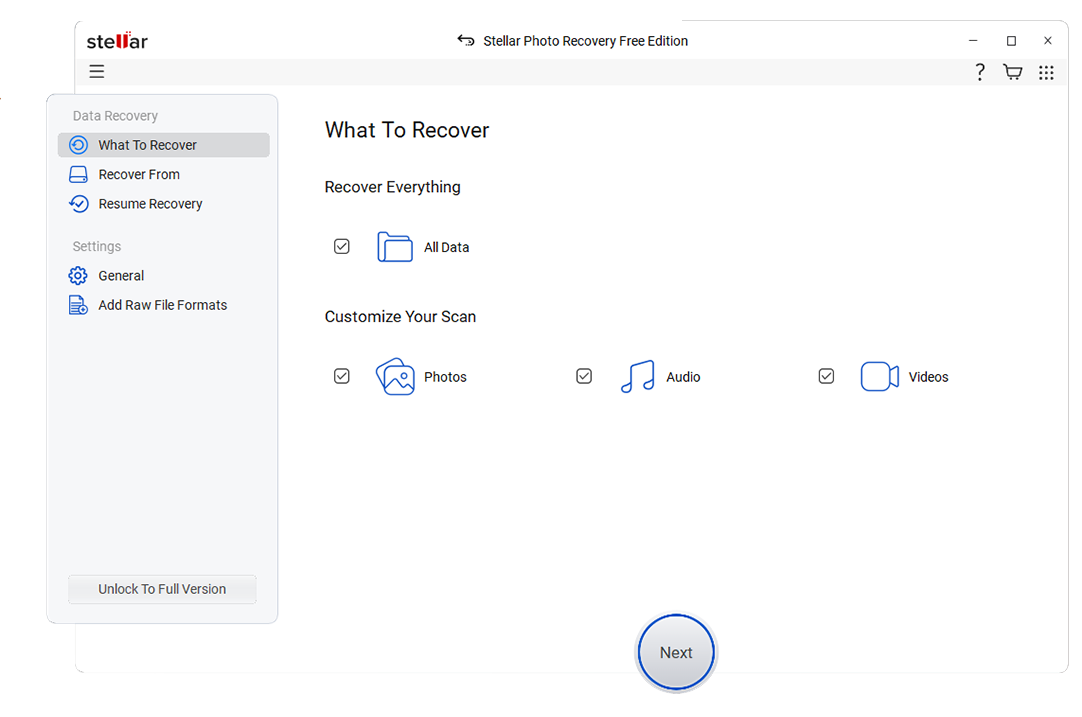
3. Stellar Data Recovery
Stellar Data Recovery is another strong AnyRecover alternatives option, especially appealing to users who need advanced repair capabilities in addition to standard file recovery. It is best for photographers, videographers, and businesses dealing with corrupted media files that must be repaired as well as restored.
4. Disk Drill
Disk Drill is a versatile data recovery software tool with especially strong macOS support and extra disk utilities. It is best for macOS users and those who value additional features like data protection, drive backup, and disk health monitoring alongside file recovery.

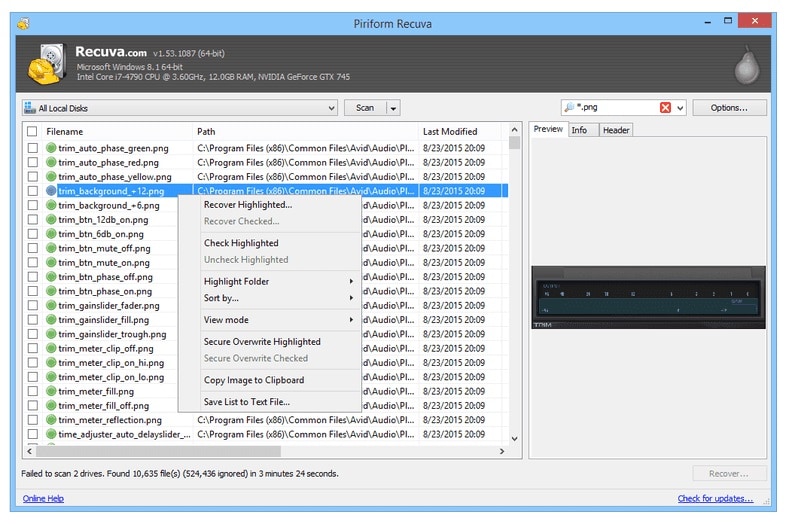
5. R-Studio
R-Studio is a professional-grade file recovery and forensic suite targeted at technicians and advanced users. It is best for IT professionals who need deep control for complex or RAID data recovery scenarios where consumer-focused AnyRecover alternatives may not be powerful enough.
Side-by-Side Comparison Table of AnyRecover Alternatives
| Software | File System Support | Price | Free Version | Ease of Use | Scan Speed | Recovery Success Rate | Key Features |
|---|---|---|---|---|---|---|---|
| AnyRecover | NTFS, FAT/FAT32, exFAT, HFS+, APFS | Mid-range, perpetual and subscription plans | Yes, small data limit | Beginner-friendly | Moderate | Good for common loss scenarios | Quick and deep scan, preview, wide file type support |
| Wondershare Recoverit | NTFS, FAT/FAT32, exFAT, HFS+, APFS, EXT | Mid-range, flexible plans | Yes, limited recovery | Very easy | Fast to moderate depending on drive size | High on photos, videos, and documents | Advanced video recovery and repair, bootable media, crashed PC recovery |
| EaseUS Data Recovery Wizard | NTFS, FAT/FAT32, exFAT, HFS+, EXT | Mid to high, subscription focused | Yes, very low data cap | Very easy | Fast | High for deleted and formatted data | Partition recovery, RAW drive recovery, simple wizard UX |
| Stellar Data Recovery | NTFS, FAT/FAT32, exFAT, HFS+, APFS | Mid to high, tiered editions | Yes, limited recovery | Moderate | Moderate | Strong, especially with media files | Photo and video repair, email recovery, multiple scan modes |
| Disk Drill | NTFS, FAT/FAT32, exFAT, HFS+, APFS, EXT | Mid-range one-time license | Yes, limited features or data | Easy | Fast | Good across most consumer scenarios | Data protection, drive backup, S.M.A.R.T. monitoring, recovery vault |
| R-Studio | NTFS, FAT/FAT32, exFAT, HFS+, APFS, EXT, ReFS, others | High, professional-grade | Demo preview only | Advanced | Fast with tuned settings | Very high in expert hands | RAID reconstruction, network recovery, hex editor, detailed scan control |
Conclusion
AnyRecover remains a solid choice for everyday data loss, but it is not the only path to successful recovery. Depending on your needs, Recoverit, EaseUS Data Recovery Wizard, Stellar Data Recovery, Disk Drill, and R-Studio each offer strengths that may better match your budget, technical skill, and recovery complexity.
By evaluating how each alternative handles your operating system, file systems, and specific data loss scenario, you can narrow down the best tool before running a full scan. Starting with Recoverit is a practical option for most users who want an accessible interface, strong success rates, and robust video recovery features.
Next: Iboysoft Data Recovery Alternatives
FAQ
-
Is AnyRecover safe to use on my computer?
Yes, AnyRecover is generally considered safe as long as you download it from the official website and avoid installing it on the same drive where your lost data resides. Installing or writing new data to the affected drive can overwrite recoverable sectors and reduce your chances of successful file recovery. -
Which AnyRecover alternative is best for beginners?
Wondershare Recoverit and EaseUS Data Recovery Wizard are typically the easiest for beginners thanks to their clear interfaces and guided workflows. Both tools walk you through location selection, scanning, and recovery in a few clicks, making them strong AnyRecover alternatives for non-technical users. -
Can AnyRecover alternatives restore files from a formatted drive?
Most leading tools, including Recoverit, EaseUS, Stellar, and Disk Drill, can scan formatted drives and often recover data as long as it has not been heavily overwritten. For the best results, stop using the formatted drive immediately and run your chosen data recovery software from a different system disk. -
Do I need to pay to recover data with these tools?
Many best data recovery tools offer free versions that allow scanning and previewing files, but full recovery beyond a small limit usually requires a paid license or subscription. Evaluate how often you expect to need file recovery and the volume of data involved to decide whether a one-time purchase or subscription provides better value. -
What should I do first after losing important files?
Stop using the affected drive immediately to avoid overwriting deleted data, then install a trusted AnyRecover competitor on a separate disk. Run a scan, preview recoverable files, and restore them to a different safe location rather than back to the original drive.



