 TL;DR:
For users seeking a Disk Drill alternative, Wondershare Recoverit offers the best overall balance for Windows and Mac data recovery, Recuva is the optimal free choice for basic Windows undeletion, and R-Studio delivers the specialized RAID reconstruction needed by IT professionals.
● You must install your chosen recovery application on a different partition or drive than the one that lost data to prevent permanently overwriting the missing files.
● Recuva is the only tool listed that provides genuinely free core recovery features, whereas the free tiers for Recoverit, EaseUS, and Stellar impose strict data limits intended primarily for testing purposes.
● EaseUS Data Recovery Wizard handles deep scans on corrupted or formatted partitions effectively, while Stellar Data Recovery prioritizes guided photo and video recovery specifically from SD cards and camera media.
Ask AI for a summary
 ChatGPT
 Perplexity
 Gemini
 Claude
 Grok
Grok
Disk drill alternatives are worth considering if you need to restore deleted, formatted, or lost files but want different pricing, features, or ease of use than Disk Drill provides. From home users rescuing photos to IT pros handling complex RAID failures, there are data recovery software like disk drill that can better match your skills and budget.
This guide explains what Disk Drill does, why some people look for options, and then compares five of the best file recovery tools so you can pick the best disk drill alternative for windows data recovery or mac data recovery.
Try Recoverit to Recover Lost Data
 Security Verified. 3,591,664 people have downloaded it.
In this article
What Is Disk Drill?
Disk Drill is a data recovery application for macOS and Windows that helps restore accidentally deleted, formatted, or otherwise lost files from internal drives, external disks, USB sticks, SD cards, and other storage media. It supports file systems such as NTFS, FAT/FAT32, exFAT, HFS+, APFS, and some Linux formats, and can scan for documents, photos, videos, audio files, archives, and more.
Core features include Quick Scan and Deep Scan modes, recovery of files from emptied Recycle Bin or Trash, partition recovery, and the ability to create disk images for safer recovery on failing drives. Some editions also bundle tools like S.M.A.R.T. monitoring and data protection modules. Typical use cases range from home users rescuing family photos or students restoring lost assignments to small businesses and technicians recovering data from formatted or corrupted volumes.
Why You Might Need Alternatives for Disk Drill?
There are several reasons why you might need a substitute for Disk Drill. Here are a few:
- 🧭 Interface and workflow limitations: While Disk Drill is generally beginner-friendly, some options are nested in menus, making it slower to set up complex jobs. Users dealing with multiple drives or partitions may find the workflow less efficient than tools that present all recovery scenarios in a single, streamlined dashboard.
- 🧰 Feature gaps compared with top rivals: Disk Drill covers common recovery tasks but does not emphasize certain specialties, such as advanced video repair or highly granular RAW recovery filters. Competing file recovery tools sometimes offer richer device coverage, more targeted scan types, or dedicated modules for specific formats like 4K camera footage.
- 🩺 Mixed performance on severe damage: For light data loss, Disk Drill can work well, but some users report weaker results on heavily corrupted or partially overwritten media. In edge cases like failing disks, RAID issues, or complex partition damage, other data recovery software like disk drill can deliver higher recovery percentages or better stability.
- 🧪 Advanced control and forensic needs: Power users and IT teams may require low-level controls such as manual RAID reconstruction, hex-level editing, or detailed scan session management. Disk Drill offers disk imaging and deep scan options, but specialists often prefer tools that expose more technical parameters and logs for auditing and forensic workflows.
- 💸 Pricing and value considerations: Disk Drill's free tier has strict recovery limits, so larger restores quickly require paid licenses. For casual users who only need one-time recovery, or teams managing many endpoints, other disk drill alternatives can provide more flexible subscriptions, cheaper single-use options, or broader multi-device value.
5 Best Disk Drill Alternatives
1. Wondershare Recoverit
Wondershare Recoverit is a full-featured disk drill alternatives solution best for users who want high recovery success rates with an easy interface on Windows and Mac. It focuses on strong performance for photos, videos, and documents across many storage devices, making it an excellent choice if you need reliable windows data recovery and mac data recovery in one tool.
Among all disk drill alternatives, Recoverit stands out for combining a clean interface with deep scanning, strong video and photo recovery, and support for a wide range of storage devices on both Windows and macOS.
Key Features Offered by Recoverit
- High recovery success rates across 1000+ file formats, including documents, photos, raw camera files, and 4K/8K videos, making it one of the most capable file recovery tools for everyday and professional use.
- Support for internal drives, external HDDs, SSDs, USB sticks, SD/microSD cards, cameras, and more, covering nearly every typical windows data recovery and mac data recovery scenario.
- Extra capabilities such as crashed-system bootable media, video repair, and file preview before restoration, helping you verify results before committing to a full recovery.
Step-by-Step Guide on How To Recover Lost Data
1. Choose a Location to Recover Data
Install Recoverit on a different partition or drive than the one that lost data, then launch it and select the affected disk, partition, or external device from the main interface. This reduces the risk of overwriting lost files and ensures the scan targets the right storage location.

2. Deep Scan the Location
Click the scan button to start a deep analysis of the selected location, allowing the software to detect deleted, formatted, and even RAW files. You can monitor progress, pause if needed, and filter by file type or path to quickly narrow down to the most important items.

3. Preview and Recover Your Desired Data
Once the scan completes, browse the results tree or use search filters to locate specific files, then preview photos, videos, and documents to confirm their integrity. Finally, select the items you want and recover them to a safe, different drive to avoid overwriting any remaining lost data.

2. Recuva
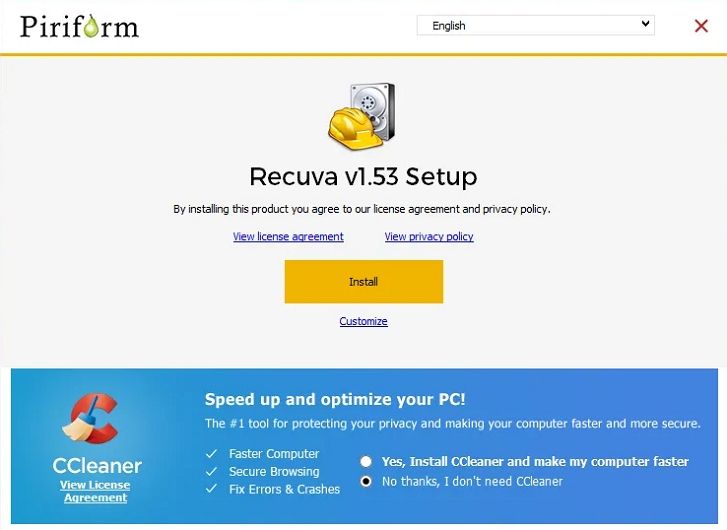
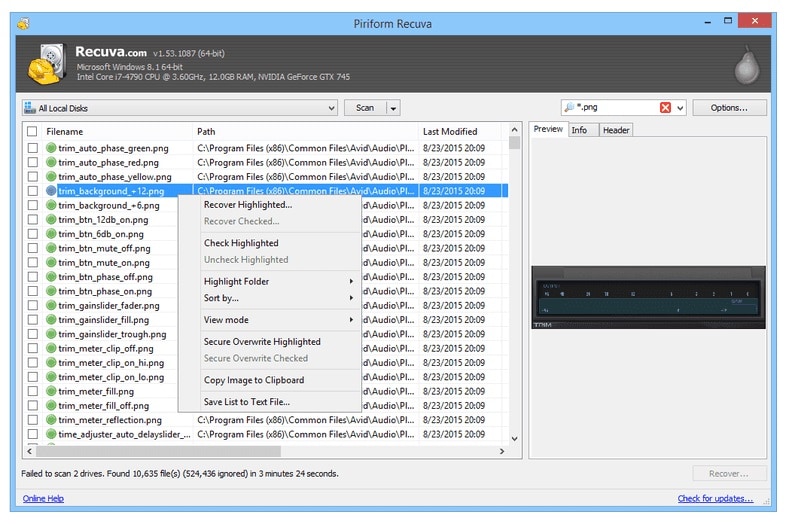
Recuva by CCleaner is a lightweight free disk drill alternatives tool aimed at Windows users who need a quick and low-cost way to undelete files. It is best for simple scenarios such as restoring recently deleted documents or photos from hard drives, memory cards, and USB drives without complex configuration.
3. EaseUS Data Recovery Wizard
EaseUS Data Recovery Wizard is a popular disk drill alternatives option for users seeking a balanced mix of usability, deep scanning, and flexible licensing. With editions for both Windows and Mac, it offers step-by-step guidance that simplifies recovering deleted, formatted, or lost partitions.

4. R-Studio
R-Studio is a professional-grade disk drill alternatives choice aimed at IT professionals and advanced users who handle complex or enterprise-level recovery. It excels in scenarios involving RAID reconstruction, network-based recovery, and a wide range of modern, legacy, and niche file systems.
5. Stellar Data Recovery
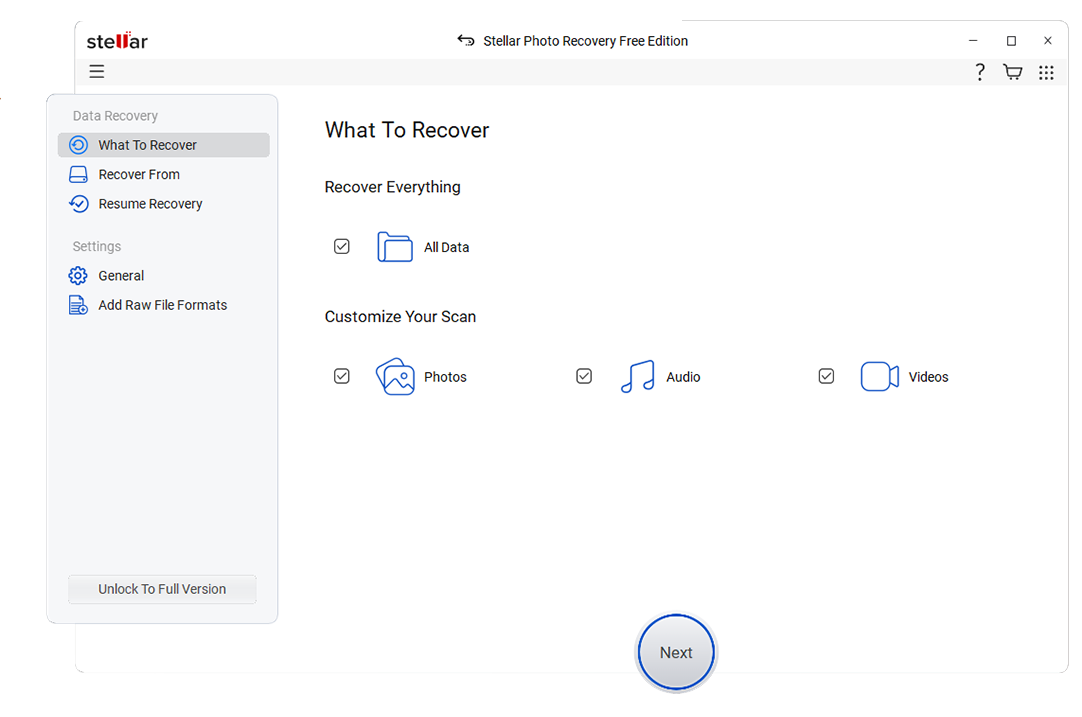
Stellar Data Recovery is a cross-platform best disk drill alternative for users who prioritize photo and video recovery, especially from SD cards and camera media. It offers guided recovery for documents, emails, photos, and videos, with editions for both Windows and macOS.
Pro tip for streamers and gamers: If you accidentally delete live stream recordings from Twitch, YouTube, or game capture tools, stop using that drive immediately and run a scan with one of these data recovery software like disk drill. By installing the recovery app on a different partition and scanning for MP4, MOV, MKV, or FLV, you often can restore complete, playable recordings before they are overwritten.
Side-by-Side Comparison Table of Disk Drill Alternatives
| Software | File System Support | Price | Free Version | Ease of Use | Scan Speed | Recovery Success Rate | Key Features |
|---|---|---|---|---|---|---|---|
| Disk Drill | NTFS, FAT/FAT32, exFAT, HFS+, APFS, some EXT | Mid-range, one-time license per platform | Yes, with limited recoverable data | Beginner-friendly but some options are hidden | Moderate, deep scans can be slow on large drives | Good on common scenarios, mixed on severely damaged media | Quick and Deep Scan, partition recovery, disk imaging, S.M.A.R.T. monitoring |
| Wondershare Recoverit | NTFS, FAT/FAT32, exFAT, HFS+, APFS, EXT | Mid-range, subscription and perpetual options | Yes, limited recovery amount and features | Very easy, guided workflow and clear previews | Fast quick scans, competitive deep scan speed | High, especially for photos, videos, and documents | Video repair, bootable media, crashed system recovery, wide device support |
| Recuva | NTFS, FAT/FAT32, exFAT | Low-cost Pro license, free version available | Yes, core recovery features included | Very easy, simple wizard interface | Fast on small and moderately sized drives | Good for recent deletions, weaker on severe corruption | Quick and deep scan, secure deletion, portable version |
| EaseUS Data Recovery Wizard | NTFS, FAT/FAT32, exFAT, HFS+, APFS | Mid to high, subscriptions per device | Yes, very small recovery quota | Easy, wizard-based steps with clear prompts | Moderate, optimized for thorough scanning | High on formatted and deleted partitions | Partition recovery, lost partition search, RAW recovery, preview |
| R-Studio | NTFS, FAT/FAT32, exFAT, HFS+, APFS, EXT, ReFS, and more | High, modular licenses for different platforms | Demo shows recoverable files but limited saving | Complex, aimed at advanced users | Fast when properly configured, resource efficient | Very high in expert hands, including complex RAID | RAID reconstruction, network recovery, forensic tools, hex editor |
| Stellar Data Recovery | NTFS, FAT/FAT32, exFAT, HFS+, APFS | Mid to high, tiered editions | Yes, small amount of free recovery | Easy, clean interface with guided recovery | Moderate, with options to focus on specific types | Strong with photos and videos, solid overall | Photo and video recovery, email recovery, disk imaging, bootable media |
Conclusion
Disk Drill remains a capable data recovery utility, but it is not your only choice. Depending on whether you prioritize an intuitive interface, professional-level controls, or budget-friendly pricing, the alternatives above may fit your needs better.
By comparing features, free limits, and recovery strengths, you can choose a disk drill alternative that aligns with how often you recover data, how critical your files are, and how technical you want to be. For many users, a tool like Recoverit offers the best balance of simplicity and high recovery success across everyday data loss scenarios.
Next: Minitool Alternatives
FAQ
-
Is there a free alternative to Disk Drill?
Yes. Recuva offers a genuinely free version for Windows that can restore many recently deleted files. In addition, several other free disk drill alternatives such as Recoverit, EaseUS, and Stellar provide free editions with limited recovery capacity so you can scan and restore a small amount of data before upgrading. -
Which Disk Drill alternative works best on both Windows and Mac?
Recoverit, EaseUS Data Recovery Wizard, and Stellar Data Recovery all provide dedicated versions for Windows and macOS with similar interfaces and feature sets. These cross-platform tools are strong choices if you need windows data recovery and mac data recovery in the same environment. -
Which alternative is better than Disk Drill for advanced or RAID recovery?
R-Studio is generally more suitable than Disk Drill for advanced scenarios such as RAID reconstruction, network-based recovery, and forensic work. Its extensive file system support and low-level controls make it one of the most capable professional-grade file recovery tools for complex jobs. -
Can Disk Drill alternatives recover data from formatted drives?
Yes. Tools like Recoverit, EaseUS Data Recovery Wizard, R-Studio, and Stellar Data Recovery can scan formatted or RAW drives and often rebuild directory structures, or at least recover files by signature. Success depends on how much new data has been written to the drive after formatting. -
How do I choose the best Disk Drill alternative for my needs?
Start by listing your priorities, such as budget, OS support, ease of use, and the kind of data loss you are facing. Then compare each option's free limits, supported file systems, recovery success rates, and advanced features like video repair or RAID tools to find the most suitable data recovery software like disk drill for your situation.



