
 TL;DR:
While DMDE is a powerful low-level disk editor for experts, non-technical users should switch to guided alternatives like Wondershare Recoverit or EaseUS Data Recovery Wizard to bypass the steep learning curve and safely automate complex recovery parameters.
● Wondershare Recoverit and EaseUS Data Recovery Wizard are best for beginners handling formatted or RAW drives, offering intuitive scenario-based interfaces, though both restrict the total data volume you can recover on their free tiers.
● Disk Drill is the optimal choice for cross-platform Windows and macOS users who want integrated S.M.A.R.T. disk health monitoring, while Recuva serves as a lightweight, Windows-only utility strictly for quick, zero-cost recovery of simple file deletions.
● IT teams and technicians needing forensic-grade capabilities should choose R-Studio, which provides advanced RAID reconstruction, low-level disk controls, and network-enabled recovery options that match DMDE's technical depth.
Ask AI for a summary
 ChatGPT
 Perplexity
 Gemini
 Claude
 Grok
Grok
DMDE is a powerful dmde alternative benchmark and disk editor tool, but its technical interface, workflow, and learning curve can make it challenging for many users. If you are looking for simpler, more guided, or more fully featured solutions, exploring proven dmde alternatives can help you recover lost files faster and with less risk.
By comparing modern data recovery software options, you can find a tool that better fits your experience level, devices, and specific file recovery scenarios, from formatted drives to missing stream recordings.
Try Recoverit to Recover Lost Data
 Security Verified. 3,591,664 people have downloaded it.
In this article
What Is DMDE?
DMDE (DM Disk Editor and Data Recovery Software) is a specialized utility for recovering lost data and editing disks at a low level. It is widely used by advanced users and technicians to restore deleted partitions, repair damaged file systems, and recover files from failing drives.
Key features include a powerful hex editor, manual partition reconstruction, RAID reconstruction tools, and flexible file search and recovery options. DMDE supports multiple file systems such as FAT, exFAT, NTFS, and some Linux file systems, making it suitable for common desktop and external drives.
Typical use cases involve rescuing data from accidentally deleted or formatted partitions, accessing disks that Windows can no longer open, restoring files from memory cards and USB drives, and performing precise forensic-style investigations. While extremely capable, DMDE assumes a high level of technical understanding, which can limit its practicality for everyday users who simply want to click and recover their data with user-friendly data recovery software.
Why You Might Need Alternatives for DMDE?
There are several reasons why you might need a substitute for DMDE. Here are a few:
- 🖥️ Complex UI and steep learning curve: DMDE exposes low-level disk structures, hex views, and manual partition parameters, which can overwhelm non-technical users. The dense layout slows down simple tasks like basic file recovery, and a small mistake when editing sectors can increase the risk of further data loss. A more guided dmde alternative with wizards and clear labels is often safer for home users.
- 🧩 Missing convenience features found in rivals: Compared with modern data recovery software suites, DMDE offers fewer one-click, scenario-based recovery modes such as "crashed PC", "formatted camera card", or dedicated video repair. Users must manually configure many options, which takes extra time and can be confusing when you just want fast hard drive recovery or partition recovery after a mistake.
- 📈 Variable success rate for everyday users: In expert hands, DMDE can achieve strong results, but non-specialists may not know which scan modes, filters, or parameters to use. This can lead to partial results, missing file names, or failed file recovery attempts. Alternatives that automate scan tuning and prioritize common loss scenarios often deliver a more consistent success rate for regular users.
- 🛡️ Limited automation for safer workflows: While DMDE provides powerful manual controls, it lacks some user-friendly safeguards like automatic disk imaging prompts, health checks, and smart recommendations before scanning a failing drive. Many newer dmde alternatives offer imaging-first workflows, read-only access, and built-in warnings, reducing the chance of stressing a damaged disk during hard drive recovery.
- 💰 Licensing structure and value concerns: DMDE uses edition-based licensing that can feel fragmented and less transparent compared with all-in-one pricing used by many data recovery software competitors. Users may struggle to decide which license tier they truly need for partition recovery, RAID work, or advanced tools, and end up comparing it against packages that bundle more features, support, and updates for a similar or lower total cost.
5 Best DMDE Alternatives
When evaluating dmde alternatives, it is worth focusing on usability, supported devices, success rate, and how well each tool handles your typical file recovery cases. Below are five reliable options that cover everyone from beginners to professional technicians.
1. Wondershare Recoverit
Wondershare Recoverit is a versatile data recovery software suite best for users who want a high success rate, clean interface, and strong video and photo recovery across devices. It is suitable for home users, content creators, and professionals who need a dependable dmde alternative for everything from accidental deletions to formatted drives.
Key Features Offered by Recoverit
Recoverit is a comprehensive data recovery software solution designed to make complex recovery jobs feel approachable. It offers clear scenario-based modes and strong support for photos, videos, documents, and more across internal drives, external disks, SD cards, and USB sticks.
- Supports over 1000 file formats and a wide range of storage devices, helping with everything from routine file recovery to complex video restoration.
- Includes deep scan and advanced video recovery/repair modules that target corrupted or incomplete recordings, including stream and camera files.
- Provides bootable media to recover data from unbootable systems, making it a practical dmde alternative for crashed OS situations.
Step-by-Step Guide on How To Recover Lost Data
1. Choose a Location to Recover Data
Install Recoverit on a different partition or drive than the one where you lost data to avoid overwriting. Launch the program and select the target location, such as a specific partition, external disk, memory card, or the folder where your videos or documents were stored before deletion.

2. Deep Scan the Location
Click the Scan button to let Recoverit perform an automatic analysis of the selected location. The software will run through quick and deep scan stages, discovering lost partitions, raw files, and fragmented videos; you can filter results by file type or use the search bar while the scan continues in the background.

3. Preview and Recover Your Desired Data
Once the scan finishes, browse through the categorized results and use the preview feature for photos, videos, and documents to verify integrity. Select the files you need and click Recover, then save them to a safe, different drive to prevent overwriting remaining data and to complete your file recovery safely.

2. EaseUS Data Recovery Wizard
EaseUS Data Recovery Wizard is best for beginners who prefer a step-by-step wizard workflow with strong customer support and documentation. It covers deleted files, formatted drives, and RAW partitions across PCs, external drives, and memory cards, acting as a user-friendly dmde alternative.

3. Disk Drill
Disk Drill is best suited for cross-platform users on Windows and macOS who want data recovery plus disk health monitoring and backup tools in a single package. It offers a modern interface and supports many file systems, making it a capable dmde alternative for mixed-environment setups.

4. Recuva
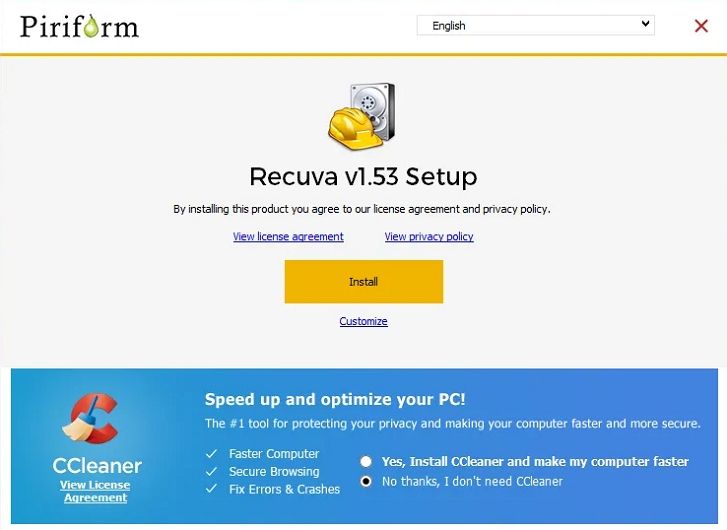
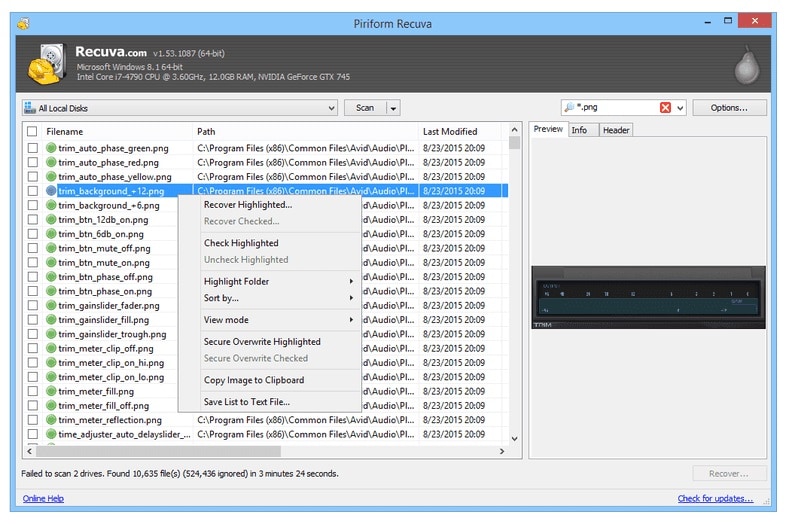
Recuva is a lightweight Windows utility best for users who need a mostly free, simple tool for recovering recently deleted files from hard drives, USB sticks, and memory cards. It is a good starting dmde alternative when your needs are basic and your budget is tight.
5. R-Studio
R-Studio is a professional-grade data recovery software suite built for IT teams and technicians who need granular, low-level control over disks and RAID arrays. It supports complex configurations, network recovery, and forensic workflows, making it a powerful but advanced dmde alternative.
Side-by-Side Comparison Table of DMDE Alternatives
| Software | File System Support | Price | Free Version | Ease of Use | Scan Speed | Recovery Success Rate | Key Features |
|---|---|---|---|---|---|---|---|
| DMDE | FAT/FAT32, exFAT, NTFS, some ext variants | Freemium, paid licenses by edition | Yes, limited features and manual workflow | Hard for beginners, highly technical UI | Moderate, depends on manual configuration | High in expert hands, variable for novices | Hex editor, manual partition recovery, RAID reconstruction, low-level disk tools |
| Wondershare Recoverit | FAT/FAT32, exFAT, NTFS, HFS+, APFS, ext variants | Tiered plans, one-time and subscription | Yes, recover limited data volume | Very easy, wizard-style with clear prompts | Fast on quick scan, deep scan moderate | High on common loss scenarios and media files | Scenario-based recovery, video and photo repair, bootable media, stream recording recovery |
| EaseUS Data Recovery Wizard | FAT/FAT32, exFAT, NTFS, ext2/3 | Subscription and perpetual licenses | Yes, small data cap | Easy, three-step recovery process | Fast quick scan, slower deep scan | High for typical deleted and formatted cases | Partition recovery, RAW drive recovery, preview, Windows and macOS support |
| Disk Drill | FAT/FAT32, exFAT, NTFS, HFS+, APFS, ext2/3/4 | One-time license with upgrades | Yes, limited recovery on some platforms | Easy to moderate, modern interface | Fast on SSDs and healthy drives | High on supported file systems | Data protection, S.M.A.R.T. monitoring, backup, multiple scan types |
| Recuva | FAT/FAT32, exFAT, NTFS | Free, low-cost Pro version | Yes, core functionality is free | Easy, basic wizard and advanced mode | Very fast for quick scans | Good for recent deletions, weaker on damage | Secure delete, deep scan, portable version, simple filtering |
| R-Studio | Wide range including FAT, exFAT, NTFS, ReFS, HFS+, ext, UFS | Modular licenses by platform and use | Demo with recovery limitations | Hard, designed for professionals | Fast with optimized settings | Very high in expert hands | Advanced RAID, network recovery, forensic features, disk imaging |
Conclusion
DMDE remains a powerful choice for experts who want full control over partitions and low-level disk structures, but its complexity and manual workflow are not ideal for everyone. Many users simply want a guided, visually clear way to get their files back with minimal risk.
If you need a smoother experience, tools like Recoverit, EaseUS, Disk Drill, Recuva, and R-Studio offer modern interfaces, strong scan engines, and specialized features that can outperform DMDE in everyday scenarios. Match your choice to your skill level, budget, and device types, and always act quickly to maximize your chances of successful recovery.
Next: Anyrecover Alternatives
FAQ
-
Is DMDE still a good data recovery tool?
Yes, DMDE is a capable and actively maintained data recovery software, particularly suited to advanced users who are comfortable working with partitions, hex editors, and disk structures. However, many non-technical users find more success with wizard-based dmde alternatives that automate complex choices. -
Which DMDE alternative is best for beginners?
Recoverit and EaseUS Data Recovery Wizard are strong choices for beginners who want guided workflows. Both offer clear interfaces, previews, and scenario-based options that make file recovery safer and easier than manually configuring low-level tools. -
Can DMDE alternatives recover data from formatted drives?
Most leading dmde alternatives, including Recoverit, EaseUS, Disk Drill, and R-Studio, can recover data from accidentally formatted drives as long as the data has not been heavily overwritten. For best results, stop using the drive immediately and run a deep hard drive recovery scan. -
Are there any free DMDE alternatives?
Yes. Recuva provides a genuinely free option for many basic file recovery tasks on Windows. In addition, tools like Recoverit, EaseUS, and Disk Drill offer free tiers or trial modes that let you scan and often recover a limited amount of data before paying. -
Is it safe to use data recovery software at home?
It is generally safe to use reputable data recovery software at home if you avoid writing new data to the affected drive and, ideally, create a disk image first. For physically failing drives that click, slow down abnormally, or disappear intermittently, consult a professional lab to minimize the risk of permanent loss.



