
 TL;DR:
If DoYourData struggles with heavily corrupted files or lacks advanced features, Wondershare Recoverit provides the highest success rate for complex media reconstruction, while Stellar, EaseUS, Disk Drill, and Recuva serve specific professional, everyday, or budget recovery requirements.
● Wondershare Recoverit specializes in restoring large, fragmented video files and stream recordings across Windows and Mac, whereas EaseUS Data Recovery Wizard provides an intuitive wizard-based workflow ideal for everyday home or small business formatting incidents.
● Stellar Data Recovery targets IT professionals requiring advanced RAID, server, and email client restoration, while Disk Drill pairs deep scanning with preventative S.M.A.R.T. health monitoring and data protection utilities.
● Recuva serves as a lightweight, Windows-only free utility strictly for quick undelete tasks on local and removable drives, but it lacks the modern engine necessary to reconstruct severely damaged or fully formatted storage.
Ask AI for a summary
 ChatGPT
 Perplexity
 Gemini
 Claude
 Grok
Grok
If DoYourData Data Recovery is not meeting your expectations for speed, reliability, or cost, there are several mature data recovery alternatives that can recover deleted, formatted, or lost files more effectively. This guide breaks down the best doyourdata alternatives, how they compare, and which one is right for your specific data loss situation.
Below you will find how DoYourData works, why you might look beyond it, and a detailed review of the top 5 best data recovery software options, including a close look at Recoverit vs DoYourData so you can choose confidently for both Windows data recovery and Mac data recovery.
Try Recoverit to Recover Lost Data
 Security Verified. 3,591,664 people have downloaded it.
In this article
What Is DoYourData?
DoYourData Data Recovery is a file recovery program for Windows and Mac designed to restore deleted, formatted, or inaccessible data from hard drives, SSDs, memory cards, USB flash drives, and other storage media. It typically supports common file systems like NTFS, FAT, exFAT, and some HFS or APFS scenarios. Core features include quick and deep scan modes, partition recovery, and the ability to preview files such as photos, videos, documents, and emails before restoring them.
Users often choose DoYourData for straightforward recovery after accidental deletion, emptying the Recycle Bin, basic partition issues, or simple external drive problems. It targets home and small office users who need a clean interface, essential scanning options, and general-purpose file recovery without a steep learning curve.
Why You Might Need Alternatives for DoYourData?
There are several reasons why you might need a substitute for DoYourData. Here are a few:
- 🧭 UI/UX and workflow efficiency: While DoYourData is simple, its interface can feel dated and offers fewer visual cues when handling large scan results. Filtering, sorting, and previewing thousands of items can become slow and inefficient, which is frustrating when you need to quickly isolate only critical files. More modern tools streamline this workflow with better search, tagging, and progress feedback.
- 🧰 Feature limitations vs leading competitors: Compared with top data recovery alternatives, DoYourData focuses mostly on standard undelete and partition recovery. It lacks some specialized modules such as advanced video repair, dedicated camera or drone card recovery, or tailored options for specific file types used by creatives. This can limit how much data you can realistically get back in complex cases.
- 📉 Recovery success rate and stability gaps: Users report that success rates are good for simple deletions but less reliable with heavily corrupted or partially overwritten data. High-resolution videos, RAW photos, and large project folders may not be reconstructed as consistently as with more advanced engines. Occasional slowdowns or stalls on very large disks can further impact your chances of a successful restore.
- 🧩 Missing advanced capabilities for pros: Power users often need extras like full disk imaging, granular deep-scan controls, or specialized handling for damaged file systems and bootable media. DoYourData offers fewer of these expert-level options, which makes it less suitable for IT admins, data recovery technicians, or anyone working with RAID, servers, or severely failing drives.
- 💰 Pricing and long-term value: DoYourData sits in a mid-range price bracket but may not deliver the same feature richness or recovery depth as some competitors in similar or slightly higher tiers. License limitations and upgrade paths can make it harder to scale from home use to business needs. Over time, investing in a more capable suite can offer better value, especially if data loss incidents are frequent or business critical.
5 Best DoYourData Alternatives
When exploring doyourdata alternatives, it helps to compare how each tool handles different data loss scenarios, from quick undelete jobs to full drive failures. Below are five leading file recovery tools to consider, with a closer look at how they improve on DoYourData.
Recoverit stands out among data recovery alternatives for its high success rate, especially with large and fragmented video files, while still being easy enough for beginners to use on both Windows data recovery and Mac data recovery tasks.
1. Wondershare Recoverit
Wondershare Recoverit is a professional-grade best data recovery software solution for Windows and Mac, best for users who want the highest possible recovery success rate and strong video and stream recording recovery. It combines a clean interface with advanced technology to restore photos, documents, emails, and videos from a wide range of devices.
Key Features Offered by Recoverit
- High success-rate engine that restores over 1000 file types from HDDs, SSDs, memory cards, USB drives, action cameras, drones, and more, covering most best data recovery software needs.
- Advanced video and stream recovery that reconstructs large, fragmented clips from platforms like Twitch or YouTube recording folders, ideal for content creators.
- Support for crashed-system recovery, bootable media creation, and corrupted video repair to handle serious system failures with minimal risk.
Step-by-Step Guide on How To Recover Lost Data
1. Choose a Location to Recover Data
Launch Recoverit and select the drive, partition, external device, or specific folder where you lost data, such as a camera card, project disk, or desktop location. Confirm your choice so the software can target the correct area without scanning your entire system unnecessarily.

2. Deep Scan the Location
Click Start to begin scanning; Recoverit will first run a quick scan and then automatically move into a deeper search to locate deleted, formatted, or hidden files. You can monitor progress, pause if needed, and use filters like file type or modification date to narrow down results as they appear.

3. Preview and Recover Your Desired Data
When the scan finishes, browse or search the results list, then preview photos, videos, and documents to ensure they are intact. Select the items you need and click Recover, choosing a different, safe destination drive so you do not overwrite the original lost data.

2. EaseUS Data Recovery Wizard
EaseUS Data Recovery Wizard is a popular file recovery tools suite best for home and small business users who need a balanced, easy-to-use recovery tool for everyday incidents. It handles deleted files, formatted partitions, and some complex scenarios through a beginner-friendly interface.

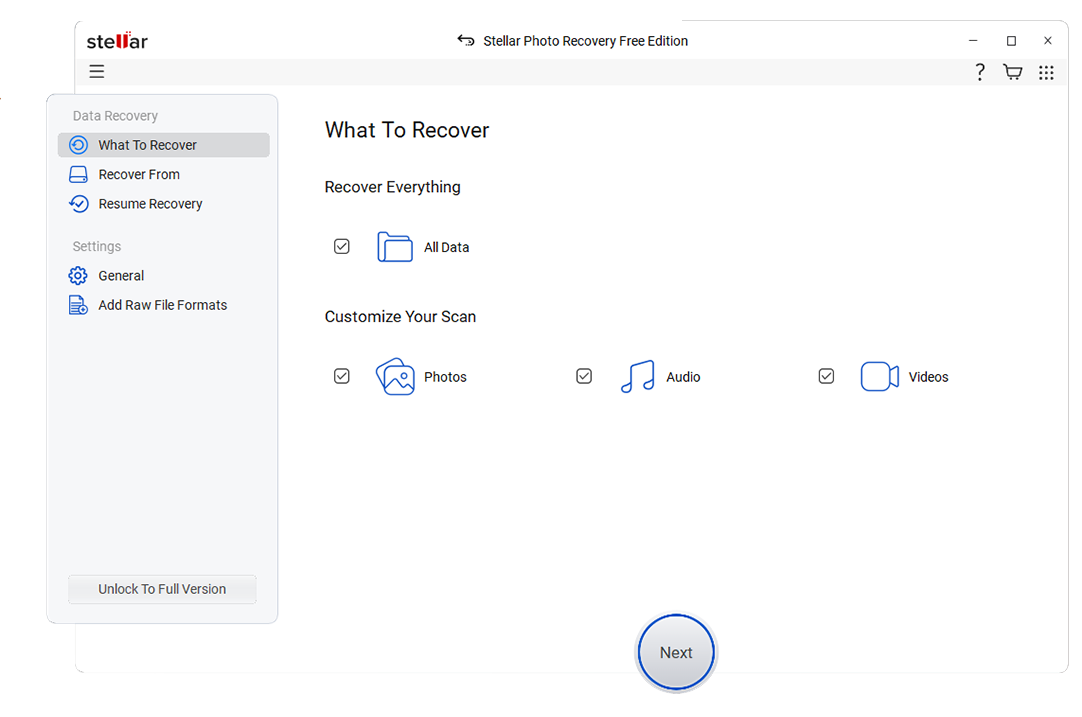
3. Stellar Data Recovery
Stellar Data Recovery is a full-featured suite best for professionals and SMBs that need advanced options like RAID, email, and server recovery. It supports multiple editions tailored to different user groups, from home PCs to technician deployments.
4. Disk Drill
Disk Drill is best for Mac and Windows users who want powerful scans plus extra disk tools like backup and data protection. It blends modern design with helpful maintenance utilities alongside core recovery features.

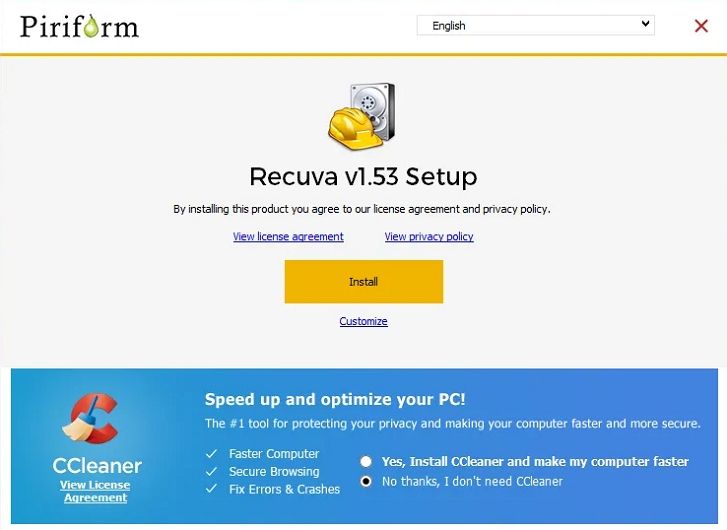
5. Recuva
Recuva is a lightweight Windows utility best for users looking for a simple, mostly free tool for light recovery needs. It is ideal for quickly undeleting recently removed files from local and removable drives without a complex interface.
If you lost Twitch, YouTube, or other stream recordings, choose a recovery tool that handles large, fragmented video files well. Wondershare Recoverit is optimized for video and stream recovery, letting you scan cameras, capture drives, and external disks for deleted or corrupted recordings. Visit Recoverit to download the software, run a deep scan on the storage that held your streams, and use the preview feature to verify clips before restoring them to a safe location.
Side-by-Side Comparison Table of DoYourData Alternatives
| Software | File System Support | Price | Free Version | Ease of Use | Scan Speed | Recovery Success Rate | Key Features |
|---|---|---|---|---|---|---|---|
| DoYourData Data Recovery | NTFS, FAT/FAT32, exFAT, some HFS/APFS | Mid-range one-time and subscription plans | Yes, limited data volume | Beginner friendly, basic options | Moderate, slower on large deep scans | Good for simple loss, weaker with heavy corruption | Quick and deep scan, partition recovery, file preview |
| Wondershare Recoverit | NTFS, FAT/FAT32, exFAT, HFS+, APFS, EXT variants | Flexible plans for individuals, businesses, and creators | Yes, limited recovery and preview | Very easy, guided workflow | Fast quick scans, optimized deep scans | Very high, especially for video and media files | Advanced video and stream recovery, crashed PC recovery, corrupted video repair, wide device support |
| EaseUS Data Recovery Wizard | NTFS, FAT/FAT32, exFAT, HFS+, some EXT | Subscription and perpetual licenses | Yes, small data cap | Very easy, wizard-based | Fast quick scan, average deep scan | High for common deletion and format cases | Deleted file, partition, and formatted disk recovery, export/import scan results |
| Stellar Data Recovery | NTFS, FAT/FAT32, exFAT, HFS+, APFS | Tiered pricing from home to technician | Yes, limited data recovery | Moderate, more options to configure | Average to slow on complex arrays | High on professional and RAID scenarios | RAID recovery, email recovery, optical media, disk imaging |
| Disk Drill | NTFS, FAT/FAT32, exFAT, HFS+, APFS, EXT | One-time and upgrade-based licensing | Yes, limited recovery on some platforms | User friendly, especially on Mac | Fast quick scans, good deep scan optimization | High for most consumer scenarios | Data protection, S.M.A.R.T. monitoring, partition search, backup and imaging |
| Recuva | NTFS, FAT/FAT32, exFAT | Free and low-cost Pro version | Yes, core features available | Simple wizard and advanced mode | Fast on small drives | Moderate, best for recently deleted files | Quick undelete, secure overwrite, email and document recovery |
Conclusion
DoYourData Data Recovery can be helpful for basic file loss, but it is not always the most powerful or flexible option for complex situations, large video projects, or business-critical data. Exploring alternatives ensures that you are not limited by a single tools performance or feature set.
By comparing Recoverit, EaseUS, Stellar, Disk Drill, and Recuva, you can match pricing, platform support, and recovery depth to your exact needs. For the highest overall success rate and especially for recovering deleted stream recordings or large video libraries, Recoverit stands out as the most capable DoYourData alternative.
Next: Easeus Data Recovery Alternatives
FAQ
-
Is DoYourData Data Recovery safe to use?
Yes, DoYourData Data Recovery is generally considered safe because it performs read-only scans and does not modify the original data source. To stay safe, avoid installing or writing any new data to the same drive where files were lost. -
Which DoYourData alternative has the best recovery success rate?
Among the popular doyourdata alternatives, Recoverit is widely recognized for one of the highest recovery success rates, particularly with photos, videos, and corrupted or fragmented media files. It is often preferred for mission-critical Windows data recovery and Mac data recovery tasks. -
Can I recover formatted drive data better with an alternative?
Yes, tools like Recoverit, EaseUS Data Recovery Wizard, and Stellar Data Recovery often handle formatted drives more effectively than basic utilities. They use deeper scanning algorithms and broader file signature support, increasing the chance of rebuilding directory structures and restoring large batches of files. -
Are there free DoYourData alternatives for simple recovery?
Recuva and the free editions of Recoverit, EaseUS, and Disk Drill can handle light recovery tasks at no or low cost. Keep in mind that each free version typically limits either the recoverable data volume or available features, so they are best for small, non-critical jobs. -
How should I choose between these DoYourData alternatives?
Consider your operating system, the type and size of the lost data, your budget, and your technical comfort level. For general high-success recovery and strong video capabilities, Recoverit is a strong first choice, while EaseUS, Stellar, Disk Drill, and Recuva fit more specific budgets and scenarios.



