

 TL;DR:
While Glary Undelete remains suitable for simple file retrieval on healthy drives, upgrading to modern alternatives like Wondershare Recoverit, Recuva, EaseUS, Disk Drill, or MiniTool is necessary for handling complex data loss on corrupted, formatted, or large-capacity storage devices.
● Recuva serves as the most direct free substitute for Glary Undelete, offering a lightweight wizard ideal for simple undelete tasks on older Windows PCs, though its success rate drops on heavily fragmented disks.
● EaseUS Data Recovery Wizard and MiniTool Power Data Recovery are explicitly optimized for resolving partition-level damage, formatted drives, and RAW removable media where basic utilities fail to detect files.
● For comprehensive recovery, Wondershare Recoverit provides specialized modules for reconstructing fragmented high-resolution videos, while Disk Drill uniquely integrates proactive S.M.A.R.T. health monitoring and byte-level backups alongside its recovery tools.
Ask AI for a summary
 ChatGPT
 Perplexity
 Gemini
 Claude
 Grok
Grok
Glary Undelete is a small, free utility many users try when they accidentally delete files from Windows. However, its aging interface, limited feature set, and lack of modern OS optimizations push users to look for more powerful, reliable data recovery solutions.
This guide walks you through what Glary Undelete does, where it falls short, and which alternative tools can deliver safer, higher-success file recovery when it matters most.
Try Recoverit to Recover Lost Data
 Security Verified. 3,591,664 people have downloaded it.
In this article
What Is Glary Undelete?
Glary Undelete is a lightweight Windows file recovery utility designed to restore files that have been deleted from the Recycle Bin or lost due to simple formatting or file system errors. It focuses on scanning FAT and NTFS drives to locate recently deleted items and lets you filter results by name, size, date, or recovery state. The tool is free, compact, and easy to run on older machines, making it popular for quick, straightforward undelete tasks.
Typical use cases include restoring accidentally deleted documents, photos, archives, and other everyday files from internal hard drives, basic external drives, or USB sticks. Glary Undelete is especially appealing for users who want a no-frills interface and do not need advanced capabilities like recovery from corrupted partitions, RAW drives, or failing disks. It is best suited for simple, small-scale recovery jobs where the storage device is still healthy and the data loss has occurred recently.
Why You Might Need Alternatives for Glary Undelete?
There are several reasons why you might need a substitute for Glary Undelete. Here are a few:
- 🧭 Outdated UI and weak usability: Glary Undelete relies on an old-fashioned interface that can feel clunky when you are sifting through hundreds or thousands of deleted items. Filtering and sorting options are limited, so locating a specific version of a file or narrowing results to a particular folder often takes more manual effort than with modern tools.
- 🧩 Feature limitations versus modern competitors: Many leading data recovery software suites now include features such as recovery from crashed systems, bootable media creation, and specialized modes for photos or videos. Glary Undelete is largely confined to basic undelete and lacks dedicated workflows for scenarios like formatted SD cards, external SSDs, or camera media, which reduces its usefulness in real-world emergencies.
- 📉 Recovery success and stability gaps: On healthy drives with very recent deletions, Glary Undelete can work reasonably well, but its performance declines on large, fragmented, or slightly damaged disks. Users may notice incomplete recovery lists, missing file structures, or unstable behavior on big modern drives, which translates directly into a lower chance of getting critical files back intact.
- 🛠 Missing advanced recovery capabilities: Advanced users often need options like disk imaging, session saving, and granular deep scan controls to work safely with failing or sector-damaged drives. Glary Undelete does not provide these capabilities, meaning you must scan the live disk directly and cannot fine-tune the process, increasing the risk of stressing a failing drive or having to rescan repeatedly.
- 💰 Pricing and long-term value considerations: While Glary Undelete is free, relying solely on a basic free tool can be costly if it fails during a serious incident and you then have to pay for professional services. Investing in a capable glary undelete replacement with stronger recovery rates and broader device support usually offers better value over time, especially for small businesses, creators, or users handling important data routinely.
5 Best Glary Undelete Alternatives
When you outgrow Glary Undelete, several glary undelete alternatives provide more robust scanning, better previews, and support for modern storage devices. Below are five leading options, including a closer look at how Recoverit can help you recover lost data safely.
1. Wondershare Recoverit
Wondershare Recoverit is a full-featured file recovery tool designed for users who need high recovery success rates across many devices and file types, including large videos and external drives. It handles scenarios ranging from simple accidental deletions to formatted, corrupted, or even unbootable systems, with a guided workflow suitable for beginners and professionals.
Recoverit supports over a thousand file formats and works with HDDs, SSDs, USB drives, SD cards, action cameras, drones, and more. Thanks to rich preview options, you can verify photos, documents, and videos before restoring them, which helps avoid clutter and saves time.
Key Features Offered by Recoverit
- Comprehensive support for deleted, formatted, and corrupted data across HDDs, SSDs, USB drives, SD cards, cameras, and more, making it a versatile windows file restore solution.
- Advanced video recovery and repair modules that help reconstruct fragmented or damaged clips, including long-form and high-resolution recordings.
- Intuitive, 3-step guided interface with powerful search and preview filters so you can quickly locate and validate the exact files you need.
Step-by-Step Guide on How To Recover Lost Data
1. Choose a Location to Recover Data
Launch Recoverit and select the drive or partition where your files were lost, such as a system partition, external HDD, SD card, or USB stick. If you are recovering deleted stream recordings or project files, pick the location your app normally saves to so the scan targets the most relevant area.

2. Deep Scan the Location
Click to start the scan and let Recoverit perform an in-depth search for lost files, including those from formatted or corrupted sections of the drive. You can monitor progress in real time and use filters like file type or modification date to narrow down results as they appear.

3. Preview and Recover Your Desired Data
When the scan completes, browse the found files, preview photos, documents, and videos, and mark only the items you want to bring back. Choose a safe destination on another disk or partition, then confirm recovery so your restored files are saved without overwriting any remaining lost data.

Use Recoverit to Retrieve Deleted Stream Recordings: If you accidentally delete Twitch, YouTube, or other stream recordings saved locally, Wondershare Recoverit can scan your PC, external HDD, or SSD to locate large video files that traditional undelete tools might miss or fail to repair. Visit Recoverit, run a targeted scan on the drive where your streaming software saves recordings, preview the recovered clips, and then restore only the sessions you actually need, keeping your workflow clean and your most valuable content protected.
2. Recuva
Recuva is a popular free file recovery tool aimed at budget-conscious users who need a lightweight utility for basic Windows undelete jobs. It is particularly suitable for restoring recently deleted documents, photos, and archives from hard drives, memory cards, and USB sticks using a simple wizard-driven interface.
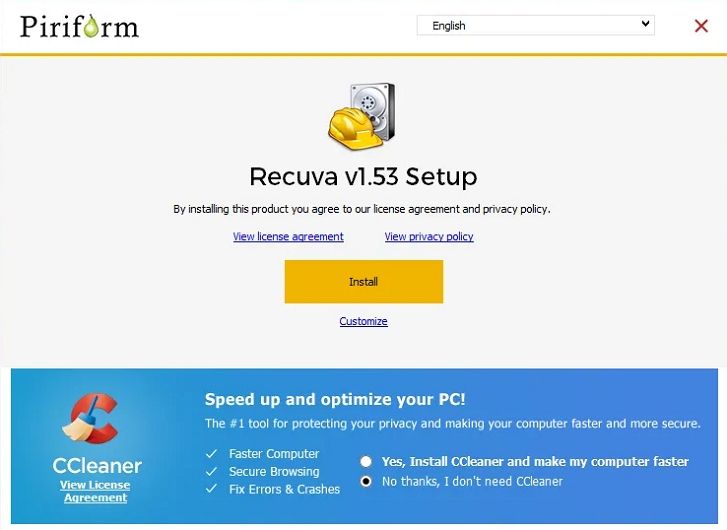
Because it is small and resource-friendly, Recuva works well on older or low-spec PCs where heavier data recovery suites might feel sluggish. While it cannot match premium competitors in complex scenarios, it is handy to keep on hand for everyday recycle bin recovery tasks.
3. EaseUS Data Recovery Wizard
EaseUS Data Recovery Wizard is a commercial data recovery software suite best known for handling formatted partitions, RAW drives, and complex partition-level loss. It offers a guided wizard interface that walks you through selecting a drive, scanning, and previewing data before recovery.

In addition to everyday file restoration, EaseUS is often used when partitions have disappeared or become inaccessible after formatting, OS errors, or partition table issues. It supports a wide range of file types, including documents, photos, video, and audio files.
4. Disk Drill
Disk Drill is a versatile glary undelete replacement that blends powerful recovery features with disk protection and monitoring tools. It targets users who not only need to recover lost files, but also want to proactively prevent data loss through backups and S.M.A.R.T. health checks.

With support for many file systems and storage devices, Disk Drill can scan internal drives, external HDDs and SSDs, memory cards, and USB drives. Its visually rich interface helps you sort, filter, and preview files efficiently, especially when working with large scan results.
5. MiniTool Power Data Recovery
MiniTool Power Data Recovery is a Windows-focused data recovery software that offers dedicated modes for lost partitions, specific folders, and removable media such as USB drives and SD cards. It is a practical choice if you regularly work with external devices and want clear options tailored to different data loss scenarios.
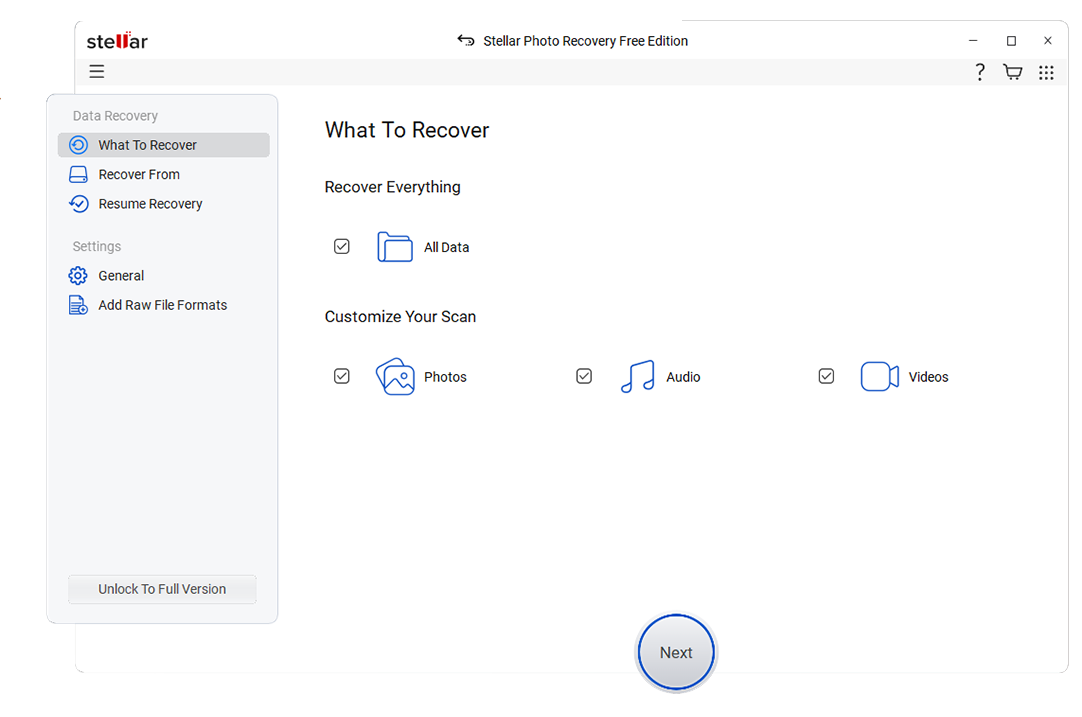
With a mode-based layout and straightforward interface, MiniTool makes it easier for non-experts to decide which type of scan to run. It can be particularly effective when dealing with damaged or accidentally deleted partitions on Windows PCs and common portable storage.
Side-by-Side Comparison Table of Glary Undelete Alternatives
| Software | File System Support | Price | Free Version | Ease of Use | Scan Speed | Recovery Success Rate | Key Features |
|---|---|---|---|---|---|---|---|
| Glary Undelete | FAT12/16/32, NTFS | Free | Yes, fully free but basic | Easy for simple undelete tasks | Fast on small, healthy drives | Moderate for recently deleted files | Basic undelete, file filters, simple interface |
| Wondershare Recoverit | NTFS, FAT16/32, exFAT, HFS+, APFS, EXT and more | Tiered licenses, mid-range pricing | Yes, limited-size recovery | Very easy, guided 3-step process | Fast quick scan, deep scan optimized | High, especially for photos and videos | Deep scan, video recovery and repair, bootable media, wide device support |
| Recuva | FAT, exFAT, NTFS | Free with optional Pro upgrade | Yes, core features free | Very easy wizard interface | Fast quick scans, slower deep scans | Moderate, best on simple deletions | Quick undelete, deep scan, secure file overwrite |
| EaseUS Data Recovery Wizard | NTFS, FAT, exFAT, HFS+, EXT | Subscription and perpetual licenses | Yes, small data cap | Easy with step-by-step wizards | Moderate, thorough deep scans | High on formatted and RAW partitions | Partition recovery, RAW drive support, extensive file preview |
| Disk Drill | NTFS, FAT, exFAT, HFS+, APFS, EXT | One-time license per major version | Yes, limited recovery on some platforms | User-friendly, visually rich UI | Fast quick scans, deep scans vary by drive size | High when drive is accessible | Data protection, S.M.A.R.T. monitoring, backup, deep scan |
| MiniTool Power Data Recovery | NTFS, FAT, exFAT | Tiered lifetime licenses | Yes, low data limit | Easy, with mode-based layout | Moderate to slow on large drives | Good on partitions and removable media | Lost partition recovery, removable drive focus, file preview |
Conclusion
Glary Undelete can still be useful for quick, basic undelete tasks, but its limited features, aging design, and weaker performance on complex cases make it risky to rely on as your only recovery option. Modern tools offer deeper scans, better previews, and broader device support that significantly increase your chances of getting data back.
By choosing one of the top glary undelete alternatives, especially a robust solution like Wondershare Recoverit, you gain stronger recovery capabilities for everything from everyday office files to large video projects and external drives. Picking the right tool before disaster strikes ensures you are prepared to recover important files quickly, safely, and with confidence.
Next: Togethershare Data Recovery Alternatives
FAQ
-
Is Glary Undelete still safe to use on Windows 10 and 11?
Glary Undelete is generally safe to run on modern Windows systems, but it is not updated as frequently as many newer data recovery software options. That slower development pace can translate into occasional compatibility issues with newer storage hardware, large-capacity drives, or the latest Windows builds, so it is wise to keep at least one actively maintained alternative installed. -
Which Glary Undelete alternative is best for beginners?
For beginners, Wondershare Recoverit and Recuva are both strong choices thanks to their simple, guided workflows. Recoverit provides more detailed previews and is better for complex scenarios like formatted or corrupted drives, while Recuva is ideal when you only need quick free data recovery from a healthy disk. -
Can these alternatives recover files from formatted or RAW drives?
Yes, several of the listed glary undelete alternatives are designed specifically to handle formatted and RAW drives. Tools such as Recoverit, EaseUS Data Recovery Wizard, Disk Drill, and MiniTool Power Data Recovery can scan damaged or unrecognized partitions and often reconstruct folders and files that basic undelete utilities cannot see. -
Are there completely free Glary Undelete alternatives?
Recuva offers a genuinely free edition that covers many simple windows file restore needs, including recovering files from the Recycle Bin and removable media. Other tools like Recoverit, EaseUS, Disk Drill, and MiniTool provide free tiers with limited data caps, which can still be enough for recovering a small set of critical documents or photos. -
How do I choose the right alternative t


