
 TL;DR:
If Ontrack EasyRecovery does not meet your budget or workflow needs, alternatives like Recoverit, EaseUS, Stellar, Disk Drill, and R-Studio offer better usability, flexible pricing, and specialized features tailored to different user expertise and data loss scenarios.
● **Recoverit** handles advanced video and stream recording recovery for Windows and macOS, while **EaseUS Data Recovery Wizard** targets beginners with a guided interface for standard formatting and deletion cases.
● **Disk Drill** is tailored for macOS users who want bundled SMART monitoring and data protection utilities alongside file recovery, though its Windows version is less refined.
● **Stellar Data Recovery** and **R-Studio** are built for complex business environments, offering advanced RAID reconstruction, network recovery, and granular forensic controls that require higher technical expertise.
Ask AI for a summary
 ChatGPT
 Perplexity
 Gemini
 Claude
 Grok
Grok
Ontrack EasyRecovery is a well-known data recovery solution, but it is not always the most cost-effective, user-friendly, or versatile option for every scenario. Whether you are a home user, content creator, or IT professional, exploring ontrack easyrecovery alternatives can help you find software that better matches your budget, OS, and recovery needs.
This guide walks through the top easyrecovery replacement options, how they compare, and how to pick the right data recovery software for your specific data loss situation, including deleted videos, formatted drives, and corrupted project files.
Try Recoverit to Recover Lost Data
 Security Verified. 3,591,664 people have downloaded it.
In this article
What Is Ontrack EasyRecovery?
Ontrack EasyRecovery is a commercial data recovery software suite designed to restore lost, deleted, formatted, or corrupted files from hard drives, SSDs, USB drives, memory cards, and other storage media. It is offered in several editions, ranging from Home and Professional versions for individuals to Technician and Premium tiers for IT teams, service providers, and enterprises.
Core features include quick and deep scans, recovery of documents, photos, videos, and emails, as well as support for common file systems like NTFS, FAT, exFAT, HFS+, and some RAID configurations in higher tiers. The software can address data loss caused by accidental deletion, partition loss, virus attacks, and certain file system errors. In professional environments, Ontrack EasyRecovery is often used for recovering accidentally wiped project files, restoring data from damaged external drives, and salvaging business-critical documents without sending the media to a lab.
Typical use cases include home users restoring deleted photos or office files, small businesses recovering data from formatted disks, and IT technicians handling logical disk failures before escalating to more expensive in-lab recovery services. Its reputation is built on the broader Ontrack brand, which is widely known for professional data recovery labs and services.
Why You Might Need Alternatives for Ontrack EasyRecovery?
There are several reasons why you might need a substitute for Ontrack EasyRecovery. Here are a few:
- 🧭 UI/UX and workflow efficiency: Some users find Ontrack EasyRecovery's interface dated, with multiple dialogs and technical labels that can slow you down in time-sensitive situations. When you are trying to rescue critical files after accidental deletion or a crash, a more streamlined, modern interface helps reduce mistakes and speeds up decision-making.
- 🧩 Feature limitations vs competitors: Depending on the edition, you may face restrictions on which devices, file systems, or recovery scenarios are supported. Competing disk recovery tools often bundle extras like disk imaging, bootable media creation, or automatic backup integration, so you get broader protection without having to buy separate utilities.
- 📉 Recovery success and stability gaps: While Ontrack EasyRecovery performs well on standard delete-and-format cases, it may be less effective on heavily corrupted video files, fragmented game recordings, or partially overwritten archives. Alternatives that specialize in multimedia or offer more advanced scanning algorithms can sometimes deliver higher recovery success and more stable performance in these edge cases.
- ⚙️ Missing advanced capabilities: Power users and IT teams may require granular control over deep scan parameters, sector-level disk imaging, or scripted batch recovery for recurring incidents. Some file recovery alternatives include forensic features, detailed hex views, and advanced RAID reconstruction options that go beyond what certain EasyRecovery editions provide.
- 💰 Pricing and value-for-money concerns: Ontrack EasyRecovery's pricing sits in the mid-to-high range, and advanced tiers for RAID or commercial use can be expensive compared with rivals. If you need multi-device coverage, cross-platform licensing, or recurring use, an easyrecovery replacement with more flexible plans or lifetime upgrades may deliver better long-term value.
5 Best Ontrack EasyRecovery Alternatives
Below are five leading ontrack easyrecovery alternatives that address different user profiles, ranging from casual home users to seasoned IT professionals who need advanced control and forensic-grade capabilities.
1. Wondershare Recoverit
Wondershare Recoverit is a full-featured data recovery software solution for Windows and macOS that focuses on simplicity, high recovery rates, and excellent multimedia file handling. It is best for users who want a high-success, easy-to-use recovery tool with strong video and stream recording support and who are actively comparing recoverit vs ontrack for everyday and professional use.
You can explore Recoverit as a balanced, powerful easyrecovery replacement suitable for home users, content creators, and small businesses alike.
Key Features Offered by Recoverit
- High-precision scanning with support for more than 1000 file formats, including documents, photos, videos, audio, archives, and emails, across a wide range of storage devices.
- Advanced video recovery and repair modules optimized for fragmented or corrupted footage from cameras, drones, and screen/stream recorders, making it ideal as a creator-focused easyrecovery replacement.
- Intuitive guided workflows, pause-and-resume scans, and rich file preview options that allow you to verify recoverable data before committing to full restoration.
Step-by-Step Guide on How To Recover Lost Data
1. Choose a Location to Recover Data
Launch Recoverit and select the drive, partition, or external device where you lost your files, such as an HDD, SSD, USB, or SD card. For lost game captures or stream recordings, choose the exact folder or partition where your recording software originally saved the files, which can greatly improve scan efficiency and accuracy.

2. Deep Scan the Location
Click Start to begin scanning, allowing Recoverit to perform a thorough deep scan that digs into the file system, including lost or raw partitions. You can monitor progress, filter by file type (such as videos or photos), and pause or stop the scan if you already see the critical items you need.

3. Preview and Recover Your Desired Data
When the scan completes, use the preview pane to open images, play back recovered videos, or inspect documents before restoring them. Select the items you want, click Recover, and choose a safe destination on a different drive to avoid overwriting remaining lost data and to maximize your recovery chances.

2. EaseUS Data Recovery Wizard
EaseUS Data Recovery Wizard is a popular consumer-friendly file recovery alternatives tool that focuses on quick setup, clear recovery steps, and broad file type support. It is best for beginners who need a guided, step-by-step recovery workflow with simple options on both Windows and macOS.

3. Stellar Data Recovery
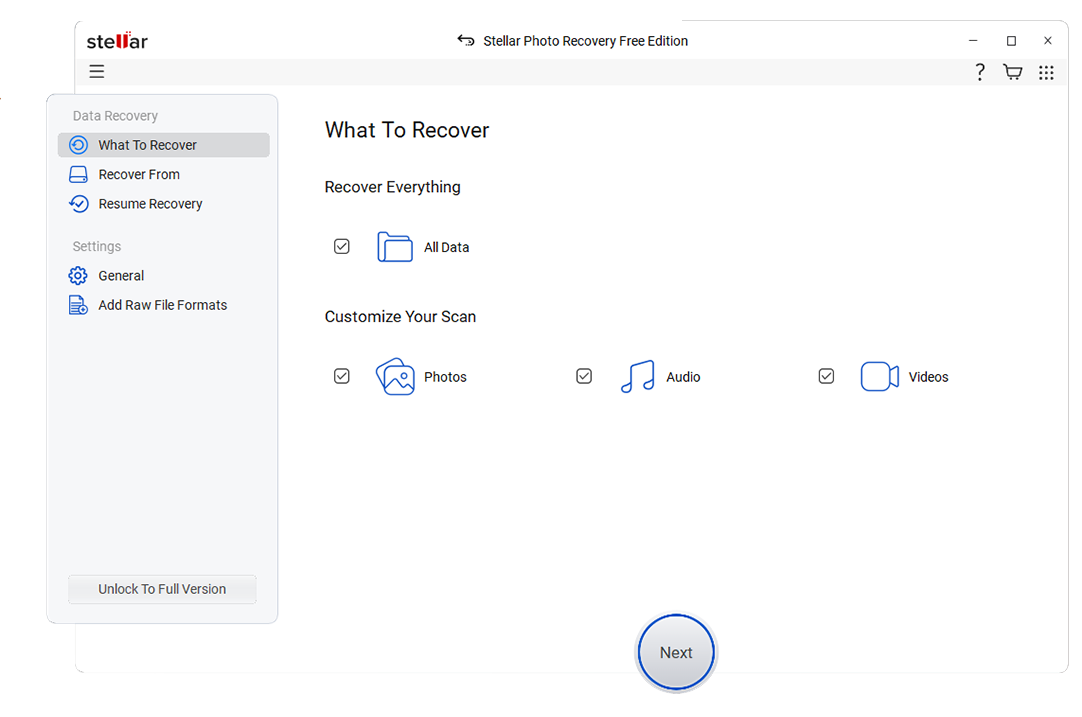
Stellar Data Recovery is a well-known suite that provides deep scan capabilities, specialized modules, and editions tailored for business use. It is best for users and small businesses that need intensive deep scans, optional RAID recovery, and email recovery capabilities.
4. Disk Drill
Disk Drill is a disk recovery tools application known for its macOS-first design, bundled disk utilities, and straightforward recovery flows. It is best for macOS users and power users who also want disk health tools, SMART monitoring, and data protection options in addition to file recovery.

5. R-Studio
R-Studio is a professional-grade data recovery software and forensics solution with powerful controls and support for complex storage configurations. It is best suited to IT professionals and data recovery specialists handling complex RAID, network, and forensic cases where granular control is more important than a beginner-friendly UI.
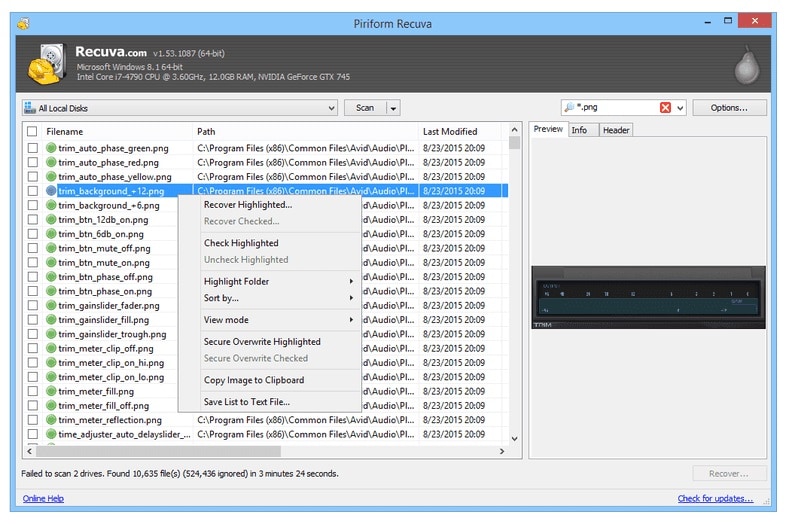
Side-by-Side Comparison Table of Ontrack EasyRecovery Alternatives
| Software | File System Support | Price | Free Version | Ease of Use | Scan Speed | Recovery Success Rate | Key Features |
|---|---|---|---|---|---|---|---|
| Ontrack EasyRecovery | NTFS, FAT, exFAT, HFS+, some RAID (higher tiers) | Mid to high, perpetual licenses by edition | Limited trial, preview with restricted recovery | Moderate, more technical than consumer-first tools | Moderate on large drives | High for standard deletion and formatting cases | Quick and deep scan, multiple editions, basic RAID support, email recovery in some tiers |
| Wondershare Recoverit | NTFS, FAT, exFAT, HFS+, APFS, ReFS and more | Affordable annual plans, business and perpetual options | Yes, recover limited data volume after scan | Very easy, guided interface with clear categories | Fast quick scan, deep scan optimized for large disks | Very high, especially for video and multimedia files | Advanced video recovery, crashed PC recovery, wide device support, preview before restore |
| EaseUS Data Recovery Wizard | NTFS, FAT, exFAT, HFS+, ext2/3 | Subscription-based, mid-range pricing | Yes, small data limit for free recovery | Beginner-friendly, wizard-style steps | Fast quick scans, average deep scan speed | High for recent deletions and formatted drives | Partition recovery, formatted disk recovery, cross-platform support |
| Stellar Data Recovery | NTFS, FAT, exFAT, HFS+, ext2/3/4 | Mid to high, more for RAID and Technician editions | Free edition with limited recovery capacity | User-friendly but with many options | Thorough but can be slower on deep scans | High on severely corrupted or formatted media | Deep scan, RAID recovery, email recovery, disk imaging |
| Disk Drill | NTFS, FAT, exFAT, HFS+, APFS, ext2/3/4 | Single license per major version, competitive pricing | Yes, especially generous on macOS for preview and some recovery | Very easy on macOS, clean UI | Fast scans with good performance on SSDs | High for common file types and photo recovery | Recovery vault, SMART monitoring, extra disk utilities, byte-level backups |
| R-Studio | NTFS, FAT, exFAT, HFS+, ext, ReFS, many others | Professional-level pricing per platform or bundle | Demo with restricted file size recovery | Low for beginners, tailored to experts | Highly configurable, depends on settings | Very high in expert hands, especially for RAID and complex cases | Advanced RAID reconstruction, network recovery, forensic tools, scriptable scans |
Conclusion
Ontrack EasyRecovery remains a capable data recovery software, but it is no longer the only strong option for restoring lost files from modern storage devices. Depending on your priorities, alternatives like Wondershare Recoverit, EaseUS Data Recovery Wizard, Stellar Data Recovery, Disk Drill, and R-Studio may offer better pricing, usability, multimedia handling, or advanced technical features.
By matching your use case to each tool's strengths, you can choose a solution that recovers more data with less hassle. For most home users, content creators, and small teams who prioritize high success rates and simplicity, Recoverit stands out as a compelling, well-balanced easyrecovery replacement and one of the most versatile ontrack easyrecovery alternatives available today.
Next: Easeus Data Recovery Alternatives
FAQ
-
Is Ontrack EasyRecovery still good in 2025?
Yes, Ontrack EasyRecovery is still a solid option in 2025, especially for straightforward data loss scenarios such as accidental deletion or basic formatting. However, many users now compare recoverit vs ontrack and other ontrack easyrecovery alternatives to gain more modern interfaces, flexible pricing, and specialized capabilities like advanced video and stream recording recovery. -
Which Ontrack EasyRecovery alternative is best for beginners?
For beginners, Recoverit and EaseUS Data Recovery Wizard are both excellent choices because they prioritize clarity and ease of use. Recoverit offers intuitive category-based workflows and powerful multimedia handling, while EaseUS provides a step-by-step, wizard-style interface with minimal technical jargon, making either tool a friendly easyrecovery replacement for non-experts. -
Can these alternatives recover deleted videos and stream recordings?
Yes, many file recovery alternatives can restore deleted videos and stream recordings from local disks, SD cards, and external drives. Recoverit is particularly strong in this area thanks to its advanced video recovery and repair modules, which are optimized to handle corrupted, fragmented, or partially overwritten footage from cameras, game recorders, and streaming setups. -
Do I really need paid software, or are free tools enough?
Free tools can be useful for light incidents or for checking whether your lost files are still detectable, but they typically impose strict recovery size limits and lack advanced features. Paid data recovery software like Recoverit, Stellar, or Disk Drill generally delivers higher recovery success rates, better support, and pro-level options such as disk imaging or RAID handling that are essential for serious data loss events. -
How should I choose between different Ontrack EasyRecovery alternatives?
Start by clarifying your main goals: ease of use, supported operating systems, target file types, and budget. If you mostly handle photos, videos, and stream captures, prioritize tools optimized f



