
 TL;DR:
If Remo Recover's dated interface or complex pricing structure fails to meet your data loss needs, switching to modern alternatives like Wondershare Recoverit, EaseUS, Disk Drill, R-Studio, or Stellar provides higher success rates and specialized tools tailored to specific recovery scenarios.
● Wondershare Recoverit delivers the highest success rates for rebuilding fragmented videos and complex partition errors, while EaseUS Data Recovery Wizard offers flexible lifetime licensing tailored for straightforward home or small business recoveries.
● Disk Drill provides the best value for budget-conscious Windows users through its generous free recovery tier and included S.M.A.R.T. monitoring utilities, whereas Stellar Data Recovery excels at retrieving multimedia files from cameras and external drives.
● R-Studio is strictly for IT professionals requiring advanced RAID reconstruction, hex-level editing, and network-based recovery, carrying a steep learning curve and premium per-platform pricing that will intimidate casual users.
Ask AI for a summary
 ChatGPT
 Perplexity
 Gemini
 Claude
 Grok
Grok
Remo Recover is a familiar name in best data recovery software, but it is not always the most cost-effective or user-friendly option for everyone. Whether you are dealing with accidental deletion, formatted drives, or corrupted partitions, there are several powerful Remo Recover alternatives that offer clearer pricing, faster scans, broader file system support, and more modern interfaces.
This guide walks through what Remo Recover does, where it can fall short, and the top five tools worth considering instead. You will also see how Remo Recover vs Recoverit compares in real-world use, and how to choose the best Remo Recover replacement based on your budget, device type, and technical comfort level.
Try Recoverit to Recover Lost Data
 Security Verified. 3,591,664 people have downloaded it.
In this article
What Is Remo Recover?
Remo Recover is a commercial data recovery software available for Windows and macOS that focuses on restoring files lost due to deletion, formatting, partition damage, or minor corruption. It can scan internal drives, external HDDs and SSDs, USB flash drives, memory cards, and some other removable media. Key features include quick and deep scan modes, support for common file systems like NTFS, FAT, exFAT, and HFS+, and the ability to preview many file types before recovery.
Typical use cases involve recovering accidentally deleted office documents, retrieving photos and videos from formatted SD cards, and restoring files after simple partition issues. Remo Recover is targeted at general home and small business users who need a guided wizard-style interface instead of manual forensic workflows. In many everyday situations it works well, but users facing more complex data loss or seeking better value often investigate other remo recover alternatives.
Why You Might Need Alternatives for Remo Recover?
There are several reasons why you might need a substitute for Remo Recover. Here are a few:
- 🧭 UI/UX and workflow efficiency: While Remo Recover uses a wizard-style interface, some users find the layout cluttered and navigation less intuitive than newer tools. This can slow down urgent recoveries, especially when you are unsure which module or edition to launch for a specific scenario. Modern competitors streamline drive selection, scan progress, and filtering so you can move from launch to restore in fewer clicks.
- 🧩 Feature coverage versus leading competitors: Remo Recover focuses on core file recovery, but it lacks some of the extras that all-in-one best data recovery software suites provide, such as built-in backup imaging, S.M.A.R.T. monitoring, and data protection features. If you manage multiple drives or want proactive protection, all of those missing tools mean you may need additional utilities or a more integrated solution.
- 📉 Recovery success rate and stability gaps: For simple accidental deletions, Remo Recover performs reasonably well, but users sometimes report mixed results on heavily corrupted partitions or drives with file system errors. Competing apps may reconstruct directory structures and fragmented video files more reliably, particularly when used on SSDs or high-capacity external drives. Inconsistent success in edge cases is a key reason people test other remo recover alternatives.
- 🛠️ Missing advanced controls and workflows: Power users and IT staff may find Remo Recover short on advanced options like granular deep-scan configuration, disk imaging for safe sector-by-sector work, or complex RAID reconstruction. Without these capabilities, handling sensitive servers or failing hardware becomes riskier, because you must work directly on the only copy of the data. Professional-grade tools fill this gap with imaging, hex-level views, and network-based recovery.
- 💰 Pricing structure and value for money: Remo Recover uses multiple editions with different feature sets, which can make it hard to know which license actually covers your needs. Upgrading to unlock additional file types, advanced recovery modules, or multi-device use can push total costs above other remo recover replacement options that bundle everything into one plan. For occasional home users, limited free tiers from free data recovery tools like Disk Drill or EaseUS often deliver better value.
5 Best Remo Recover Alternatives
1. Wondershare Recoverit
Wondershare Recoverit is a comprehensive Remo Recover replacement best for users who want high success rates and a simple, guided recovery process on Windows and macOS. It is designed to help beginners and advanced users restore lost files from more than 2,000 storage device types while keeping the interface clean and approachable. You can learn more on the official site at Recoverit.
Key Features Offered by Recoverit
- Supports over 1,000 file formats and more than 2,000 device types, including internal and external drives, SD cards, USB sticks, cameras, and some NAS environments for cross-platform windows data recovery and mac data recovery.
- Provides specialized video and photo recovery modes that handle fragmented or partially overwritten clips, ideal for restoring editing projects, camera shoots, and livestream recordings.
- Includes clear preview options, flexible filtering, and a modern interface that simplifies complex recoveries compared with many other remo recover alternatives.
Step-by-Step Guide on How To Recover Lost Data
1. Choose a Location to Recover Data
Install and launch Recoverit, then select the drive or specific folder where you originally stored the missing files. This could be your system disk, an external HDD or SSD, a USB flash drive, or a memory card from your camera or phone. Selecting the precise location helps shorten scan time and improves the accuracy of your results.

2. Deep Scan the Location
After selecting the target, start the scan and allow Recoverit to perform a thorough pass over the chosen device. You can watch the progress in real time, pause if necessary, and refine by file type using filters while results populate. For severe corruption or formatted drives, let the deep scan finish so the software can rebuild directory structures and locate as many recoverable files as possible.

3. Preview and Recover Your Desired Data
When the scan completes, browse through the found items using folder, file type, or search filters. Preview documents, photos, videos, and audio to verify integrity before recovery, then select everything you want to restore and choose a safe destination on a different drive. Saving to a separate disk avoids overwriting remnants of other lost data and gives you the best chance of a complete recovery.

2. EaseUS Data Recovery Wizard
EaseUS Data Recovery Wizard is a popular consumer-oriented remo recover alternatives option best for home and small business users who want a balance of usability, features, and flexible licensing. It specializes in recovering deleted, formatted, or lost files from desktops, laptops, external drives, and memory cards without demanding much technical knowledge. Visit the vendor at https://www.easeus.com/datarecoverywizard/ to see its full capabilities.

3. Disk Drill
Disk Drill is a feature-rich data recovery app best for users who value a generous free tier and bonus disk management tools alongside recovery. It combines deep scans, data protection, and disk health monitoring in one polished interface for both macOS and Windows environments. For further details, you can visit https://www.cleverfiles.com/.

4. R-Studio
R-Studio is a professional data recovery suite best for IT professionals and power users dealing with complex, multi-drive, or RAID recovery cases. It is built to handle damaged file systems, RAID arrays, and network-based recovery, providing detailed control over how scans and reconstructions run. You can review its technical documentation and pricing at https://www.r-studio.com/.
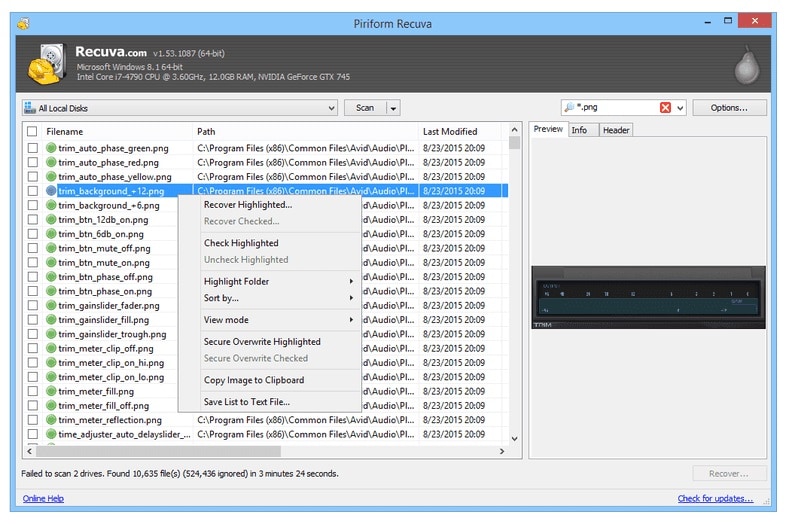
5. Stellar Data Recovery
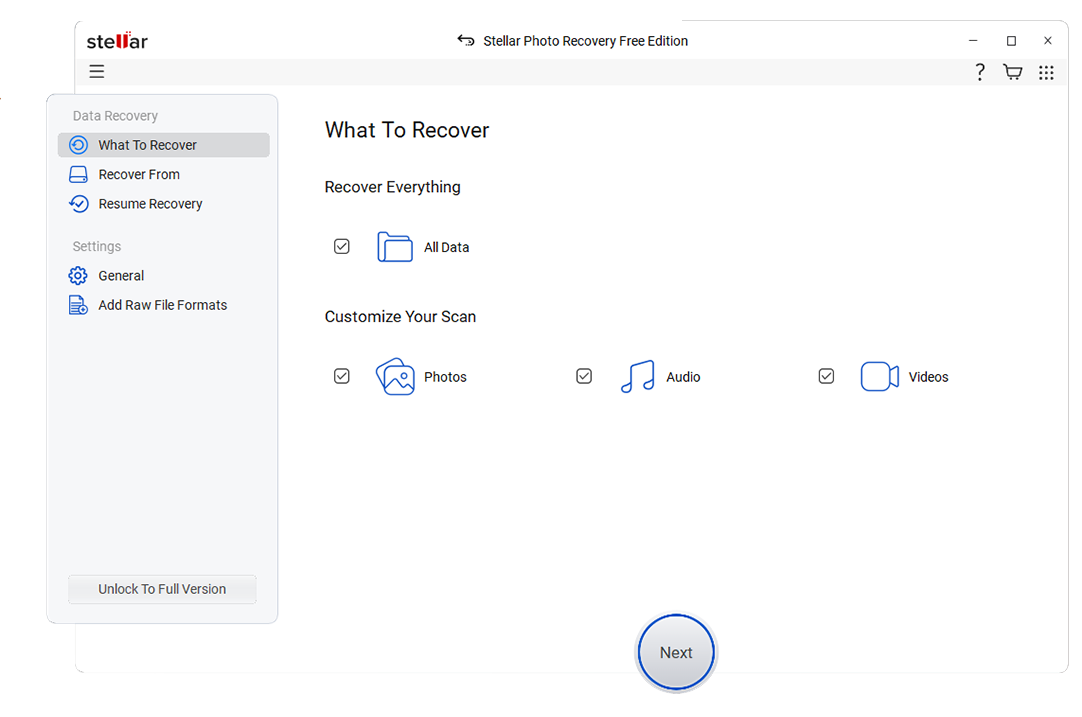
Stellar Data Recovery is best for users prioritizing photo, video, and multimedia recovery across various storage devices. It offers a series of tools focused on restoring documents and rich media files from desktops, laptops, cameras, SD cards, and other removable media. More information is available at https://www.stellarinfo.com/data-recovery.php.
If you lost stream recordings from platforms like Twitch, YouTube, or local capture tools such as OBS and your files are no longer in the recycle bin, try scanning the original save location with Wondershare Recoverit. By installing Recoverit from its official site and running a deep scan on the SSD or HDD where your streaming software wrote its recordings, you can often restore deleted MP4, MKV, FLV, or audio-only files even after apparent permanent deletion.
Side-by-Side Comparison Table of Remo Recover Alternatives
| Software | File System Support | Price | Free Version | Ease of Use | Scan Speed | Recovery Success Rate | Key Features |
|---|---|---|---|---|---|---|---|
| Remo Recover | NTFS, FAT, exFAT, HFS+ | Tiered licenses from mid-range to premium per machine | Scan and preview only, paid to recover | Beginner friendly but somewhat dated interface | Moderate, slower on large deep scans | Good for common cases, mixed for severe corruption | Quick and deep scan, partition recovery, file preview |
| Wondershare Recoverit | NTFS, FAT/FAT32, exFAT, HFS+, APFS, others | Competitive annual and perpetual plans | Recover a limited data amount after free scan | Very easy, guided workflow with modern UI | Fast quick scans, efficient deep scans for large drives | Very high in deletion, formatting, and partition-loss scenarios | 2,000+ device types, advanced video recovery, bootable media |
| EaseUS Data Recovery Wizard | NTFS, FAT, exFAT, HFS+, ext2/3 | Monthly, yearly, and lifetime plans | Recovers a small data quota for free | Simple three-step recovery, minimal configuration needed | Fast quick scans, average deep scans | High for everyday data loss situations | Formatted drive recovery, lost partition detection, file preview |
| Disk Drill | NTFS, FAT/FAT32, exFAT, HFS+, APFS, ext | One-time Pro license with optional upgrades | Windows free tier includes limited-data recovery | User friendly, with extra tools in a single dashboard | Generally fast, with detailed deep-scan options | High, especially on healthy but formatted media | Data protection, S.M.A.R.T. monitoring, disk imaging |
| R-Studio | NTFS, ReFS, FAT, exFAT, HFS/HFS+, APFS, ext, UFS, others | Premium per-platform licenses | Demo recovers only very small files | Complex interface designed for professionals | Highly optimized but depends on chosen settings | Excellent in complex RAID and severely damaged file systems | RAID reconstruction, network recovery, hex editor, forensic tools |
| Stellar Data Recovery | NTFS, FAT, exFAT, HFS+, APFS | Multiple editions from basic to technician level | Limited data recovery after free scan | Wizard-based and approachable for non-experts | Average to fast depending on drive condition | Strong for photos and videos, solid overall | Multimedia recovery, email and RAID options in higher tiers |
Conclusion
Remo Recover remains a capable option for everyday data loss, but it is no longer the only choice for reliable file restoration. Competing tools offer clearer pricing, broader file system support, and more polished interfaces that better fit how people work today.
If you prioritize ease of use and consistently high success rates, Wondershare Recoverit is a standout Remo Recover alternative. For those needing flexible licensing, extra disk utilities, or professional-grade RAID and forensic features, solutions like EaseUS, Disk Drill, R-Studio, and Stellar provide strong, specialized options so you can match the tool to your exact recovery scenario.
Next: Disk Genius Alternatives
FAQ
-
Is there a free alternative to Remo Recover?
Yes. Tools like Disk Drill and EaseUS Data Recovery Wizard offer free tiers that let you scan and recover a limited amount of data. These free data recovery tools are often enough for small, one-time recovery jobs or to test the software before committing to a paid plan. -
Which Remo Recover alternative has the highest recovery success rate?
Success rates vary by case, but Wondershare Recoverit is widely regarded for consistently strong performance in deletion, formatting, and partition-loss scenarios. For highly complex or severely damaged systems, professional-grade software like R-Studio can outperform consumer tools when configured by an experienced technician. -
Can Remo Recover alternatives restore data from formatted drives?
Most leading remo recover alternatives, including Recoverit, EaseUS, Disk Drill, Stellar, and R-Studio, can scan formatted drives and reconstruct recoverable files. As long as the sectors have not been heavily overwritten by new data



