
 TL;DR:
Because ZAR Data Recovery is no longer actively maintained and struggles with modern SSDs, large-capacity drives, and newer file systems, upgrading to an actively developed alternative provides better hardware compatibility, safer read-only scans, and crucial disk imaging capabilities.
● Recoverit and EaseUS Data Recovery Wizard are the most accessible options for non-technical home users due to their guided interfaces and cross-platform support, though both restrict the amount of recoverable data on their free tiers.
● R-Studio is designed specifically for IT professionals and data labs handling complex RAID setups and network-based recoveries, whereas Stellar Data Recovery offers a middle ground for small businesses needing virtual drive support and multimedia repair modules.
● Disk Drill provides a versatile option for users who want to combine basic file recovery with proactive macOS and Windows disk health utilities, such as S.M.A.R.T. monitoring and system cleanup.
Ask AI for a summary
 ChatGPT
 Perplexity
 Gemini
 Claude
 Grok
Grok
ZAR Data Recovery has long been a go-to choice for users who need to rescue files from damaged drives and RAID arrays, but it is no longer actively developed, and its interface shows its age. If you rely on modern systems, large-capacity disks, or SSDs, you may find that legacy tools struggle to keep up or feel difficult to operate safely.
Evaluating newer zar data recovery alternatives can give you better operating system support, a smoother workflow, and active technical assistance. Below you will find a breakdown of the best tools that can replace or complement ZAR, including where each one shines and how it compares.
Try Recoverit to Recover Lost Data
 Security Verified. 3,591,664 people have downloaded it.
In this article
What Is ZAR Data Recovery?
Zero Assumption Recovery, commonly known as ZAR Data Recovery, is an older Windows-based data recovery suite designed to restore lost files from hard drives, memory cards, and RAID arrays. It focuses heavily on low-level scanning and RAID reconstruction, making it useful for technically inclined users dealing with damaged partitions, formatted disks, or accidentally deleted files.
Key features include file system support for FAT, NTFS, and some memory card formats, as well as RAID 0 and RAID 1 recovery. Typical use cases involve recovering photo collections from corrupted SD cards, retrieving documents after an accidental format, or rebuilding simple home or small office RAID sets. While powerful for its time, ZAR uses a dated interface and is no longer actively maintained, which can limit its effectiveness on newer hardware, large-capacity drives, and the latest versions of Windows.
Why You Might Need Alternatives for ZAR Data Recovery?
There are several reasons why you might need a substitute for ZAR Data Recovery. Here are a few:
- 🧭 Outdated UI and weak usability: ZAR relies on an older, technical interface that assumes users already understand partitions, RAID parameters, and low-level disk concepts. This can slow down troubleshooting and increase the risk of clicking the wrong option when you are stressed about lost data. Modern disk recovery tools use guided wizards and clearer labels, which save time and reduce errors.
- 🧩 Feature limitations compared to modern suites: While ZAR covers basic FAT/NTFS and simple RAID, it falls short on newer file systems, expanded file-type signatures, and quality-of-life features like powerful search and filtering. Competing data recovery software like zar typically includes broader device support and specialized modules for photos, videos, and email archives. This means you may miss files that newer engines could detect and reconstruct.
- 📉 Recovery reliability on new hardware: ZAR was built in an era of smaller spinning hard drives and simple RAID controllers, so it may struggle with large-capacity HDDs, SSDs, and NVMe drives. Users sometimes encounter unstable scans, unexpected crashes, or incomplete results on current systems. By contrast, actively maintained zar data recovery alternatives continually optimize their engines for the latest storage technologies, improving overall success rates.
- 🛠 Missing advanced workflows and safety nets: Many newer tools support full-disk imaging, session saving, and detailed deep-scan controls, letting you work from a cloned copy instead of a failing drive. ZAR offers fewer of these advanced safeguards and workflow helpers, which can be critical when dealing with physically unstable disks. Modern file recovery software also tends to automate best practices like read-only access and SMART checks.
- 💰 Unclear pricing and long-term value: Because ZAR is no longer actively developed, its licensing model and long-term support picture are not as transparent as current commercial tools. Investing in software that does not receive regular updates or responsive support can be risky for businesses and home users alike. Choosing a maintained best zar replacement gives you clearer upgrade paths, defined support channels, and better overall value for money.
5 Best ZAR Data Recovery Alternatives
If you are ready to move beyond ZAR, the following tools are the leading zar alternatives to consider. They range from beginner-friendly all-rounders to professional-grade RAID recovery suites, so you can match the solution to your technical level and recovery scenario.
1. Recoverit
Recoverit by Wondershare is a modern, actively maintained data recovery solution that supports over 2000 storage device types and a wide range of file formats. It is best for users who want an easy, reliable all-rounder for Windows and macOS, from simple deletions to formatted or corrupted drives, making it a strong candidate if you are looking for the most approachable best zar replacement for everyday use.

Among all these tools, Recoverit stands out as a balanced option that serves both beginners and more advanced users, with a clean interface and strong performance across typical data loss scenarios.
Key Features Offered by Recoverit
- Supports recovery from over 2000 types of storage devices and a wide variety of file formats, including documents, photos, videos, and emails, making it a versatile data recovery software like zar for mixed environments.
- Provides guided workflows, rich file previews, and flexible scan modes that cover accidental deletion, formatted disks, lost partitions, crashed systems, and more.
- Includes helpful extras such as bootable media creation and dedicated video repair, increasing your chances of salvaging important recordings from corrupted drives.
Step-by-Step Guide on How To Recover Lost Data
1. Choose a Location to Recover Data
Install and launch Recoverit, then select the specific drive, partition, or external device where you lost your files. For the best results, be as precise as possible by choosing the exact disk or folder that previously stored your documents, photos, or videos.

2. Deep Scan the Location
Click the Start button to begin scanning; Recoverit will first run a quick scan and then automatically proceed to a deeper scan to look for more fragmented data. Allow the scan to complete without interrupting your system, especially on large or partially damaged drives.

3. Preview and Recover Your Desired Data
When the scan finishes, use the file-type filters and search box to locate the items you want to restore, then click on each file to preview it. Once you are satisfied with the result, select the files and choose a different, healthy drive as the destination to complete the recovery safely.

2. EaseUS Data Recovery Wizard
EaseUS Data Recovery Wizard is a popular consumer-friendly option known for its straightforward setup, fast scans, and broad device support. It is best for home and small business users who want a polished experience with flexible licensing and quick results, making it a compelling zar data recovery alternatives choice for people upgrading from legacy software.

3. Stellar Data Recovery
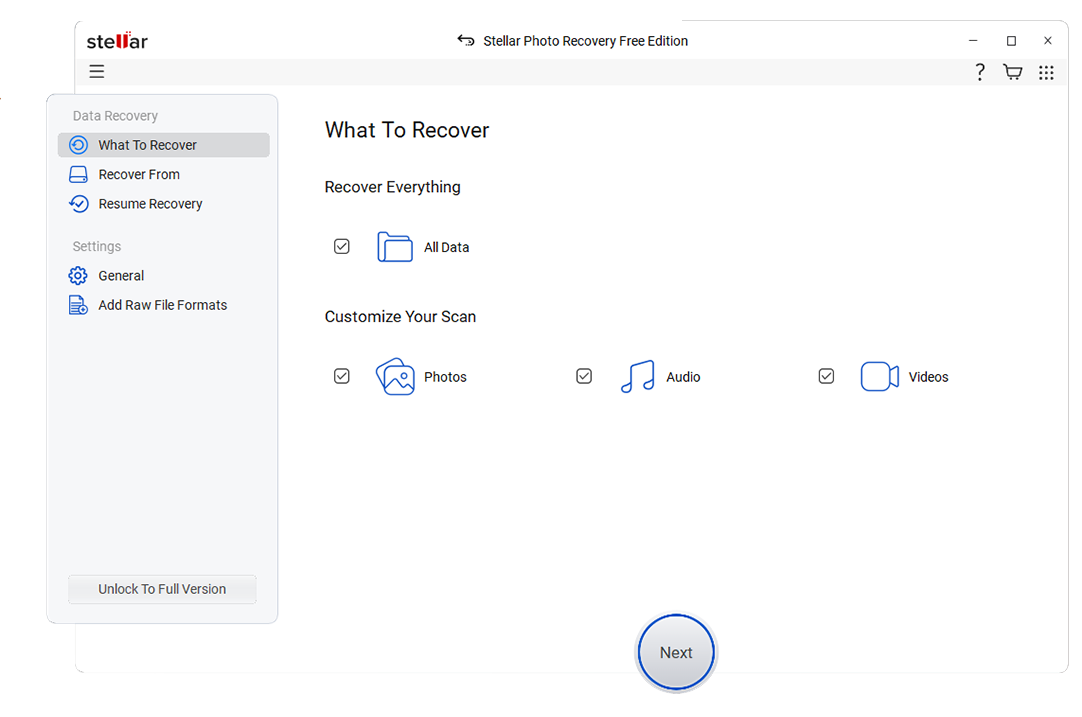
Stellar Data Recovery is a feature-rich toolkit for Windows and macOS that focuses on recovering a wide range of files from desktops, laptops, and removable media. It is ideal for small businesses and professionals who need advanced file support, options for RAID and virtual drives, and add-on repair modules for photos and videos.
4. R-Studio
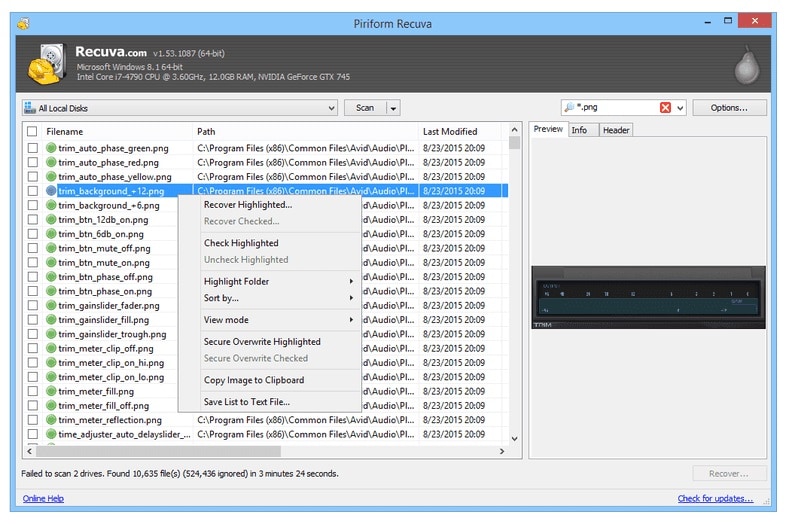
R-Studio is a professional-grade data recovery suite with extensive control over file systems, RAID parameters, and network-based recovery. It is best suited to IT professionals, data recovery labs, and power users handling complex RAID and network recovery tasks where granular configuration matters more than a simplified interface.
5. Disk Drill
Disk Drill combines data recovery with useful extras like data protection, S.M.A.R.T. disk monitoring, and drive cleanup utilities. It is best for Mac and Windows users who want smart scan modes and ongoing disk health tools in a single app, providing a flexible zar alternatives option for mixed home and office environments.

Side-by-Side Comparison Table of ZAR Data Recovery Alternatives
| Software | File System Support | Price | Free Version | Ease of Use | Scan Speed | Recovery Success Rate | Key Features |
|---|---|---|---|---|---|---|---|
| ZAR Data Recovery | FAT, NTFS, some memory card formats, basic RAID 0/1 | Legacy paid license, no clear modern pricing or updates | Limited demo, functionality constrained | Technical, dated UI; best for experienced users | Moderate to slow on large modern drives | Good on older HDDs and simple RAIDs, weaker on new hardware | Legacy RAID recovery, low-level scanning, partition recovery |
| Recoverit | NTFS, FAT16/32, exFAT, HFS+, APFS, ext2/3 and more | Tiered personal and business plans, subscription or perpetual | Free preview with limited data recovery allowance | Very easy; guided wizards and clear layout | Fast quick scans, competitive deep scans | High on common deletion, format, and partition loss cases | 2000+ device types, wide file support, video repair, bootable media |
| EaseUS Data Recovery Wizard | NTFS, FAT, exFAT, HFS+, ReFS on some editions | Mid-range pricing with monthly and lifetime options | Recovers up to a small data limit for free | Beginner-friendly with step-by-step workflow | Fast quick scans, solid deep scan performance | Strong on typical consumer scenarios | RAW drive recovery, partition recovery, file-type filters |
| Stellar Data Recovery | NTFS, FAT, exFAT, HFS+, APFS on Mac edition | Multiple editions from basic to technician-level | Limited free recovery capacity and preview | Accessible, though options may feel dense | Moderate; thorough but can be slower on big drives | High, especially for documents and media files | Advanced file previews, RAID and virtual drive options, repair add-ons |
| R-Studio | Wide range incl. NTFS, FAT, exFAT, HFS, Ext, ReFS, RAID formats | Professional pricing per platform and feature set | Demo with small file size recovery limit | Complex; designed for experts and technicians | Highly tunable; can be very efficient when configured | Very high in expert hands, especially on complex cases | Advanced RAID, network recovery, disk imaging, hex editor |
| Disk Drill | NTFS, FAT, exFAT, HFS+, APFS and more | One-time license per major version, occasional promos | Free scan and limited data recovery cap | Very easy; modern layout with clear guidance | Quick scan modes are fast, deep scans are average speed | Good across typical user scenarios on Mac and Windows | Data protection, S.M.A.R.T. monitoring, duplicate finder, backups |
Conclusion
ZAR Data Recovery earned its reputation by offering powerful low-level scans and basic RAID recovery, but its lack of modern updates makes it harder to rely on for todays hardware and operating systems. Moving to a current solution improves compatibility, usability, and the likelihood of a successful recovery.
Recoverit is an excellent first choice for most users because it blends strong recovery performance with an approachable interface and active support. Tools like EaseUS, Stellar, R-Studio, and Disk Drill round out the landscape, giving you options tailored to everything from simple home mishaps to complex professional RAID failures.
Next: Remo Recover Alternatives
FAQ
-
Is ZAR Data Recovery still safe to use on modern Windows systems?
ZAR Data Recovery is generally safe if downloaded from its original source, but it is no longer actively maintained and may not be fully compatible with the latest Windows versions, large-capacity drives, or modern file systems. Many users prefer newer tools with ongoing security patches, driver updates, and technical support to minimize compatibility and stability risks. -
Which ZAR Data Recovery alternative is best for non-technical users?
Recoverit is often the best fit for non-technical users because its interface walks you through each recovery step and presents results with clear previews. This guided approach reduces the chance of mistakes and makes it easier to restore data from accidentally deleted, formatted, or corrupted drives. -
Can ZAR Data Recovery alternatives handle RAID recovery?
Yes, several alternatives support RAID recovery, but the depth of support varies. Stellar and Recoverit offer RAID-related features in specific editions for common array types, while R-Studio provides highly advanced manual controls suited to complex or partially damaged RAID setups in professional environments. -
Do I need to pay to recover files with a ZAR alternative?
Most zar data recovery alternatives offer a free tier that lets you scan and preview recoverable files, and sometimes restore a limited amount of data. To lift these limits, unlock advanced capabilities, or use the software commercially, you will typically need a paid license, either as a one-time purchase or a subscription. -
Will using data recovery software damage my drive or void its warranty?
Reputable data recovery tools perform read-only scans that do not modify the source drive, so they generally do not damage hardware or affect warranties. However, if your drive is making unusual noises or showing signs of physical failure, any further use can worsen the problem, and creating a full disk image or consulting a professional lab is recommended before running software-based scans.



