 TL;DR:
Western Digital does not offer a first-party file recovery tool, requiring you to use compatible third-party software to retrieve lost data from a detectable WD drive.
● Match the software to your technical need: choose guided apps like Wondershare Recoverit or EaseUS for accidental deletions on stable drives, R-Studio or DMDE for complex partition and RAID reconstruction, or TestDisk and PhotoRec for unrestricted free open-source carving.
● Recovery software cannot fix physical damage or bypass WD hardware encryption; if your drive clicks, repeatedly disconnects, or shows the wrong capacity in system disk tools, stop scanning immediately to avoid permanent data loss.
● Do not confuse third-party recovery scanners with Acronis True Image for Western Digital, which can only restore files if a backup was created prior to the incident, and always save any successfully scanned items to a completely separate physical destination drive.
Ask AI for a summary
 ChatGPT
 Perplexity
 Gemini
 Claude
 Grok
Grok
Western Digital hard drive recovery software can help retrieve deleted, formatted, or inaccessible files from a WD My Passport, My Book, Elements, or internal drive when the storage remains detectable and readable. WD does not currently offer a universal first-party undelete utility; instead, it publishes a reference list of third-party recovery products. That list is not a performance ranking.
This guide compares eight options by Windows or Mac support, recovery approach, technical difficulty, and free-use restrictions. It also separates data recovery (scanning for lost files) from WD restore software (recovering files from a backup made earlier). If the disk is clicking, repeatedly dropping offline, or no longer detected, stop scanning and review the hardware-risk section before taking further action.
In This Article
-
- Wondershare Recoverit: Guided Recovery for Logical Data Loss
- Disk Drill: Simple Scanning With Disk-Image and Protection Tools
- EaseUS Data Recovery Wizard: A Guided Scan With Platform-Specific Free Terms
- R-Studio: Advanced Recovery for Partitions, RAID, and Network Disks
- Tenorshare 4DDiG: Guided Lost-File and Partition Searches
- DMDE: Detailed Partition and File Recovery for Technical Users
- Ontrack EasyRecovery: Desktop Recovery With Clear Edition Differences
- TestDisk and PhotoRec: Free Open-Source Tools With Different Methods
Part 1. Does Western Digital Provide a File-Recovery App?
WD offers diagnostic, management, and backup-related utilities for supported products, but it does not supply a general-purpose application that undeletes files from all WD hard drives. Its current support article lists independent recovery programs for Windows and macOS. The first question to ask is not which brand name appears on the software, but whether your WD drive is still accessible and whether another copy of the files already exists.
WD's Third-Party Recovery List: Reference, Not Ranking or Endorsement
The Western Digital third-party recovery list includes Disk Drill, EaseUS, R-Studio, DMDE, EasyRecovery and other utilities. Its Windows section also includes Wondershare Data Recovery (Recoverit), while the macOS section does not list Recoverit separately. TestDisk/PhotoRec is an additional open-source alternative included in this comparison, not an entry claimed to appear on WD's current list.
The list confirms that a program exists as an independent option; it does not certify that the program will recover a specific My Passport, My Book Duo, or WD SSD. Before purchasing, confirm the publisher, supported OS build, file system, storage interface, and actual trial restrictions. For encrypted or RAID-equipped WD devices, determine whether the original controller and keys remain available.
Data Recovery Software vs. Restoring an Existing Backup
A recovery scan works with sectors or filesystem metadata on the affected storage after deletion, formatting, partition damage, or similar logical loss. Backup restoration reads a separate copy captured before the incident. Acronis True Image for Western Digital can restore a qualifying existing backup, but installing it today does not bring back files that were never backed up.
| Question | Recovery software | Backup restore |
| Where do files come from? | Remaining readable data on the affected WD drive | A previously saved backup on another location |
| Was a backup needed before loss? | No, although recovery is not guaranteed | Yes; the needed version must be included |
| Typical scenario | Deleted files, quick formatting, RAW or lost partitions | Deleted file has a known backup copy or a saved disk image |
| Software route | A suitable third-party recovery scanner | Acronis True Image for Western Digital or a prior File History/Time Machine backup |
| Main limit | Overwritten data, failing hardware, encryption access | Missing, damaged, outdated, or incomplete backup |
WD states that the older WD Backup app has reached end of support and has not been offered for download since August 2022. An existing installation may still work, but it is not a newly supported undelete solution. Check current Acronis eligibility and licensing before relying on that replacement.
What WD's Third-Party Software Disclaimer Means
Under its third-party software disclaimer, Western Digital does not guarantee a third-party product's accuracy, safety, continued availability, or result, and does not provide that vendor's support. Treat an official support-page link as a starting point for independent verification, not an endorsement or a promise of success. In particular, do not interpret a free download as unlimited file recovery.
If your drive is still within warranty or covered by a recovery plan, check WD support terms before opening the enclosure or authorizing third-party hardware work. Warranty replacement and return of an empty working drive are different outcomes from retrieving the original files.
Part 2. Eight Recovery Tools to Compare for a WD Drive
The tools below are not interchangeable. Some are built for a straightforward lost folder; others expose partitions, sectors, RAID layout, and imaging controls that take experience to use safely. Every tool still needs readable source media or an appropriate disk image. Version and trial details below were checked against publisher pages on October 8, 2026, not independently tested on every WD device.
Wondershare Recoverit: Guided Recovery for Logical Data Loss
Wondershare Recoverit offers a graphical scan-and-preview workflow for stable WD internal HDDs, external drives, and supported SSDs after accidental deletion, quick formatting, RAW partitions, or other logical loss. You can search or filter results, preview supported files, and save selected data to another physical disk. The current Recoverit Windows free page advertises up to 500 MB of free recovered files; confirm the installed Mac edition's limits separately rather than assuming every platform has identical entitlements.
It is a sensible first comparison point for someone with a readable WD Elements or My Passport drive who wants to inspect recoverable files before paying. It is not a controller repair program, a way to read encrypted data without its credentials, or a guarantee for a WD SSD whose deleted blocks have already been reclaimed.
- Best fit: single-disk logical data loss where the drive is detected and scans without repeated read failures.
- Before paying: use available scan and preview functions to judge whether the exact files and their contents are usable.
- Limit: do not treat detected RAID members or a physically failing disk as automatically safe to scan.

Disk Drill: Simple Scanning With Disk-Image and Protection Tools
Disk Drill 6 from CleverFiles scans supported WD disks and includes byte-to-byte backup capabilities. Disk Drill Basic for Windows permits 100 MB free recovery; the current Mac Basic tier generally focuses on scanning, previewing, and recovery of data protected in advance or other specified free modes. It is inaccurate to advertise the Windows allowance as a universal Mac allowance. See CleverFiles free-recovery terms for the exceptions.
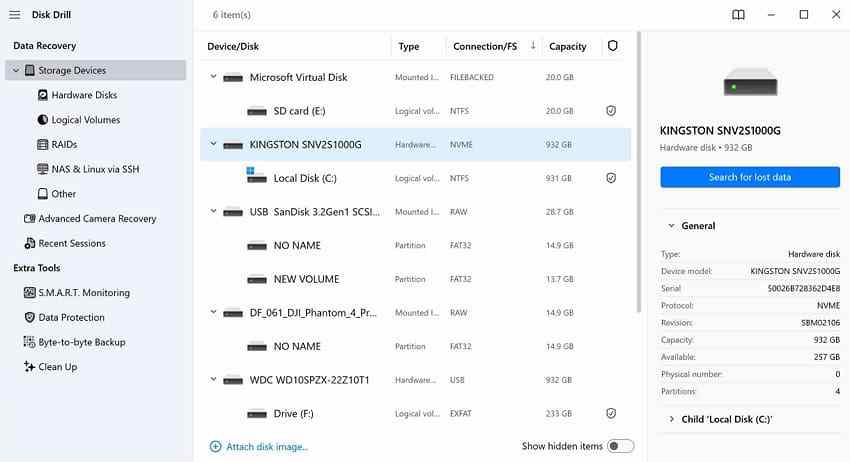
Disk Drill fits users who want a guided interface plus a disk-image option before scanning a stable but concerning disk. Current Disk Drill 6 requires Windows 10 or later, or macOS 10.15 or later; exact latest-macOS builds must be checked on the publisher's download page. Older OS versions may need an earlier application release.
EaseUS Data Recovery Wizard: A Guided Scan With Platform-Specific Free Terms
EaseUS Data Recovery Wizard offers a mainstream preview-and-recover workflow for WD hard disks, USB storage, and lost or formatted volumes. For its Windows Free edition, EaseUS states an initial 500 MB allowance, with up to 2 GB through a qualifying social-sharing step. This must not be presented as an unconditional 2 GB allowance on every edition or on macOS. The trial edition may allow preview but not export, so check whether you installed Free or Trial.
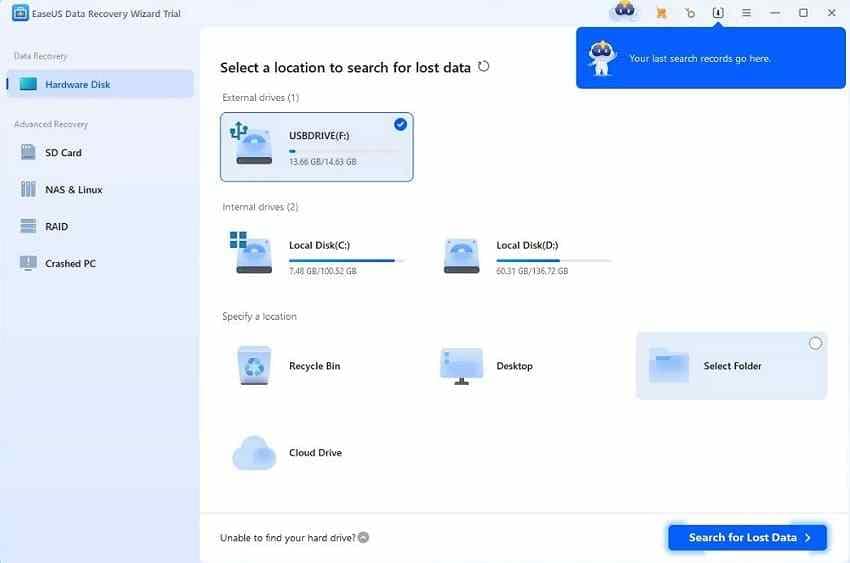
Choose it when you need an alternative guided scan for a healthy drive with missing files. Compare not just the number of files located, but whether the recovered preview opens correctly, especially after formatting or metadata damage. Check the current publisher requirements for the exact Mac release before installation.
R-Studio: Advanced Recovery for Partitions, RAID, and Network Disks
R-Studio provides technical controls for partition searching, disk images, filesystem reconstruction, supported RAID layouts, and recovery from networked systems. The publisher offers separate Windows, Mac, and Linux builds. Its demo can scan and preview data, but file recovery in demo mode is normally restricted to items no larger than 1,024 KB.
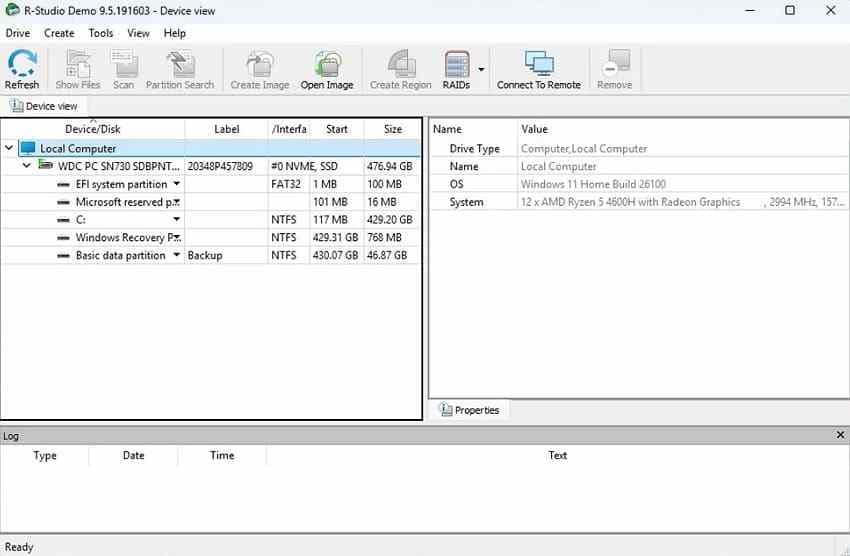
This is better suited to users who know how to identify the correct physical disk, reconstruct partitions without writing to the source, and preserve RAID-member order. In a WD My Book Duo case, do not assume its hardware RAID and enclosure encryption can be bypassed simply by attaching member drives to another PC.
Tenorshare 4DDiG: Guided Lost-File and Partition Searches
Tenorshare 4DDiG Data Recovery technical specifications lists Windows and Mac editions for logical file recovery from HDDs, SSDs, removable drives and supported partitions. The publisher's published OS tables and promotional free allowances are not perfectly synchronized across pages, so a single exact 2026 macOS ceiling or universal free quota would be misleading. Confirm your installer's current compatibility and whether the offer allows actual file export.
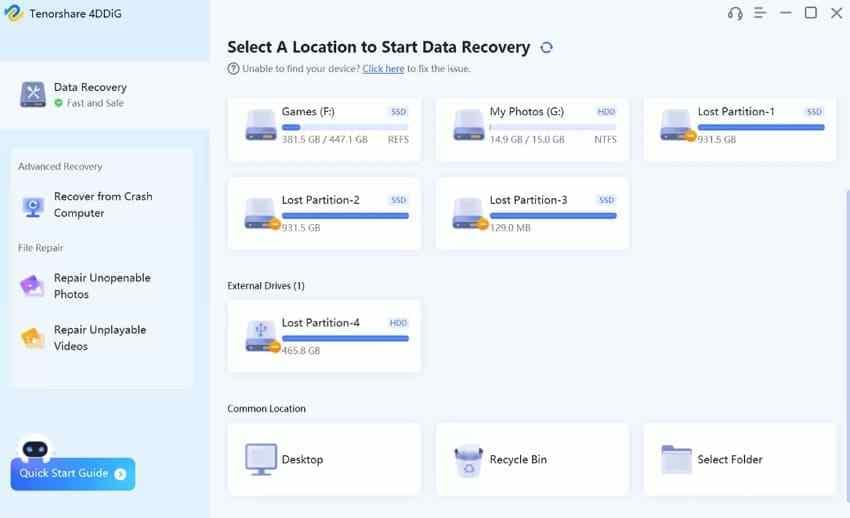
Its main attraction is a familiar graphical workflow. It is reasonable for routine deletion or formatting only if the WD drive remains stable and the product supports its file system; complex RAID, controller failure, and inaccessible encrypted containers require a different assessment.
DMDE: Detailed Partition and File Recovery for Technical Users
DMDE combines a partition manager, disk editor, filesystem inspection and sector-copy tools. The Free Edition can recover up to 4,000 files from the currently opened directory panel per operation; it does not provide a one-click, unrestricted recovery of a complete nested folder tree. The publisher also permits repeated free operations within those rules.
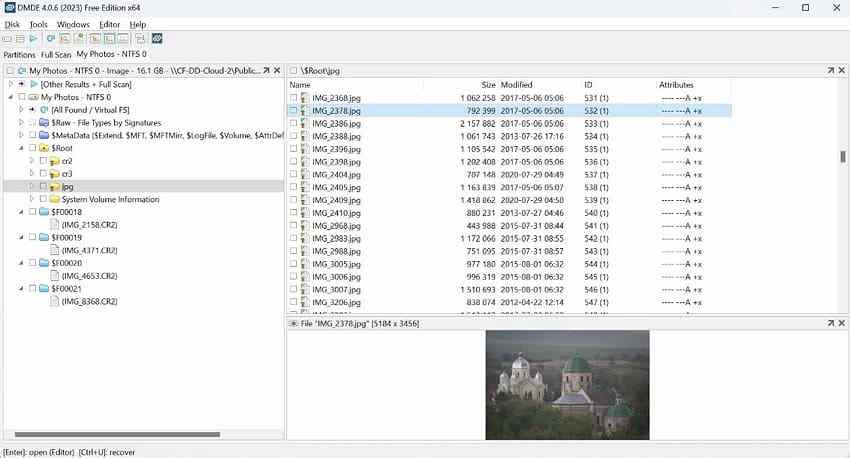
DMDE is valuable when a lost partition or damaged directory needs more precise investigation than a simplified consumer workflow exposes. Its disk editor can modify on-disk structures, however, so use read-only analysis or a safe image unless you are confident in the operation. Do not write a repaired partition table to the only remaining copy as an experiment.
Ontrack EasyRecovery: Desktop Recovery With Clear Edition Differences
Ontrack EasyRecovery offers separate desktop editions for common deletion, formatting, and more difficult recovery jobs. The current Free tier advertises recovery of up to 1 GB total, subject to an individual-file size limit of less than 25 MB. Higher editions add capabilities such as disk imaging, media repair features, or advanced RAID handling, depending on the edition and platform.
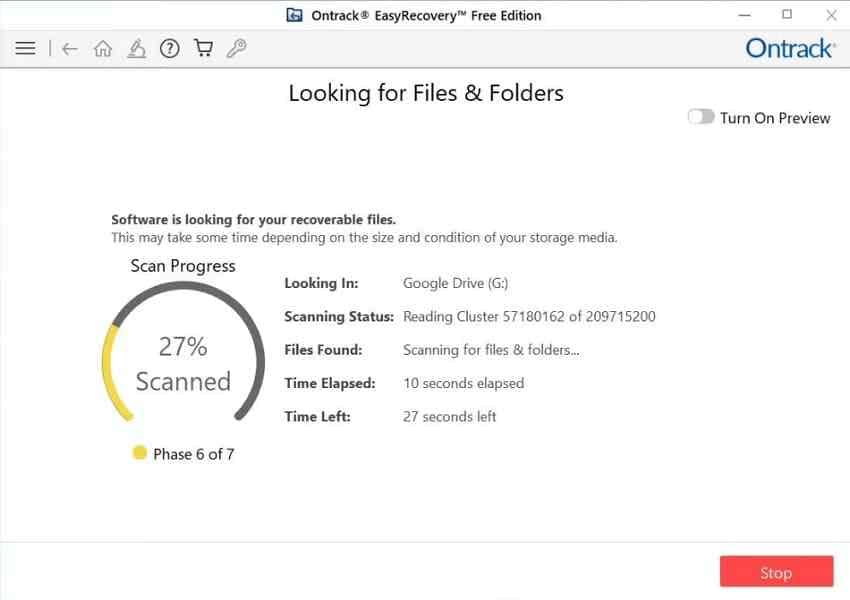
The free tier can be useful for smaller photographs or documents, but it should not be sold as a practical free solution for 4K videos or large archives. EasyRecovery desktop software is also different from Ontrack's professional laboratory services, which may be required for failing WD hardware.
TestDisk and PhotoRec: Free Open-Source Tools With Different Methods
TestDisk and PhotoRec are distributed together by CGSecurity and are free/open-source. TestDisk searches for missing partitions and supports some undelete and filesystem operations. PhotoRec uses file signatures to carve recoverable content even when normal filesystem information is badly damaged, but it typically loses original filenames and directory paths. QPhotoRec is a graphical interface for PhotoRec.
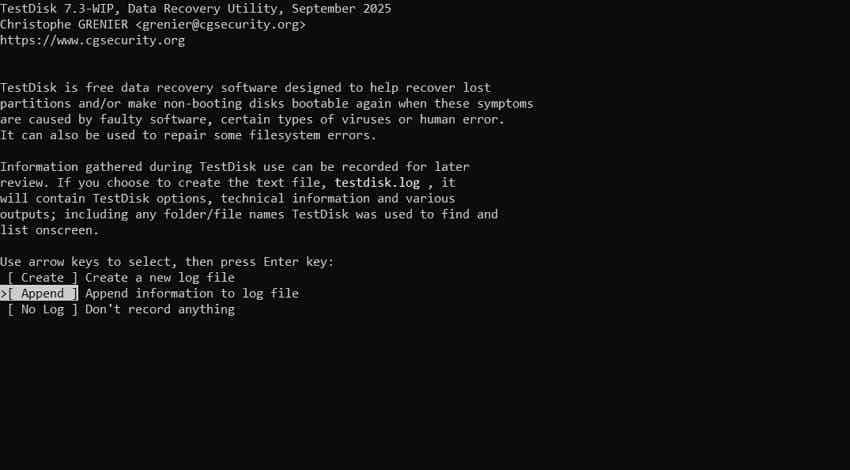
The currently listed stable release is 7.2 (February 2024); a newer 7.3-WIP build is a development version. The original illustrative TestDisk screenshot may show a WIP interface, so menu names can differ from the stable download. Read CGSecurity PhotoRec instructions before choosing file-carving options or a destination.
Choose TestDisk for supported partition/undelete investigation and PhotoRec when you accept the extra work of identifying files by contents after carving. Both still need readable disk access. Neither should be used for repeated full scans of a clicking, dropping-offline WD drive.
Part 3. Compare the Eight Tools by Your Recovery Need
Rather than assigning arbitrary scores, use the table below as a route selector. Listed OS support describes the publishers' current desktop offerings in broad terms, not a guarantee that every WD model, USB bridge, encrypted volume, RAID controller, or new OS update has been tested.
Comparison Table: OS, Drive Access, Scenarios, Skill Level, and Free Limits
| Tool | Current desktop OS scope | Source must be accessible? | Most useful scenario | Skill | Free or trial (checked Oct 2026) |
| Recoverit | Windows and macOS | Yes, detectable/readable or compatible image | Deletion, formatting, RAW or inaccessible files | Beginner | Windows free up to 500 MB; confirm platform edition |
| Disk Drill | Win 10/11; Mac 10.15+ on Disk Drill 6 | Yes, or a compatible image | General recovery; byte-to-byte backups | Beginner to intermediate | Windows 100 MB; Mac Basic scan/preview and specified protected-data cases |
| EaseUS | Windows and Mac editions; version-specific limits | Yes | Deleted, formatted or missing partitions | Beginner | Windows 500 MB initially, up to 2 GB when eligible; Trial differs |
| R-Studio | Windows, macOS and Linux builds | Yes, or suitable image/array | Advanced RAID, partitions, network disks | Advanced | Demo files up to 1,024 KB each |
| Tenorshare 4DDiG | Windows and Mac versions; check the current build | Yes | Guided logical recovery | Beginner | Free export depends on current edition/offer |
| DMDE | Windows, macOS, Linux, DOS | Yes, or a disk image | Partition structures, sector work, detailed tree | Advanced | Up to 4,000 files per opened directory panel per operation |
| Ontrack EasyRecovery | Windows and Mac editions | Yes | Common desktop loss; advanced paid tiers | Beginner to advanced | Up to 1 GB free; each file under 25 MB |
| TestDisk / PhotoRec | Windows, Mac and Linux builds | Yes, or compatible image | Lost partitions; signature-based carving | Intermediate to advanced | Free/open source; no paid recovery-size cap |
Match Deletion, a Lost Partition, or a WD RAID Case to the Right Tool
The right next action depends on exactly what disappeared. A missing document after an ordinary deletion needs a very different workflow from a My Book Duo whose enclosure or RAID configuration has failed.
- Deleted folder on a healthy WD My Passport or Elements HDD: Try the Recycle Bin or Trash, then a guided preview scan such as Recoverit, Disk Drill, EaseUS, 4DDiG or EasyRecovery. Related device guides cover WD My Passport recovery and WD Elements file recovery.
- Quick-formatted single drive: A compatible scanner may locate remaining data, especially on an HDD if no new writes followed the format. The formatted hard drive guide explains why full format and later writes reduce results.
- Lost partition or damaged directory tree: TestDisk, DMDE, and R-Studio provide technical investigation. Use a disk image for a readable but unreliable source when safe and practical; avoid direct repairs during file recovery.
- WD My Book Duo or other RAID enclosure: Preserve the original member order and enclosure/controller details. Verify RAID mode and encryption, and seek specialist help if the array is not mounting. See WD My Book data recovery for single-product background.
- WD SSD or supported SMR HDD: TRIM or block deallocation may make old data unavailable even without substantial new writing. A scan cannot reconstruct blocks already erased.
- Clicking or intermittently detected drive: Do not treat this as a normal software comparison. Stop additional reads, especially full scans, and evaluate a qualified recovery service.
How to Check Changing Compatibility and Trial Conditions
Before downloading, read the actual current vendor download or requirements page. For macOS in particular, a claim such as "Mac supported" may refer to a previous major release; a free scanner may also allow preview without export. The practical questions to confirm are whether your computer can install the build, whether the disk interface is supported, and what a license permits you to save.
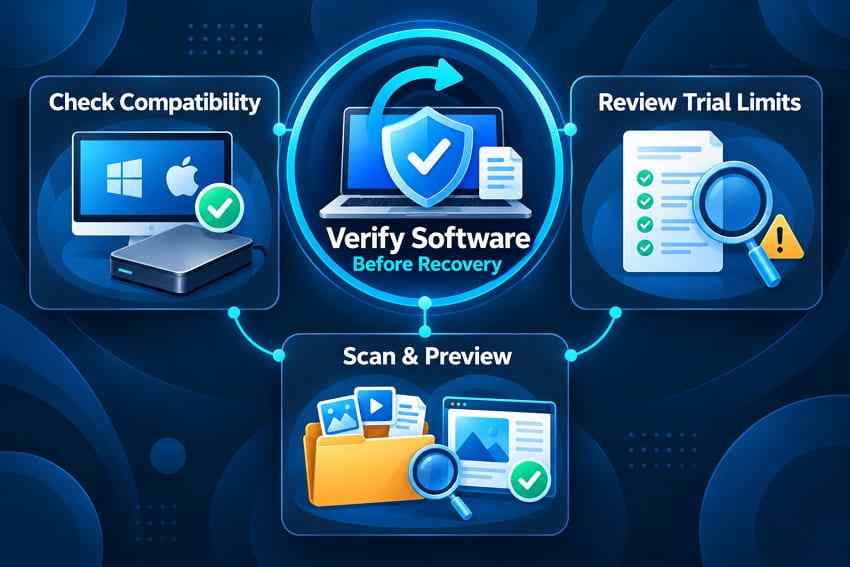
- Identify the WD drive: Note the exact model, capacity, HDD/SSD type, filesystem, and whether it is encrypted or part of a RAID enclosure.
- Check OS and release: Confirm Windows or macOS version against the vendor documentation rather than applying a competitor's requirements to that product.
- Check license limits: Look for total recovered bytes, individual-file caps, restrictions on SD cards or encrypted volumes, and whether a Trial only scans.
- Verify useful output: When the source is healthy and scan is appropriate, preview a representative document or image before paying for larger recovery.
Part 4. How to Recover Files From a Western Digital Hard Drive
If the disk is stable enough for normal reads, work through the lowest-risk routes first. Make a separate copy of any still-accessible valuable files, then check existing backups. Data recovery software should not be installed on the same WD disk that holds the missing files.
Restore From Recycle Bin, File History, Time Machine, or Another Backup
If you deleted a file only recently, check the Windows Recycle Bin or Mac Trash before scanning. Microsoft File History can restore an earlier backed-up file or folder, and Apple Time Machine can restore files from available backups. None of these options retrieves a version that was never captured. Restoring a file to its original path may replace newer work, so choose a separate restore destination where possible.
| Possible existing copy | Where to look | What to watch for |
| Recycle Bin / Trash | Restore the item if it is still present | Does not apply after permanent removal |
| Windows File History | Previous versions from a configured file backup | Must have been enabled and included the file |
| Time Machine on Mac | Browse backups for the original folder and time | Needs the relevant existing snapshot or backup |
| Acronis True Image for Western Digital | Open a prior backup and choose files, folders, or an image restore | Requires compatible device/license and usable prior backup chain |
| Another separate copy | Cloud sync, archive drive, another person or device | Check whether the version is complete and not itself corrupted |
Use Acronis True Image for Western Digital Only With a Prior Backup
If you have a backup made earlier with the eligible Acronis software, follow WD's Acronis image-backup restoration guide. Open the matching backup, go to the Recovery area, and choose files/folders rather than a full-disk overwrite if you only need a few missing items. Check the backup date and restore target carefully, and create rescue media before an entire-image restore as WD recommends.
Acronis supports full, incremental and differential backups, but the files needed for the selected restore point must be present and readable. This procedure does not scan an accidentally formatted WD drive for unbacked-up data. Do not create a new backup onto the affected drive, as that could overwrite the very files you hope to recover.
Stop Writes and Prepare a Separate Destination Before Scanning
For a WD external HDD, disconnect it from routine syncing or backup jobs and use it only for the recovery attempt. For an internal system drive, continuing to boot and install programs on the same disk can overwrite missing file data; consider another host computer or appropriate recovery environment when practical. Have a healthy disk with enough space for the selected files before starting.
- Do not format or initialize: Cancel prompts that ask you to initialize a RAW or unrecognized WD volume.
- Do not run disk repairs first: CHKDSK, First Aid, repartitioning, or RAID rebuild can change metadata needed for file recovery.
- Keep encryption available: Use only legitimate passwords or keys. Recoverit and the other utilities cannot bypass WD Security or system encryption.
- Do not install onto the source: Install the recovery app on a healthy system disk and save recovered data to another physical drive.
Scan, Preview, and Recover a Detected WD Drive With Recoverit
This workflow applies to a WD drive that is listed in the operating system and reads without obvious hardware-failure symptoms. A visible physical disk may still be scannable even if its partition is RAW or not normally mounted. If the WD drive vanishes during access or makes abnormal noises, stop rather than attempting repeated deep scans.
Step 1. Select the correct WD source. Launch Recoverit, open Hard Drives and Locations, and select the affected WD disk or partition by capacity and label. Ensure it is the source containing the missing files, not the destination drive.

Step 2. Scan and narrow the results. Let the scan examine the selected device. Use location and file-type filters to find the folders, photos, videos, or documents you need. A preview is more informative than a file count alone.

Step 3. Preview and save to another disk. Open previews of representative files, select the files you want, click Recover, and choose a different healthy physical drive. Open recovered copies from that destination to verify their contents before considering any repair or formatting.

For a single WD drive affected by supported logical loss, this is a practical graphical route. Actual results depend on overwrite history, source readability, file-system damage and encryption, not the brand printed on the enclosure.
Part 5. When WD Recovery Software Is Not the Right Choice
Some WD drive problems are not deleted-file problems at all. Hardware symptoms, a locked enclosure, a failed RAID controller or incorrect drive capacity can prevent normal file-recovery apps from reading the right data. In these situations, minimizing further changes matters more than trying multiple scanners.
If the Drive Is Missing From System-Level Disk Tools
In Windows, check Disk Management; on a Mac, open Disk Utility > View > Show All Devices. Do this without accepting format or initialization prompts. If you have no unusual noises or apparent damage, test one known-good cable, port, correct power supply, or another computer. Do not repeat reconnection cycles when the drive clicks or disappears continuously.
| What you observe | Likely category | Safer next step |
| WD disk listed with expected capacity; files missing | Possible deletion or logical loss | Check backups, then a suitable scan |
| Disk appears, partition is RAW or unallocated | Filesystem or partition problem | Do not initialize or format; preserve and recover first |
| Wrong capacity, 0 bytes, or No Media | Interface, controller or media problem | Stop ordinary scans; assess hardware and recovery service |
| Not listed after basic cable/power check | No system-level drive access | Software cannot scan a device it cannot access; consider professional diagnosis |
| Clicks, grinds, or repeatedly disconnects | Possible physical failure | Power off and avoid repeated scanning |
Physical Damage, My Book Duo, and Recovery-Service Limits
A mechanically failing disk, an unreadable WD encryption controller, or an unstable array is not fixed by installing more recovery software. WD describes hardware-encrypted external-drive compatibility and specifically notes that My Book Duo hardware RAID members may be unreadable outside their matching controller or enclosure. Do not casually remove members, change RAID mode, swap slot order, or initialize an array in an attempt to make it visible.
For clicking or repeatedly disconnecting media, stop further scans. Western Digital describes third-party data recovery partners for professional assessment but states that it does not itself perform customer data recovery and does not guarantee third-party outcomes. Ask about diagnostic fees, costs if no data is recovered, encryption support, return of original media, and the effect of repairs on warranty or plan coverage.
Why Formatting or Repair Must Wait Until Needed Data Is Safe
Formatting and repair have a different purpose from recovering missing files. A quick format can replace important filesystem metadata; a modern full format writes across the volume; CHKDSK repair changes file-system structures; and Mac Disk Utility First Aid may modify disk metadata. SSD TRIM and some disk block-deallocation behaviors can further restrict deleted-file recovery. None of these operations recreates overwritten content.
Recover or safely copy important data first whenever the disk is stable enough to read. After the files are verified on another drive, you can decide whether a healthy disk is worth reformatting for reuse. Repeated corruption, wrong capacity, bad read stability, or unusual mechanical noises are reasons not to keep relying on the device even if a repair command temporarily improves access.
Conclusion
There is no single WD-branded app that universally restores deleted files. Choose Western Digital recovery software by the state of the disk and the loss type: guided apps for a healthy, detected drive; R-Studio or DMDE for expert-level partition and array work; and TestDisk/PhotoRec for free open-source workflows. Acronis True Image for Western Digital restores an existing backup, which is a separate process from scanning a drive for files that were never saved elsewhere.
The safest order is to verify backups, stop new writes, confirm that the WD drive is readable, and save any recovered data to another physical location. For a clicking drive, inaccessible encrypted enclosure, failed My Book Duo controller, or persistent non-detection, stop DIY scans and get qualified help before data loss becomes worse.
FAQ
-
Does Western Digital Offer Free Data Recovery Software?
Western Digital does not currently supply a universal free undelete program. It lists independent recovery vendors but does not support or guarantee them. TestDisk and PhotoRec are free open-source options; commercial programs such as Recoverit, Disk Drill, DMDE, EaseUS, and EasyRecovery have different free or trial limitations. Acronis True Image for Western Digital restores an existing backup and is not an undelete tool. -
Can WD Recovery Software Recover Data From a Formatted Hard Drive?
Sometimes. On a stable, detected HDD, a compatible scanner may find files after a quick format if the original content has not been overwritten. A full format, later writes, SSD TRIM or block deallocation, or a failed storage device can prevent recovery. Stop using the drive and save any recovered files to a different physical disk. -
Can Western Digital Recovery Software Recover an External Hard Drive?
Yes, when the external WD drive is detected and readable enough for supported recovery software to scan it. My Passport, Elements, My Book and other models may differ in file system, encryption, USB enclosure and RAID behavior. Do not remove or replace a hardware-encrypted enclosure casually, and never save recovered files to the affected drive. -
Can You Recover Data From a WD Hard Drive That Is Not Detected?
A drive absent from Disk Management or Disk Utility cannot normally be scanned by desktop recovery software. Make one safe check of the cable, power and port if there are no mechanical warning signs. If the disk still does not appear, reports an incorrect capacity, clicks, or disconnects repeatedly, stop DIY attempts and contact a qualified recovery specialist.


