 TL;DR:
YouTube TV is the most direct Fubo alternative for viewers who need comprehensive major sports coverage, local broadcast channels, and unlimited cloud DVR retention.
● Sling TV provides lower starting prices and highly customizable channel add-ons for budget-focused users, but it includes significantly fewer default local broadcast networks than Hulu + Live TV.
● Philo offers the cheapest subscription strictly for entertainment and lifestyle networks by completely omitting live sports and local news, whereas Pluto TV provides a 100 percent free, ad-heavy alternative for casual viewing without premium sports.
● If local stream recordings or downloaded sports replays are accidentally deleted, users must immediately avoid saving new files to the original storage drive and utilize a dedicated data recovery tool to deep scan the specific location and restore the videos.
Ask AI for a summary
 ChatGPT
 Perplexity
 Gemini
 Claude
 Grok
Grok
Finding the right live TV and sports streaming service can be tricky if Fubo no longer fits your budget, device, or channel needs. By comparing similar platforms side by side, you can see where Fubo excels, where it falls short, and which free or cheaper alternatives might offer better value for your favorite sports, news, and entertainment channels.
In this article
Part 1: Fubo vs Other Live TV Streaming Platforms
Before canceling Fubo, it helps to compare it directly with popular competitors such as YouTube TV, Sling TV, Hulu + Live TV, Pluto TV, and Philo. Looking at ad density, video quality, subtitles, and overall usability can reveal which service best matches how you actually watch live TV and sports.
| Website Name | Ad Density | Subtitles | Video Quality | Anime Catalog | UI/UX | Notes |
|---|---|---|---|---|---|---|
| Fubo | Low on paid plans | Yes, good support | Up to 4K on select events | Very limited | Sports-focused, channel-rich | Best for sports fans who want many international and niche sports channels. |
| YouTube TV | Moderate, similar to cable | Excellent, wide support | Up to 1080p, some 4K add-on | Limited | Simple and intuitive | Strong alternative to Fubo with unlimited DVR and solid local channel coverage. |
| Sling TV | Moderate on lower tiers | Good but varies by channel | Up to 1080p | Small selection | Customizable but slightly fragmented | Cheaper than Fubo with flexible add-on sports and themed channel packs. |
| Hulu + Live TV | Moderate to high on some content | Robust, plus accessibility options | Up to 1080p | Small, via on-demand library | Content-forward layout | Combines live TV with a large on-demand library and popular originals. |
| Pluto TV | High, ad-supported | Limited, channel dependent | Up to 1080p on some channels | Decent niche channels | Guide-style but ad-heavy | Free service with hundreds of themed live channels, ideal as a backup or casual option. |
| Philo | Moderate, like cable | Generally good | Up to 1080p | Very limited | Simple and minimal | Low-cost entertainment-focused live TV without sports or local broadcast channels. |
Overall, the top five Fubo alternatives are YouTube TV, Sling TV, Hulu + Live TV, Pluto TV, and Philo. YouTube TV is the closest match for sports and locals, Sling TV wins on price and flexibility, Hulu + Live TV blends live and on-demand, Pluto TV is a solid free option, and Philo delivers budget entertainment channels if you can skip live sports.
Part 2: 5 Best Free and Paid Fubo Alternatives
YouTube TV: Best Overall Fubo Alternative for Sports Fans
YouTube TV is a leading live TV streaming service that rivals Fubo for sports, news, and local stations while simplifying the interface and DVR management. It is best for viewers who want a cable-like experience with strong sports and local channels plus unlimited DVR.
Sling TV: Best Budget-Friendly Fubo Alternative
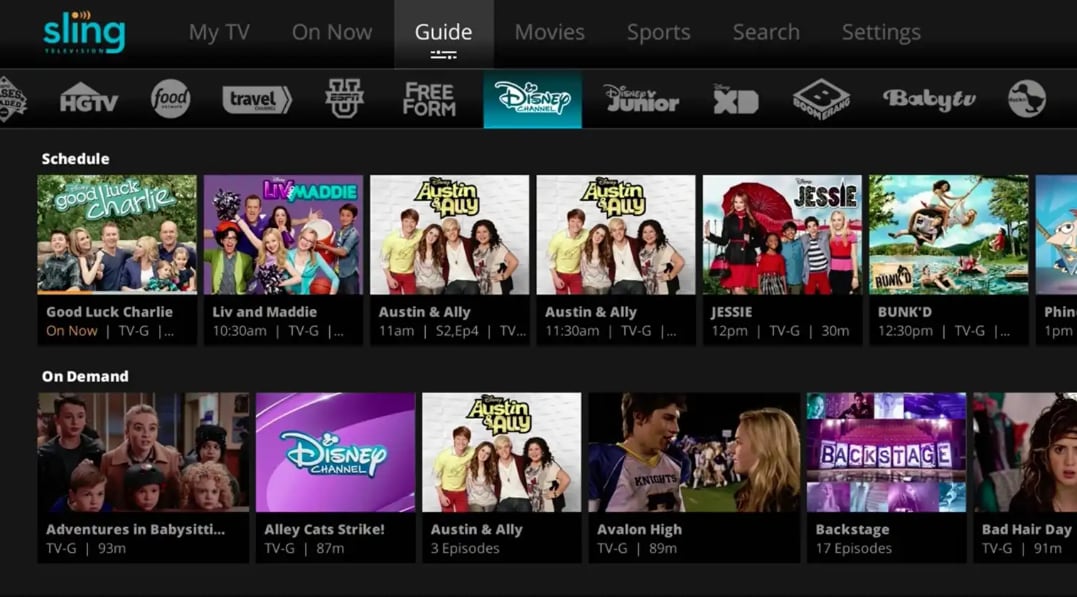
Sling TV offers low-cost base packages and targeted add-ons, allowing you to pick and pay for the channels you care about most instead of a large bundle. It is best for cord cutters who want to build a cheaper, customizable channel lineup than Fubo.
Hulu + Live TV: Best Fubo Alternative for Live and On-Demand
Hulu + Live TV blends live sports, news, and entertainment channels with Hulu's robust on-demand catalog and Hulu originals in a single subscription. It is best for viewers who want both live channels and a deep on-demand library of shows and movies.
Pluto TV: Best Free Fubo Alternative for Casual Viewing
Pluto TV is a free, ad-supported streaming service that offers hundreds of themed live channels and a growing on-demand library without any subscription. It is best for users seeking a completely free live TV replacement for casual viewing and background streaming.

Philo: Best Cheap Fubo Alternative for Entertainment Channels
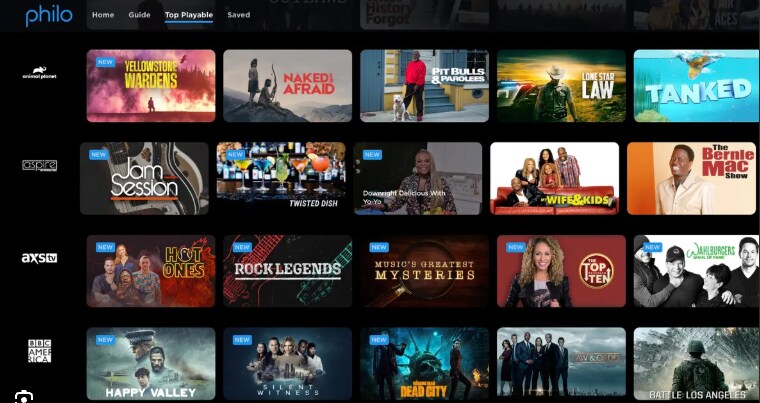
Philo keeps costs low by focusing on entertainment networks like AMC, HGTV, and Comedy Central, making it attractive if you do not need sports from Fubo. It is best for viewers who prioritize entertainment, lifestyle, and reality channels over live sports or local news.
Fubo vs These Alternatives: Which One Should You Try First?
For a close Fubo replacement focused on sports and locals, start with YouTube TV. If you mainly want to cut costs, compare Sling TV and Philo. For a free option to supplement paid plans, add Pluto TV to your device lineup so you always have some live programming, even when you pause subscriptions.
Part 3: How To Recover Lost or Deleted Streaming Recordings
If a stream crashes or you accidentally delete a recording while testing Fubo alternatives, do not overwrite your drive with new downloads. A dedicated recovery tool such as Recoverit can scan local storage where you saved downloads and help restore full-length sports events, replays, and episodes before they are permanently lost.
Key Features Offered by Recoverit
- Recovers deleted or lost video recordings from PCs, external drives, SD cards, and other storage devices used for saving streams.
- Supports a wide range of video formats, including MP4, MOV, AVI, MKV, and 4K recordings from capture cards or screen recorders.
- Offers file preview before recovery so you can confirm that key games, highlights, and episodes are intact.
Step-by-Step Guide on How To Recover Lost Videos
1. Choose a Location to Recover Data
Install Recoverit on a different drive than the one holding your missing recordings. Launch the program and select the exact disk, folder, memory card, or external drive where you originally stored your Fubo or alternative streaming downloads.

2. Deep Scan the Location
Click Start to begin a deep scan. Recoverit will automatically search the selected location for deleted or lost video files, organizing results as it finds them. You can filter by file type or use the search bar to narrow down to specific game or episode names.

3. Preview and Recover Your Desired Data
When the scan finishes, use the preview window to check key recordings and make sure they play correctly. Select the videos you want to restore, then click Recover and choose a safe destination on another drive to save the recovered files.

Part 4: Should You Switch From Fubo?
Switching from Fubo does not mean losing access to your favorite shows and games. Services like YouTube TV, Sling TV, Hulu + Live TV, Pluto TV, and Philo each offer distinct mixes of sports, entertainment, and pricing so you can match a plan to your exact viewing habits.
Compare their free trials, channel lineups, device support, and DVR limits before making a final decision. Keep a recovery tool handy in case recordings disappear unexpectedly, and you can move beyond Fubo while still enjoying reliable live and on-demand streaming.
Next: Philo
FAQ
-
What is the best overall alternative to Fubo for sports fans?
For most sports fans, YouTube TV is the best overall Fubo alternative thanks to its broad sports coverage, strong local channel support, and unlimited DVR. -
Are there any free Fubo alternatives for live TV?
Yes. Pluto TV is a completely free, ad-supported service offering hundreds of live channels, though it cannot fully replace Fubo for premium sports or local broadcast networks. -
Which Fubo alternative is the cheapest for entertainment channels?
Philo is typically the cheapest option if you mainly want entertainment and lifestyle channels and do not need live sports or local stations in your lineup.



