
 TL;DR:
To access mainstream movies and shows without the participating library card requirement of Kanopy, use legal, ad-supported streaming alternatives like Tubi, Pluto TV, Crackle, Peacock Free, or Vudu Free.
● Tubi offers the broadest general-purpose mainstream catalog without requiring an account, Pluto TV specializes in cable-style live channel surfing, and Peacock Free provides access to NBCUniversal network shows.
● These platforms eliminate Kanopy's academic affiliation prerequisite but introduce moderate to high ad densities and rotate their catalogs frequently, making them less suitable for ad-free indie or educational viewing.
● If local screen captures of streaming sessions are lost, they can be restored using Recoverit by installing the software on a separate drive from the data loss site, running a deep scan on the original storage location, and previewing the MP4, MOV, or MKV files before recovery.
Ask AI for a summary
 ChatGPT
 Perplexity
 Gemini
 Claude
 Grok
Grok
Kanopy is popular for free, ad-light streaming through libraries and universities, but its catalog and access can feel limited. If you do not have a partner library card, or you want more mainstream movies and shows, exploring safe Kanopy alternatives is a smart move. Below, you will find a quick comparison of Kanopy against other legal, mostly free platforms, plus the top five options to try first.
In this article
Part 1. Kanopy vs Other Free Streaming Platforms
When you compare Kanopy with other free and legal streaming platforms, the trade-offs usually come down to ads, catalog focus, and how easy it is to sign up. Kanopy keeps advertising minimal and leans into classic, indie, and educational titles, but that means you may not see as many recent mainstream films or trending TV series. By contrast, services like Tubi, Pluto TV, Crackle, Peacock Free, and Vudu Free may show more ads, yet they often deliver broader genre coverage and easier access without a library card.
The table below highlights how Kanopy stacks up against these popular free services for ad density, subtitle support, video quality, anime availability, overall user experience, and any key limitations.
| Website Name | Ad Density | Subtitles | Video Quality | Anime Catalog | UI/UX | Notes |
|---|---|---|---|---|---|---|
| Kanopy | Very low, occasional pre-roll | Strong, especially for indie and foreign titles | Up to HD, stable on most devices | Very limited | Clean but slightly academic feel | Requires participating library or university card; best for classic, indie, and educational content. |
| Tubi | Moderate, 3-6 ad breaks per movie | Good, but not on every title | Up to HD with adaptive streaming | Decent mix of mainstream and niche | Modern, simple navigation | Free and ad-supported; large catalog of TV, movies, and niche genres. |
| Pluto TV | Moderate to high on live channels | Variable by channel and title | Up to HD depending on channel | Small but growing | Cable-style channel guide UI | Best for live-channel style viewing; on-demand library is improving. |
| Crackle | Moderate, ads at natural breaks | Available on most originals and movies | Mostly HD, some older SD titles | Very small | Straightforward but ad-heavy feel | Good for free movies and originals; catalog rotates frequently. |
| Peacock Free | Moderate ad load | Strong subtitle support | HD; some content in higher quality tiers | Minimal | Polished, but pushes paid upgrades | Focus on NBCUniversal shows, movies, and sports highlights. |
| Vudu Free | Moderate pre-roll and mid-roll | Available on most major titles | HDX on many titles | Small curated set | Store-like interface with free tab | Mix of free ad-supported content and paid rentals or purchases. |
Part 2. 5 Best Free Kanopy Alternatives
Trying multiple services is usually the best way to replace or supplement Kanopy. Below are five of the strongest free, legal streaming platforms that can help you cover everything from casual entertainment to deeper film discovery.
Tubi: Best for Wide, Mainstream-Friendly Free Streaming
Tubi is a free, ad-supported streaming platform packed with movies, series, documentaries, and niche genres that feel more mainstream than Kanopy. It works on almost every device and makes it easy to dive into content without a long setup.
Best for: General-purpose free streaming with a wide catalog.

Pluto TV: Best for Live-Channel Style Viewing Without Cable
Pluto TV offers free streaming through themed live channels plus an expanding on-demand library, ideal if you like channel surfing instead of browsing grids. You can jump straight into news, movies, or niche channels with almost no friction.
Best for: Live-channel style viewing without cable.

Crackle: Best for Free Movies and Originals With Minimal Friction
Crackle is a long-running free streaming service featuring a mix of movies, TV, and a small slate of originals, all supported by ads instead of subscriptions. It is a good choice if you like rotating movie selections and minimal signup requirements.
Best for: Free movies and originals with minimal signup friction.
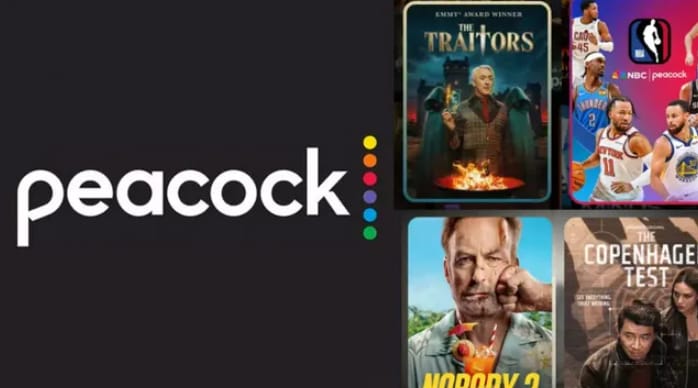
Peacock Free: Best for NBCUniversal Shows and Recent Movies
Peacock Free provides a subset of NBCUniversal's catalog, including classic TV, some current episodes, and rotating movies at no subscription cost. It is a strong pick if you like network TV shows and want a polished streaming app.
Best for: NBCUniversal shows, live events clips, and recent movies.
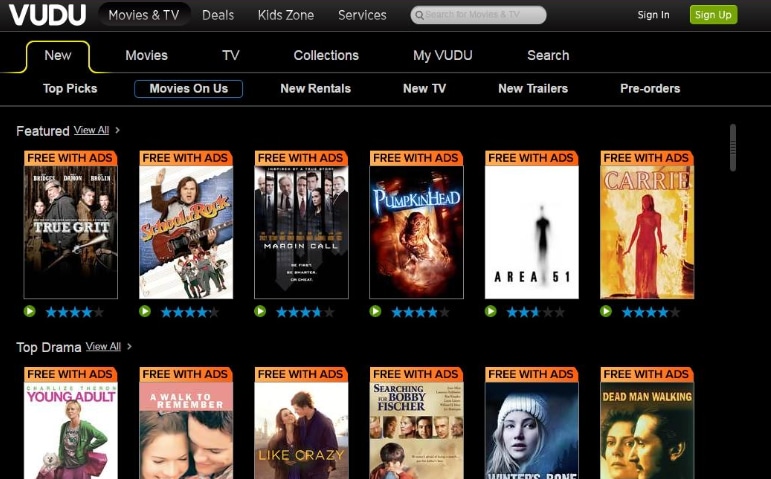
Vudu Free: Best for Mixing Rentals With Free Movies and Shows
Vudu combines a digital store with a sizable free-with-ads catalog, making it useful if you sometimes rent new releases but still want free options. Its "Free" section includes a large library of studio films and TV.
Best for: Mixing occasional rentals with a solid free section.
Part 3. How To Recover Missing Kanopy Recordings With Recoverit
If you record lectures, film-study sessions, or personal notes while watching Kanopy or its alternatives, losing those video files can be frustrating. Instead of trying to re-download or re-record everything, you can often restore missing clips from your drive using Recoverit, a professional data recovery tool that specializes in rescuing lost or deleted videos from computers and external storage.
Key Features Offered by Recoverit
- Supports recovery for over 1000 file types, including MP4, MOV, MKV, and other common streaming capture formats.
- Deep scan mode that searches formatted, corrupted, or accidentally deleted partitions for recoverable video data.
- Built-in video preview so you can confirm that your Kanopy recordings or screen captures are intact before restoring them.
Step-by-Step Guide on How To Recover Lost Videos
1. Choose a Location to Recover Data
Install Recoverit on a different drive than the one that lost the Kanopy recordings. Launch the program and select the specific disk, partition, SD card, or USB drive where your streaming recordings were originally saved, then click to start.

2. Deep Scan the Location
Recoverit will perform an in-depth scan of the selected location, searching for deleted or lost video fragments. You can watch the scan progress in real time and pause or stop it if you already see the files you need appearing in the results list.

3. Preview and Recover Your Desired Data
Once the scan completes, filter the results by video type and use the preview feature to verify each Kanopy recording or streaming capture. Select the clips you want to restore, then choose a safe destination on a different drive and click "Recover" to save them.

Part 4. Final Thoughts on Kanopy Alternatives
Kanopy is excellent for free, library-backed streaming, but its academic focus and access requirements mean it will not fit everyone. Exploring alternatives like Tubi, Pluto TV, Crackle, Peacock Free, and Vudu Free gives you broader genre coverage, more mainstream titles, and flexible ways to watch.
Combine one or two of these Kanopy alternatives to cover both casual entertainment and deeper films, and remember you can safeguard important recordings with a recovery tool if files go missing. This way you enjoy more content choice without giving up the cost-saving benefits that make Kanopy so appealing.
Next: Reelgood
FAQ
-
Is Kanopy completely free to use?
Kanopy is free at the point of use if you have a library or university card from a participating institution. Your library covers the licensing costs, and you may have monthly play limits instead of a subscription fee. -
Do Kanopy alternatives like Tubi and Pluto TV need a library card?
No. Services such as Tubi, Pluto TV, Crackle, Peacock Free, and Vudu Free are open to anyone in supported regions. You only need an internet connection and, in some cases, a free account. -
Are these Kanopy alternatives legal and safe?
The platforms listed in this guide are official, licensed streaming services that rely on advertising or optional paid tiers, making them legal and generally safe as long as you use their official apps or websites.



