
 TL;DR:
To replace Reelgood, choose JustWatch for fast global streaming availability searches, TV Time for granular episode tracking, Plex Discover for mixing subscriptions with local media, Trakt for syncing watch history across media centers, or Letterboxd for social movie journaling.
● JustWatch excels at filtering availability by price and region but lacks detailed personal tracking, while TV Time and Letterboxd focus entirely on progress tracking and community reviews rather than providing full where-to-watch pricing data.
● Trakt operates purely as a data-heavy tracking layer requiring integrations with apps like Kodi or Jellyfin, whereas Plex Discover acts as a unified interface but restricts some advanced media features behind an optional Plex Pass.
● If locally saved stream recordings are deleted or corrupted, Wondershare Recoverit can execute a deep scan on internal drives, SSDs, or SD cards to preview and restore the video files before the storage space is overwritten.
Ask AI for a summary
 ChatGPT
 Perplexity
 Gemini
 Claude
 Grok
Grok
Reelgood does a solid job of unifying your streaming subscriptions, but it is not your only option for tracking shows, discovering new movies, and seeing where to watch them. If you want fewer ads, better niche catalogs such as anime, or a cleaner interface, several free alternatives can cover similar ground while adding their own strengths. Below is a concise breakdown of how they compare and which one might fit your streaming habits best.
In this article
Part 1: Comparison of Reelgood vs top free alternatives
The services below overlap with Reelgood in different ways, from unified where-to-watch search to deep tracking and social discovery. Use this side-by-side comparison to quickly see how ad load, catalogs, and interfaces differ before you switch.
| Website Name | Ad Density | Subtitles | Video Quality | Anime Catalog | UI/UX | Notes |
|---|---|---|---|---|---|---|
| Reelgood | Moderate in app and web | Relies on linked services | Up to 4K via services | Limited discovery | Clean but busy with promos | Great for unified watchlist and search across major platforms. |
| JustWatch | Light sidebar and banners | Service-dependent | Supports 4K listings | Better than Reelgood in some regions | Fast, search-first layout | Best for quickly finding where a title is streaming or for rent worldwide. |
| TV Time | Low to moderate | N/A, tracking only | N/A, metadata only | Good for popular series | Mobile-first, episode-centric | Focused on tracking episodes, reminders, and community reactions rather than direct streaming. |
| Plex Discover | Low, some internal promos | Strong for local files | Up to 4K for local and supported services | Depends on libraries | Modern, media-center style | Combines streaming search with your own media library in one cross-device interface. |
| Trakt | Very low, optional VIP | N/A, tracking only | N/A, metadata only | Strong via integrations | Data-heavy but customizable | Great for stats, history, and syncing watch progress with apps like Kodi and Jellyfin. |
| Letterboxd | Low, tasteful | N/A, film logging only | N/A, metadata only | Limited to listed films | Sleek, film-journal feel | Excellent for movie lovers who want reviews, lists, and social discovery rather than TV tracking. |
Part 2: Top 5 free Reelgood alternatives reviewed
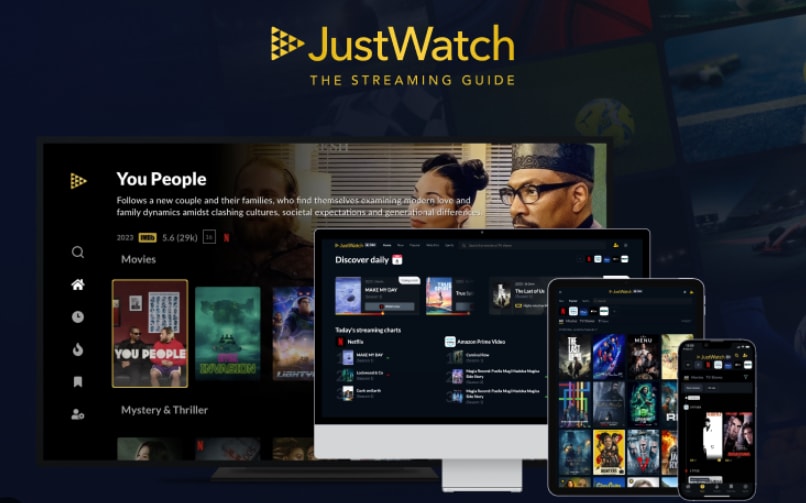
1. JustWatch – Best overall Reelgood replacement for where-to-watch search
JustWatch focuses on one thing and does it extremely well: showing you exactly where movies and shows are streaming, renting, or on TV across regions. It is the strongest free Reelgood alternative if your main goal is a fast, accurate streaming search engine with global coverage and simple filters.
2. TV Time – Best for tracking episode progress and TV schedules
TV Time is built for TV addicts who want to track every episode, get reminders, and share reactions without worrying much about where a title is hosted. It emphasizes progress tracking, notifications, and a social feed over full streaming availability data.

3. Plex Discover – Best for combining streaming search with personal media
Plex Discover extends the classic Plex media server by letting you search across streaming services and your local media files from a single interface. It is ideal if you mix subscription platforms with downloaded or self-ripped content and want one unified watchlist.
4. Trakt – Best for power users, stats, and automation
Trakt is a tracking backbone that syncs watch history and progress with dozens of apps and media centers. It is ideal for serious cord-cutters who want detailed stats, calendar views, and automation features rather than a stand-alone streaming app.
5. Letterboxd – Best for movie lovers and social film diaries
Letterboxd is a social platform for movie fans to log what they watch, rate films, and explore curated lists from a passionate community. It works best as a film diary and recommendation engine rather than a full streaming aggregator.
Part 3: Recover lost stream recordings with Recoverit
If you record live streams, capture gameplay, or save browser-based viewing sessions, losing those video files can be frustrating. Before you overwrite the drive or SD card, it is worth scanning it with Recoverit to see whether your deleted or corrupted recordings can be brought back safely.
Key Features Offered by Recoverit
- Supports recovery of a wide range of video formats from OBS, game capture tools, webcam software, and streaming recorders.
- Deep scan engine that searches internal drives, external HDDs, SSDs, USB sticks, and SD cards for lost or deleted media.
- Built-in preview so you can verify stream recordings before restoring them to a safe destination.
Step-by-Step Guide on How To Recover Lost Videos
1. Choose a Location to Recover Data
Install and launch Recoverit, then select the drive, partition, or external device where your streaming or screen recordings were originally stored. This could be your system disk, a game capture SSD, or a camera/SD card used for IRL streams.

2. Deep Scan the Location
Click Start to begin a deep scan of the chosen location. Recoverit will automatically search for deleted, lost, or formatted video files, and you can monitor progress or filter by file type to focus on large media clips.

3. Preview and Recover Your Desired Data
When the scan completes, use the preview feature to confirm that recovered videos play correctly. Select the stream recordings you want and click Recover, saving them to a different drive or folder to avoid overwriting remaining lost data.

Part 4: Which Reelgood alternative should you choose?
Reelgood remains a strong all-in-one streaming guide, but it is no longer the only way to track what you watch and find where it is available. JustWatch leads as an efficient search engine for streaming availability, while TV Time, Plex Discover, Trakt, and Letterboxd each excel in tracking, library management, automation, or social film discovery.
Match your choice to how you actually watch content. If you mostly need quick availability checks, JustWatch is usually enough. For heavy TV tracking, TV Time or Trakt will feel more powerful. Plex Discover is ideal if you run a media server, and Letterboxd suits cinephiles who care more about reviews, ratings, and lists than episode-by-episode logs. You can also mix these tools to fully replace and even surpass your original Reelgood setup.
Next: Kanopy
FAQ
-
Is Reelgood free to use?
Yes, Reelgood is free and supported mainly by partnerships and promotions, but any streaming services you connect, such as Netflix or Hulu, still require their own paid subscriptions where applicable. -
What is the best free alternative to Reelgood?
For most users, JustWatch is the best free alternative because it offers fast, accurate where-to-watch results, strong regional support, and straightforward filters for price, quality, and providers. -
Which Reelgood alternative is best for tracking TV episodes?
TV Time is the strongest choice for episode-by-episode tracking, providing progress indicators, alerts for new episodes, and community reactions for each show you follow. -
Can I use multiple Reelgood alternatives together?
Yes. Many viewers combine tools, such as using JustWatch for availability search, Trakt for detailed stats and syncing, and Letterboxd or TV Time for movie and TV diaries. -
Can I recover deleted stream recordings from my computer?
In many cases, yes. A data recovery tool like Recoverit can scan your drives or memory cards for deleted or lost video files and let you preview and restore recovered stream recordings before they are overwritten.



