 TL;DR:
To avoid the legal risks, aggressive ads, and unstable domains of Movie4K, switch to legal, ad-supported streaming platforms like Tubi, Pluto TV, Crackle, Popcornflix, or Plex for reliable HD playback.
● Choose Tubi for a large on-demand HD catalog, Pluto TV for cable-style live channel surfing, Crackle for retro cult classics, Popcornflix for instant no-login access, or Plex to integrate free streaming with your personal media server.
● These legal alternatives eliminate malware and fake download buttons but include traditional TV-style ad breaks during playback and restrict certain titles or channels based on your geographic region.
● If you accidentally delete locally saved streams, use Wondershare Recoverit to deep scan your drive and restore the files, as it supports over 1000 formats including uncorrupted HD, 4K, and 8K video codecs.
Ask AI for a summary
 ChatGPT
 Perplexity
 Gemini
 Claude
 Grok
Grok
Movie4K was once a go-to site for free movie and TV streaming, but frequent domain changes, legal risks, and security concerns make it unreliable today. Instead of chasing unstable mirrors or potentially harmful clones, it is smarter to switch to safer, more stable platforms that offer better video quality, cleaner interfaces, and more trustworthy access to your favorite content.
Legal, ad-supported services can deliver a similar "click and watch" feeling without shady redirects, fake download buttons, or constant takedowns. By choosing reputable Movie4K alternatives and protecting any downloaded or recorded videos with data recovery tools, you can enjoy your library with far fewer interruptions.
Try Recoverit to Restore Deleted Stream Recordings
 Security Verified. 3,591,664 people have downloaded it.
In this article
Comparison of Movie4K and Its Alternatives
Before you move away from Movie4K, it helps to compare how it stacks up against safer, legal streaming platforms in terms of ads, subtitles, video quality, and usability. The table below highlights the most important differences so you can quickly see why switching makes sense for everyday streaming.
| Website Name | Ad Density | Subtitles | Video Quality | Anime Catalog | UI/UX | Notes |
|---|---|---|---|---|---|---|
| Movie4K | High, frequent pop-ups and redirects | Varies, often inconsistent community subs | Ranges from low to 1080p, many broken links | Limited and inconsistent | Cluttered layout, many fake buttons | Unstable domains, legal and security risks |
| Tubi | Moderate, TV-like ad breaks | Strong subtitle support on most titles | Up to 1080p on many movies and shows | Decent selection of popular anime | Clean apps and web interface | Fully legal, free, and ad-supported |
| Pluto TV | Moderate, similar to cable TV | Available on many channels and VOD titles | Generally 720p to 1080p | Some dedicated anime channels | Live TV-style grid plus on-demand | Great for channel surfing and casual watching |
| Crackle | Moderate ads before and during content | Supported on most major titles | Up to HD, catalog rotates regularly | Very limited anime focus | Simple navigation but smaller catalog | Good for older movies and niche series |
| Popcornflix | Moderate, occasional repetitive ads | Subtitles on many but not all titles | Mix of SD and HD | Very small anime offering | Straightforward but basic interface | Best for quick, no-login movie streaming |
| Plex | Low to moderate on free streaming | Strong subtitle and metadata support | High, including user-hosted libraries | Depends on channels and personal library | Polished apps on nearly every platform | Combines free streaming with personal media server |
Movie4K relies on unstable domains and aggressive ads, while platforms like Tubi, Pluto TV, and Plex offer licensed content, clearer subtitles, and reliable playback. If you value consistent HD streams and fewer risks of malware or fake buttons, these alternatives provide a much more dependable experience.
5 Best Free Movie4K Alternatives
The following Movie4K alternatives focus on legal, ad-supported streaming so you can watch movies and shows with fewer interruptions and fewer security worries. Each option offers a different mix of on-demand titles, live channels, device support, and interface style.
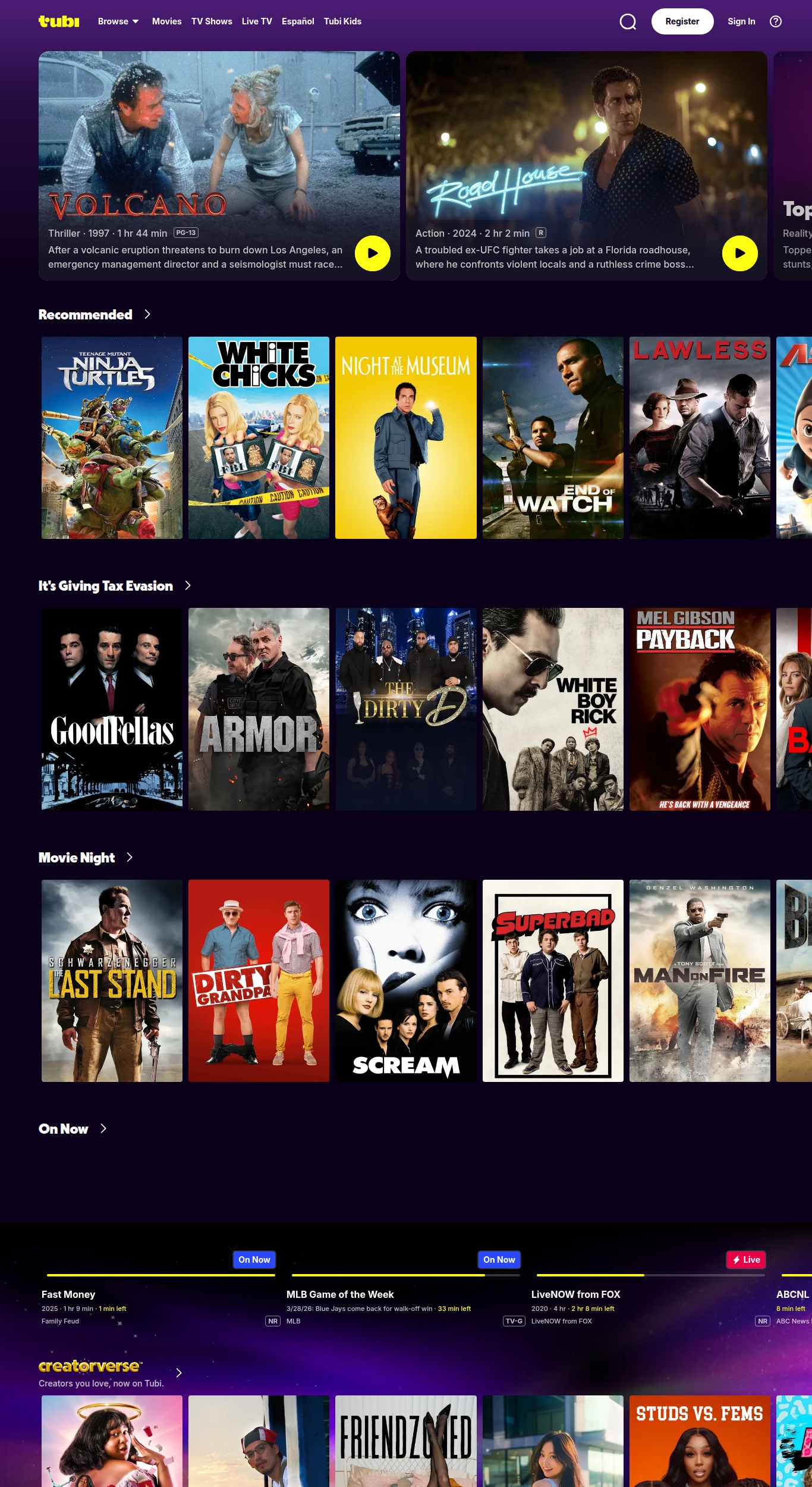
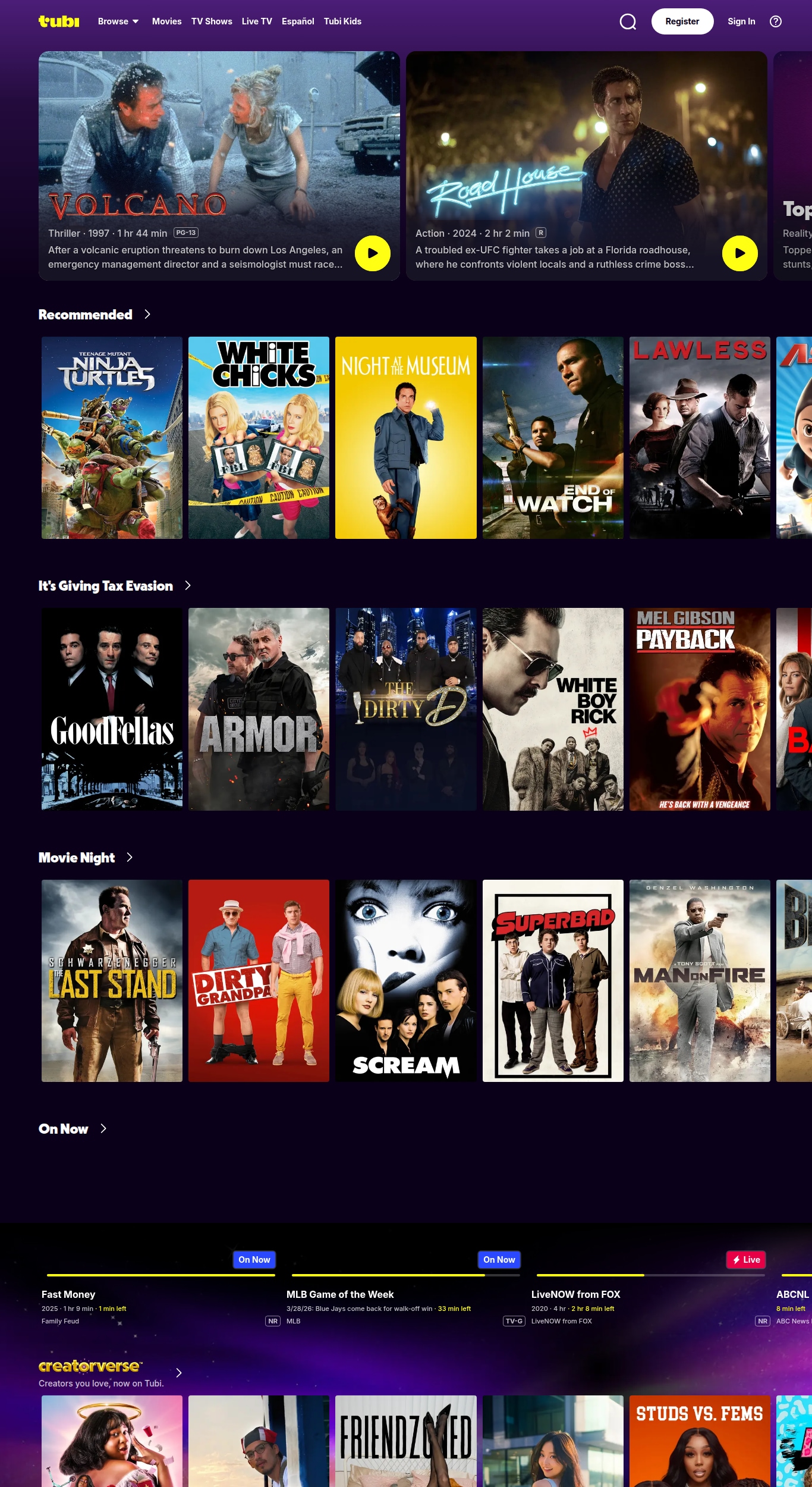
Tubi: Best for free, legal on-demand streaming
Tubi is one of the most popular free streaming platforms, offering thousands of movies and TV shows with official licensing and no subscription fee. It is best for viewers who want a large, stable catalog that feels like a paid service but remains completely free, aside from occasional ad breaks.
Pluto TV: Best for live TV-style channels
Pluto TV offers a channel-based experience that feels similar to cable, with hundreds of themed live channels plus an on-demand section. It is best for background viewing, channel surfing, and quickly finding something to watch without scrolling endless menus.
Crackle: Best for classics and older titles
Crackle specializes in older movies, cult classics, and a few originals, making it ideal if you enjoy niche or retro content. It is a strong Movie4K alternative when you want something different from mainstream blockbusters and do not mind an ad-supported experience.
Popcornflix: Best for quick, no-login streaming
Popcornflix keeps things simple with a click-and-play interface and no registration required. It is best for quick movie nights when you just want to start a film fast, without setting up an account or customizing a lot of settings.
Plex: Best for combining free streaming with your own media
Plex stands out by merging free, ad-supported streaming with a powerful personal media server. It is ideal if you already have a collection of movies and shows on hard drives and want to stream them alongside free channels and on-demand content, all from one interface.
Pro Tip: Use Recoverit to Recover Deleted Stream Recordings
If you regularly download or record movies and shows from legal Movie4K alternatives, accidentally deleting a folder can mean losing hours of curated content. With Recoverit, you can scan your hard drive, SD card, or external disk and restore deleted videos, even after emptying the recycle bin, helping you protect your personal streaming library.
Key Features Offered by Recoverit
- Support for over 1000 file formats, including common and professional video codecs used for HD and 4K recordings.
- Advanced scanning modes that dig into formatted, corrupted, or accidentally deleted partitions and storage devices.
- Built-in video repair and preview options so you can verify recovered recordings before saving them back to a safe location.
Step-by-Step Guide on How To Recover Lost Videos
1. Choose a Location to Recover Data
Launch Recoverit and select the drive or specific folder where your stream recordings were stored before deletion, such as a downloads folder, external HDD, or SD card; then click to start the recovery process from that target location.

2. Deep Scan the Location
Recoverit will perform a comprehensive scan of the selected location, automatically searching for lost or deleted video files; you can monitor progress, pause if necessary, and filter results by file type or extension to focus on movie and TV recordings.

3. Preview and Recover Your Desired Data
When the scan finishes, preview the found video files to confirm they play correctly, select the recordings you want to restore, and click Recover to save them to a different, secure drive or folder, ensuring you do not overwrite remaining lost data.

Conclusion
Movie4K may feel convenient, but constant domain changes, unreliable links, and legal gray areas make it a risky long-term solution for streaming. By switching to trusted, ad-supported platforms such as Tubi, Pluto TV, Crackle, Popcornflix, and Plex, you gain more reliable HD streaming, better subtitle options, and far fewer chances of encountering malware or deceptive redirects.
Combine these safer Movie4K alternatives with good digital hygiene, regular backups, and data recovery tools, and you can enjoy your favorite movies and shows with confidence. If you rely on saved streams or downloaded videos, pairing stable streaming services with a recovery solution like Recoverit gives you a strong safety net against accidental deletion or drive failures.
Next: Cinebloom Alternatives
FAQ
-
Is Movie4K safe to use?
Movie4K is not considered safe because many mirrors operate in a legal gray area, display aggressive ads, and may host malicious scripts or fake download buttons that can infect your device. -
Are there legal Movie4K alternatives?
Yes, platforms such as Tubi, Pluto TV, Crackle, Popcornflix, and Plex provide legal, ad-supported streaming with licensed content and official apps for smart TVs, browsers, and mobile devices. -
Do I need a VPN for Movie4K alternatives?
A VPN is not strictly required for legal streaming services, but it can improve privacy and sometimes help with geo-restrictions; always ensure that your VPN usage complies with each platform's terms of service.



