

 TL;DR:
ChatGPT is a generative AI chatbot created by OpenAI that processes text prompts through transformer neural networks to predict and generate responses, requiring users to independently verify information and manually save their generated files.
● The free version operates on the GPT-3.5 model for fast, everyday drafting, while paid plans provide access to GPT-4 and specialized tools for complex reasoning, research, and advanced coding.
● Because the model predicts text patterns rather than verifying facts, it is prone to producing inaccurate information known as hallucinations, and it should never be fed confidential business data or sensitive personal details.
● The chatbot cannot directly access or automatically back up files to your local device; exported documents must be managed manually, and accidentally deleted project files require third-party data recovery software like Recoverit to restore them from your storage drive.
Ask AI for a summary
 ChatGPT
 Perplexity
 Gemini
 Claude
 Grok
Grok
ChatGPT is an AI chatbot that can understand your questions and generate human-like responses in seconds. Built on advanced language models, ChatGPT helps users write content, analyze information, brainstorm ideas, and even debug code. Whether you are a student, professional, or casual user, ChatGPT can speed up everyday tasks and improve productivity. However, like any digital tool, there are risks, such as accidental deletion of important chats, drafts, or downloaded files. This guide explains what ChatGPT is, how it works, common use cases, and best practices to use it safely, along with how a data recovery tool like Recoverit can help if important files related to your ChatGPT work go missing.
Try Recoverit to Perform Data Recovery
 Security Verified. 3,591,664 people have downloaded it.
In this article
What Is ChatGPT
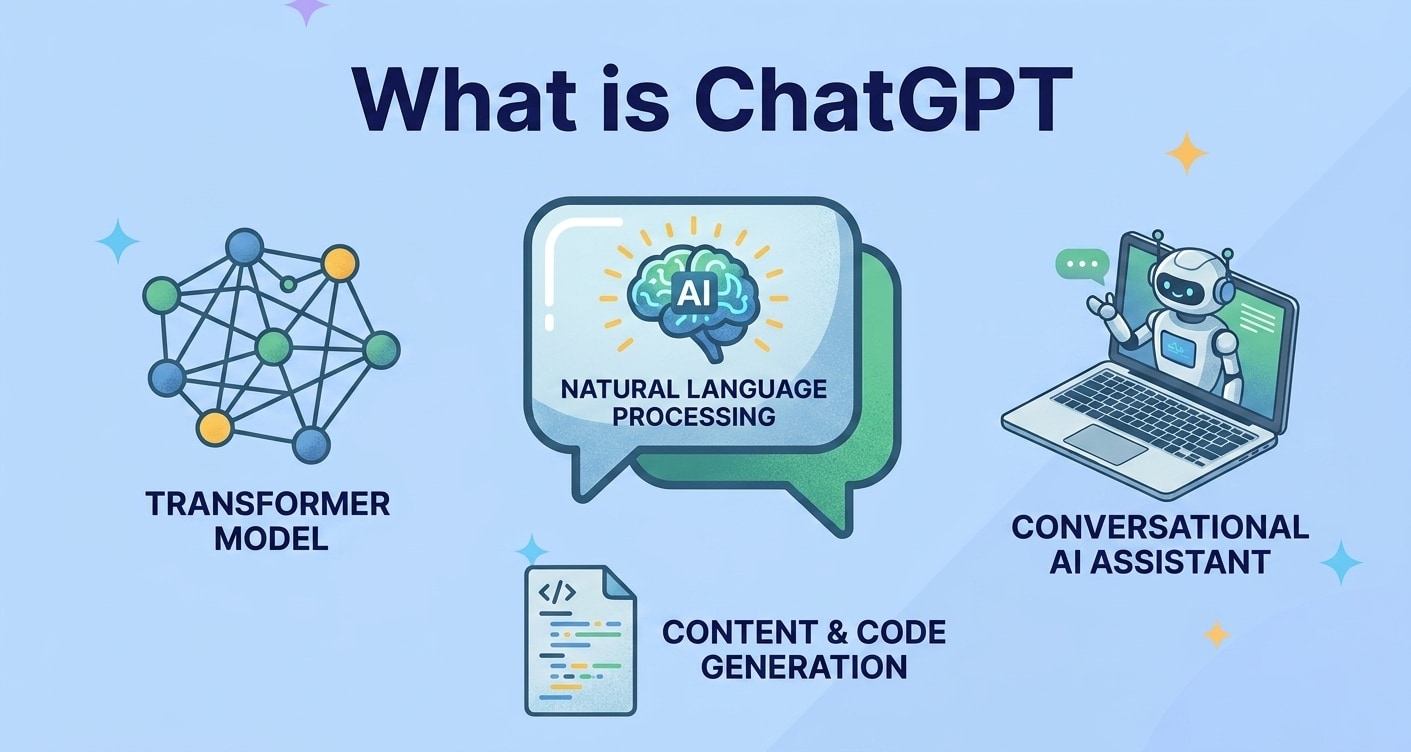
ChatGPT is a conversational AI chatbot created by OpenAI. It is built on large language models that have been trained on massive amounts of text so the system can generate replies that read as if a person wrote them.
When you type a question or instruction, ChatGPT analyzes your prompt, predicts what text should logically come next, and responds in complete sentences or paragraphs. It can explain complex ideas, draft emails, summarize documents, write code, and much more.
Key idea: Instead of following fixed scripts, ChatGPT dynamically generates each response based on your latest message and the conversation history.
| Aspect | What It Means for Users |
|---|---|
| Generative AI chatbot | Can create new text for you instead of just showing existing search results. |
| Trained on large datasets | Understands a wide range of topics, styles, and languages. |
| Conversational interface | You interact through simple text chat, like messaging a human assistant. |
How Does ChatGPT Work
Under the hood, ChatGPT uses a type of neural network called a transformer. It has been trained to predict the next word in a sentence, over and over, until it becomes very good at modeling how language is typically used.
During training, the model processes large collections of text and adjusts its internal parameters to minimize prediction errors. Later, during your real-time conversation, it applies what it has learned to produce coherent answers.
The basic process from prompt to response
- You enter a prompt. This might be a question ("What is ChatGPT?") or an instruction ("Write a summary of this article").
- The model encodes your text. Your words are converted into tokens (numeric representations) the model can understand.
- ChatGPT predicts tokens. Using its training, it generates a sequence of likely next tokens, one after another.
- The tokens become text. These predicted tokens are converted back into readable language and displayed as the answer.
Strengths and limitations of ChatGPT
| Strengths | Limitations |
|---|---|
| Fast response times and natural-sounding language. | Can produce inaccurate or outdated information (hallucinations). |
| Flexible use cases: writing, coding, brainstorming, tutoring. | Does not "understand" facts the way humans do; it predicts text patterns. |
| Always available AI assistant for everyday tasks. | May reflect biases in the data it was trained on; should not be used for highly sensitive decisions. |
Important: Because ChatGPT is a predictive language model, it does not access your local files or devices directly. Any documents or downloads you generate must be managed and backed up just like regular files on your computer or cloud storage.
What are the Types of ChatGPT
The term ChatGPT can refer to different model versions and access methods. Understanding these categories helps you choose the right setup for your needs and security level.
Main ChatGPT model versions
OpenAI has released several generations of models behind ChatGPT. They differ in capability, speed, and cost.
- GPT-3.5-based ChatGPT: Commonly used for the free tier. It is fast and good for everyday tasks like drafting text, summarizing notes, or basic coding support.
- GPT-4 and later models: Available in paid plans. They are generally more accurate, better at reasoning, and more reliable for complex work such as advanced coding, research assistance, or long-form content.
- Specialized variants and tools: Some plans include tools like web browsing, code interpreters, and image features that extend how you can use ChatGPT beyond plain text.
Ways you can access ChatGPT
You can interact with ChatGPT through different channels. The core technology is similar, but security and data-control options can vary.
- Web interface: The standard way most people use ChatGPT. You log in through a browser, type prompts, and optionally export or copy answers into your own documents.
- Mobile apps: Official apps let you carry ChatGPT on your phone or tablet. This is convenient for quick questions, on-the-go writing, and studying.
- API integration: Developers can connect their own applications to ChatGPT via API. This is used to build custom chatbots, productivity tools, or internal company assistants with specific rules and data controls.
Whichever type you use, remember that your outputs often become files: Word documents, PDFs, code projects, or exported chat logs. These files can be accidentally deleted or lost, which is where data recovery tools come in.
Practical Tips for ChatGPT
To get accurate, safe, and useful results from ChatGPT, you need good prompts and sensible data-handling habits.
Prompting tips for better answers
- Be specific and contextual. Instead of "Write about AI," say, "Write a 500-word introduction to generative AI for beginners, in a friendly tone."
- Set format expectations. Ask for bullet lists, tables, step-by-step guides, or code snippets so ChatGPT knows how to structure the output.
- Iterate with follow-up prompts. Refine the response by asking for clarifications, examples, or alternative versions.
- Provide examples. If you have a preferred style, paste a short sample and ask ChatGPT to match that tone.
Safety, privacy, and accuracy best practices
- Avoid sensitive information. Do not paste passwords, full financial details, or confidential business data into any AI chatbot.
- Fact-check important content. For legal, medical, financial, or high-stakes academic work, verify information using trusted sources.
- Keep local copies of important results. Save crucial outputs as documents on your device or secure cloud storage so you are not dependent on a single chat session.
- Use versioning for big projects. When drafting reports, code, or articles with ChatGPT, save versions with clear filenames (for example, "Report_v1", "Report_v2") so you can roll back changes if needed.
Preventing data loss when working with ChatGPT
- Export and back up chats. If the platform supports exporting conversations, download important sessions and store them with your project files.
- Organize files immediately. When you paste responses into Word, Google Docs, or code editors, save the file with a meaningful name and folder so you can find it later.
- Enable automatic backup. Use built-in backup tools or cloud sync for folders where you keep ChatGPT-related work.
- Use a data recovery option. If something is accidentally deleted or a drive is formatted, a professional tool like Recoverit can often restore lost ChatGPT-based documents, images, and project files.
How to Use Recoverit to Recover Lost Data
Recoverit is a professional data recovery software from Wondershare designed to help you get back deleted, lost, or formatted files from your computer, external drives, memory cards, and more. If you lose documents, images, or project files you created based on ChatGPT conversations, Recoverit can scan your storage devices and restore data in just a few steps. You can learn more and download the software from the Recoverit official website.
Key Features Offered by Recoverit
- Recover deleted or lost files from computers, external drives, USBs, and memory cards.
- Support for a wide range of file types, including documents, images, videos, and archives created with help from ChatGPT.
- Intuitive interface with flexible scan options and file preview before recovery, so you can selectively restore ChatGPT-related work.
Step-by-Step Guide on How To Recover Lost Data
1. Choose a Location to Recover Data
Launch Recoverit and select the disk, partition, or external device where the files related to your ChatGPT work were stored. This could be your desktop, a specific folder, or a removable drive where you saved chat exports or documents. Click Start to begin the process.

2. Deep Scan the Location
Recoverit will perform a comprehensive scan of the chosen location, searching for deleted or lost files. You can monitor the progress, pause, or stop the scan if needed while the program detects recoverable items such as documents, images, or project files generated with help from ChatGPT.

3. Preview and Recover Your Desired Data
When the scan finishes, browse through the list of found files and use the preview feature to confirm their content. Select the items you want to restore, then click Recover and save them to a safe destination that is different from the original location to avoid overwriting data.

Conclusion
ChatGPT is a powerful AI chatbot that can understand natural language prompts and generate useful, human-like responses for writing, research, coding, and more. By learning how it works and its main strengths and limits, you can use ChatGPT as a reliable assistant while staying aware of accuracy and privacy concerns.
Because AI-assisted work often involves important digital files, it is essential to protect your data. If documents derived from ChatGPT sessions are accidentally deleted or lost, Recoverit offers a straightforward way to scan your drives, preview recoverable files, and bring them back quickly.
Next: Claude Ai
FAQ
-
What is ChatGPT in simple terms?
ChatGPT is an artificial intelligence chatbot that can understand text prompts and generate responses that sound like they were written by a person. You can use it to answer questions, draft content, and support everyday tasks. -
Is ChatGPT free to use?
ChatGPT offers both free and paid versions. The free tier allows you to chat with the model within certain limits, while paid plans typically provide access to more advanced models, extra features, and higher usage limits. -
How accurate are ChatGPTs answers?
ChatGPT can be very helpful, but it is not always accurate. It predicts likely text rather than verifying facts in real time, so you should double-check important information using trusted sources, especially for academic, legal, medical, or financial topics. -
Does ChatGPT store my conversations?
Chat data may be used by the provider to improve the service, depending on your settings and plan. You should avoid sharing sensitive personal, financial, or confidential business information in any AI chat, including ChatGPT. -
Can I recover documents I deleted that were created using ChatGPT?
If you accidentally delete files that were written with help from ChatGPT, you may be able to restore them from your Recycle Bin or Trash. If they are not there, a data recovery tool like Recoverit can scan your drive and help you recover lost documents, images, or other file types.


