 TL;DR:
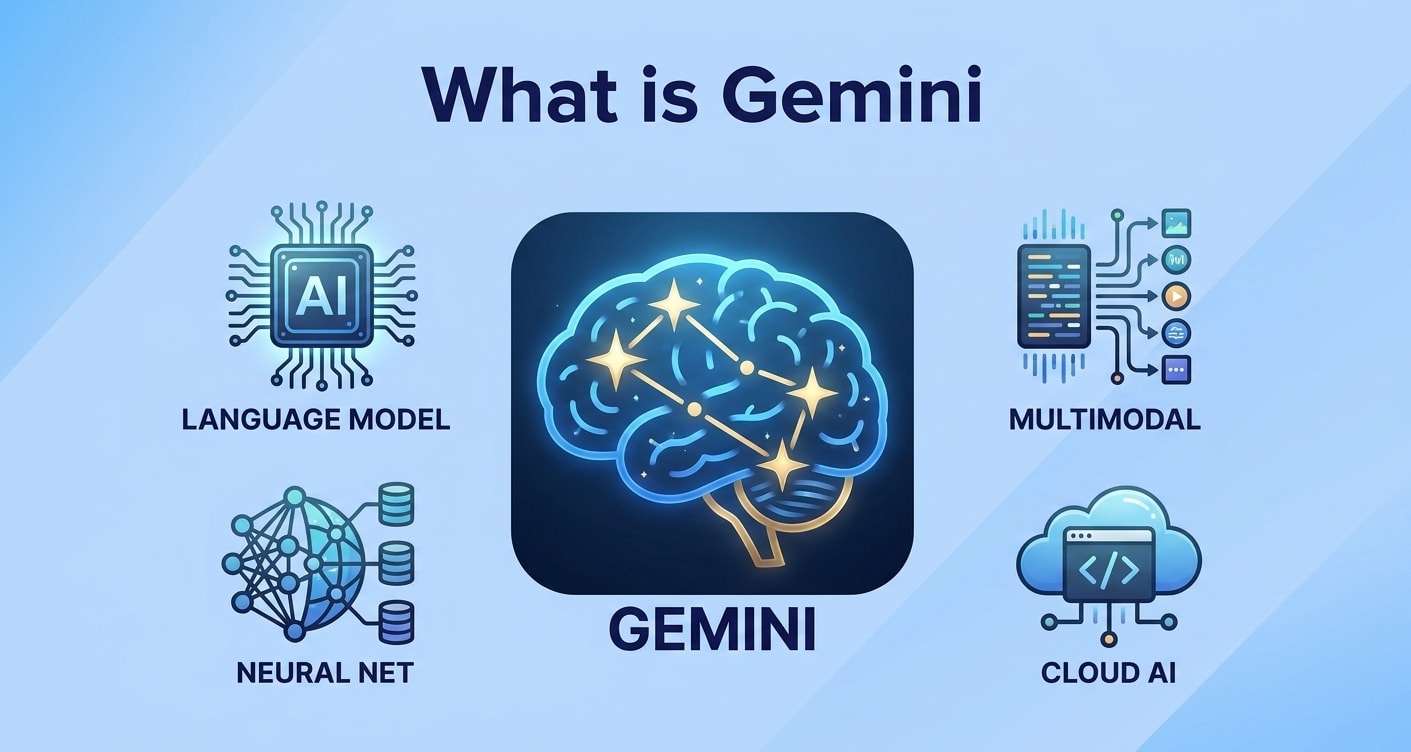
Google Gemini is a family of multimodal generative AI models integrated across Google Search, Workspace, and Android that can simultaneously process and generate text, images, and code within a single system.
● Available in distinct tiers based on workload: lightweight variants optimized for mobile devices, mid-range models for cloud chatbots, and advanced models for complex reasoning and deep analysis.
● The model can "hallucinate" incorrect facts and lacks absolute privacy, meaning users must independently verify critical information and avoid inputting confidential, medical, or identifiable personal data.
● Relying on these cloud-based AI tools introduces risks of sync conflicts and accidental file overwriting, requiring offline backups or data recovery software like Recoverit to restore lost project assets.
Ask AI for a summary
 ChatGPT
 Perplexity
 Gemini
 Claude
 Grok
Grok
Gemini is Googles latest family of artificial intelligence models designed to understand and generate text, images, code, and more from a single system. Built as a multimodal AI, Gemini can process different kinds of information together, making it more flexible than many traditional language models. Whether you encounter Gemini through Google Search, productivity tools, or experimental chatbots, it is important to understand what Gemini is, how it works, and how it affects your daily digital life. This guide explains the basics in simple terms and shows how to stay in control of your data if something goes wrong.
Try Recoverit to Perform Data Recovery
 Security Verified. 3,591,664 people have downloaded it.
In this article
What Is Gemini
Gemini is Googles family of advanced generative AI models built to work across many types of data at once. Unlike older tools that only handle text, Gemini is designed as a multimodal AI, meaning it can read and generate text, interpret images, understand code, and eventually work with audio and video.
In simple terms, Google Gemini is a supercharged digital assistant that can answer questions, summarize information, help you code, interpret charts, and more, using one unified system. Different versions of Gemini AI power features across Google Search, Google Workspace, Android, and experimental chatbots.
For everyday users, Gemini usually shows up as:
- An AI chatbot you can chat with in natural language.
- Smart features embedded in Google products, such as smart replies, document summaries, or AI-powered search results.
- Coding assistants that suggest, explain, or debug code in various programming languages.
Because Gemini connects deeply with your Google account and files in some contexts, it is important to be aware of how it works and how to safeguard your data if anything is lost or corrupted.
How Does Gemini Work
At its core, Gemini is based on a large language model (LLM) similar to other modern generative AI systems. These models are trained on massive datasets of text, code, and other content so they can predict the next word, token, or pixel in a sequence. Over time, this prediction ability turns into skills like writing, translating, summarizing, and reasoning.
Gemini adds multimodal capabilities on top of this foundation. Instead of training separate systems for text and images, Google trains Gemini to process several data types together. That allows it to:
- Understand context from both text and images in the same prompt.
- Generate text that refers to or explains an image or diagram.
- Connect code, documentation, and user questions in one interaction.
When you type a question into a Gemini-powered interface, the process usually looks like this:
- Your input (text, and possibly an image or file) is converted into numeric vectors the model can understand.
- The model runs your input through many layers of neural network calculations to find patterns and relationships.
- Gemini estimates the most likely helpful response token by token, shaping it into readable text, code, or other output.
- Safety filters and policies are applied to try to block harmful or sensitive content.
Because Gemini runs on Googles large-scale infrastructure, it can be adapted into different versions: some lightweight for mobile devices, some powerful for data centers, and some tuned specifically for coding or enterprise tasks.
| Gemini capability | What it means for users |
|---|---|
| Multimodal understanding | Can work with text plus images (and other data types) in a single conversation. |
| Generative responses | Creates new text, summaries, code, or explanations instead of only retrieving web pages. |
| Tool and product integration | Shows up inside Search, Workspace, Chrome, Android, and other Google services. |
Important limitation: Like any modern AI model, Gemini can still make mistakes or "hallucinate" incorrect facts. You should double-check critical information, especially when making financial, medical, or legal decisions.
What are the Types of Gemini
Google does not ship only one version of Gemini. Instead, it offers multiple sizes and variants designed for different devices, workloads, and price points. On top of that, Gemini is packaged into various user-facing products.
Gemini model sizes and tiers
Public details from Google describe several tiers of Gemini models, each aimed at different use cases:
- Smaller/mobile-optimized variants: Designed to run efficiently on phones, tablets, and lightweight cloud instances. These give quick responses for everyday tasks but may be less powerful than larger data-center models.
- Mid-range cloud models: Balanced for speed and capability, suitable for chatbots, productivity assistants, and business workflows.
- Larger advanced models: Intended for complex reasoning, deeper analysis, advanced coding support, and heavy multimodal workloads. These are typically accessed via cloud APIs or high-end Google services.
Developers can often choose which tier to use depending on whether they need responsiveness, depth of reasoning, or cost efficiency. For end users, the choice is usually made automatically by whichever app or service you are using.
How Gemini appears in Google products
You might interact with Google Gemini without realizing it, because it is embedded in many Google experiences. Some common appearances include:
- Search enhancements: Gemini can power AI-generated summaries at the top of search results, offering quick overviews before you click through to websites.
- Productivity tools: In Google Docs, Sheets, Slides, and Gmail, Gemini-based features can help you draft emails, generate outlines, rewrite text, or interpret data tables.
- Dedicated AI chatbot experiences: Google offers standalone chat interfaces where you can converse with Gemini directly, similar to other AI chatbots.
- Coding assistants: Gemini-powered tools for developers can suggest snippets, explain code, or help debug across multiple languages.
Because these tools can interact with your messages, files, and work documents, they raise important questions about privacy, security, and data protection. While Google implements safeguards, you still need your own backup and recovery strategy in case something goes wrong on your device or storage.
Practical Tips for Gemini
To get the most value from Gemini AI while staying safe, keep these practical tips in mind.
Use prompts that are clear and specific
Like other large language model systems, Gemini gives better answers when you provide enough context. Examples of effective prompts include:
- "Summarize this article in three bullet points suitable for a beginner."
- "Explain this Python function line by line and suggest how to optimize it."
- "Create an outline for a presentation on data privacy for high school students."
Include the audience, desired length, style, and any constraints you care about. If the first answer is not quite right, refine your prompt instead of starting from scratch.
Protect privacy and sensitive information
Even with company-level protections, you should avoid entering highly sensitive data into any AI chatbot. As a rule of thumb, be cautious with:
- Personal identifiers (full addresses, ID numbers, financial details).
- Confidential business documents that are not already approved for cloud storage.
- Medical, legal, or other regulated information.
Use de-identified examples whenever possible, and store critical originals safely on local or encrypted drives that you control.
Verify outputs before acting on them
Because Gemini can generate plausible but incorrect content, you should always double-check:
- Facts and statistics against trusted primary sources.
- Code snippets by testing them in a safe environment.
- Summaries of long documents to ensure nothing important is distorted or missing.
Think of Gemini as a brainstorming and drafting partner, not an unquestionable authority.
Plan for data loss scenarios
Using cloud-based tools and syncing files across devices introduces new ways data can be lost: accidental deletions, overwriting by AI-generated versions, sync conflicts, app crashes, or corrupted storage. To reduce risk:
- Maintain regular backups of important documents and projects.
- Keep offline copies of key files, such as research, legal documents, and long-term creative work.
- Use a professional data recovery solution like Recoverit if local files or external drives become inaccessible.
If a misstep while testing AI tools leads to lost files, acting quickly and avoiding new writes to the affected drive can significantly improve your recovery chances.
How to Use Recoverit to Recover Lost Data
Recoverit by Wondershare is a professional data recovery application that can restore photos, videos, documents, and many other file types from your computer and storage devices. If experimenting with Gemini or other AI tools results in accidental deletions, formatted drives, or corrupted project folders, Recoverit can help you scan and retrieve what you thought was gone. You can safely download the software from the Recoverit official website.
Key Features Offered by Recoverit
- Recovers over 1000 file formats, including documents, photos, videos, audio, archives, and more from PCs, external drives, memory cards, USB sticks, and other storage.
- Supports recovery from deleted files, emptied recycle bin, drive formatting, partition loss, and system crashes that might occur while installing or testing new AI tools.
- Provides file preview before recovery so you can verify and restore only the Gemini-related files, project assets, or folders you truly need.
Step-by-Step Guide on How To Recover Lost Data
The following guide shows how to use Recoverit when work related to Google Gemini leads to missing or corrupted files on your computer or external storage.
1. Choose a Location to Recover Data
Launch Recoverit and select the drive, partition, or external device where your files disappeared. For example, choose the folder or drive where you stored Gemini experiment outputs, downloaded datasets, or project documents. Selecting the correct source ensures Recoverit focuses the scan on the area where data loss actually happened.

2. Deep Scan the Location
Click "Start" to begin a deep scan of the chosen location. Recoverit will automatically search through the storage sectors for traces of deleted or lost files, showing results in real time. You can filter by file type or path to quickly locate AI-related assets such as notebooks, scripts, datasets, screenshots, and exported documents from Gemini-powered tools.

3. Preview and Recover Your Desired Data
When the scan completes, browse the list of found files and use the preview feature to confirm content before restoring. Select the items you want back—such as reports drafted with Gemini AI, research notes, or training data—and click "Recover." Always save recovered files to a different, healthy location to avoid overwriting remaining recoverable data.

Conclusion
Gemini is a major step in Googles AI ecosystem, offering multimodal capabilities that unify text, images, and code within a single powerful platform. As it becomes more deeply integrated into search, productivity apps, and coding tools, users gain new ways to draft content, analyze information, and automate repetitive work.
At the same time, relying on advanced AI workflows emphasizes how important it is to safeguard your digital files. Sync issues, mistaken deletions, and software conflicts can all threaten the documents, datasets, and creative projects you build around Google Gemini. With Recoverit, you have a straightforward way to scan storage devices, preview recoverable items, and restore essential files after a mishap—so you can keep exploring new AI tools with far more confidence.
Next: Chatgpt
FAQ
-
What is Gemini in simple terms
Gemini is Googles family of AI models that can understand and generate multiple kinds of content, such as text, images, and code, within one multimodal system you can access through chatbots and Google services. -
How is Gemini different from traditional chatbots
Traditional chatbots usually focus only on text, while Gemini is designed to be multimodal, so it can process and relate text, images, and other data types together, enabling richer and more flexible interactions. -
Is Gemini the same as Google Bard
Bard was Googles earlier conversational interface; over time, Google began using Gemini as the underlying AI model, so many current chat experiences that used to be called Bard are now powered by Gemini. -
Can I use Gemini for coding tasks
Yes, certain Gemini-based tools are optimized for programming, allowing you to get code suggestions, explanations, and debugging help, but you should always review, test, and secure the generated code before using it in production. -
What should I do if I lose files while working with Gemini or other AI tools
Stop using the affected drive immediately to avoid overwriting data, then run a scan with a dedicated data recovery tool like Recoverit to locate and restore deleted or lost project files, documents, and media.



