

 TL;DR:
Crafting effective Midjourney prompts requires structuring text commands with a clear subject, concrete adjectives, and technical parameters to accurately guide the AI's image generation process.
● Build prompts using a consistent sequence (Subject + action + environment + style + lighting + camera + parameters) and append explicit modifiers like `--ar` (aspect ratio), `--s` (stylization), or `--q` (quality) for precise visual control.
● Refine your generated outputs incrementally by altering only one element or parameter per iteration, and reduce AI ambiguity by replacing vague descriptors with specific terms like "high contrast black and white" instead of "dramatic."
● If your saved prompt libraries or reference images are accidentally deleted, you can restore them using Wondershare Recoverit by scanning the affected device and saving the extracted files to a completely different drive to prevent data overwriting.
Ask AI for a summary
 ChatGPT
 Perplexity
 Gemini
 Claude
 Grok
Grok
A midjourney prompt is the text instruction you give the Midjourney AI to generate an image. The quality of that text directly shapes the final artwork, from composition and style to lighting and mood. Whether you are a designer, marketer, or hobbyist, learning how to craft a precise midjourney prompts will help you turn vague ideas into consistent, repeatable visuals. This guide walks you through how Midjourney prompts work, common prompt structures, practical tips to improve your results, and what to do if you lose your carefully crafted prompt collections on your computer or external storage.
Try Recoverit to Perform Data Recovery
 Security Verified. 3,591,664 people have downloaded it.
In this article
What Is Midjourney Prompt
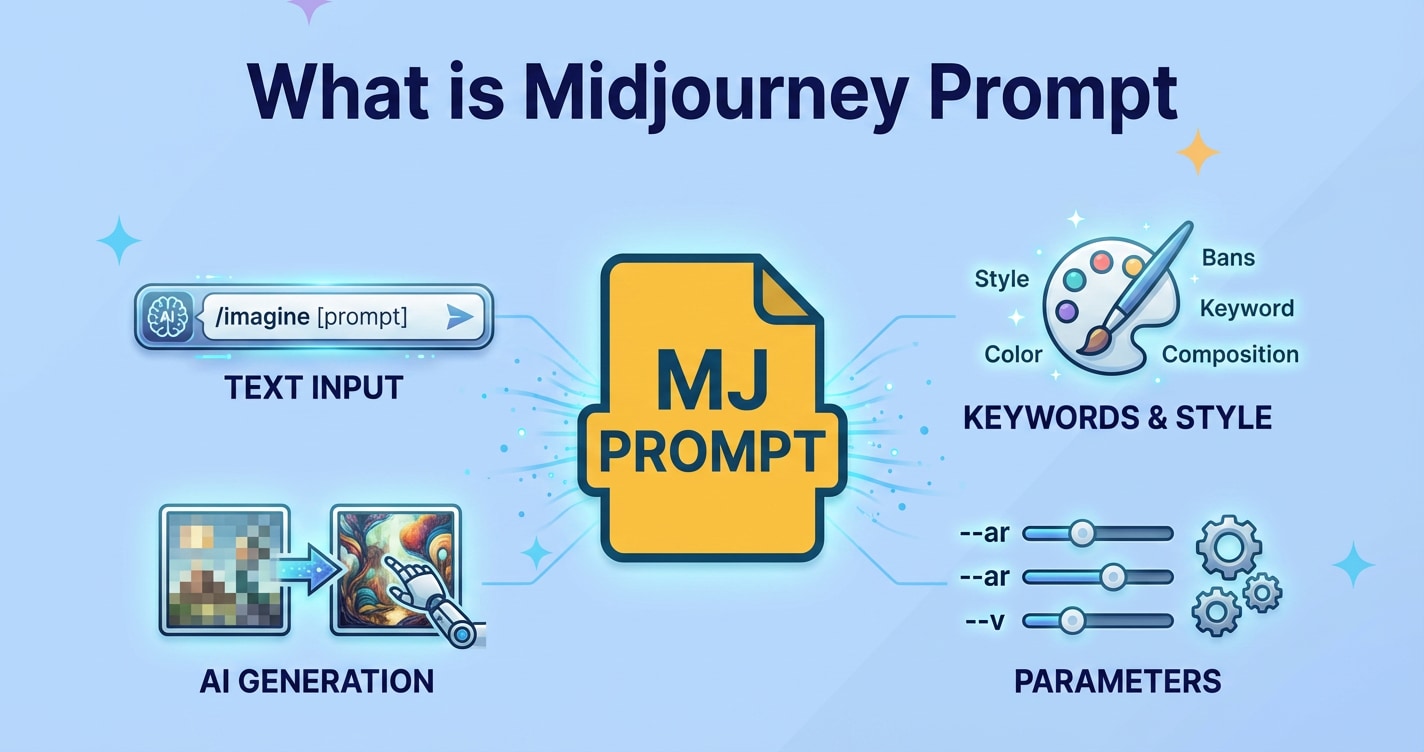
A midjourney prompt is a line of text (or a few lines) that tells the Midjourney image model what to create. You describe the subject, environment, style, mood, and any technical details you care about, and the AI interprets that description into a visual output.
In practice, a Midjourney prompt works like a compact creative brief. Instead of filling out a long form or drawing a sketch, you express your idea in natural language and, optionally, add specific keywords and parameters for fine control.
Here are a few quick examples of different ai image prompts for Midjourney:
- "Cozy reading nook by a window, soft morning light, watercolor illustration, pastel colors"
- "Cyberpunk street market at night, neon signs, rain-soaked pavement, ultra wide angle, cinematic lighting, 8k"
- "Minimalist logo of a fox made of geometric shapes, flat design, vector, white background"
All of these prompts follow the same idea: they specify what should be in the image and how it should look. Mastering this prompt language is the foundation of effective prompt engineering for Midjourney.
How Does Midjourney Prompt Work
Midjourney is a generative AI model trained on massive collections of image-text pairs. When you enter a midjourney prompt, the system breaks your text into tokens (chunks of words) and uses its training to predict which visual patterns match that description.
Several key elements influence how your prompt is interpreted:
- Subject keywords: The main thing(s) in the image, such as "cat astronaut" or "mountain village."
- Context and setting: Where and when the scene takes place, e.g., "at sunset," "underwater," or "in a futuristic city."
- Artistic style: The visual feel, such as "oil painting," "anime," "pixel art," or "photorealistic portrait."
- Technical modifiers: Details like camera angle, lens type, resolution, aspect ratio, and lighting.
- Parameters: Special options like aspect ratio (--ar), stylization (--s), or quality (--q) that refine how Midjourney renders the image.
From an AI image workflow perspective, your prompt acts as the initial "seed" for the generation process. Midjourney starts from random noise and gradually transforms it into an image that best matches the prompt, guided by its internal understanding of language-to-vision relationships.
As you iterate, you can tweak the text or parameters to move closer to your ideal result, making midjourney tips and experimentation a crucial part of refining your outputs.
What are the Types of Midjourney Prompt
Not all midjourney prompts work the same way. Some are short and descriptive, others rely heavily on technical parameters, and many combine reference images with text. Understanding these categories will help you build a flexible midjourney guide for your creative projects.
Basic vs advanced Midjourney prompts
Midjourney prompts exist on a spectrum from simple, plain-language requests to detailed commands packed with style references and parameters.
| Prompt type | Description and example |
|---|---|
| Basic prompt |
A short, natural sentence or phrase describing the subject and a little style information. Great for beginners and quick ideas. Example: "A black cat sleeping on a stack of books, cozy, soft light" |
| Advanced prompt |
Includes subject, style, mood, camera details, and explicit parameters. Used when you need consistent, repeatable results. Example: "Black cat sleeping on a stack of vintage books, cozy living room, warm ambient light, shallow depth of field, 50mm lens, photorealistic, --ar 3:2 --s 300 --q 2" |
When to use basic prompts: ideation, mood exploration, or when you are still experimenting with an aesthetic.
When to use advanced prompts: brand visuals, client work, or any scenario where you need precise control and consistency.
Descriptive, reference-based, and parameter-driven prompts
Beyond the simple/advanced distinction, you can think of ai image prompts in three functional categories that often overlap.
1. Descriptive prompts
These rely mostly on rich natural language to communicate your idea. They specify subjects, actions, environments, and mood.
- "Elderly woman tending a rooftop garden in a dense city, golden hour sunlight, documentary photography style"
- "Fantasy castle built into the side of a cliff, stormy skies, dramatic lighting, matte painting"
Descriptive prompts are ideal for storytelling and concept art.
2. Reference-based prompts
Here you either attach an image URL as a reference or name specific artists, genres, or media as guidance for style.
- "Portrait of a warrior queen, intricate armor, in the style of Art Nouveau poster"
- "Isometric city block, clean vector illustration, flat colors, inspired by infographic design"
Reference-based prompts are powerful when you want Midjourney to echo an established visual language without copying it directly.
3. Parameter-driven prompts
In parameter-driven prompts, you explicitly control settings like resolution and stylization. Parameters are added to the end of the text, typically preceded by double dashes.
- Aspect ratio: --ar 16:9, --ar 1:1, etc.
- Stylization: --s 50, --s 1000 (higher values can make results more artistic or abstract).
- Quality: --q 0.5, --q 1, --q 2 (trade-off between speed and detail).
- Chaos: --c 0 to --c 100 (changes how varied and unexpected results are).
Example of a parameter-driven prompt:
"Abstract geometric wallpaper, bright gradients, minimal shapes, --ar 9:16 --s 800 --q 2 --c 40"
Combining all three categories gives you the strongest control over your midjourney guide and results.
Practical Tips for Midjourney Prompt
Good prompt writing is a skill you can develop with deliberate practice. Use these practical midjourney tips to improve your success rate and reduce trial-and-error.
Start with a clear subject and action
Begin each prompt by stating who or what the image is about and what is happening.
- "Young architect sketching a building model on a tablet"
- "Golden retriever running through autumn leaves in a park"
Once the subject and action are clear, you can bolt on environment, style, and technical details.
Layer details in a consistent order
Using a repeating structure makes your midjourney prompts easier to read and adjust. A simple formula is:
Subject + action + environment + style + lighting + camera + parameters
Example:
"Chef plating gourmet food in a modern restaurant kitchen, cinematic, shallow depth of field, warm tungsten lights, 35mm photography, --ar 16:9"
Use concise, specific adjectives
Instead of piling on vague adjectives ("beautiful, awesome, amazing"), choose concrete descriptors that affect the look:
- "overcast sky" instead of "moody"
- "grainy 35mm film" instead of "vintage"
- "high contrast black and white" instead of "dramatic"
Specific language reduces ambiguity and helps Midjourney lock onto a consistent style.
Control composition and perspective
You can nudge the composition by naming the framing and camera view:
- "close-up portrait," "medium shot," "full body," "aerial view," "top-down," "isometric," "macro shot"
- "shot from behind," "low angle," "high angle," "eye level"
Example:
"Top-down view of a wooden desk with laptop, coffee, and notebook, minimal flat lay photography, soft daylight, --ar 3:2"
Iterate with small changes
When you like an output but want refinements, change just one or two parts of the prompt at a time:
- Swap "daytime" for "sunset" to test lighting.
- Change "digital painting" to "photo" or "3D render" to test style.
- Adjust --ar or --s without touching the main description.
This incremental approach makes your prompt engineering much more predictable.
Keep a prompt library and naming system
As you discover successful midjourney prompts, store them in organized text files, spreadsheets, or note-taking tools. Use tags like "product shot," "portrait," "logo," "background," or "UI" so you can quickly reuse and adapt them.
Be sure to back up this library. If it is only stored on a single drive and something goes wrong, you risk losing months of experimentation. Later in this guide, you will see how a data recovery tool can help restore lost prompt collections.
How to Use Recoverit to Recover Lost Data
If your Midjourney prompt library, PSD files, or reference images suddenly disappear because of accidental deletion, formatting, or disk errors, specialized recovery software can often bring them back. Recoverit is a dedicated data recovery tool from Wondershare that helps you restore deleted, lost, or formatted files from computers, external drives, SD cards, and more. You can learn more and download the software on the Recoverit official website.
Key Features Offered by Recoverit
- Recovers images, documents, videos, and creative project files from a wide range of storage devices, including HDDs, SSDs, USB drives, SD cards, and more.
- Offers deep scanning algorithms to locate files even after deletion, formatting, partition loss, or system errors so you can restore critical midjourney prompts and assets.
- Provides a built-in file preview before recovery, allowing you to confirm that each found file is the correct prompt text, reference image, or project folder.
Step-by-Step Guide on How To Recover Lost Data
1. Choose a Location to Recover Data
Launch Recoverit and, on the main interface, select the drive or specific folder where your Midjourney prompts or project files were stored before they went missing. This could be your system drive, an external HDD or SSD, a USB stick, or a memory card from a camera or tablet. Confirm your selection so Recoverit knows exactly where to search for deleted or lost data.

2. Deep Scan the Location
Click Start to begin scanning the chosen location. Recoverit will run a thorough analysis to detect recoverable files, showing progress and results in real time. While the scan runs, you can filter by file type or use the search box to narrow results to prompt text files, notes, images, or project documents, which is especially helpful when you are restoring a large midjourney guide or asset library.

3. Preview and Recover Your Desired Data
After the scan completes, browse through the found files and use the preview function to verify each item. Confirm that a document contains your saved midjourney prompts or that an image is the correct reference asset. Select all the files you want to restore, click Recover, and save them to a different, safe storage location (not the original drive) to avoid overwriting any remaining recoverable data.

Conclusion
A well written midjourney prompt turns loose ideas into detailed visual outputs, giving you control over subject, style, mood, and quality. By understanding how prompts work and exploring different categories and formats, you can refine your requests and get more consistent results from the AI. Over time, this helps you build a personal library of reliable midjourney prompts that speeds up your creative process.
At the same time, it is important to protect the prompt libraries and image assets you build over years of experimentation. Hardware failures, accidental deletion, or formatting mistakes can wipe out crucial resources in seconds. If you ever lose these files, a dedicated data recovery solution like Recoverit can scan your drives, let you preview found items, and restore them safely so your creative workflow stays on track.
Next: Poe Ai
FAQ
-
What is a Midjourney prompt?
A Midjourney prompt is the text instruction you give the Midjourney AI to describe the image you want it to generate. It usually includes the subject, environment, style, mood, and optionally technical settings and parameters. -
How long should a Midjourney prompt be?
There is no fixed length, but clear and concise prompts tend to work best. Start with one sentence that defines the subject and action, then add a few targeted style and technical details instead of long paragraphs. -
Do I need special syntax to write Midjourney prompts?
You can get strong results with plain language alone, but incorporating Midjourney parameters such as --ar for aspect ratio or --s for stylization gives you more precise control over composition, style, and detail. -
How can I organize and protect my Midjourney prompts?
Save prompts in structured text or markdown files, keep them in project-based folders, and sync those folders to a cloud backup service. Regular backups and versioning help you avoid losing your most effective prompts. -
Can I recover deleted Midjourney prompts from my computer?
Yes. If the deleted files have not been overwritten, you can use a data recovery tool like Recoverit to scan the affected drive, preview the found documents, and restore lost prompt libraries, reference images, and related project assets.


