

 TL;DR:
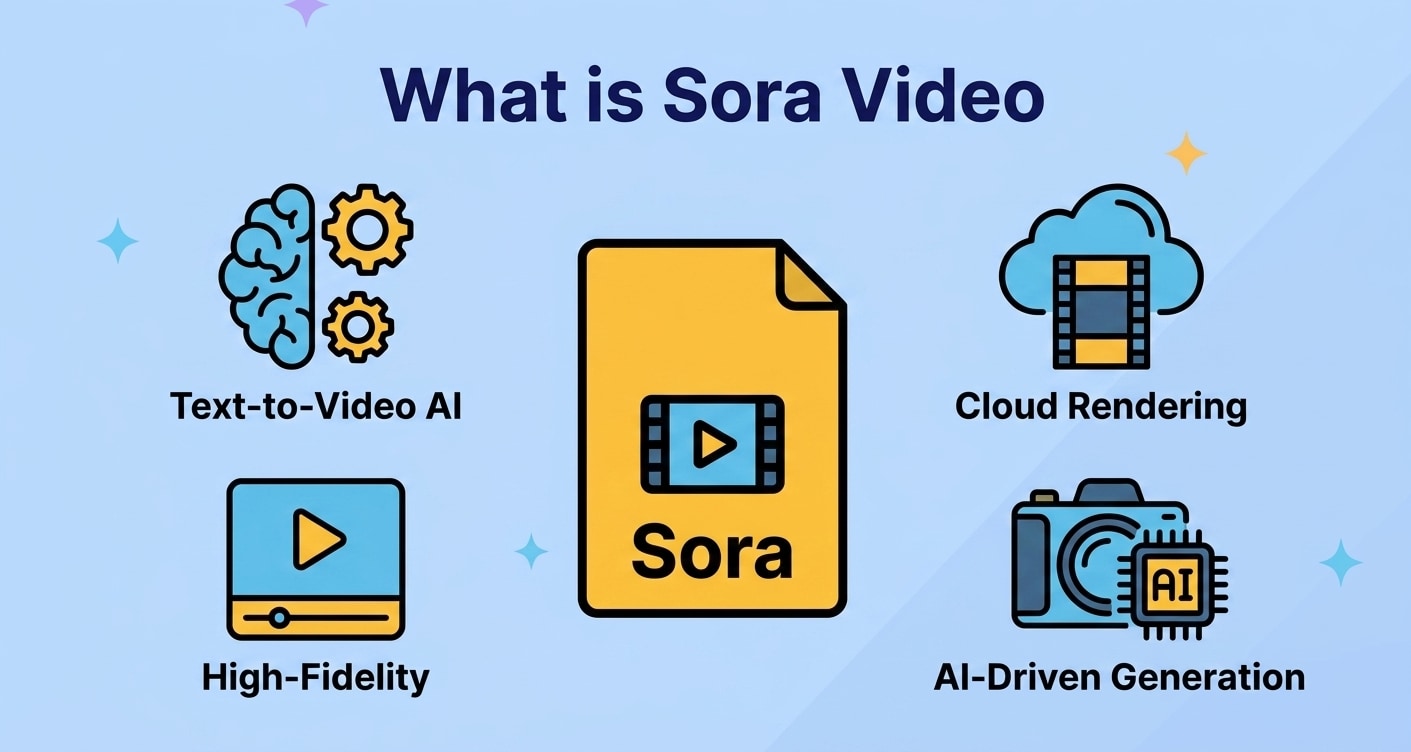
Sora Video encompasses AI-driven generation systems that translate detailed text prompts or visual references into coherent video clips, bypassing traditional filming timelines but requiring precise input parameters and strict file management.
● Pure text-to-video generators are best utilized for creating entirely new scenes from a script or storyboard, whereas hybrid tools are specifically designed to extend, stylize, or automatically edit existing footage.
● Generating reliable outputs requires prompts that explicitly define subject actions, camera movements, and lighting conditions, while strictly adhering to the individual platform's constraints on resolution, duration, and usage rights.
● If MP4 or MOV exports are lost due to system crashes or accidental formatting, you can restore them using Wondershare Recoverit by deep scanning the original drive, but you must save the recovered assets to a completely different storage path to prevent data overwriting.
Ask AI for a summary
 ChatGPT
 Perplexity
 Gemini
 Claude
 Grok
Grok
Sora Video is quickly becoming a go-to term for creators experimenting with AI-generated video. Instead of relying on traditional cameras, actors, and long editing timelines, a sora video workflow lets you type a prompt and receive a fully formed clip that matches your idea. From concept art and product mockups to cinematic scenes and educational explainers, these systems allow both beginners and professionals to create high-quality visuals in a fraction of the time.
The more you understand how these AI engines work, which types of sora ai video tools are available, and how to manage your project files safely, the easier it becomes to build a reliable creative pipeline. This guide walks through the core concepts of Sora Video, the main categories you will encounter, practical tips for better results, and how to recover lost Sora Video exports using Recoverit data recovery software.
Try Recoverit to Perform Data Recovery
 Security Verified. 3,591,664 people have downloaded it.
In this article
What Is Sora Video
Sora Video generally describes a new wave of AI systems that can generate short or long video clips from text prompts, images, or basic references. Instead of manually filming and compositing every frame, you describe the scene, style, and movement you want, and the sora video generator builds it automatically.
These tools are powered by large-scale machine learning models trained on vast amounts of visual data. By learning how objects, lighting, motion, and camera angles usually appear, the model can "imagine" new footage that fits your description. As a result, Sora Video platforms are being explored by:
- Social media creators who need fast, attention-grabbing visuals.
- Marketers testing multiple ad concepts before investing in full production.
- Educators and trainers producing demonstrations or simulations.
- Designers and filmmakers prototyping storyboards and pre-visualizations.
When people search for a sora video tutorial or sora video guide, they usually want to understand how to turn their idea into a clear prompt, choose the right style, and handle outputs and files in a safe, organized way.
How Does Sora Video Work
While each AI platform has its own interface and options, most Sora-style video systems share a similar workflow. They translate your written or visual instructions into a sequence of frames, then stitch those frames into a coherent video with realistic motion.
Core Components Behind Sora Video
- Training data and model: The AI model is trained on large collections of videos and images so it can recognize patterns like object shapes, textures, lighting, and camera movement.
- Prompt encoder: When you type a description, the system converts your words into a numerical representation (embeddings) that the model can work with.
- Video generation engine: The engine produces a sequence of frames that match the encoded prompt while maintaining temporal consistency between frames.
- Post-processing: Optional upscaling, stabilization, color correction, or noise reduction is applied to refine the final clip.
Typical Sora Video Creation Flow
- Write a detailed text prompt that describes the subject, setting, style, and motion.
- Select key parameters like aspect ratio, duration, resolution, and camera movement.
- Run the sora ai video model to generate one or multiple candidate clips.
- Review results, adjust your prompt, and re-run until you reach the desired look.
- Export the clip to a standard format (such as MP4 or MOV) and save it to your device.
Because these tools are still new, it is common to iterate several times. That is why maintaining a clean file structure and regular backups is crucial: each version of a clip or prompt can be valuable later when you want to reproduce a specific effect.
What are the Types of Sora Video
Not every Sora-style AI system works the same way. Some are optimized for pure text-to-video generation, while others are built around enhancing or transforming existing footage. Understanding these categories helps you pick the right tool and plan a better sora video workflow.
Text-to-Video Sora Generators
Text-to-video tools are what most people think of when they hear "Sora Video." They can create a clip from scratch using only your written prompt.
- Full-scene generation: You describe the entire shot, including characters, environment, lighting, and camera angle. The tool outputs a full, coherent clip.
- Stylized animation: Some models focus on cartoon, anime, or motion-graphics styles instead of photorealistic footage.
- Template-based options: For quick social content, some tools offer pre-configured templates where you only change the subject or text.
These systems are ideal when you have a clear concept but no existing footage to start from. They are often used for teasers, concept art, quick explainer scenes, or idea pitches.
Hybrid and Editing-Focused Sora Tools
Hybrid systems mix AI generation with classic editing features. Instead of always creating footage from scratch, they can enhance or manipulate your existing videos.
- Image-to-video and video extension: Start with a still image or short clip and let the model extend it into a longer scene or add surrounding context.
- Style transfer: Apply the look of a particular artist, film, or era to your existing footage.
- Smart editing helpers: Automatically cut scenes to music, remove silences, or generate B-roll overlays using AI suggestions.
For many teams, the most practical sora video tips involve mixing both approaches: generate new clips for complex shots, then use hybrid tools to refine and integrate them with traditional footage inside your video editor.
| Type of Sora Video Tool | Best Use Case |
|---|---|
| Pure text-to-video generator | Creating entirely new scenes from a written idea, script, or storyboard. |
| Hybrid / editing-focused Sora tool | Enhancing existing footage, extending clips, or rapidly producing polished social content. |
Practical Tips for Sora Video
To get consistent, high-quality results from any sora video generator, it helps to treat prompts, settings, and file handling as part of one workflow. The following recommendations can significantly improve both your visuals and your long-term project reliability.
Prompt Writing Tips for Better Sora Outputs
- Be specific about subject and action: Include what the subject is doing, not just who or what they are.
- Describe the environment: Mention lighting, mood, time of day, and key background elements.
- Include camera details: Specify camera angle, movement type (pan, dolly, zoom), and framing (close-up, wide shot, etc.).
- Reference style or medium: Clarify whether you want photorealistic footage, 3D animation, or a hand-drawn look.
- Iterate on successful prompts: Save and slightly modify prompts that gave you strong results instead of starting from scratch every time.
Workflow and File Management Best Practices
- Create a separate project folder: Store prompts, output videos, thumbnails, and notes together, organized by date or client.
- Version your exports: Use clear filenames like "sora-video-concept-v01.mp4" so you can track changes over time.
- Back up frequently: Keep at least one copy of your best clips on an external drive or cloud storage.
- Export in standard formats: When possible, use widely compatible formats like MP4 (H.264/H.265) for easier editing and sharing.
- Monitor storage health: Watch for signs of drive failure like slow reads, unusual noises, or frequent crashes that can threaten your projects.
Avoiding Common Sora Video Mistakes
- Ignoring platform guidelines: Each Sora-style tool has limits on resolution, duration, and usage rights. Always check terms of service.
- Overloading your system: Generating long, high-resolution clips can stress your hardware. Close unused apps and ensure you have enough free disk space.
- Not saving intermediate results: If you only keep the final exported clip, you might lose earlier versions that were better suited for another project.
- Skipping data protection: Crashes, accidental deletion, or formatting mistakes can wipe out entire batches of AI-generated clips. Using reliable recovery software like Recoverit can provide a safety net.
How to Use Recoverit to Recover Lost Data
Even with careful planning, it is possible to lose your sora video exports or project assets due to accidental deletion, formatting, system errors, or drive corruption. Recoverit by Wondershare is a professional data recovery solution built to restore lost or inaccessible videos, images, and documents from a wide range of storage devices. You can explore detailed features and download the software from the Recoverit official website.
Key Features Offered by Recoverit
- Supports recovery of over 1000 file formats, including the most common video formats used for sora video exports and edits.
- Works with hard drives, SSDs, external disks, memory cards, USB flash drives, and other storage media used for video projects.
- Provides file preview before recovery, helping you confirm you are restoring the correct sora video files and related assets.

Step-by-Step Guide on How To Recover Lost Data
1. Choose a Location to Recover Data
Open Recoverit and review the listed drives, partitions, and accessible locations on your computer. Select the disk, external device, or specific folder where your sora video clips were stored before they went missing. Confirm your selection to allow Recoverit to begin analyzing that location.
2. Deep Scan the Location
Recoverit will perform a deep scan of the chosen destination, searching for deleted, lost, or corrupted video files and other assets. You can watch the progress bar, pause if needed, or stop the scan once you have already located the sora video files you were looking for.

3. Preview and Recover Your Desired Data
When the scan completes, browse through the list of discovered items. Use search and filters to quickly pinpoint specific sora video clips or folders. Preview supported files to verify content, then click Recover and save the selected items to a new, safe storage path (not the same drive where the loss occurred) to avoid overwriting data.

Conclusion
Sora-style AI video tools are reshaping how individuals and teams approach video creation. By converting detailed text prompts and simple references into dynamic clips, sora video workflows reduce production time, lower equipment costs, and open up professional-quality visuals to a much wider audience. Whether you are testing ad concepts, visualizing a script, or building educational content, learning how these systems function and which types best match your needs will unlock far more creative possibilities.
At the same time, AI-generated clips are still standard digital files that can be lost due to human error, software issues, or hardware failure. Combining organized project management with reliable backups and purpose-built recovery tools is crucial. Wondershare Recoverit gives creators a straightforward way to scan drives, preview found items, and restore missing sora video files, ensuring that your most valuable ideas are not permanently lost to an unexpected crash or accidental deletion.
Next: Midjourney Prompt
FAQ
-
What is Sora Video?
Sora Video refers to AI-driven video generation tools that transform text prompts or simple inputs into video clips, reducing the need for traditional cameras, actors, and manual editing. -
How does a Sora-style AI video generator work?
A Sora-style generator encodes your text prompt, runs it through a video model trained on large datasets, creates a sequence of frames that match your description, and then assembles and refines those frames into a playable video. -
Can I use Sora Video content for commercial projects?
Commercial rights depend entirely on the platform you use. Always read the terms of service and licensing documentation, and seek legal advice if you plan to use AI-generated clips in ads, products, or large public campaigns. -
Why did my Sora Video files disappear from my device?
Files can vanish because of accidental deletion, formatting, file system errors, malware infections, or sudden system crashes. In many cases they are still recoverable as long as the data has not been overwritten. -
How can I recover deleted Sora Video exports with Recoverit?
Stop writing new data to the affected drive, install and launch Recoverit, scan the location where your clips were stored, preview the discovered videos, and then recover the ones you need to a different, safe storage path.


