

 TL;DR:
To resolve the "ChromeSetup.exe is Not a Valid Win32 Application" error, you must download the specific 32-bit or 64-bit installer that matches your operating system architecture, or use Chrome's standalone offline installer to bypass incomplete network transfers.
● Run `sfc /scannow` and `chkdsk C: /f /r` from an Administrator Command Prompt to automatically identify and repair corrupted system files or bad disk sectors that are preventing the executable from loading into memory.
● Use an alternative browser like Microsoft Edge or Mozilla Firefox to download the file if your current browser is silently corrupting the HTTP/HTTPS transfer, ensuring you select the correct Windows 7-compatible version if you are running that older operating system.
● If the installer file is missing or severely corrupted due to file system conflicts, a data recovery tool like Recoverit can perform a deep scan to locate and reconstruct the original ChromeSetup.exe executable signature without modifying other system data.
Ask AI for a summary
 ChatGPT
 Perplexity
 Gemini
 Claude
 Grok
Grok
You double-click the Chrome installer, expecting a smooth setup, but instead, a message pops up: “ChromeSetup.exe is Not a Valid Win32 Application.” The installation stops instantly, leaving you confused and unable to continue. You try opening the file again, restarting your computer, and even downloading it once more, yet the same error keeps appearing.
Whether you need Chrome for work, school, or daily browsing, this interruption feels frustrating and urgent. In this guide, you’ll learn how to quickly resolve the ChromeSetup.exe is not a valid Win32 application error and get your browser running without further delays.
Try Recoverit to Perform Data Recovery
 Security Verified. 3,591,664 people have downloaded it.
In this article
- Make Sure You Use a Windows 7–Compatible Chrome Version
- Download the Correct 32‑bit or 64‑bit Installer
- Use A Different Browser to Download Chrome
- Check That The Installer Isn’t Corrupted
- Scan For Malware and Check Disk Errors
- Try The Offline Installer
- Consider An Alternative Browser If Chrome Still Fails

Part 1. What “ChromeSetup.exe Is Not a Valid Win32 Application” Means
The “ChromeSetup.exe is Not a Valid Win32 Application” error is a Windows system-level execution error generated by the operating system when attempting to launch an executable file. It indicates that the file fails the Win32 subsystem validation process. The system halts execution immediately, displays the error dialog, and prevents the installer from running within the Windows graphical environment.
How This Error Prevents Installing Google Chrome
When Windows displays this error, it stops the installer from executing entirely. The operating system cannot load the executable into memory, so the installation process never begins. As a result, the Chrome setup cannot create necessary files, modify system directories, or register components, leaving the browser uninstalled. Users are blocked from progressing until the error is resolved.
Why Resolving It Is Crucial for Proper Browser Setup
Fixing the “ChromeSetup.exe is Not a Valid Win32 Application” error is essential because it ensures the installer can run correctly and complete the setup process. Without resolving it, Chrome cannot create required system files, integrate with Windows, or function reliably. Addressing the error guarantees a stable installation, allowing users to access browsing features, extensions, and security updates without interruption.
Part 2. Common Causes of ChromeSetup.exe Invalid Win32 Error -5 Causes
When encountering the “ChromeSetup.exe is Not a Valid Win32 Application” error, understanding potential triggers can help in addressing it effectively. Several common issues in Windows environments can prevent the installer from executing properly:
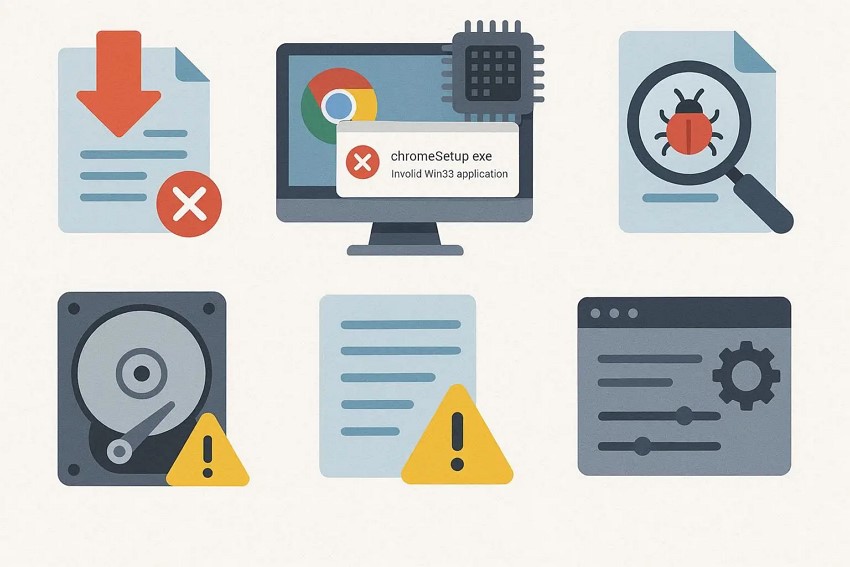
- Corrupted Download: The ChromeSetup.exe file may have been partially downloaded or corrupted during transfer. Windows cannot validate the file, which leads to the Win32 error.
- Incorrect Architecture: Attempting to run a 64-bit installer on a 32-bit Windows system triggers incompatibility. The operating system halts execution because the executable format is unsupported.
- File Modification or Malware: If the installer has been altered by malware or third-party software, its executable signature can fail validation. This prevents Windows from recognizing it as a legitimate Win32 application.
- Storage or Disk Errors: Bad sectors or file system issues on the storage drive can corrupt the installer file. Windows cannot read the full executable, causing the setup to fail.
- Registry or System Conflicts: Conflicting entries in the Windows registry or system settings may block execution. The OS detects an invalid state and refuses to run the installer.
Part 3. Step-By-Step Solutions For ChromeSetup.exe Installation Error
After identifying the potential causes, the next step is to apply practical solutions to fix the “ChromeSetup.exe is not a Valid Win32 Application” error. The methods below guide you through troubleshooting from simple checks to more advanced fixes:
1. Make Sure You Use a Windows 7–Compatible Chrome Version
Using a Chrome version compatible with Windows 7 prevents setup failures. If ChromeSetup.exe is not a valid Win32 application, confirming that the installer matches the OS version ensures proper PE header alignment. This allows Windows to recognize and load the executable, letting the installation process complete without errors. To learn how to perform this fix, read the steps provided next:
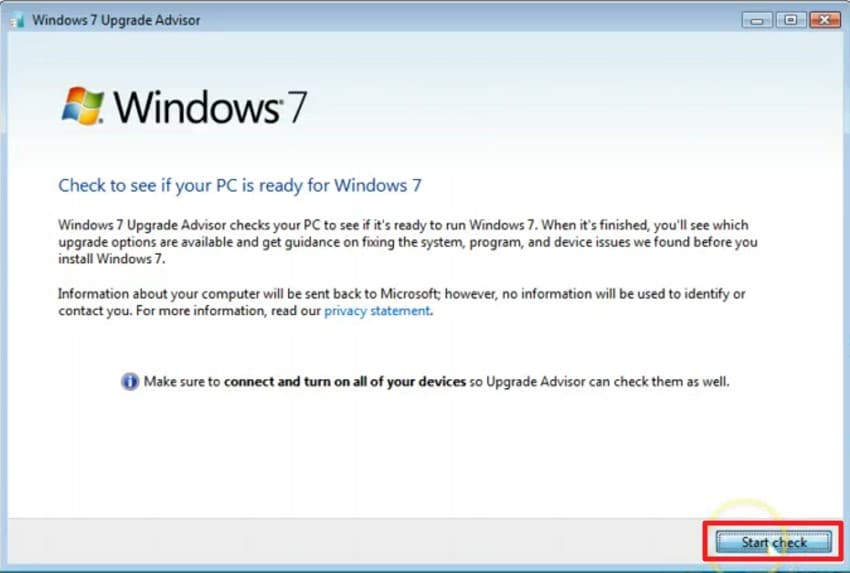
- Download and install the Windows 7 Upgrade Advisor from Microsoft’s official website by pressing the “Download” button.
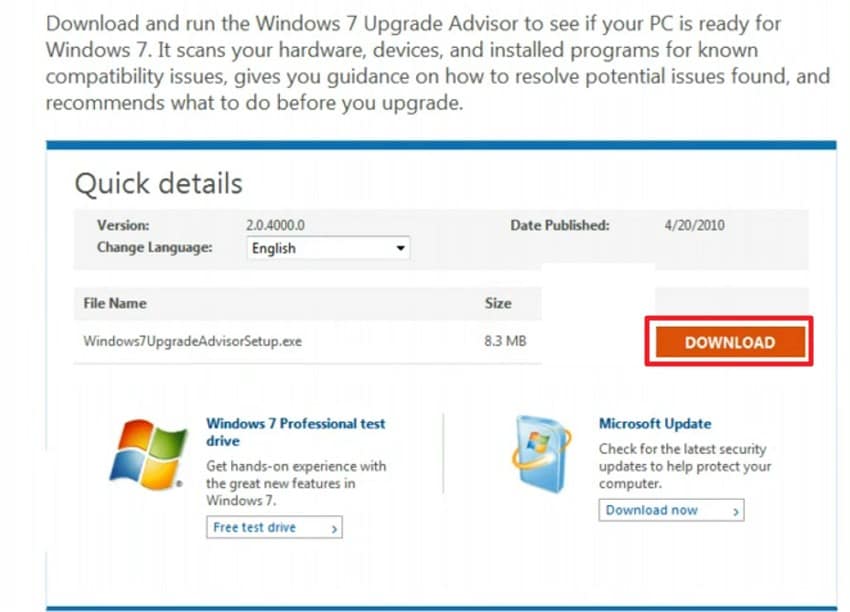
- Run the tool to scan your system for hardware, devices, and installed programs, identifying any compatibility issues before starting the upgrade using the “Start Check” button.
2. Download the Correct 32‑bit or 64‑bit Installer
Architecture mismatches often trigger errors. When the error occurs, verify that the installer matches the system’s 32-bit or 64-bit version to ensure compatibility. Correct architecture alignment allows Windows to read the executable fully and execute the installation process successfully. Read the steps provided next to learn how to download the correct Windows installer:
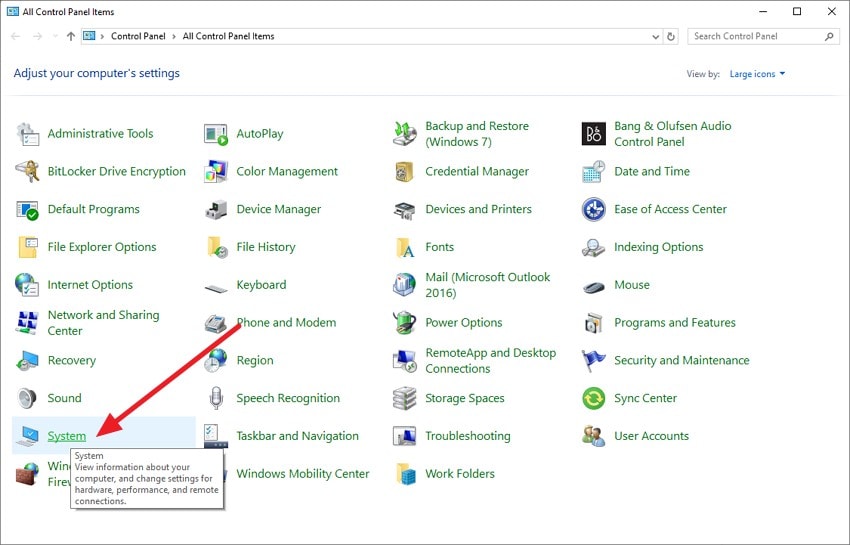
- On Windows, open the Control Panel and locate the “System” option to click on it.
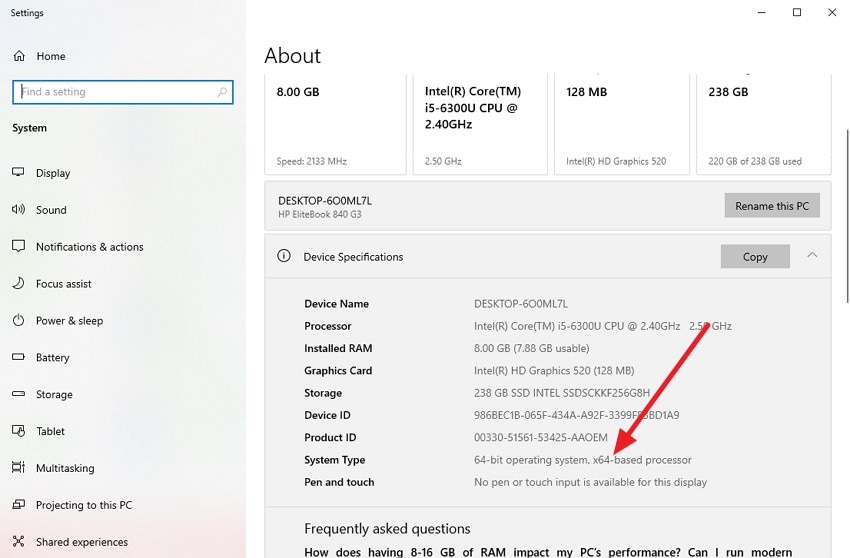
- Next, look under “Device Specifications” type to see whether your PC runs a 32-bit or 64-bit operating system.
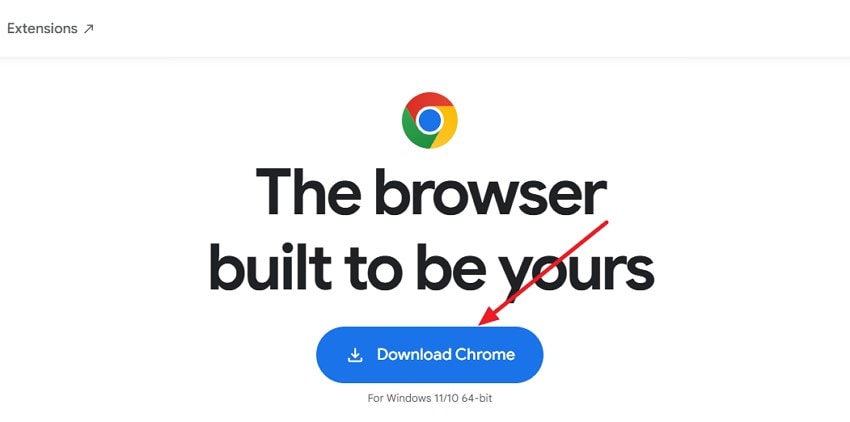
- Visit the official website or Windows download page. Select the installer version that matches your system type and press the “Download Chrome” button.
3. Use A Different Browser to Download Chrome
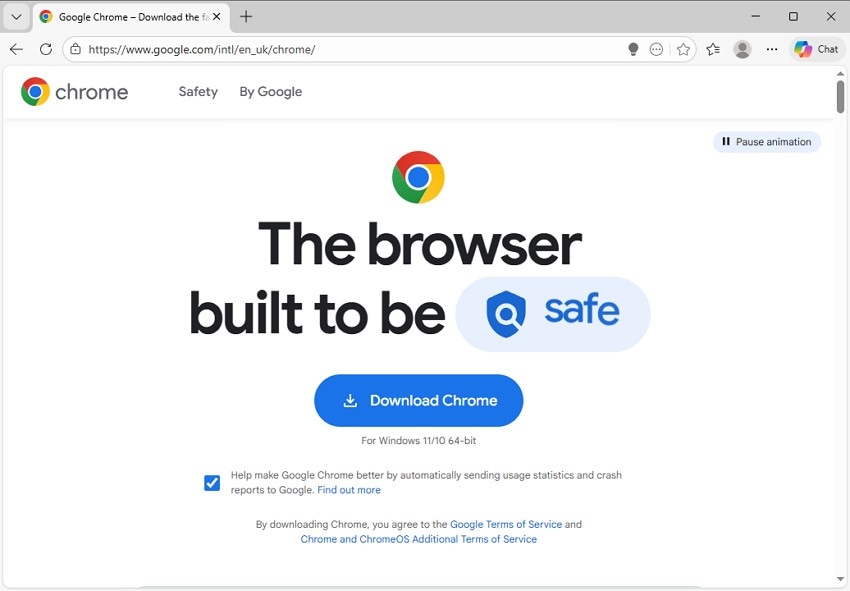
Sometimes browsers transfer corrupt files without you even getting any warnings. If the “ChromeSetup.exe is Not a Valid Win32 Application” message displays, downloading Chrome via a different browser ensures a complete and intact HTTP/HTTPS transfer. Using an alternative browser like Microsoft Edge or Mozilla Firefox helps eliminate incomplete or corrupted downloads.
4. Check That The Installer Isn’t Corrupted
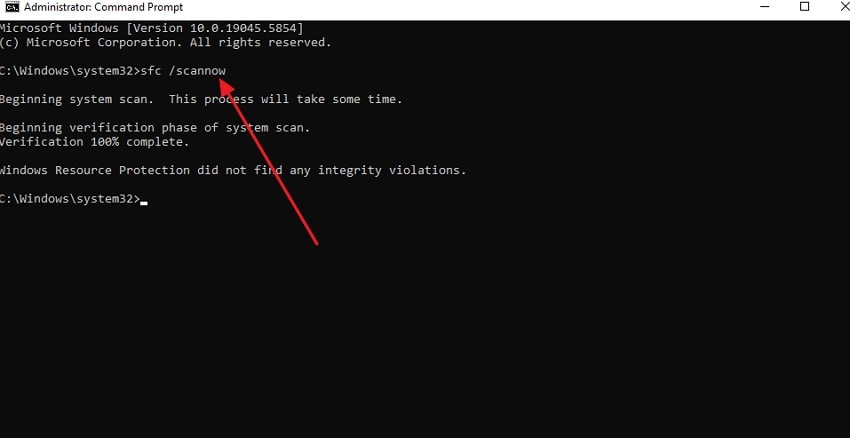
Incomplete or corrupted installer files cause execution issues. When the “ChromeSetup.exe is not a Valid Win32 Application message appears, checking the file size or checksum against the official release confirms the executable is intact. Valid PE headers and sections let Windows load the file and proceed with installation. You can use the SFC scan to check the integrity of the file and run the installer again while the scanner fixes the issue. To learn how to run this command, read the instructions provided next:
Instructions. After opening Command Prompt with administrative privileges, type “sfc /scannow” and hit Enter. The System File Checker utility will start inspecting your Windows system for any damaged or missing installer files.
5. Scan For Malware and Check Disk Errors
Malware and storage issues can alter or block executables. If the “ChromeSetup.exe is not a Valid Win32 Application” error persists, scanning for malware is the best option. It verifies the disk health and ensures the installer and system files are unmodified. This allows Windows to read and execute the setup without interruption. Follow the steps provided next to learn how to scan for malware and check disk errors:
Scan for Malware
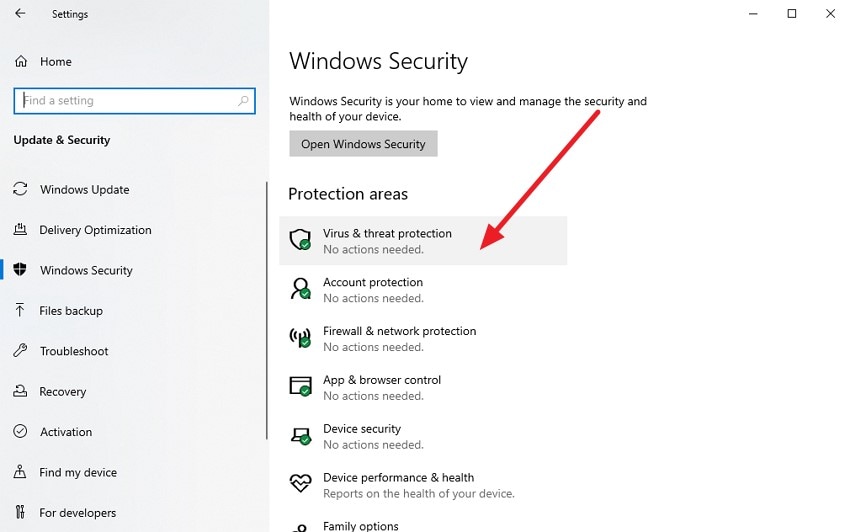
- Go to Windows Settings, open “Windows Security,” and select “Virus & Threat Protection.”
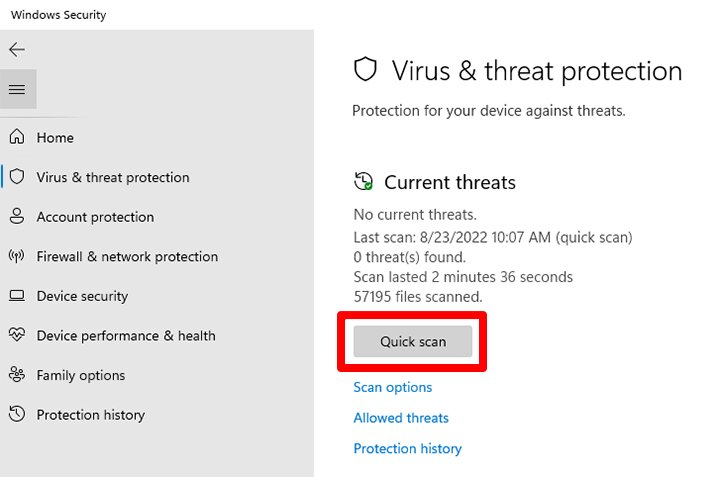
- In the following interface, click “Quick Scan” to initiate a malware scan and detect any potential threats on your system.
Check Disk Error
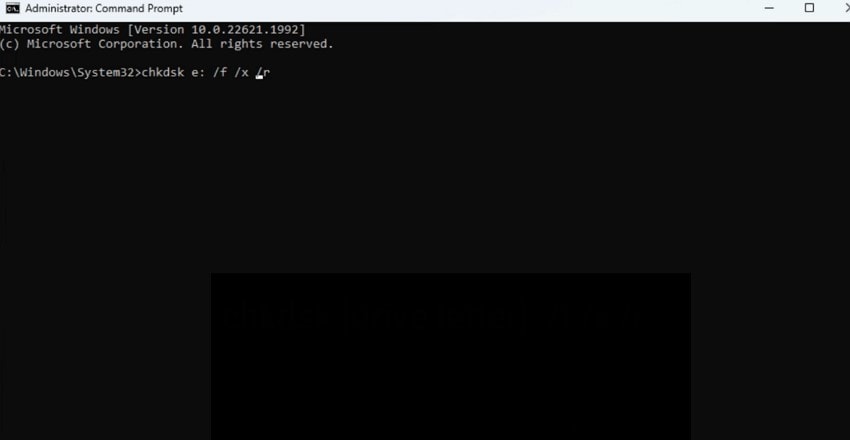
Instructions. Open Command Prompt as Administrator and type chkdsk C: /f /r (replace C: with your system drive letter). Press Enter and allow Windows to scan for bad sectors, repair file system errors, and recover readable data. Restart your PC if prompted to complete the process.
6. Try The Offline Installer
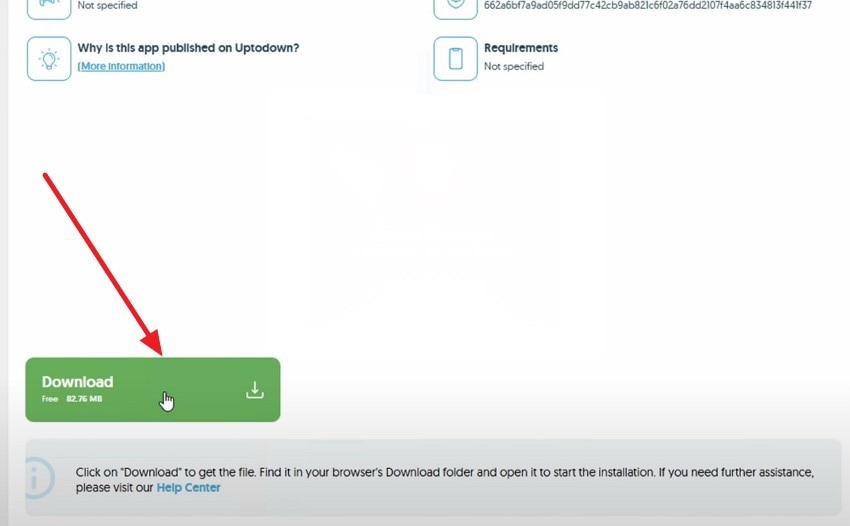
Network-based downloads can sometimes cause file corruption. When the “ChromeSetup.exe is Not a Valid Win32 Application” error is detected, using the offline installer provides a complete package. This ensures the executable is intact, allowing Windows to validate and run the setup successfully. You can access any authentic website and download the offline installer according to your system's specifications.
7. Consider An Alternative Browser If Chrome Still Fails
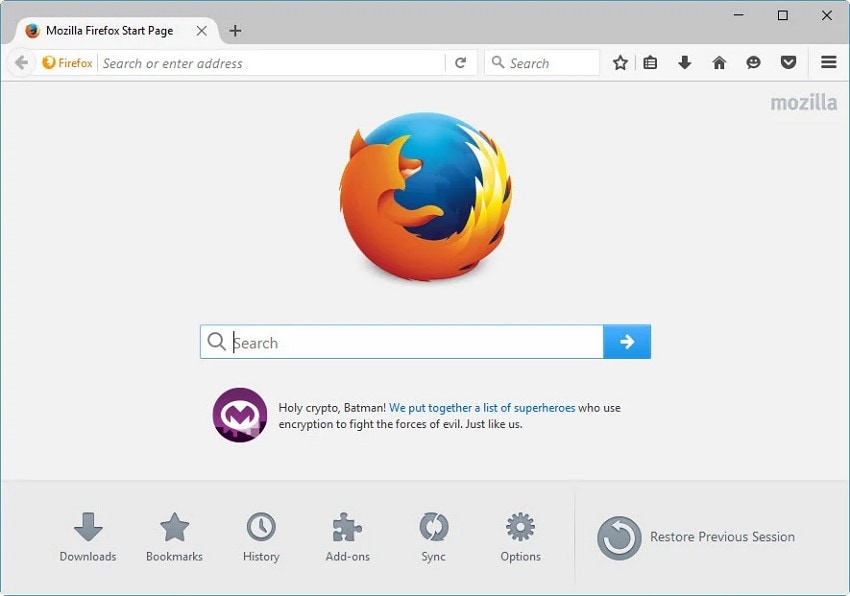
Persistent errors may relate to browser-specific download handling. If the “ChromeSetup.exe is Not a Valid Win32 Application” error continues to appear, using a different browser ensures a stable download and proper execution. This bypasses potential network or OS-level conflicts, enabling successful installation. There are many other browsers that you can try to continue your browsing and downloading without interruption.
Bonus Part: Recover Missing ChromeSetup.exe Files Easily With Recoverit
When the “ChromeSetup.exe is Not a Valid Win32 Application” message appears due to missing or corrupted installer files, Recoverit can quickly help restore them. The software performs a deep scan of your hard drive or external storage, detecting deleted or lost executable files. It ensures that ChromeSetup.exe is recovered in its complete form, preserving the file’s integrity so that Windows can execute the installer without triggering the Win32 error.
After locating the missing files, Recoverit repairs file system issues that may prevent proper execution. Its recovery engine reconstructs the original file structure, making the installer usable again. By restoring the executable correctly, Windows recognizes ChromeSetup.exe as a valid application, allowing the Chrome installation to proceed smoothly without further errors. Moreover, users get the ability to recover up to 00 MBs of data for free with this tool.
Coherent Features Offered by Recoverit
- Preview Recoverable Files: Recoverit allows users to view files before restoring them, ensuring that only the required items are recovered.
- Support for Various File Types: The software can retrieve multiple file formats, including images, videos, documents, and game files, all within a single scanning process.
- Quick File Search: With built-in search functionality, users can efficiently locate specific files from extensive scan results, streamlining the recovery process.
Comprehensive Steps for Recovering Corrupted or Missing Files With Recoverit
Having explored the capabilities of this data recovery software, let’s now focus on restoring Chrome files when the browser fails to load pages:
1. Select the Storage Location
Launch Recoverit and navigate to the drive or folder where your lost Chrome files were originally located. The program will automatically scan the chosen location, performing a thorough search for recoverable files.

2. Choose Files to Recover
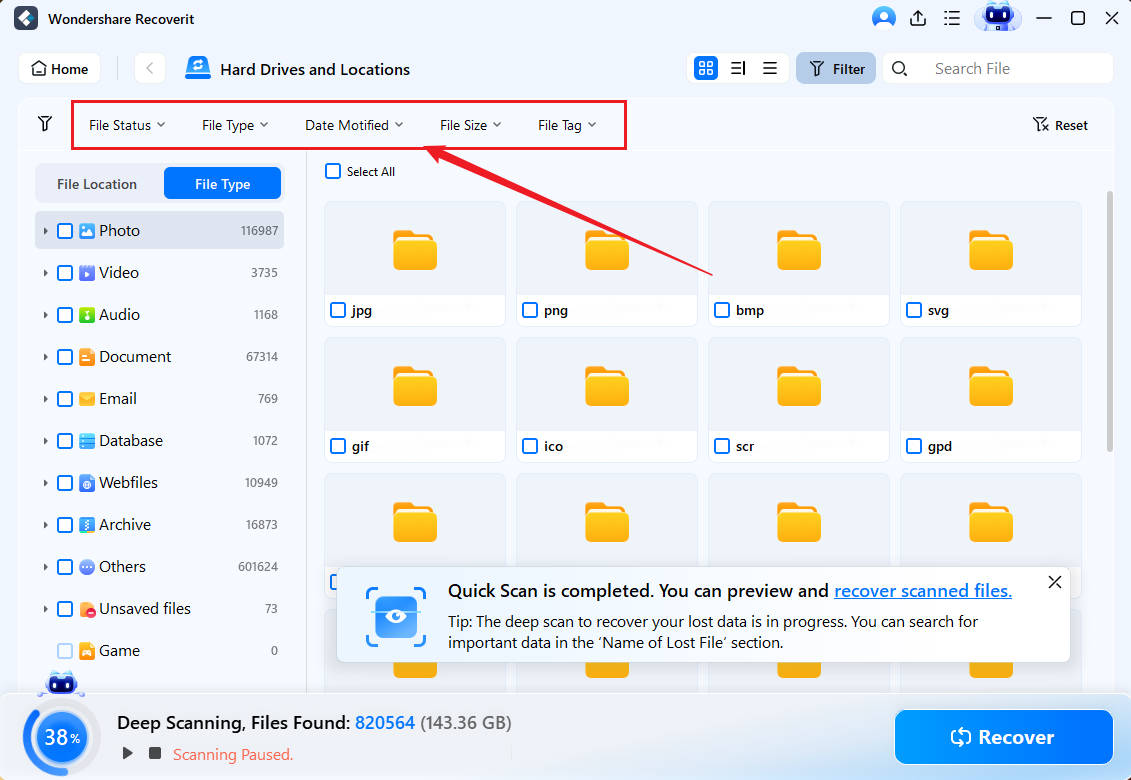
Once the scan completes, carefully examine the recovered file list. Mark the files you wish to restore, ensuring only necessary items are selected. Click “Recover” to initiate the restoration process.
3. Preview and Save the Files
Before completing the recovery, preview the restored files to verify their integrity and usability. After confirming, save them to a secure location on your device by clicking “Recover”.

Conclusion
To sum it up, users learned how to resolve the “ChromeSetup.exe is Not a Valid Win32 Application” error by understanding its causes and applying practical solutions. For cases where the installer is missing, corrupted, or blocked, Recoverit is highly recommended. Its deep scan and reliable recovery engine restore ChromeSetup.exe quickly and safely. This ensures that the installer runs properly and allows a smooth, error-free Chrome installation.
FAQ
1. What does “ChromeSetup.exe is not a valid Win32 application” mean?
This error occurs when Windows cannot execute the Chrome installer due to file corruption, incomplete downloads, or architecture incompatibility. It prevents the installation from starting.2. Can I fix the error without downloading a new installer?
Yes, minor issues can sometimes be resolved by running system checks like SFC scan or scanning for malware. For missing or corrupted files, using Recoverit ensures the installer is fully restored.3. How can Recoverit help if ChromeSetup.exe is missing?
Recoverit performs a deep scan of your drives to locate and recover lost or deleted ChromeSetup.exe files. Restoring the executable with Recoverit ensures Windows recognizes it as valid and allows installation to proceed.4. Is Recoverit safe for recovering corrupted Chrome installer files?
Yes, Recoverit safely recovers corrupted or incomplete ChromeSetup.exe files without modifying other system data. It reconstructs the file so Windows can execute it, eliminating the Win32 application error.


