

 TL;DR:
You can restart your GTA Online career by permanently deleting your current character or by safely creating a second character slot to start from rank 1 while keeping your shared bank GTA$.
● To perform a full reset, navigate to the "Online" tab in settings, select "Swap Character," highlight your character, and type "Delete" to permanently remove your rank, properties, and vehicles.
● Opting for a "soft restart" by creating a second character allows you to retain your existing bank funds, though all businesses, vehicles, and character-specific unlocks must be re-earned.
● Before initiating a full deletion, back up your local GTA V saves to protect story mode progress and take screenshots of your current loadouts and properties for future reference.
Ask AI for a summary
 ChatGPT
 Perplexity
 Gemini
 Claude
 Grok
Grok
Feeling stuck with your current GTA Online character is a common issue. It is because your stats are badly spread, your K/D or reputation is a mess, or your businesses and properties are. You might want the thrill of starting from rank 1 again, but the idea of losing your hard‑earned money and vehicles hits.
On top of that, this game doesn't offer a simple "reset everything" button, so it's right to worry about one wrong move. So, this article covers all the necessary information to know how to restart the GTA Online career.
Try Recoverit to Perform Data Recovery
 Security Verified. 3,591,664 people have downloaded it.
In this article

Part 1. Why You Might Want to Restart GTA Online Career
Before making any permanent changes, it's important to understand why you might restart your online career. Learning this might actually give you a proper reason to restart your GTA Online career:
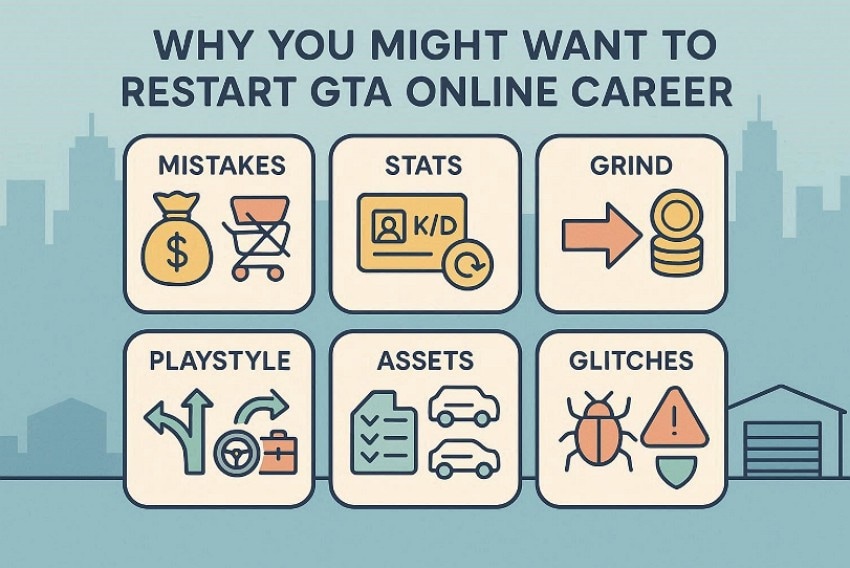
- Clean Up Early Mistakes: Starting over lets you avoid wasted cash on weak vehicles, random upgrades, or bad business choices. You can rebuild your finances with a smarter plan that focuses only on purchases that actually help you make more money and have fun.
- Fix Bad Stats or Reputation: If your K/D or death count feels stuck with a "ruined" profile, restarting gives you a clean slate. You can rebuild your character's record with better habits and more cooperative play.
- Experience The Grind Again: When you're already rich and high-level, GTA Online can start to feel routine and low-stakes. Restarting brings back the tension of low funds, and each small upgrade feels genuinely rewarding.
- Try A New Playstyle: A restart lets you reframe your character as a racer or a grinder, rather than being locked into old habits. You can choose jobs and businesses that match this new identity, making the game feel fresh again.
- Organize Your Assets: Over time, garages can become cluttered with random cars and scattered locations, making them a pain to manage. With a restart, you can create a clear portfolio of properties and vehicles, buying only what fits your routine and taste.
- Avoid Past Glitches: If your account has weird bugs and legacy issues from the old generation tied to past exploits. You reduce the risk of mysterious resets or wipes tied to messy old data.
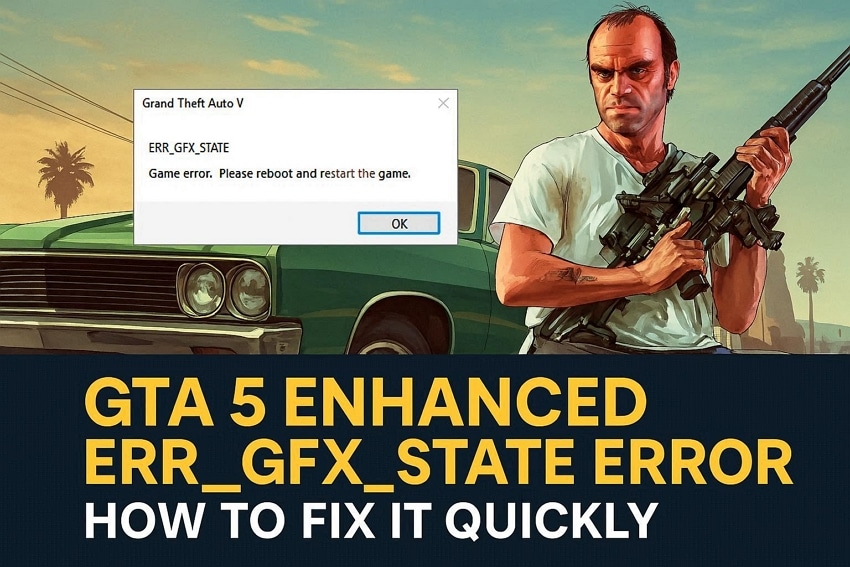
Fix “err_gfx_state” crash quickly using proven GTA 5 stability troubleshooting methods today.
Part 2. Common Scenarios That Require GTA Online Career Restart
Before you explore how to restart GTA Online Career, let's determine some common scenarios with GTA Online Career Restart:
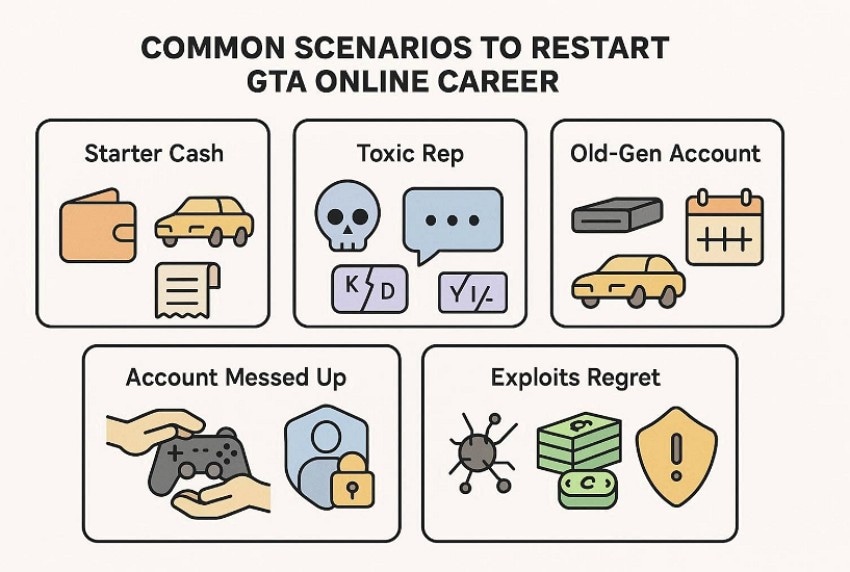
Scenario 1. Wasted Career Builder or Starter Cash
If you rush through Career Builder or the early game, it's easy to blow your starter money on weak vehicles. Over time, it can leave you with a sense of character permanently handicapped by bad investments locked in. Restarting your GTA Online career gives you a rare chance to rebuild your foundation. You can follow a smarter purchase order and avoid clutter, so dollars can be spent.
Scenario 2. Toxic Or Messy Reputation
Many players go through a phase of grieving, trolling, or mindless PVP before deciding to take the game seriously. When your stats show thousands of deaths, a terrible KD, and a history of attacking randoms, it never helps. Restarting your career lets you walk away from the messy past and create a new identity. In this way, your profile finally matches the way you want to be seen in GTA Online.
Scenario 3. Old-Gen or Outdated Account
Suppose your character was created years ago on old consoles or before major DLCs, or completely syncs with how GTA Online works. Users might own random properties in poor locations and have garages full of obsolete vehicles. In this institution, restarting gives you the freedom to embrace current content from a clean slate. Choosing better property locations and meta-relevant vehicles that fit today's GTA Online, instead of a version from years ago.
Scenario 4. Someone Else Messed Up Your Account
Sometimes a friend, sibling, or previous owner of the account jumps in and buys properties. By the time you get the account back, it might feel like a stranger character wearing your name and weighed down by your choice. Restarting your career is often the simplest way to reclaim control. You can rebuild from scratch according to your own preference.
Scenario 5. Regret Using Glitches Or Exploits
If a big chunk of your money or rank came from glitches or other exploits, your progress can start to feel hollow. If you skipped the core experience, GTA Online is still satisfactory. On top of that, you may worry about long-term risks, such as audits or penalties tied to suspicious gains, especially if those methods become the target of enforcement.
Part 3. Precautions To Take Before Restarting GTA Online Career
Before proceeding to how to restart GTA Online Career, it's critical to review the following precautions to avoid losing valuable progress:
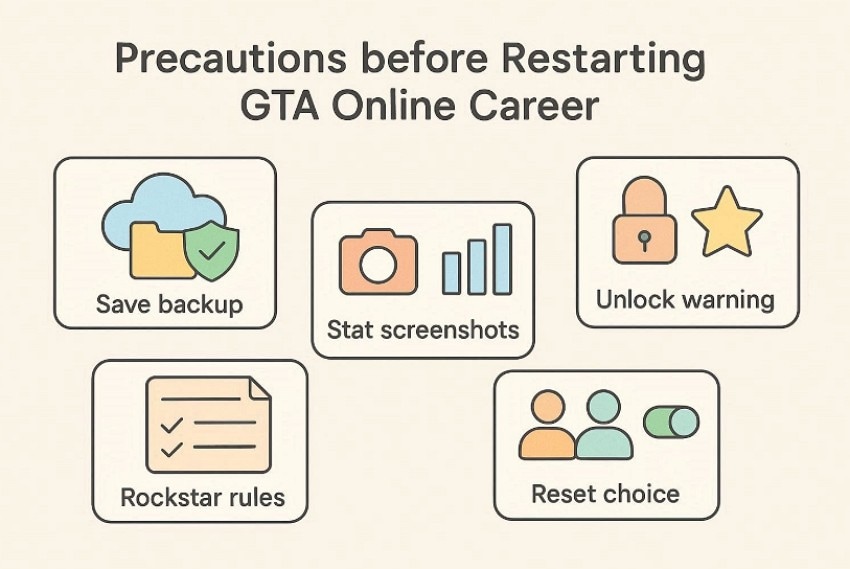
- Save Backup: Backup local GTA V saves before you restart the GTA Online career. This protects story progress and prevents accidental launcher file loss later.
- Stat Screenshots: Take screenshots of rank, properties, vehicles, and weapons before resetting everything. They help you compare progress, rebuild loadouts, and verify past ownership.
- Unlock Warning: Character unlocks may disappear, so expect losses when you restart fully. Assume deleted character items are gone unless Rockstar states otherwise clearly.
- Rockstar Rules: Read Rockstar support pages on deletion, transfers, and account limits first. You'll know what's reversible, what's permanent, and safer options available now.
- Reset Choice: Decide between a new character slot or a full reset today. A second character can share funds, reducing rebuilding time and stress.
Part 4. Strategies To Progress Quickly in Your Fresh GTA Online Career
Once your reset is complete, the next step is implementing smart, efficient methods. So, let's explore the strategies before knowing how to restart the GTA Online career:
1. Plan Your New Career Path and Goals
Before you even load into your new character, decide what kind of player you want to be this time, including grinder or heist. Set clear short‑term goals and long‑term goals so every purchase and activity supports a focused, efficient progression instead of random spending.
2. Start With Easy Missions to Rebuild Money and Stats
In the early ranks, focus on the contact missions, early heists, and simple jobs that you can complete quickly. These activities let you stack cash, raise your ranks, and improve your basic combat and driving stats. Overall, it doesn't require expensive gear, while also unlocking better missions and weapons as you go.
3. Join Online Communities or Crews for Faster Progress
Playing with a good crew or community makes almost everything faster. You feel lobbies run heists more smoothly and share tips on the best money methods and purchases. Look for active, friendly groups that match your playstyle so you can run heists regularly. Furthermore, the events are coordinated with teammates instead of relying on randoms.
4. Avoid Repeating Mistakes from Your Previous Career
Think about what went wrong last time wasted on bad vehicles, scattered properties, or toxic playstyle. Buy only what you truly need, prioritize high‑value businesses, and avoid grieving. Moreover, it ruins your experience and treats your new character as a chance to build a cleaner, smarter account from day one.
Part 5. Restarting GTA Online Career Without Losing Control - Easy Steps
If you're ready to begin again, follow these practical steps below to know how to restart your GTA Online career:
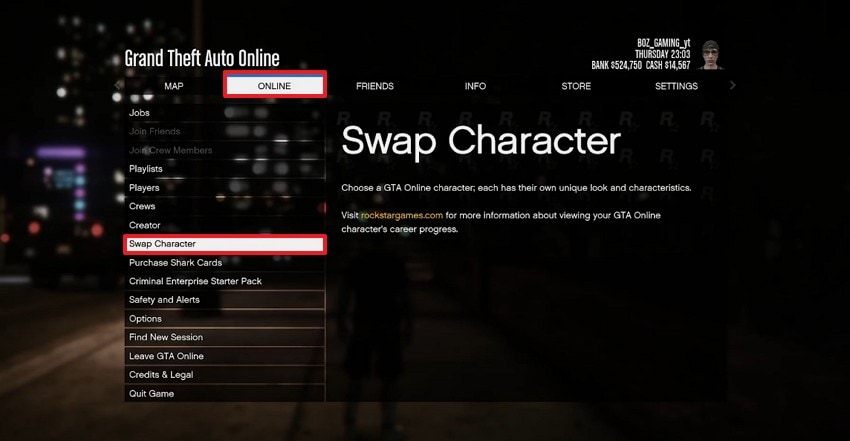
- At first, open the GTA Online game settings, choose the "Online" tab, and click on the "Swap Character" tab from the left.
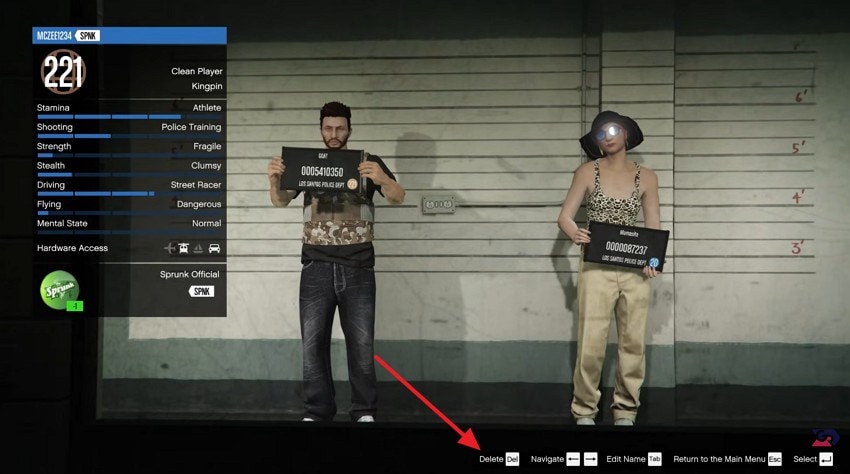
- Now, on the character selection screen, highlight the character you want to restart, then select "Delete" to proceed.
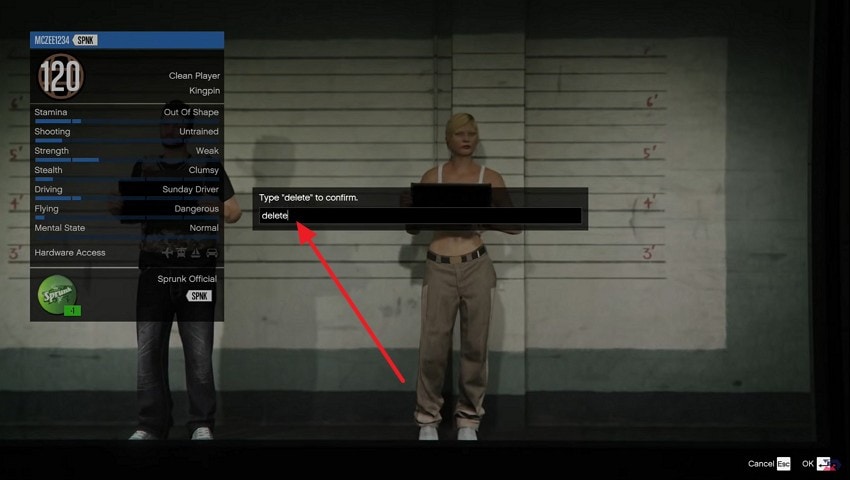
- Next, when the confirmation box appears, type "Delete" to confirm on PC, then confirm to continue.
- After that, customize your new character, then select "Save & Continue" to start fresh in GTA Online.
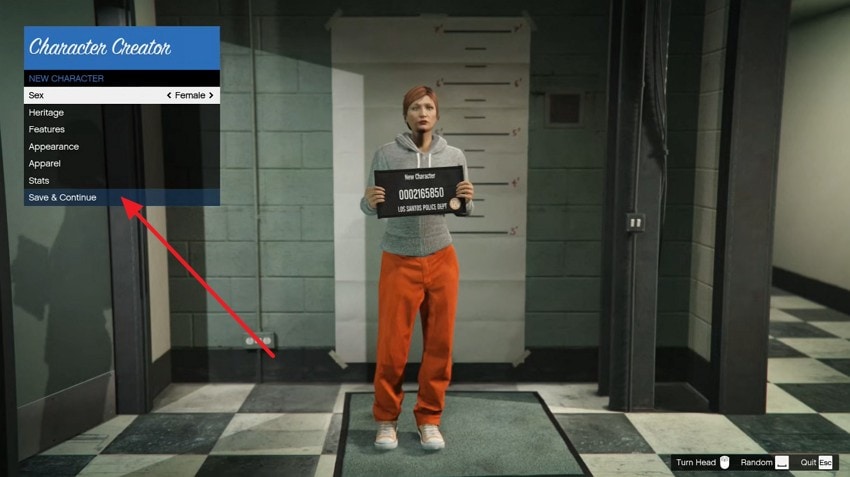
Tip: If you want a "soft restart," create a new character slot instead of deleting your main one.
Pro Tip: Recoverit Guide: Protect Your Files When Restarting GTA Online
When you restart your GTA Online career, you're mostly dealing with cloud saves and in‑game data. While doing so, you may lose essential game files, so we recommend using Recoverit. This efficient tool lets you retrieve lost data while ensuring 99.5% accuracy, along with the option of 500MB of free data recovery.
Recoverit lets you simply select the desired location and restore multiple files simultaneously. Users can easily retrieve lost files from multiple scenarios, including accidental deletion and drive corruption. Moreover, you can even preview the recovered outcome to ensure its accuracy.
Key Features
- File Support: Recovers documents, spreadsheets, presentations, videos, images, and audio files without compatibility or format limitations issues.
- Cross-Platform Compatibility: Supports Windows and macOS systems, allowing recovery from laptops, desktops, external drives, and storage devices.
- Scanning Modes: Performs quick scans for recent deletions and deep scans for permanently lost or hidden files.
Guide to Use Recoverit For File Retrieval
After knowing how to restart the GTA online career, let's dive into its detailed guide below:
1. Access Hard Drives and the Location Tab in Recoverit
Upon entering the tool, click "Hard Drives and Locations," then choose the desired folder under the "Quick Access" tab.

2. Initiate the Scanning Procedure to Retrieve Lost Files
After selecting the desired location, it will automatically initiate the Quick scanning mode.
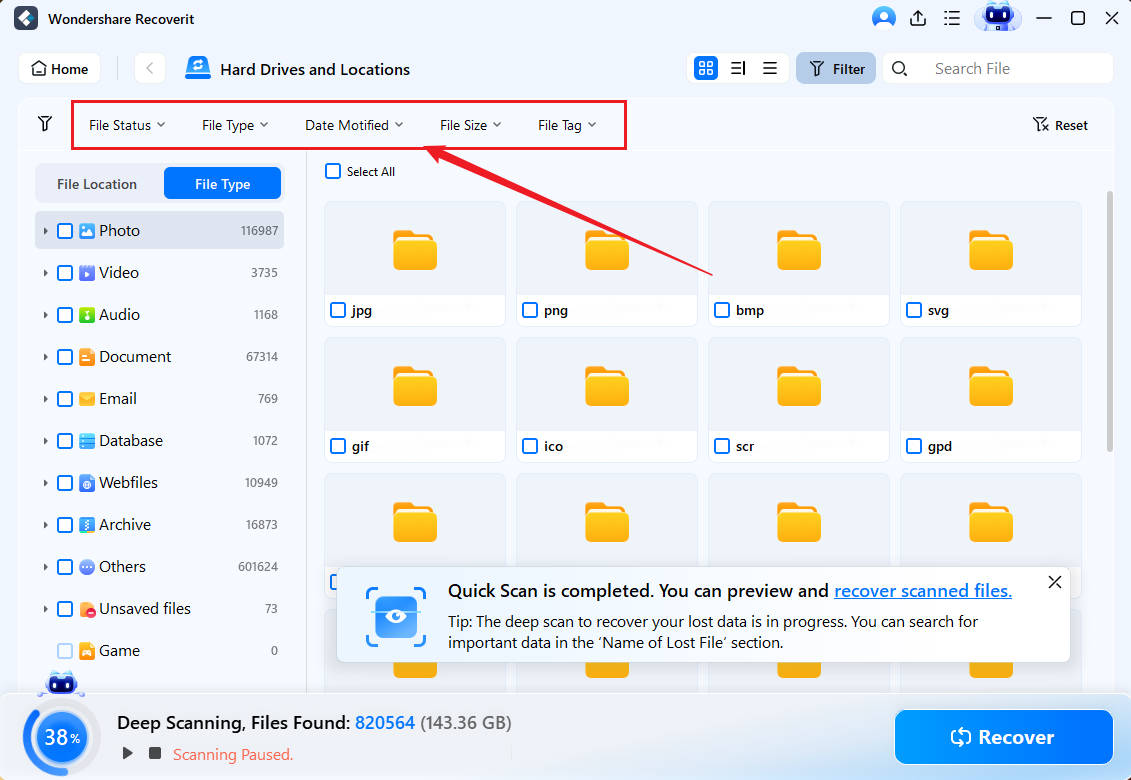
3. Preview and Recover the Lost Files to the Device
Lastly, examine the recovered outcome and hit the recover button to complete the procedure.

Conclusion
Summing up, restarting can feel risky, but it is manageable with the right approach and clear expectations. This guide showed what resets, what may stay, and the safest precautions before you begin. So, follow the steps in order, plan your new path, and avoid old spending mistakes. For how to restart GTA online career, keep local backups; Recoverit helps restore deleted screenshots or gameplay clips.
FAQ
-
1. Can I restart my GTA Online career without deleting my main character?
Yes, you can create a second character in the character section or the manage characters screen. You can start from rank 1 while keeping your original character intact on the same account. -
2. What progress is shared between characters on the same account?
In most cases, bank GTA$ is shared across characters on the same account. However, properties, businesses, vehicles, and most character-specific unlocks are not shared and must be re-earned. -
3. Will I lose my purchased Shark Cards, bundles, or bonuses if I restart?
If you only create a new character on the same account, or you purchased content, it stays tied to the account. When you make a brand‑new Rockstar account for a true fresh start, you lose access to purchases tied to the old one. -
4. What's the safest way to restart without risking important progress?
The safest method is a "soft restart" by creating a new character in the existing account. It can test a fresh start while your original character and its progress remain available if you change your mind.


