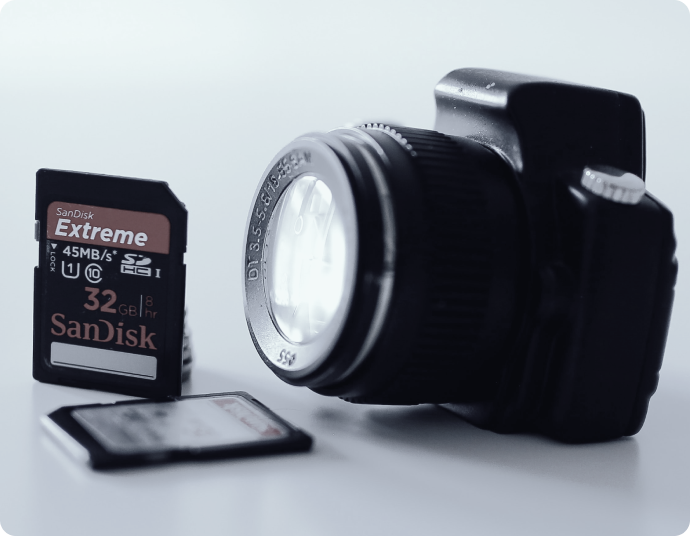
Memory Card Data Recovery
Wondershare Recoverit helps recover deleted, formatted, RAW, corrupted, and inaccessible files from SD cards, microSD cards, CF cards, CFexpress cards, Memory Sticks, and other camera memory cards. It is best suited to logical data loss, including accidental deletion, formatting, transfer interruption, file system errors, and cards that are still detectable by a computer or device.
- √ Retrieves data from all types and brands of memory cards
- √ Supports the recovery of over 1000 file types stored on memory cards
- √ The intuitive interface enables simple 3-step memory card data recovery
Note: If a memory card is physically cracked, badly water-damaged, overheating, or not detected anywhere, stop using it and consider professional recovery service before repeated DIY attempts.










Versatile Memory Card Recovery:
Recover Files From SD, microSD, CF, CFexpress, and Camera Memory Cards
Recoverit supports file recovery across many memory card types used in digital cameras, drones, action cameras, smartphones, and creator workflows. It can recover photos, videos, audio, RAW images, and documents from memory cards that are still logically accessible to the operating system.

CompactFlash and CFexpress

Secure Digital (SD Card)

Memory Stick

MultiMediaCard(MMC)

MiniSD/MicroSD card

Other Newly or Outdated Cards
Efficient Memory Card Recovery:
Recover Files From Common Memory Card Data Loss Scenarios
Recoverit is designed for common logical memory card data loss situations, such as deletion, formatting, transfer interruption, RAW file systems, malware damage, and inaccessible cards that are still detectable. If a card shows strong signs of physical damage, software recovery may not be the safest first step.








Error Messages

Card Not Detected or Card Mount Fails

Missing Photos, Videos, or Folders

Files Open but Photos or Videos Are Damaged
Master Memory Card Recovery:
Recover Photos, Videos, RAW Images, and More From Memory Cards
Recoverit supports 1,000+ file types commonly stored on memory cards, including camera RAW images, high-resolution photos, action-cam footage, drone videos, audio recordings, and project-related documents. This makes the page more relevant to creators, photographers, filmmakers, and content teams working with removable media.


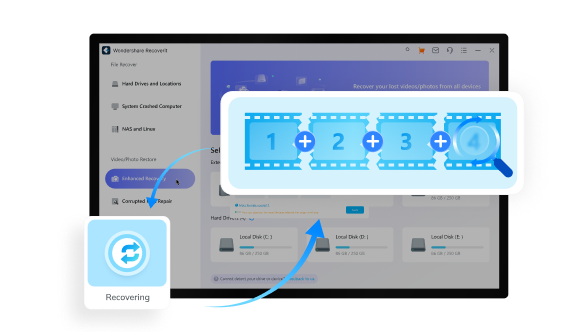
What To Do Immediately After Memory Card Data Loss
If photos, videos, or project files disappear from a memory card, your first actions matter. The wrong step can overwrite files or worsen hardware-related damage.


How To Recover Deleted Files From a Memory Card
To recover deleted, formatted, or inaccessible files from a memory card, install Recoverit on your Windows or Mac computer, connect the card, scan for recoverable files, preview the results, and save them to a different location. Recoverit supports free scan and preview, and the free version allows limited free recovery.
-
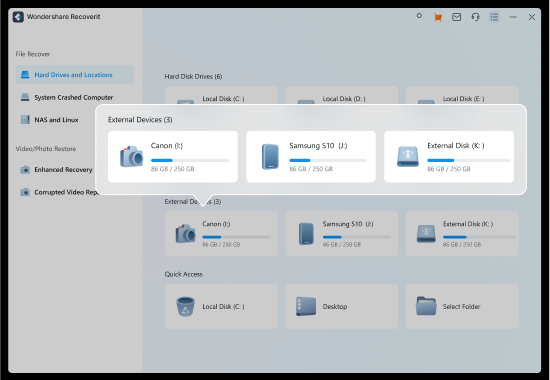
Step 1: Choose the Memory CardOpen Recoverit. Go to the SD Card Recovery section and select the SD card, microSD card, CF card, CFexpress card, or other memory card that contains the lost files. If you are recovering from a camera or drone workflow, connect the card with a stable reader before scanning.
-
Step 2: Scan for Lost FilesRecoverit searches for deleted, formatted, hidden, RAW, and inaccessible files from the selected memory card. As results appear, you can narrow them by file type, date, size, and keywords to quickly locate photos, videos, audio, or documents.
-
2.1 Use “Filters” to Quickly Sort the Desired FilesYou can easily categorize the scanned files by file type, date, file size, and other criteria. For example, you can selectively view Pictures, Videos, Audio, Documents, Archives, and other specific file types to streamline your search. Why waste time sifting through everything when you can focus solely on the videos that can be successfully recovered?
-
2.2 Use the "Search" Function to Locate FilesIf you have the specific file name in mind, simply enter it into the search bar of the memory card data recovery application. The search function supports the use of wildcards, allowing you to quickly locate the file by entering part of its name or relevant keywords. This feature saves you valuable time by bypassing the need to manually sort through the recovery results.
-
2.3: Preview and Check File QualityPreview photos, documents, and supported video files before recovery. If a recovered video or image remains damaged, a repair workflow may still be needed after recovery.
-
-
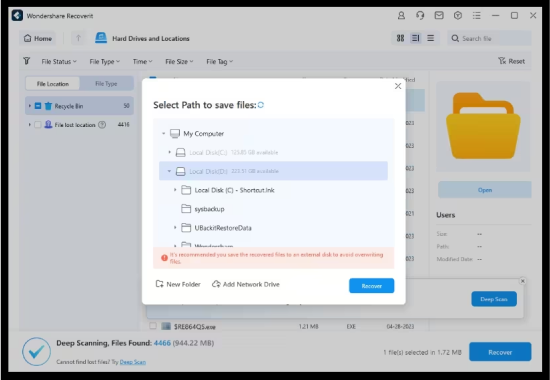
Step 3: Recover to a Different LocationSelect the files you want to restore and save them to a healthy drive or computer folder instead of the original memory card. This helps avoid overwriting or worsening the original card state.


Tech Specs of Wondershare Recoverit
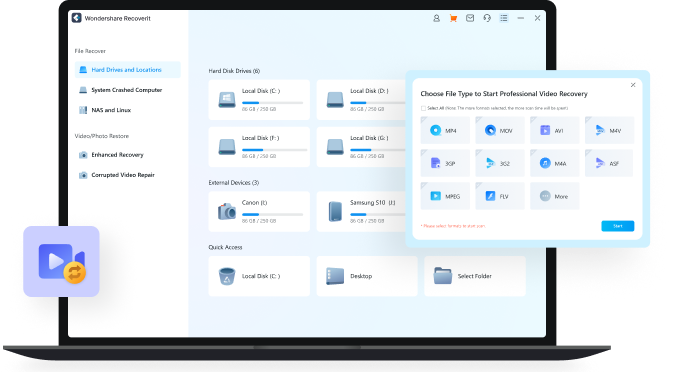
Recoverit supports major desktop recovery workflows for creator files stored on removable media across Windows and Mac systems.
-
Supported OS:
Windows 11/10/8.1/8/7/Vista
Windows Server 2003-2022
macOS 10.10 or later -
Supported File Systems:
exFAT, FAT16, FAT32, NTFS, ReFS, HFS & HFS+, APFS, RAID, JFS, BTRFS, XFS, BFS, EXT4, and any RAW disk -
Hard Disk Space:
56MB minimum space for installing
Comparison Chart for Common Memory Card Recovery Needs
Use this chart to compare memory card recovery tools across creator-relevant needs such as formatted card recovery, RAW card recovery, fragmented video reconstruction, preview support, and file repair capabilities.

Wondershare
Recoverit |

|

MiniTool Power
Data Recovery |

|

|
|
|---|---|---|---|---|---|
| Modern User Interface | (GLI Tool) | ||||
| Supported Memory Card File Systems | exFAT, FAT16, FAT32, NTFS, ReFS, HFS+, Encrypted HFS, HFSX, APFS, BTRFS, XFS, BFS, EXT4 | exFAT, FAT16, FAT32, NTFS, HFS+, APFS, EXT2/3/4 | FAT12, FAT16, FAT32, exFAT, VFAT, NTFS, NTFS5 | exFAT, FAT16, FAT32, NTFS, EXT2/3/4 | FAT12, FAT16, FAT32, exFAT, NTFS, HFS, HFS+, HFSX, JFS, BTRFS, XFS, EXT2/3/4 |
| Supported File Types | 1000+ | 400+ | 100+ | 50+ | 100+ |
| Corrupted Memory Card Recovery | |||||
| Formatted Memory Card Recovery | |||||
| RAW Memory Card Recovery | |||||
| RAW Photo Recovery | Limited support | Limited support | Limited support | ||
| Video Fragments Match | |||||
| Resume Scanning Process | |||||
| File Preview | Limited support | Limited support | |||
| Document/Photo/Video Repair | |||||
| Price | Starts at $59.99 | $89 | Starts at $69.99 | Starts at $24.95 | Free and open source |
Tips To Prevent Memory Card File Loss
Memory card data loss is common in creator workflows, especially when cards are used across cameras, drones, action cams, phones, and laptops. The habits below reduce corruption, overwrite risk, and preventable card failure.
-
Tip 1: Eject the memory card safely after transfers finish
Once you finish viewing or transferring your files on your computer, right-click the SD card icon and select “Eject.” You can now remove the card without risking accidental deletion or corruption.
-
Tip 2: Store cards in a cool, dry place and protect them from water, dust, and heat
Hot, cold, or humid weather conditions can damage your SD card. We recommend storing your card in a cool, dry location and limiting exposure to harsh weather conditions.
-
Tip 3: Use trusted readers, adapters, and cables for transfers
Every time you connect your SD card to a device you run the risk of infection with malware or a virus. Only use devices that have been verified virus-free.
-
Tip 4: Handle SD cards gently
SD cards can easily be physically damaged by roughly inserting and removing them from a device. This can lead to data loss and should be avoided.

-
Tip 5: Back up photos and videos before formatting or reusing a shoot card
Backing up your data provides you with a way to recover files from a memory card without software. It's a valuable practice that you should be performing regularly.
How Creators Use Recoverit for Memory Card Recovery



See What Our Users Ask Frequently
-
Can I recover deleted files from a memory card?Yes. If the card is still detectable and the deleted data has not been overwritten, memory card recovery software can often restore photos, videos, audio, and documents.
-
Can I recover files from a formatted SD or CF card?Often, yes. Formatting usually removes file references first, so recovery may still be possible until new data overwrites the original files.
-
What should I do before trying memory card recovery?Stop using the card, do not format it, and avoid saving new files to it. If the card is physically cracked, extremely hot, or completely undetected, repeated DIY attempts may not be the safest option.
-
Can Recoverit recover RAW photos and camera video files?Recoverit supports many photo, video, and camera file formats stored on memory cards, including RAW image formats and creator video formats depending on file condition and recoverability.
-
What if recovered videos or photos still do not open?Recovery restores the file data first, but some media may still remain fragmented or corrupted. In those cases, a repair workflow may help after recovery.
-
Is it possible to recover files from an overwritten SD card?Unfortunately, if an SD card has been overwritten with new data, the chances of recovering the original files are minimal. It is crucial to stop using the card once you realize the data loss to maximize the possibility of successful recovery before overwriting occurs.
See What Tips & Tricks We Offer