

 TL;DR:
The MacBook Neo is a capable entry-level laptop strictly for casual users and students handling light daily workloads, provided you purchase it near its $599 education or refurbished price rather than the updated $699 new MSRP.
● The budget pricing requires accepting non-upgradeable hardware limitations, specifically a fixed 8GB of memory, an sRGB-only display, and no Thunderbolt support across its unequal USB 3 and USB 2 ports.
● The M5 MacBook Air is a necessary alternative for buyers who require more than 8GB of RAM, color-critical P3 display accuracy, external monitor setups, or sustained performance for long-term college and career use.
● Because internal storage caps at 512GB, secure data with Time Machine before formatting; if files are lost on a readable drive, Wondershare Recoverit can scan for data before it is overwritten, but external recovery drives should be connected specifically to the Neo's faster USB 3 port.
Ask AI for a summary
 ChatGPT
 Perplexity
 Gemini
 Claude
 Grok
Grok
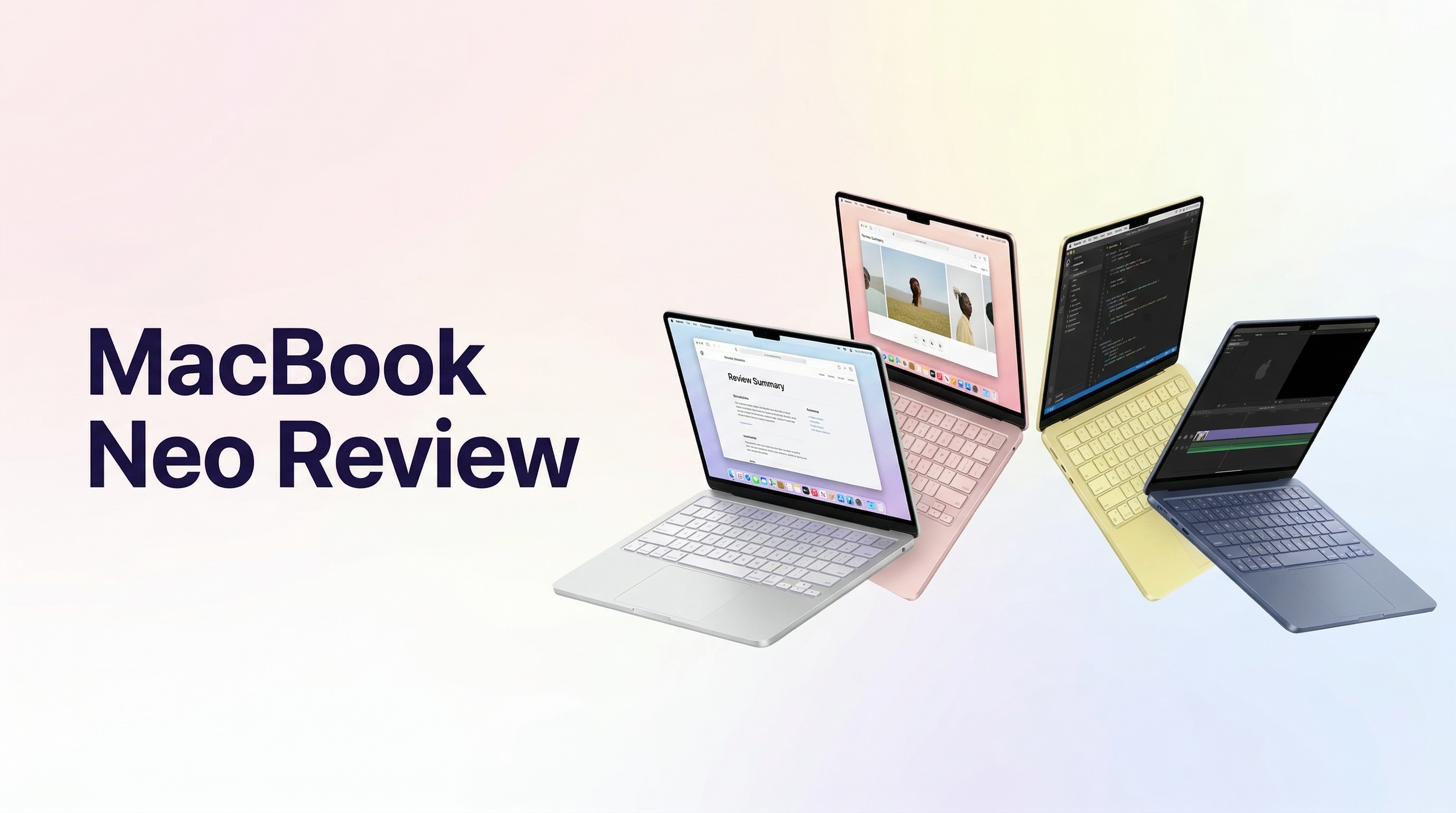
MacBook Neo is Apple's entry-level MacBook for users who want macOS, Apple silicon, a lightweight aluminum body, and long battery life without paying MacBook Air money. It launched in March 2026 as a $599 Mac, but that price needs updating: by August 2026, Macworld and other price trackers report that the regular new-unit starting price has moved to $699, while education and refurbished channels may still bring the effective price back near $599.
This MacBook Neo review explains the current price, release date, A18 Pro performance, display, battery life, ports, design, MacBook Neo vs MacBook Air, MacBook Neo vs MacBook Pro, who should buy it, and how to protect or recover files on a low-storage Mac. The short answer: MacBook Neo is a strong everyday Mac for students and casual users, but it is not the right choice for pro creative work, heavy multitasking, Thunderbolt workflows, or users who need more than 8GB RAM.
Storage safety also matters. The MacBook Neo comes only in 256GB and 512GB SSD configurations, and the internal storage is not user-upgradeable. Before erasing, reinstalling macOS, migrating data, or troubleshooting a failing drive, back up with Time Machine. If files are already deleted or missing from a readable Mac drive, external SSD, USB drive, or migrated folder, Wondershare Recoverit for Mac may help scan for recoverable files before the data is overwritten.
In this article
Part 1. MacBook Neo Review: Quick Verdict
Is MacBook Neo worth buying in 2026? Yes, for students, first-time Mac users, writers, office workers, and casual users who want a light Mac for browsing, documents, streaming, email, video calls, and Apple ecosystem features. It is less compelling for video editors, developers with heavy local workloads, design students, users with Thunderbolt docks, or anyone who knows they need more than 8GB of unified memory.
The best part of the MacBook Neo is not raw power. It is the combination of price, build quality, battery life, macOS, Apple silicon efficiency, and a real laptop form factor. The worst part is that Apple made sharp cuts to hit the entry segment: fixed 8GB memory, limited SSD choices, one USB 3 port, one USB 2 port, no Thunderbolt, no MagSafe, sRGB-only display color, and Touch ID only on the higher configuration.
Review Scorecard
| Review area | Score | Editorial notes |
| Everyday performance | 4.3/5 | A18 Pro is strong for Safari, Office, schoolwork, streaming, email, light photo work, and Apple Intelligence features. |
| Value | 4.0/5 | Excellent at $599 education/refurbished pricing; more complicated at the current $699 new-unit price. |
| Display | 3.8/5 | Sharp 13-inch Liquid Retina panel with 500 nits brightness, but sRGB color and no True Tone keep it below MacBook Air. |
| Ports | 2.8/5 | One USB 3 and one USB 2 port are limiting in 2026, especially for external SSDs, displays, docks, and creators. |
| Battery | 4.1/5 | Apple rates up to 16 hours video streaming and 11 hours wireless web. Review testing from Tom's Guide measured about 13.5 hours in mixed use. |
| Upgrade flexibility | 2.5/5 | 8GB memory is fixed, storage options stop at 512GB, and internal storage is not user-upgradeable. |
| Overall | 4.0/5 | A convincing budget Mac for basic users, but the Air is safer if you need longevity, ports, display quality, and RAM headroom. |
What Changed Since Launch
Many older MacBook Neo reviews still emphasize the original $599 launch price. That was accurate in March 2026. It is no longer the whole story. Apple announced MacBook Neo on March 4, 2026 at a breakthrough $599 starting price, according to Apple's official newsroom release. By July and August 2026, Macworld's deal tracking reported a new $699 starting price for the 256GB model and $799 for the 512GB model, while Tom's Guide and The Verge reported that education and refurbished options can still reach roughly $599.
That price shift changes the verdict. At $599, MacBook Neo is an easy recommendation for a basic Mac. At $699, the buyer should compare it more carefully with student MacBook Air discounts, refurbished M-series Air models, and seasonal laptop deals.
Part 2. MacBook Neo Release Date, Price, and Configurations
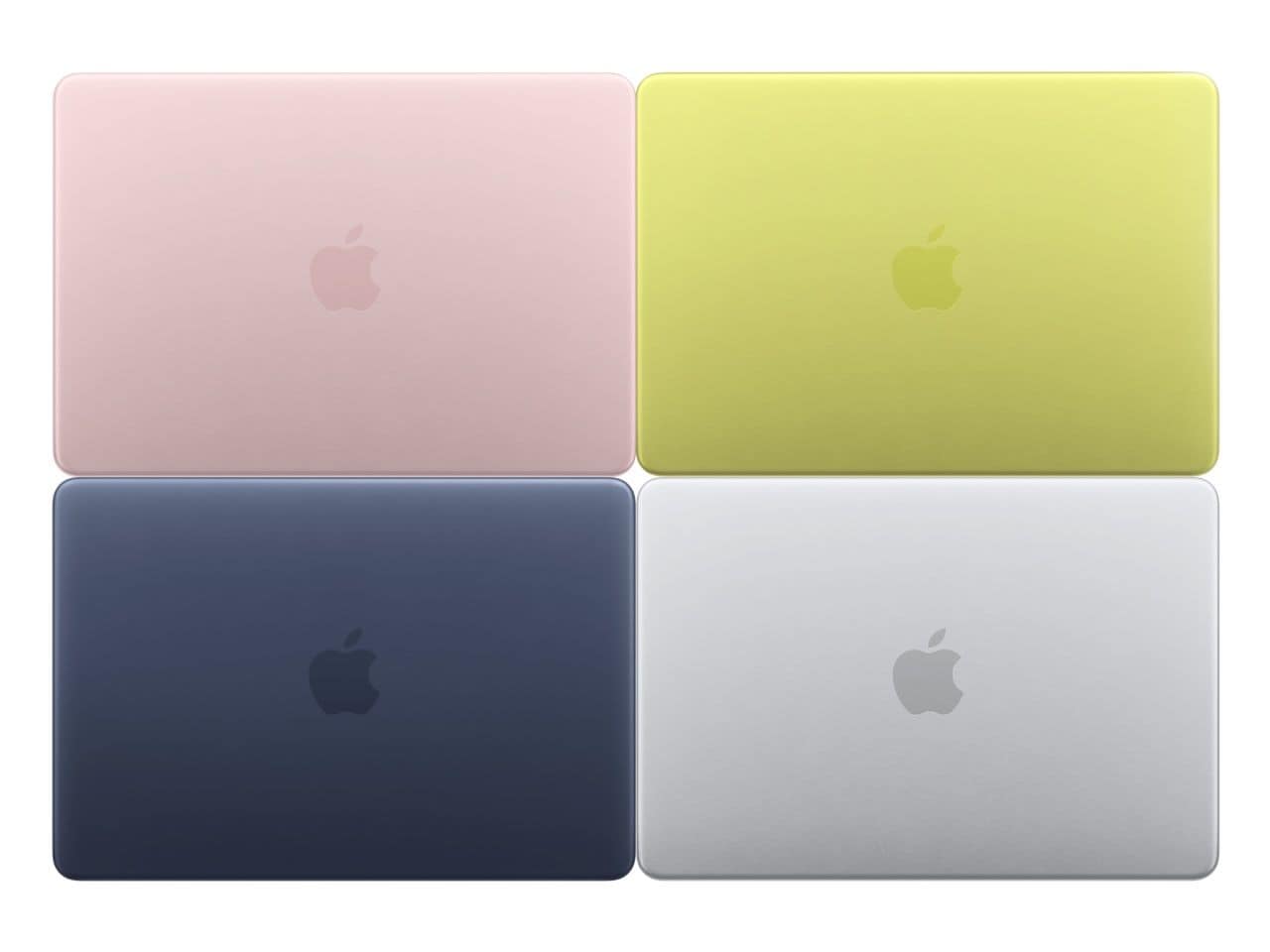
Apple announced MacBook Neo on March 4, 2026, with availability beginning on March 11, 2026. It was positioned as Apple's most affordable MacBook, using an A18 Pro chip, a 13-inch Liquid Retina display, and an aluminum body in Silver, Blush, Citrus, and Indigo.

| Configuration | Launch price | Current pricing context as of August 2026 | Best for |
| MacBook Neo base model | $599 | Macworld reports current new MSRP at $699; education/refurbished routes may still be near $599. | Students, writing, web, email, streaming, basic office work. |
| MacBook Neo 512GB model | $699 | Macworld reports current new MSRP at $799; The Verge reports refurbished pricing can be lower when available. | Users who want more local storage and Touch ID. |
| Education or refurbished purchase | Often near $499-$599 depending on channel and timing | Pricing changes often and may require education eligibility or refurbished stock. | Budget buyers who can wait for the right listing. |
Buying advice: do not evaluate the MacBook Neo only by its launch price. Check Apple's current store, education pricing, refurbished stock, and retailer pricing before buying. If the Neo is close to a discounted MacBook Air, the Air may be the better long-term machine.
Part 3. MacBook Neo Specs at a Glance
Apple's official MacBook Neo tech specs and Apple Support specs confirm the core hardware. The table below focuses on the details that matter in a buying decision.
| Spec | MacBook Neo | Practical meaning |
| Chip | Apple A18 Pro with 6-core CPU, 5-core GPU, 16-core Neural Engine, 60GB/s memory bandwidth | Efficient and fast for everyday Mac tasks, but below M5 Air and MacBook Pro for sustained workloads. |
| Memory | 8GB unified memory | Fine for basic use, but there is no 16GB option. This is the biggest longevity concern. |
| Storage | 256GB or 512GB SSD | Choose 512GB if you keep local photos, videos, downloads, apps, or offline files. |
| Display | 13.0-inch Liquid Retina, 2408 x 1506, 219 ppi, 500 nits, sRGB, 1 billion colors | Good for general use, not ideal for color-critical creative work. |
| Battery | Up to 16 hours video streaming, up to 11 hours wireless web, 36.5Wh battery | Enough for a typical school or work day, but below MacBook Air ratings. |
| Charging | 20W USB-C power adapter and 1.5m USB-C cable | Simple, but no MagSafe and no MacBook Air-style fast-charge bundle. |
| Ports | One USB 3 USB-C up to 10Gb/s, one USB 2 USB-C up to 480Mb/s, 3.5mm headphone jack | The two USB-C ports are not equal. External SSD users should use the USB 3 port. |
| External display | One external display up to 4K at 60Hz | Fine for a single desk monitor, weak for multi-display workflows. |
| Wireless | Wi-Fi 6E and Bluetooth 6 | Modern enough for campus, home, and office wireless environments. |
| Camera and audio | 1080p FaceTime HD camera, dual-speaker audio, dual-mic array | Good for calls and classes, but below higher-end MacBook camera/audio systems. |
| Size and weight | 0.50 inch thick, 2.7 pounds | Portable enough for students and daily commuting. |
Part 4. Design and Display Review
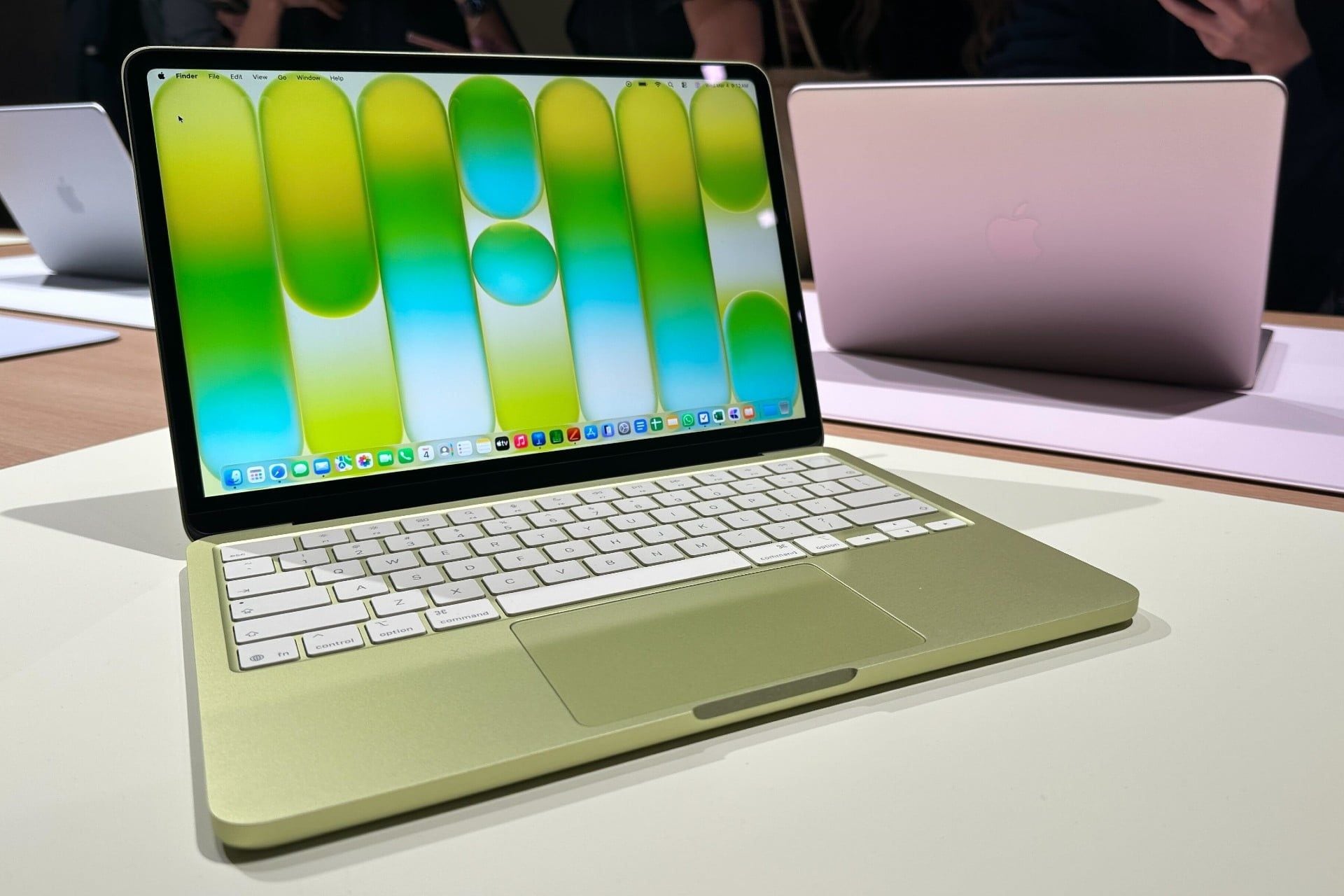
MacBook Neo succeeds because it does not feel like a bargain-bin laptop. Apple kept an aluminum design, clean MacBook shape, and a light 2.7-pound body. That makes the Neo feel closer to the MacBook Air than many budget Windows laptops or Chromebooks in daily handling.
Colors and Build Quality
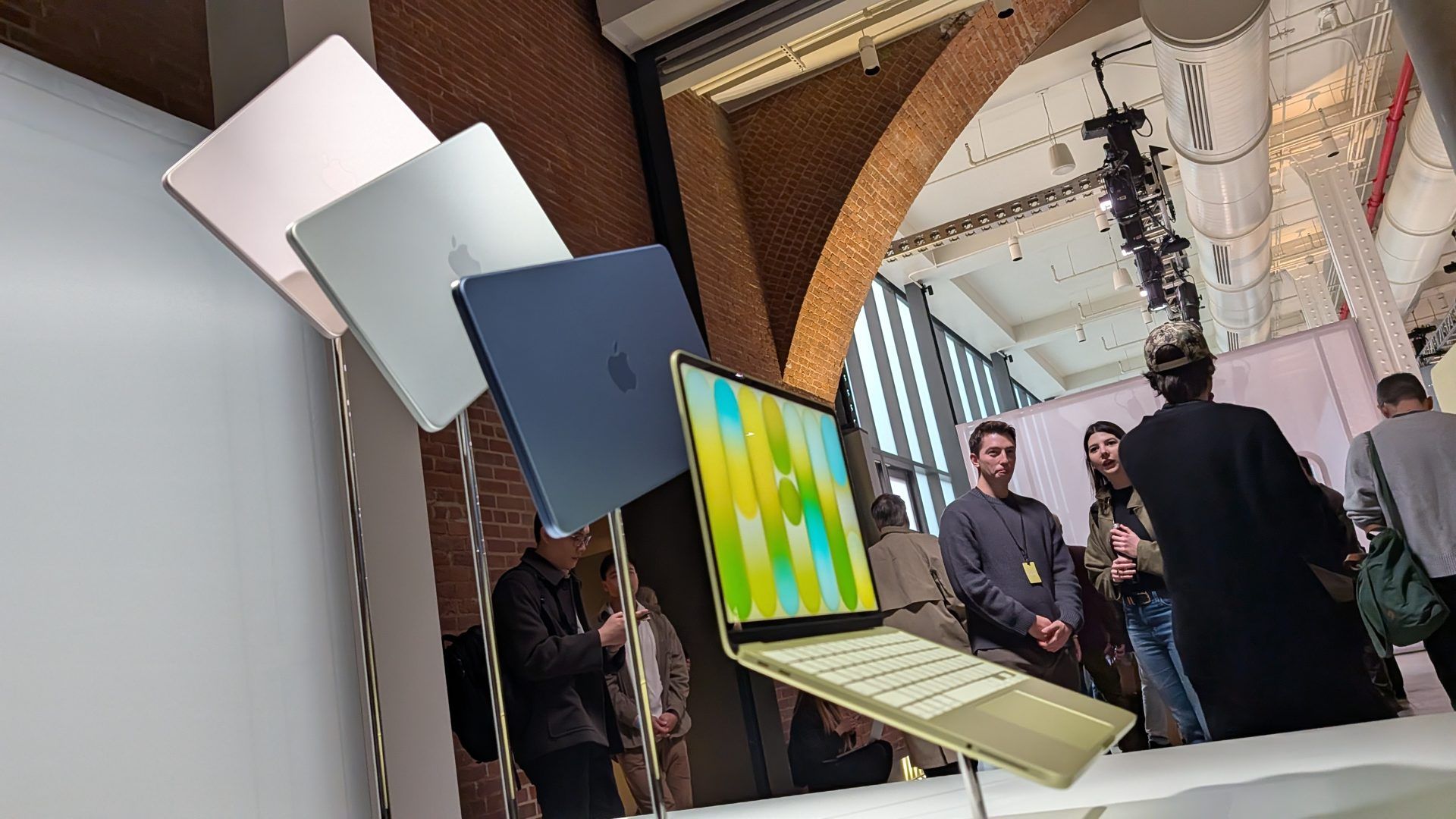
The color lineup gives the Neo a clearer identity than the Air. Silver is the safe choice, while Blush, Citrus, and Indigo make the laptop feel more student- and lifestyle-focused. The build quality is a major selling point because many laptops in this price range still feel plastic, flexible, or visually dated.
The hinge feel, thin body, and aluminum finish help the Neo feel premium. That matters for first-time Mac buyers because the physical experience is part of what separates macOS laptops from cheap school laptops.
13-Inch Liquid Retina Display
The 13-inch Liquid Retina display is sharp and bright enough for everyday work. Apple lists 2408 x 1506 native resolution at 219 ppi and 500 nits brightness. Text looks clean, streaming looks good, and the traditional bezel avoids a notch.

The limitation is color. Apple lists sRGB color, while the M5 MacBook Air supports Wide color (P3) and True Tone. That means the Neo is fine for school, browsing, and casual photos, but the Air is the better choice for design, photography, illustration, and video work where color accuracy matters.
| Display need | MacBook Neo fit | Better choice if needed |
| Writing, web, school portals, email | Excellent | Neo is enough. |
| Streaming and casual photo viewing | Good | Neo is enough unless you want a larger screen. |
| Design coursework | Limited | MacBook Air or Pro with P3 color is safer. |
| Color-critical photo or video editing | Not ideal | MacBook Air, MacBook Pro, or external calibrated display. |
Part 5. Performance Review: A18 Pro, Apple Intelligence, and Battery Life
The MacBook Neo uses Apple's A18 Pro chip, a mobile-origin Apple silicon chip with a 6-core CPU, 5-core GPU, hardware-accelerated ray tracing, a 16-core Neural Engine, and 60GB/s memory bandwidth. It is not an M-series Mac, but it is still Apple silicon running macOS, and it feels fast for the workflows this laptop is built for.

For everyday use, the Neo is strong:
- Safari, Chrome, and Edge browsing;
- Google Docs, Microsoft Office, Pages, Numbers, and Keynote;
- email, messaging, calendar, and cloud apps;
- streaming video and music;
- Zoom, Google Meet, FaceTime, and school calls;
- light photo edits and simple iMovie projects;
- Apple Intelligence writing tools and everyday AI features.
The Neo becomes less comfortable when memory pressure builds. Fixed 8GB unified memory can be enough for basic use, but it is not generous in 2026. Heavy browser tab use, large spreadsheets, coding containers, RAW photo workflows, 4K/8K video editing, virtual machines, or large AI tasks are better suited to a MacBook Air with 16GB or more, or a MacBook Pro.
Battery life is good for the category. Apple rates the Neo at up to 16 hours video streaming and up to 11 hours wireless web. Tom's Guide reported 13 hours and 28 minutes in its review testing, which supports the idea that the Neo can last a normal student day. Charging is less impressive: the 20W adapter is modest, and users who top up often will miss MagSafe and fast charging.
Part 6. Keyboard, Trackpad, Camera, and Ports
The MacBook Neo keeps the basics strong, but the input and port choices reveal where Apple cut cost.

| Feature | What MacBook Neo offers | Review judgment |
| Keyboard | Magic Keyboard with full-height function keys | Comfortable for writing and schoolwork, but some reviews note the lack of keyboard backlighting as a compromise. |
| Touch ID | Available on the Magic Keyboard with Touch ID configuration | Do not assume the base model includes it. Check the exact configuration before buying. |
| Trackpad | Multi-Touch trackpad | Gestures are supported, but buyers coming from Air/Pro models should check the feel in store. |
| Camera | 1080p FaceTime HD camera | Good enough for classes and calls; not the main reason to upgrade. |
| Ports | One USB 3 USB-C port, one USB 2 USB-C port, and headphone jack | The most important limitation. The USB 2 port is too slow for serious external storage work. |
The port layout matters for Recoverit readers because external-drive workflows are common in data backup and recovery. If you are scanning an external SSD, copying a Time Machine backup, or recovering media from a USB drive, use the USB 3 port. The USB 2 port is better reserved for low-bandwidth accessories.
Part 7. MacBook Neo vs MacBook Air
The MacBook Neo vs MacBook Air comparison is the real buying decision. The Neo is cheaper, lighter on specs, and designed for basic use. The M5 MacBook Air costs more but gives far better headroom: M5 performance, 16GB base memory, storage up to 4TB, P3 color, True Tone, MagSafe, Thunderbolt 4, better external display support, and longer battery ratings.
| Feature | MacBook Neo | MacBook Air 13-inch with M5 |
| Starting price context | Launched at $599; current new-unit price reported around $699, with education/refurbished paths near $599 | Apple lists $1,099 U.S. starting price and $999 education price for the 13-inch M5 Air |
| Chip | A18 Pro, 6-core CPU, 5-core GPU | M5, 10-core CPU, 8-core or 10-core GPU |
| Memory | 8GB only | 16GB base, configurable to 24GB or 32GB |
| Storage | 256GB or 512GB | 512GB base, configurable up to 4TB |
| Display | 13.0-inch, 2408 x 1506, 500 nits, sRGB | 13.6-inch, 2560 x 1664, 500 nits, P3, True Tone |
| Ports | USB 3 USB-C, USB 2 USB-C, headphone jack | MagSafe 3, two Thunderbolt 4 ports, headphone jack |
| External display | One display up to 4K at 60Hz | Up to two external displays, including higher-resolution options listed by Apple |
| Battery rating | Up to 16 hours video streaming, 11 hours wireless web | Up to 18 hours video streaming, 15 hours wireless web |
| Best buyer | Budget student, casual user, first Mac buyer | Longer-term student, light creator, professional user who does not need a Pro |
Choose MacBook Neo if your budget is tight, you mainly write and browse, you value portability, and you can live with 8GB memory. Choose MacBook Air if you want a Mac to last longer, need more memory, use external drives or monitors, care about display color, or plan to keep the laptop for college and early career use.
Part 8. MacBook Neo vs MacBook Pro and Used MacBook Air
MacBook Neo vs MacBook Pro is not a close contest. They target different users. The Pro is for sustained performance, high-end displays, pro ports, multi-display setups, development, design, 3D, audio, and video. Neo is for entry-level Mac access.
| Buyer path | What you gain | What you give up |
| MacBook Neo | Lowest MacBook entry price, lightweight body, A18 Pro efficiency, simple macOS experience | RAM, ports, display quality, upgrade flexibility, sustained power |
| MacBook Pro | Pro chips, better display, pro ports, better sustained workloads, stronger media workflows | Much higher price, heavier body, more machine than casual users need |
| Refurbished or used MacBook Air | Potentially better ports, display, memory options, and value depending on model | Shorter remaining warranty or older battery if not Apple refurbished |
The refurbished MacBook Air comparison is important because the Neo's current pricing has moved closer to older Air deals. If you can find an Apple-refurbished M2, M3, or M4 Air with 16GB memory at a similar price, it may be a smarter long-term purchase than a new Neo. If you need the lowest new MacBook price and do not care about pro features, Neo still makes sense.
Part 9. Should You Buy MacBook Neo?
Use this decision table before buying.
| Your situation | Recommendation | Reason |
| You are a student writing papers, browsing, using email, and streaming | Buy, especially with education pricing | The Neo covers everyday school work well and is easy to carry. |
| You are replacing an old Intel MacBook for basic use | Buy if the price is right | Apple silicon efficiency and macOS support make it feel modern. |
| You need Lightroom, Final Cut, Xcode, Docker, CAD, or large creative projects | Skip | Fixed 8GB memory and limited ports are too restrictive. |
| You want a laptop for four years of college with changing workload needs | Consider MacBook Air first | 16GB base memory, better ports, and better display offer more headroom. |
| You use external SSDs, docks, or multiple displays | Skip or buy Air/Pro | No Thunderbolt and only one fast USB-C port will frustrate you. |
| You can get Apple refurbished or education pricing near $599 | Strong buy for casual users | The value is much stronger below the $699 new-unit level. |
Bottom line: MacBook Neo is the best Mac for users who know they are basic users. If you might become a heavier user, buy more Mac than you need today.
Part 10. MacBook Neo Data Recovery and Storage Safety
MacBook Neo's 256GB and 512GB storage options make file management more important than on higher-capacity Macs. Students and casual users often rely on Downloads, Desktop, iCloud Drive, external USB drives, and migration folders. That creates common data loss cases: accidental deletion, emptied Trash, failed migration, deleted class folders, lost Word documents, external SSD errors, or files missing after a macOS update.
Start with backup and built-in recovery options. Apple recommends Time Machine for Mac backups, and Time Machine can restore deleted or changed files if a backup exists. Apple's Migration Assistant can transfer documents, apps, accounts, and settings from another Mac, a Time Machine backup, or a Windows PC. If a backup exists, use it first.
When Recoverit Can Help
Recoverit is relevant when files are deleted, missing, or lost from readable storage and a backup is unavailable or incomplete. It can help scan local Mac drives, external drives, USB drives, SD cards, and transferred folders for recoverable files. Recovery depends on storage condition, APFS behavior, FileVault encryption, TRIM, overwriting, and whether the storage can still be detected. Recoverit cannot bypass FileVault, recover overwritten data, repair physical SSD failure, or guarantee recovery from an erased Apple silicon Mac.
| Data loss case | First safe action | Recoverit fit |
| Recently deleted files or emptied Trash | Stop saving new files and check Time Machine/iCloud first | Recover emptied Trash on Mac may help if data has not been overwritten. |
| Lost class documents or Word files | Check AutoSave, iCloud, OneDrive, and Time Machine | Recover Word files is relevant if the file was deleted from local or external storage. |
| Missing files after migration | Check old Mac, backup disk, and Migration Assistant source | Scan the old drive, backup copy, or external transfer drive before erasing anything. |
| External SSD, USB drive, or partition issue | Do not erase or repartition the device | SSD partition recovery can help users understand recovery options before formatting. |
| Camera card or external media connected to the MacBook Neo | Remove the card safely and avoid new writes | Camera recovery, CFexpress recovery, microSD guidance, and Transcend SD recovery may be relevant for external media. |
| Lost videos on Mac or external drives | Stop editing, exporting, or copying to the same drive | For related video scenarios, see Recoverit resources on 4K action camera video problems and 8K video workflows. |
How to Recover Lost Files from a MacBook Neo
Follow this sequence before trying destructive fixes such as erasing a disk, reinstalling macOS, or repartitioning an external drive.
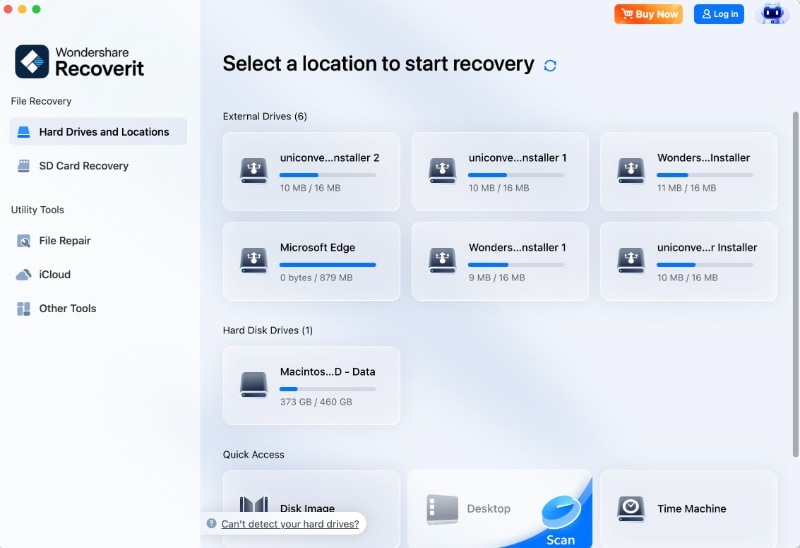
- Select the storage location. Open Recoverit on the Mac and choose the drive, folder, external SSD, USB drive, or memory card where the files were lost. For internal Mac storage, choose the relevant local location only if the Mac is working and the drive is detectable.
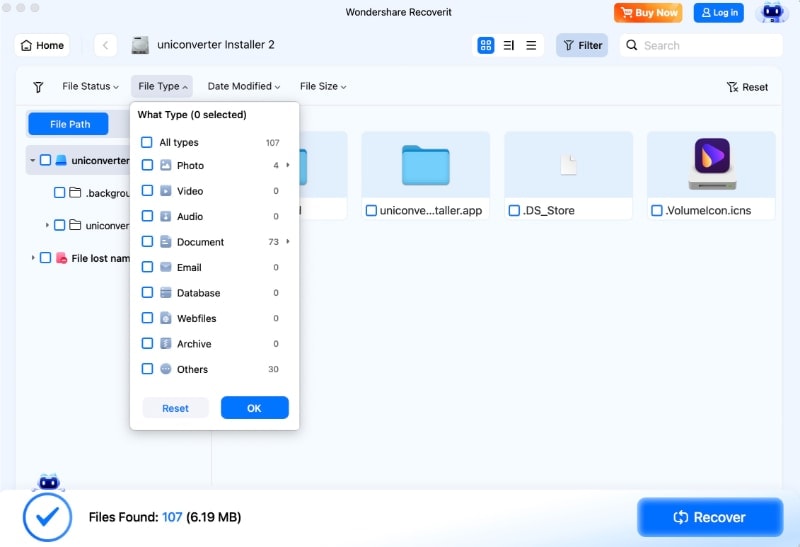
- Scan and filter the results. Let the scan run, then filter by document, photo, video, audio, file size, or modified date. This is useful on a 256GB or 512GB Mac where old downloads, iCloud copies, and migrated folders can create many results.
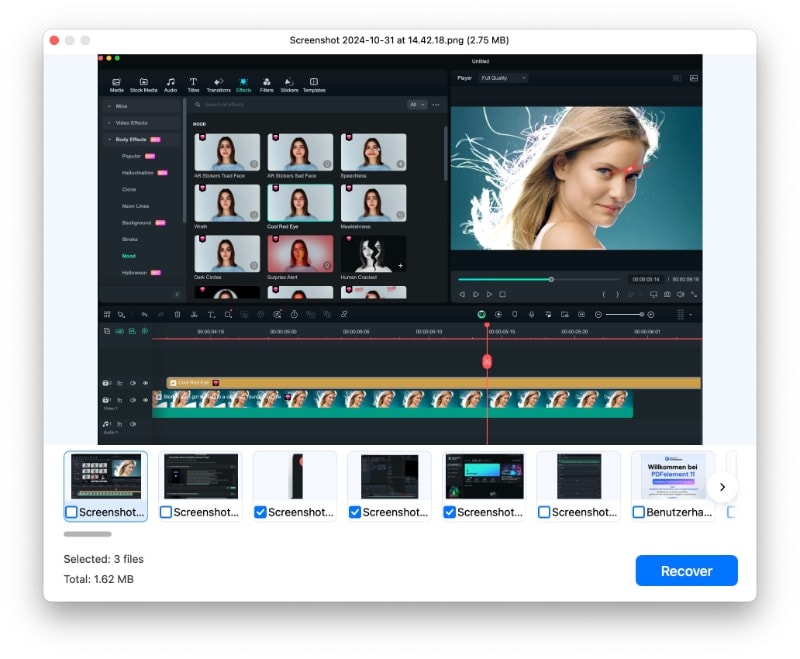
- Preview and recover to a different drive. Preview recoverable files when possible. Save recovered files to another drive, not the same storage location being scanned, so you do not overwrite additional recoverable data.

Conclusion
The MacBook Neo is a smart entry Mac, but it is not magic. It gives budget buyers a real aluminum MacBook with Apple silicon, a good 13-inch display, strong battery life, and macOS at a lower price than the Air. For students, writers, families, and casual users, it can be the right Mac.
The trade-offs are clear: fixed 8GB memory, limited SSD capacity, no Thunderbolt, no MagSafe, a slower second USB-C port, and a display that is not built for color-critical work. The current price context also matters. At $599 through education or refurbished channels, the Neo is a strong value. At $699 new, compare it carefully with MacBook Air discounts and Apple-refurbished Air models.
For Recoverit's audience, the most important MacBook Neo habit is simple: back up early. Use Time Machine before major changes, avoid erasing or repartitioning storage before recovery, and stop using the affected drive if files disappear. Recoverit may help recover lost files from readable Mac or external storage, but results depend on overwriting, encryption, APFS behavior, and drive condition.
FAQ
-
What is the MacBook Neo release date?
Apple announced MacBook Neo on March 4, 2026, and availability began on March 11, 2026. -
How much does MacBook Neo cost in 2026?
MacBook Neo launched at $599 for the 256GB model, but current price reporting in August 2026 shows the regular new-unit starting price around $699. Education and refurbished channels may still offer pricing near $599 when available. -
What chip does MacBook Neo use?
MacBook Neo uses Apple's A18 Pro chip with a 6-core CPU, 5-core GPU, hardware-accelerated ray tracing, 16-core Neural Engine, and 60GB/s memory bandwidth. -
Is 8GB memory enough for MacBook Neo?
8GB is enough for browsing, writing, streaming, email, and basic schoolwork. It is not ideal for heavy multitasking, coding environments, pro creative apps, large photo libraries, or long-term headroom. -
Should I buy MacBook Neo or MacBook Air?
Buy MacBook Neo if budget is the main priority and your tasks are simple. Buy MacBook Air if you need 16GB or more memory, Thunderbolt 4, MagSafe, better display color, stronger battery ratings, or more storage options. -
Can Recoverit recover deleted files from MacBook Neo?
Recoverit may help recover deleted files from readable Mac or external storage if the data has not been overwritten and the drive can be detected. It cannot bypass FileVault, recover overwritten data, repair physical SSD failure, or guarantee results. -
What should I do before resetting or erasing a MacBook Neo?
Back up with Time Machine or another trusted backup method first. If files are already missing, scan the affected storage before erasing, reinstalling macOS, formatting, or repartitioning.


