

 TL;DR:
For users seeking DiskGenius alternatives to recover deleted files or manage drives, Wondershare Recoverit provides the easiest interface for beginners, while R-Studio, UFS Explorer, AOMEI, and DMDE cater to specialized technical and partitioning requirements.
● Wondershare Recoverit offers guided file recovery and bootable crash media creation for everyday users, whereas R-Studio and DMDE target IT specialists who require complex RAID reconstruction, remote network scanning, or raw hex-level manual data control.
● AOMEI Partition Assistant excels at non-destructive drive management, allowing home and business users to perform OS-to-SSD migrations and safe MBR-to-GPT conversions, though its compatibility is strictly limited to Windows without macOS support.
● UFS Explorer delivers cross-platform recovery across Windows, Linux, and macOS for virtual disks and encrypted storage like BitLocker and APFS, but its high price and restricted trial version make it less suitable for basic, low-budget recovery tasks.
Ask AI for a summary
 ChatGPT
 Perplexity
 Gemini
 Claude
 Grok
Grok
Losing files or damaged drives can stop important work in a single moment. Reliable tools that recover lost data help users fix issues before they grow worse. Many people use DiskGenius for recovery and drive repair, but it’s not the only choice. Other tools can be easier to use and recover lost files just as well. Good recovery software helps you find missing data fast and keeps your computer stable.
This guide shows five strong options that fix drives and recover lost files safely. Each program has clear steps, a simple design, and steady performance on most systems. If you’re looking for a reliable diskgenius alternative, these tools make recovery simple and secure.
Try Recoverit to Perform Computer Data Recovery
 Security Verified. 3,591,664 people have downloaded it.
In this article

Part 1. Criteria for Choosing the Best Alternatives to DiskGenius
Before exploring each tool, understand the key points that guide smart software choices. Keep these clear factors in mind when comparing every disk genius alternative below:
- Recovery Strength: The software must restore lost or damaged files from many storage devices. It should work smoothly with HDDs, SSDs, USB drives, and memory cards.
- Partition Control: Tools should resize, merge, or delete partitions without harming saved data. Strong partition control helps organize disks and supports quick file recovery tasks.
- Platform Reach: Support for Windows, macOS, and Linux keeps every user fully covered. Cross-platform access ensures flexibility for mixed-system offices and personal use.
- User Simplicity: Clear menus and a clean design help beginners manage recovery without confusion. Simple layouts turn complex storage repairs into easy, guided, step-by-step actions.
- Budget Value: Affordable tools help individuals recover data without heavy recurring subscription costs. Free or low-cost plans make reliable software reachable for all user budgets.
- Pro Functions: Advanced tools add RAID recovery, cloning, and safe bootable repair features. These options serve experts handling enterprise storage and large-scale recovery needs.
Part 2. Top 5 DiskGenius Alternatives to Recover Data and Manage Partitions Easily
Here’s a closer look at the Top 5 diskgenius alternatives worth considering to recover data and manage partitions:
1. Wondershare Recoverit
Recoverit is a powerful alternative to diskgenius built for quick and safe data recovery. It brings back deleted or missing files from drives, memory cards, and USBs easily. The clean layout helps beginners recover files fast without setup or confusion. Smart scanning finds missing data, keeping every recovery smooth and secure. Check to learn the comparison of DiskGenius and Recoverit.
Moreover, it works across many devices and systems without reducing speed or quality. It supports photos, videos, emails, and documents with simple file previews before saving. The recovery steps stay short and guided for users who want full control. This tool keeps data safe while restoring information with clarity and consistency.
Key Features
- Multi-Device Recovery: Recover files from hard drives, SSDs, USBs, and memory cards with simple, reliable scanning.
- Advanced File Filter: Use smart filters to locate specific file types faster and skip unwanted scan results.
- Bootable Crash Media: Build a startup USB drive to recover data safely from non-booting or crashed systems.
Guide to Recover and Manage Partitions with Recoverit
Let’s walk through the steps below to recover the partitions with Recoverit:
- Select the Location for Recovery
First, navigate to the “Hard Drives and Locations” option in the left sidebar to start the recovery process.

- Start the Scanning Process
After scanning, all recoverable files will appear under the “Name of Lost Files” folder, under the “File Location” tab.

- Preview and Recover
Finally, preview the files and select the “Recover” option to complete the recovery process.

2. R-Studio
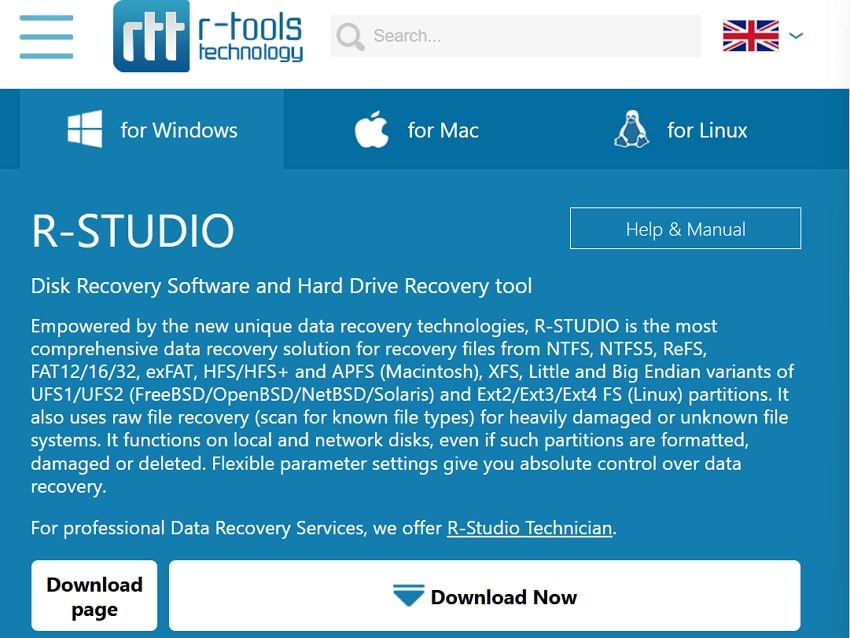
This diskgenius free alternative combines speed, flexibility, and technical depth for expert-level recovery. It supports advanced file systems and networked drives without placing a heavy load on the system. Its detailed interface allows users to view partition maps clearly. Data integrity tools verify accuracy at every step, ensuring precise recovery. R-Studio’s engineering focus ensures reliable results even with damaged or lost partitions.
Key Features
- Supports RAID reconstruction, letting users rebuild damaged arrays without losing data.
- Scans network drives quickly, helping recover deleted partitions across connected systems.
- Saves session progress, allowing users to pause and resume scanning efficiently later.
Pros
- Works well with complex RAID arrays and advanced recovery formats.
- Reliable results when recovering data from the network or remote devices.
Cons
- The interface feels complex for beginners learning data recovery tools.
- Mobile version missing for users needing portable recovery access.
User Reviews
Positive Review
- RStudio is probably the best data recovery software out there. R-Tools Technology's RStudio: probably the best data recovery software out there. Realising I'd inadvertently deleted a sub-folder of some 300 files with no trace in the Recycle Bin, I immediately disconnected the external drive and spent the day researching what software was best to recover them…- GeorgeKearse
Negative Review
- I purchased R-Studio for personal data recovery, expecting a user-friendly experience, but their licensing policy turned out to be predatory and anti-consumer. Unlike industry standards allow free license transfers to new PCs - Little_Muffin7078
3. UFS Explorer
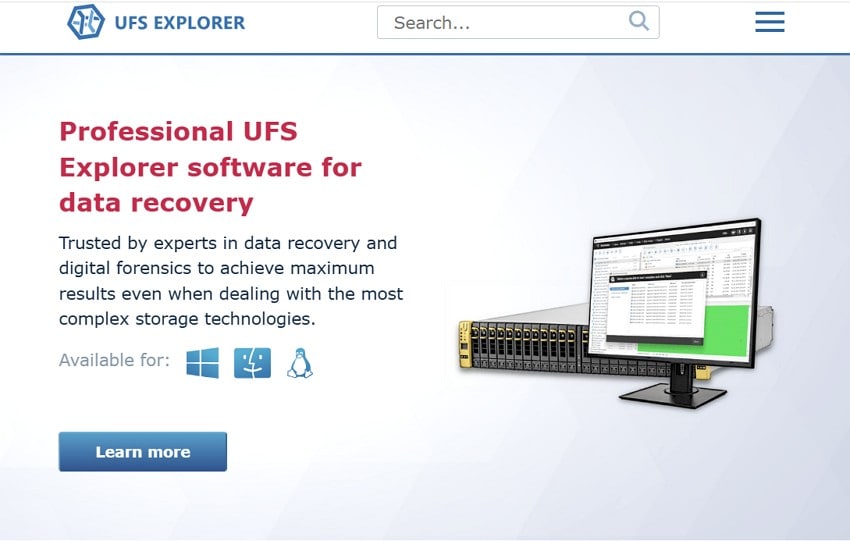
UFS Explorer stands among the leading diskgenius alternatives for structured and reliable recovery. It works with multiple file systems across Windows, macOS, and Linux. Users can recover deleted, formatted, or damaged data with accuracy. Its cloning tools protect original disks from risk. It provides full visibility, allowing users to control every step of the recovery process.
Key Features
- Recovers RAID arrays and virtual disks efficiently with minimal manual configuration.
- Supports encrypted storage volumes, including BitLocker and APFS, maintaining file security.
- Provides safe drive cloning tools to prevent accidental overwriting during recovery.
Pros
- Cross-platform support ensures usability across Windows, Linux, and macOS.
- Accurate scans retrieve deleted partitions without excessive system load.
Cons
- The price is high compared to simple recovery solutions available.
- The trial version restricts saving recovered data for testing purposes.
User Reviews
Positive Review
- Just wanted to share my experience using UFS Explorer. I setup a NAS for my bro and his family so they had external storage since everyone uses a laptop. My bro and sis-in-law only use work laptops, so they definitely needed external storage since their work computers could be taken at any moment. - fudge_u
Negative Review
- Recovering a Drobo 5 drive set. The drobo just stopped working after unplugging / replugging the USB cable, so it should be ok , but after 2 weeks of letting ufs run against it - Delchi
4. AOMEI Partition Assistant
This is a trusted diskgenius free alternative for quick partition and recovery work. It helps users resize, merge, and split drives without deleting files. The interface is clean, guiding beginners smoothly through setup. Conversion between GPT and MBR happens safely. AOMEI keeps every partition task fast, secure, and suitable for daily computer users.
Key Features
- Allows users to resize, merge, or split partitions without losing data.
- Converts disk formats between MBR and GPT safely with zero data loss.
- Migrate the operating system to SSD drives smoothly for faster computer speed.
Pros
- A simple interface helps beginners perform disk tasks confidently.
- Secure partition operations protect user data from corruption.
Cons
- No macOS support limits its accessibility across all platforms.
- Lacks advanced RAID management options for enterprise use.
User Reviews
Positive Review
- I'm using the AOMEI Backupper over several years for my desktop computers daily backups. When I have a technical difficulty, I ask the company by an email for their help and they always promptly response my request in less than 24 hours and always have a solution to my problems - Onyuksel
Negative Review
- Can be a little buggy at times but it's always easy to get ahold of someone in tech support when that happens and they usually respond within hours and are quite responsive in emails. VERY good deal during one of their frequent/holiday/quarterly sales when you can get five licenses for half the price of one copy. - CA
5. DMDE (DM Disk Editor and Data Recovery Software)
DMDE is a reliable alternative to diskgenius for users needing manual data control. It supports complex partition structures and advanced recovery cases. The built-in hex editor reveals file data at a structural level. Though technical, it delivers unmatched flexibility for deep recovery. DMDE’s layered view helps users trace every file section before safe restoration.
Key Features
- Recovers files from corrupted NTFS, FAT, or exFAT partitions effectively and quickly.
- Displays raw hex data for manual inspection of records and structures.
- Offers a free edition for basic recovery tasks with limited advanced options.
Pros
- Provides deep control over recovery and partition editing.
- Works efficiently even on older computer hardware setups.
Cons
- Interface design feels outdated for modern user expectations.
- A steeper learning curve makes it harder for complete beginners.
User Reviews
Positive Review
- I have an express license and its done me quite well. My work wants me to get a recovery software for very occasional use while we implement some backup strategies and DMDE will upgrade my license for the difference in price. - Trashrascall
Negative Review
- I bought DMDE since GetDataBack didn't seem to list the files. Now DMDE is restoring more data than the 2TB drive I lost, I think recovery is up to 4.5 TB and still not done, it seems to be restoring partial duplicate movie files and large DVD rips. - controlmypad
Part 2. How to Pick the Right Alternative to DiskGenius for Your Needs
Review the table below to choose the best diskgenius alternative according to your preferences:
| Tool | Main Purpose | Ease of Use | Recovery Accuracy | Partition Control | Notable Features | Ideal User |
|---|---|---|---|---|---|---|
| Recoverit | Complete file recovery for photos, videos, documents, and archives | 5/5 | 5/5 | 2/5 | Bootable USB, Smart Filter, File Preview | Everyday users need fast, stable, and accurate recovery |
| R-Studio | Advanced recovery for RAID systems and networked storage environments | 2/5 | 4/5 | 3/5 | RAID Builder, Remote Scan, Session Save | IT specialists and technical recovery use |
| UFS Explorer | Multi-system recovery supporting encrypted and virtual drives | 3/5 | 4/5 | 2/5 | RAID Rebuild, Encryption Access, Drive Cloning | Experienced users working across multiple platforms |
| AOMEI Partition Assistant | Disk partitioning, merging, migration, and conversion tasks | 4/5 | 2/5 | 5/5 | OS Transfer, MBR-GPT Conversion, Disk Cloning | Home and business users managing storage efficiently |
| DMDE | Manual file repair and hex-level data analysis | 1/5 | 4/5 | 3/5 | Hex Editor, Raw Scan, Metadata Viewer | Skilled users preferring full manual recovery control |
Conclusion
To conclude, reliable recovery tools help fix damaged drives and restore important data securely. In this article, we compared trusted options for recovery and safe partition control. The right diskgenius alternative should blend accuracy, simplicity, and steady use across devices. Recoverit makes recovery easy with stable results and clear direction.
FAQ
-
1. What is the main purpose of a DiskGenius alternative?
A DiskGenius alternative helps recover deleted, formatted, or lost files from different drives. It also manages partitions, letting users resize or merge them without losing data. -
2. How can users choose the right data recovery software?
Users should compare recovery precision, supported formats, and layout simplicity carefully. The right software fits their technical level and restores files quickly without errors. -
3. Can free recovery tools perform as well as premium options?
Free tools handle basic recovery but often lack advanced scanning and repair features. Premium tools include deep scans, crash recovery, and flexible file filtering for precision. -
4. Which tool offers the most balanced performance for daily recovery work?
Several tools perform well, but one combines speed, steady use, and strong recovery precision. Recoverit remains naturally balanced, offering the simplest and most steady workflow for everyone.


