Photo Repair
- Fix all photo issues like photo grainy, photo pixelated, photo not opening, etc.
- Enlarge the repaired photos to 2X, 4X, and 8X with AI technology.
- Repair photos of 15+ different photo formats, such as JPG, PNG, NRW, etc.
- Advanced Repair mode for severely corrupted photos.
- Support a wide range of storage media including cameras, SD cards, mobile phones, hard drives, etc.

Free Download Best JPG Photo Repair Software

Oct 22, 2026 • Filed to: Photo/Video/Audio Solutions • Proven solutions
The Core Issue: JPG corruption happens when either the file header metadata (which maps the color profiles and dimensions) or the SOS (Start of Scan) marker data becomes corrupted due to bad storage sectors, incomplete file transfers, or system crashes.
Standard Repair: Ideal for minor glitches, grey blocks, pixelation, or blurriness. Open Wondershare Repairit, import your files, and click Repair to reconstruct the damaged bitstream headers.
Advanced Repair: If the file won't open or shows an "Invalid Marker" error, use Advanced Repair. Upload a working "Sample File" shot on the identical camera model and settings; Repairit extracts its healthy header schema to rebuild the unreadable image file.
No-Install Alternative: For rapid fixes without software deployment, use the cloud-native Repairit Online Photo Repair directly via your browser for instant batch repairs.
File extensions with (.JPG) or (.JPEG) are usually photos. At times they may be subject to issues such as blurriness, distortion, and appearing pixelated or split. To curb such inconveniences or issues when working with or keeping images, photo repair software is essential. For those seeking an easy way to get this done, there is no need to worry as the software Wondershare Repairit is a DIY tool that will work effectively. It is a JPG photo repair software that you can download for free with many advantages, such as repairing corrupt headers and invalid JPEG file structures.
Part 1. Features of the Wondershare Repairit Photo Repair
Repairit Photo Repair has some other awesome features too, here is a list of them:
- An Advanced Scanning Engine
- Has the Ability to Extract Corrupted File Thumbnails
- Repair and Recovery
- In-built Preview Tool
- Smart User Interface

Choosing the Right Processing Mode
| Damage Severity | Visual Symptoms | Suggested Repair Method | Success Rate |
| Minor Damage | Blurriness, slight color distortions, low resolution. | Standard Desktop Mode or Online Repair Tool | 98% |
| Header Corruption | Half-greyed images, split framing, unreadable preview thumbnails. | Standard Desktop Mode | 92% |
| Severe Structure Failure | "Invalid Value for Registry", missing SOS markers, file won't open. | Advanced Desktop Mode (Requires Sample File) | 89% |
| Storage Sector Damage | Multi-file block distortion from formatted SD cards or hard drives. | Advanced Desktop Mode (Batch Processing) | 85% |
Part 2. How to Use the Best JPG Photo Repair Software to Repair Photos
Before commencing any repair operations on the files, it is first notable to start by downloading the software to use it. Since it's a JPG photo repair software available for free download, one can visit their official website to get the software. After downloading and installing, proceed to use the software as given below to repair and recover any damaged files. Note that there may be a need to perform an advanced repair operation, and if so, head to this section.
1. Standard or Typical Software Repair Mode
Step 1: Open the Wondershare Repairit Photo Repair
You will need to download the software Repairit Photo Repair before you start using it. Once downloaded and installed, launch the software to proceed with the repair process.
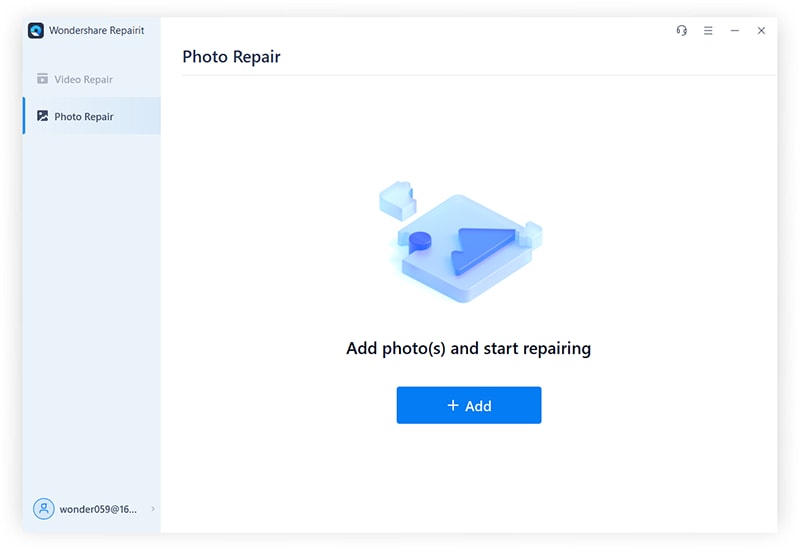
Step 2: Add Files
Now, add files to the software. On the main screen, there is an option to Insert files. This will insert the image file in the list form.
Step 3: Select Files to Be Repaired
Once the list of files to be repaired has been created, you may use the checkbox to select or unselect any files that are worthy to be repaired or unselect them if otherwise.
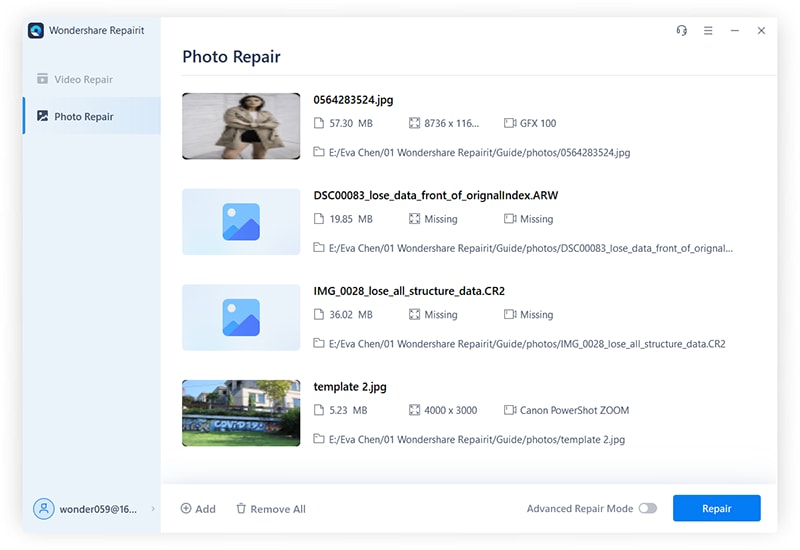
Step 4: Perform the Repair
Hit the "Repair" button to initiate the process once you are certain that the list contains all the files that need to be repaired.
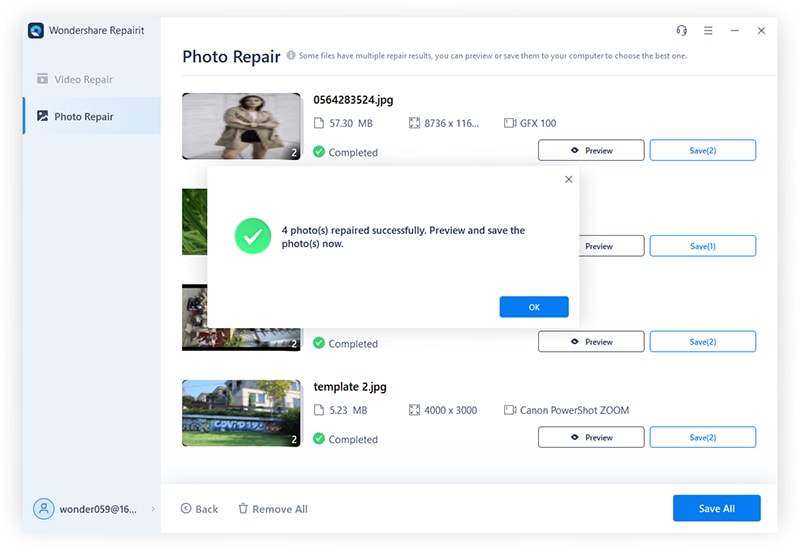
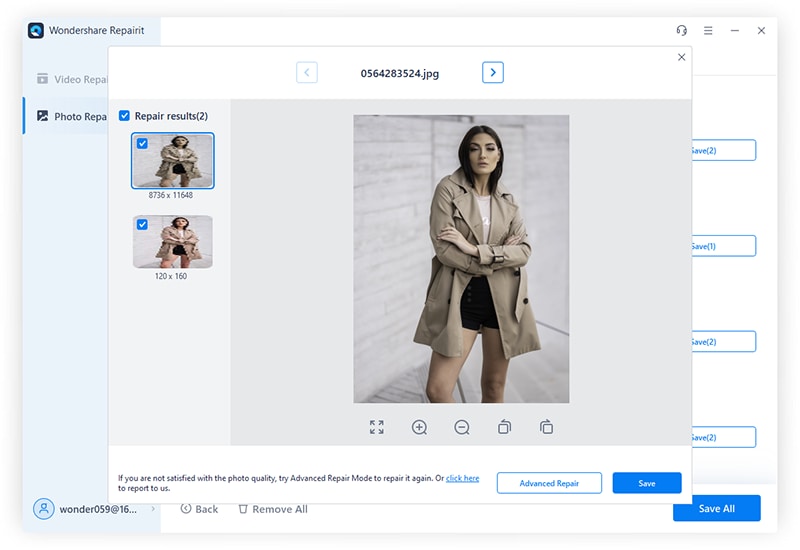
Step 5: Preview and Finish the Repair Process
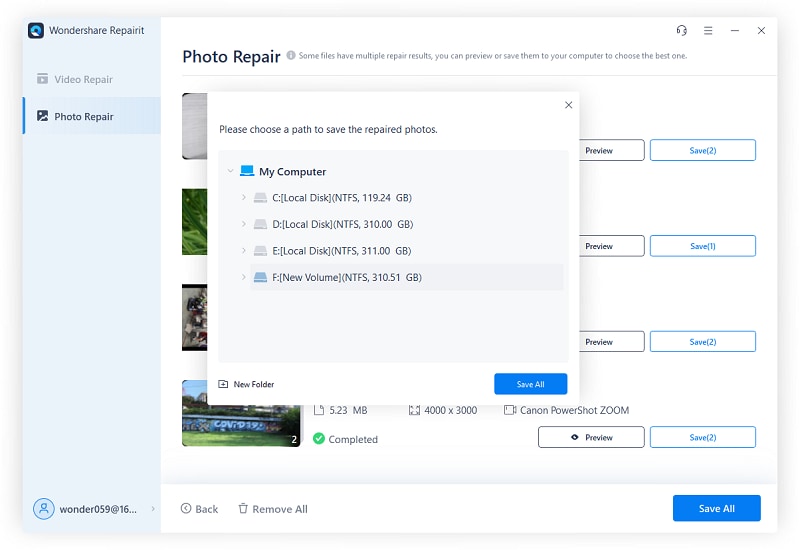
After the process is over, you can preview the photos, and choose the location to store them.
2. Advanced Repair
Though seeming somewhat complex, this process is normally undertaken with the aid of a sample file to get severely damaged file repaired. Remember that this function is only limited to JPG or JPEG files.
What is a Sample File? This is a file generated by the same device as the corrupted file, bearing similar characteristics in format. The file can be of any size. The sophistication in operation is that Steller Photo Repair uses the data from the working sample file to repair the damaged file.
Step 1: Choose the Advanced Repair Option
First of all, within the list of image files to be repaired, click on the "Advanced Repair" option under the "Type" element.
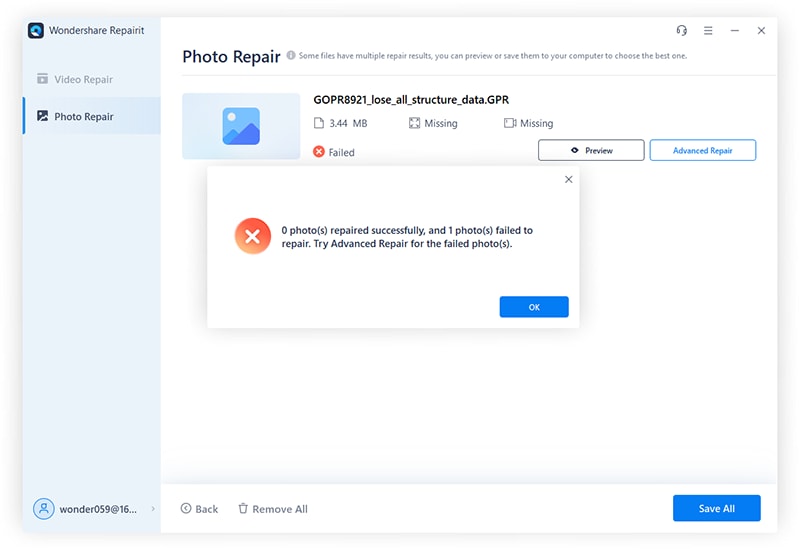
Step 2: Locate the Sample File
Click "Next" when the dialogue box comes up. Proceed to click the "Browse" button to select any desired Sample File.
Step 3: Apply the Advanced Repair Option
To start the repair process, first, start by picking the "Apply to all JPEG of same format" option using the Sample File to repair the damaged file.
Step 4: Perform the Advanced Repair
Now hit the "Repair" button to perform the repair process. A progress bar will now be visible to indicate repair progress. One can click on the "Stop" button to stop the repair process at any time.
Step 5: Finish the Advanced Repair Process
Finally, the "Repair Complete" notification appears; click OK to finish the process. You may then go ahead to view your new and repaired image file.
In older data recovery frameworks, manual hex-editor modifications were required to stitch a broken JPEG structure back together, which often left harsh edge artifacts or color banding. In 2026, Wondershare Repairit bypasses this constraint by leveraging structural AI models during its Advanced Repair routine. When a healthy sample file is provided, the tool doesn’t just clone the missing header architecture; it uses semantic image intelligence to naturally interpolate raw pixel data over bad drive storage sectors. This dramatically reduces instances of split or pixelated images on modern ultra-high-resolution $100\text{MP}+$ camera sensors.
3. Repairit Online Photo Repair
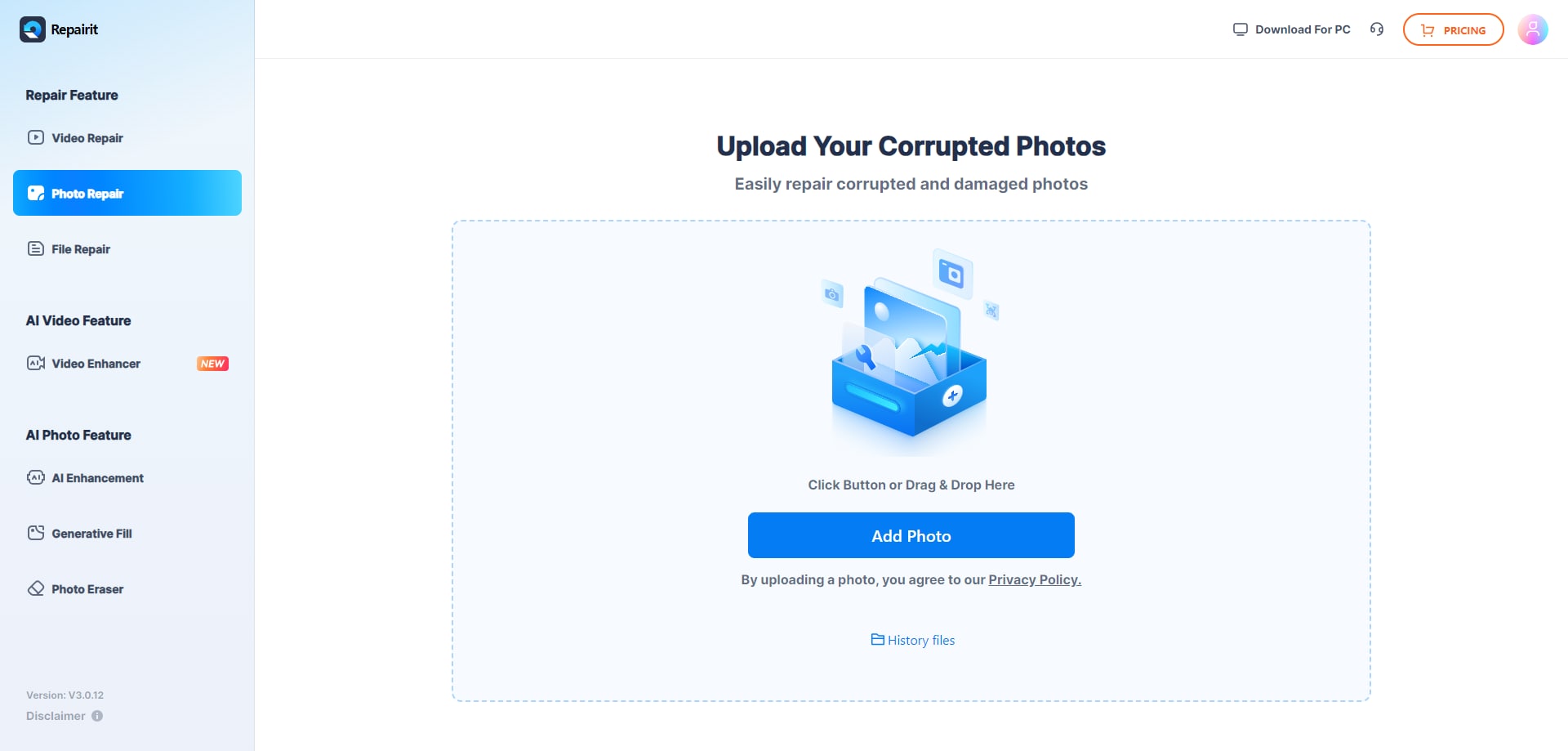
Apart from the Wondershare Repairit desktop application, you also can use the Repairit Photo Repair Online tool to fix your corrupted JPEG files. This tool allows you to effortlessly repair JPEG as well as other image formats directly on the website without the need to download any software to your computer. Here are the steps:
Step 1. Go to Repairit Photo Repair Online working platform, and click Add Photo to upload the corrupted JPEG files. You can upload several files to repair at the same time.
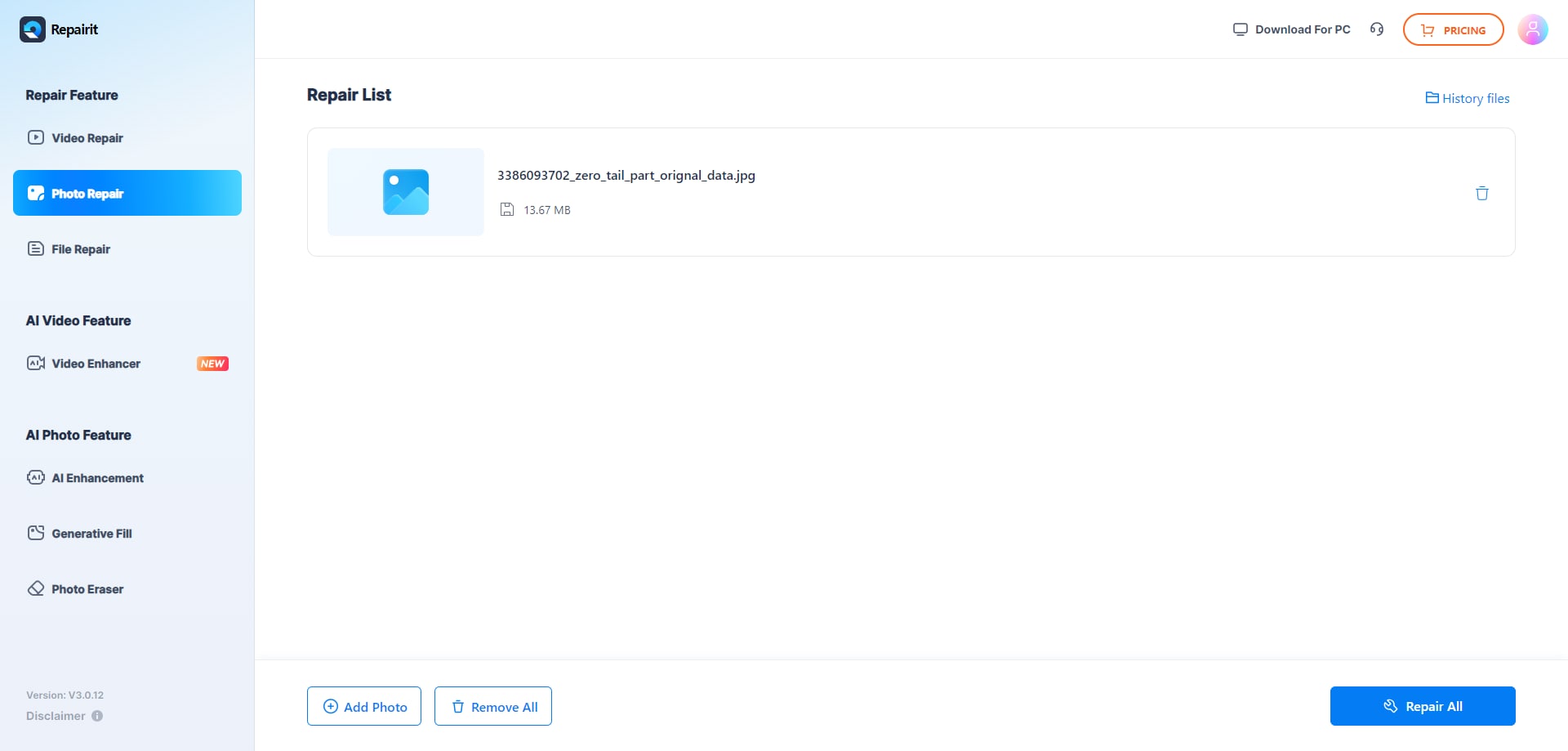
Step 2. Click Repair All to start the image repairing process. It will take a few seconds or minutes to complete.
Step 3. Once it's done, double-click the file to preview the result. If you have no problem with it, press Download All to save the repaired JPEG files to your computer.
Video Tutorial: How to Repair Photos?

Part 3. Reasons You May Need a Photo Repair Software
Now that we know a bit about the free downloadable photo repair software, let us look at the reasons why you might need it:
- An incomplete image file, (JPG/JPEG) scan
This will be an image that has a certain grey area at the bottom. Since a JPEG saves the image in two parts, the header and the JPEG scan, then either the JPEG header or scan may have made the photo corrupt either due to improper saving, improper file transmission, or improper recovery procedure. - Probable errors in the JPEG coding and description
There may be several errors that come about due to the coding and the description of the image file. Improper coding and description of the JPEG file will lead to some of the errors mentioned below. - Header files that are broken or corrupt
As mentioned on the incomplete image file scan, either the part of the JPEG file that is the JPEG header or JPEG scan is corrupt. In this case, if the JPEG Header is corrupt, it may lead to a corrupt image file. - Certain sectors of the storage media may be bad
The storage media itself may be corrupt. This may lead to the image file consequently being corrupt. Some of these sectors may have some sort of damage, thus corrupting the storage media as well as the image file. - Digital media infected by viruses may corrupt image files
If the storage media is infected by viruses, these viruses may in-turn infect or affect the image file. It may corrupt the image file as well as the storage media. - Pictures that were taken on low battery
Pictures taken when the battery is low may have a combined list of some of the above reasons leading to the image file being corrupt. The JPEG file may improperly code the image file, or perform an incomplete JPEG scan, thus corrupting the JPEG scan and header.
Error messages that come up due to corrupt JPEG Files
| Registered Error Code | Core Technical Cause | Target Action Path |
| Invalid Value for Registry | Outdated Windows system path mapping conflicts. | Update default Photos app or clear app cache data. |
| JPEG Error #53 / #52 | System configuration conflict or wrong extension naming. | Verify original file extension; run Repairit Standard Mode. |
| Invalid/Missing SOS Markers | Incomplete internet downloads or bad camera writes. | Advanced Repair Mode using a matching device sample file. |
| JPEG Error #41 (Bit Error) | Sector degradation on SD card or camera connection drops. | Safely extract the image using file recovery, then run Repairit. |
| Error Code 0x80070522 | OS permissions block or folder ownership encryption. | Run image viewer as Administrator or adjust folder security permissions. |
Note: These issues can be fixed, though they may have different procedures. A general repair procedure of the corrupted JPEG Files is detailed in another section in this feature. In case you are unable to fix it, you may seek expert advice concerning the issue.
Conclusion
While photo repair and recovery may seem impossible, the chances of getting the image back have been heightened with the innovation of highly intuitive software such as the Wondershare Repairit Photo Repair. It does the job effectively. This jpg photo repair software can be free and there are many more reasons why one may need to use this tool - from basic causes such as loss or corruption of images to other reasons such as the need to repair images due to invalid JPEG markers and missing SOS. All in all, it is an avant-garde software of its time that will work wonders when wishing to repair corrupt JPEG files.
Final Checklist: Corrupt Image Recovery & Preservation Protocol
- Isolate the Source Drive: If your photos were corrupted on a camera's MicroSD card, pull the card immediately to avoid loop-write sector overwrites.
- Match the Sample Specifications: When utilizing Advanced Repair, ensure your sample file matches the exact aspect ratio, resolution, and digital camera model as the corrupted file.
- Avoid Rename Overwrites: Never change a broken file extension from .png or .webp to .jpg manually via file explorer, as this triggers severe encoding marker mismatches.
- Run Batch Previews: Always utilize the internal preview module within Wondershare Repairit to check for layout completeness before outputting files to a permanent storage disk.
- Diversify Output Locations: Export your freshly repaired images to an independent drive array or secure cloud environment rather than the original corrupted partition.
Fix Media File Issues
- Recover & Repair Photos
- Recover deleted photos.
- Recover photo booth.
- How to repair JPEG images?
- What is JPG File?
- What is GIF File?
- Guide for PNG File
- Recover Videos
- Best video recovery software for Windows
- Best video recovery software for Mac
- Recover DVR recordings
- Recover CCTV footage
- Recover deleted Vivint videos
- Recover deleted MKV files
- Recover deleted Youtube videos
- Recover deleted CapCut videos
- Recover After Effects Project
- Recover Premiere Pro Project
- Recover iMovie Project
- Recover videos from GoPro
- Repair Videos
- Fix error code 0xc00d36c4.
- Repair corrupted MP4 video.
- Fix 0xc10100be video error.
- Solve blurry videos.
- Fix MOV can't play on QuickTime.
- Free video repair software.
- Fix frozen video files.
- Recover & Repair Audio
- Moov Atom Not Found ?
- Repair your MP4 file online.
- Can't play recorded video?
- AVI/MP4/MKV cannot render?
- Fix 0xc00d5212 error of AVI.
- Recover & Repair Cameras


Recoverit Editorial Team
chief Editor